For support, email karimuto.dev@gmail.com
Umeboshi Ask puts a small question panel on the back of your own Anki cards. While reviewing, tap a prompt button or type your own question — the card text travels with the question, so there is nothing to copy and paste. The ones you save stay with the card and return the next time it comes up.
Ask AI on the back of the card
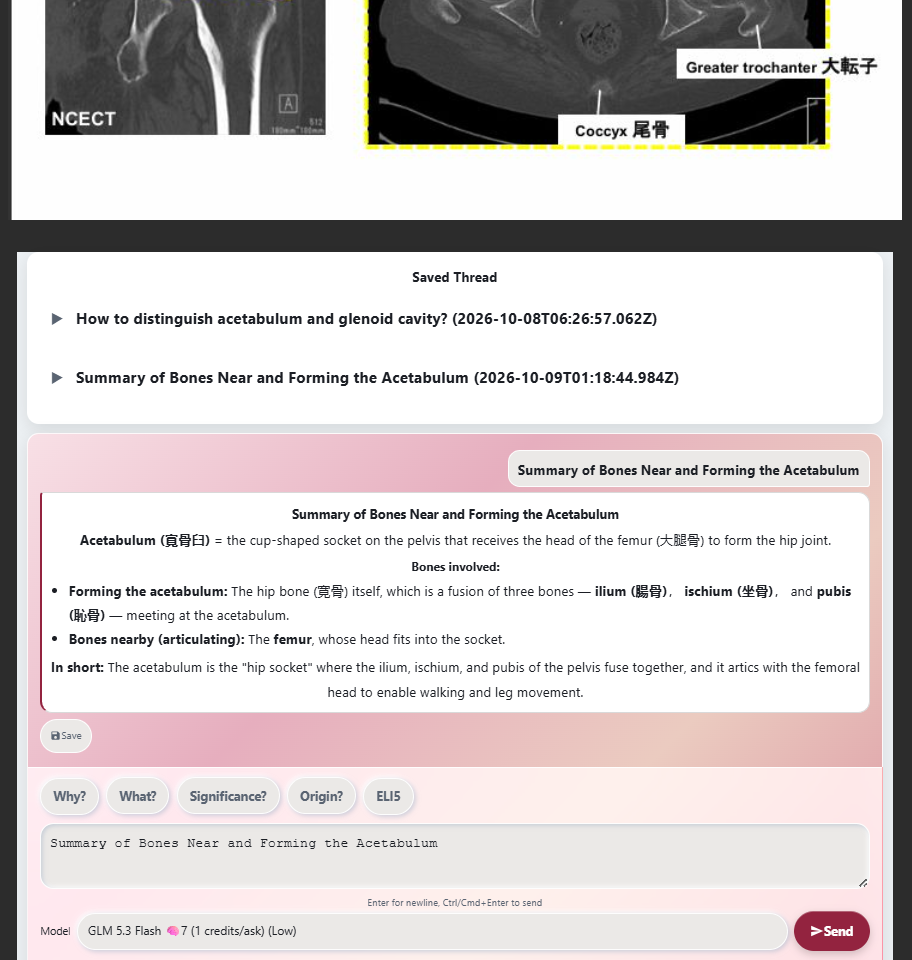
Saved explanations come back the next time the card comes up
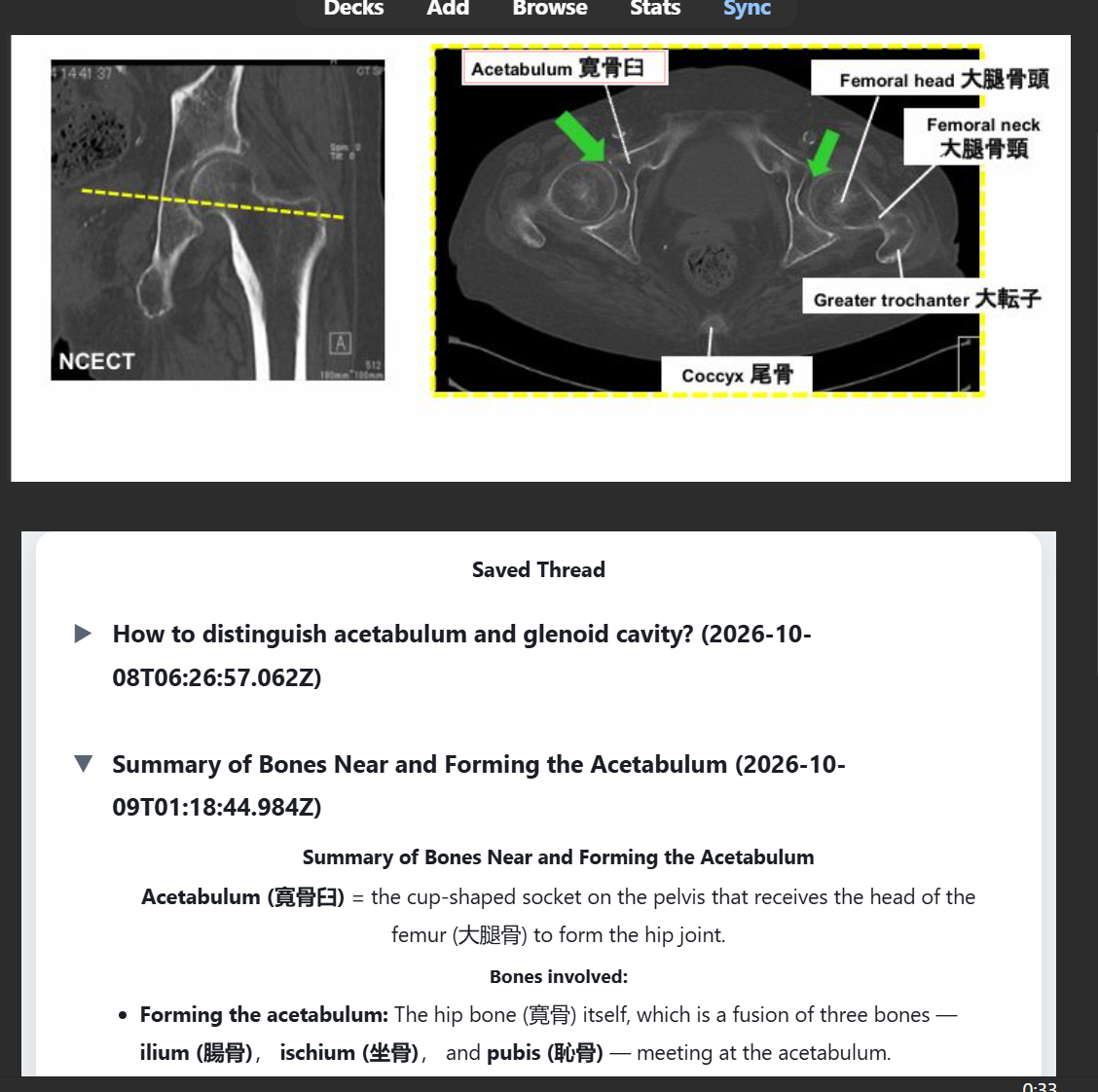
Works on AnkiDroid, AnkiMobile, and AnkiWeb too
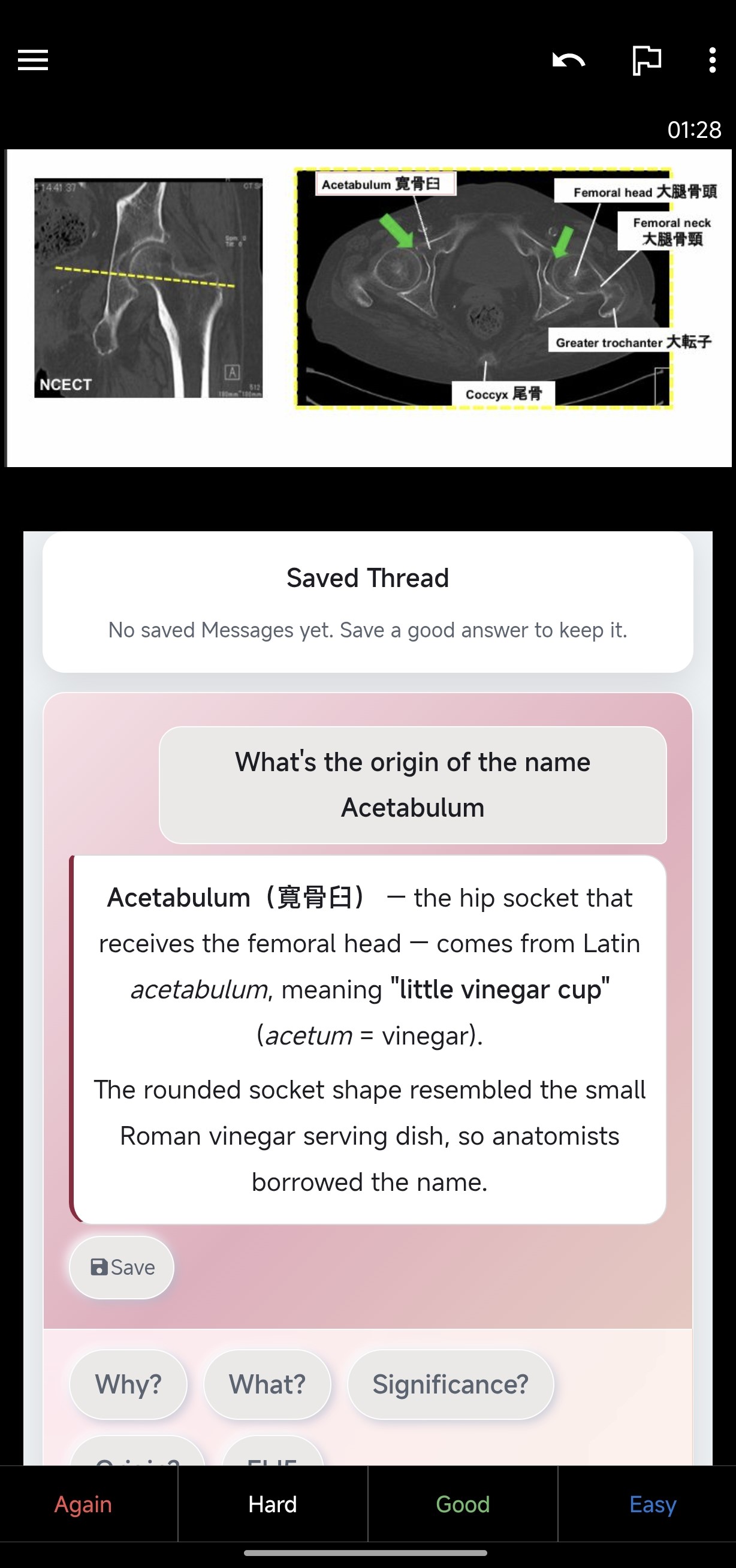
Features:
- Question panel on the answer side — one-tap prompt buttons plus free text. Every prompt is editable and you can add your own.
- Card context attached automatically — body, extra, and cloze info travel with every question. Saved Threads and thinking are never sent.
- A Saved Thread per card — up to 100 saved Messages per card, shown again on their own, edited or deleted one by one.
- Editable prompts — every button's prompt is editable in Settings, and you can add questions of your own.
- Two languages — the panel follows your Anki: Japanese or English.
- Your note types stay yours — the add-on only injects the panel into note types you already own. No note type is changed, no field is added or removed, nothing is re-imported.
How to install:
- Open Tools → Add-ons in Anki Desktop.
- Press Get Add-ons..., paste the code 1114711021, and press OK.
- Restart Anki when asked.
- Open umeboshi-ask: Inject ask (Tools → Add-ons), tick your note types, and press Apply.
- Phones and tablets: sync the desktop, then sync the device — no install needed there.
Full walkthrough in the setup manual: https://umeboshi-ask.pages.dev/setup
Works on Desktop, AnkiDroid, AnkiMobile, and AnkiWeb. Installing needs Anki Desktop 25.09.2 or newer. Saving needs CardID (Desktop 25.09.2+, AnkiDroid 2.24.1+, AnkiMobile 25.09.2+, AnkiWeb); asking works even where saving cannot.
Free weekly credits included — no account needed to ask. Full prices live on the pricing page: https://umeboshi-ask.pages.dev/en/pricing
Please leave constructive feedback and report bugs.
EMAIL KARIMUTO.DEV@GMAIL.COM FOR ALL SUPPORT ISSUES