Remove Hard And Easy Buttons

AnkiWeb addon 1236436346

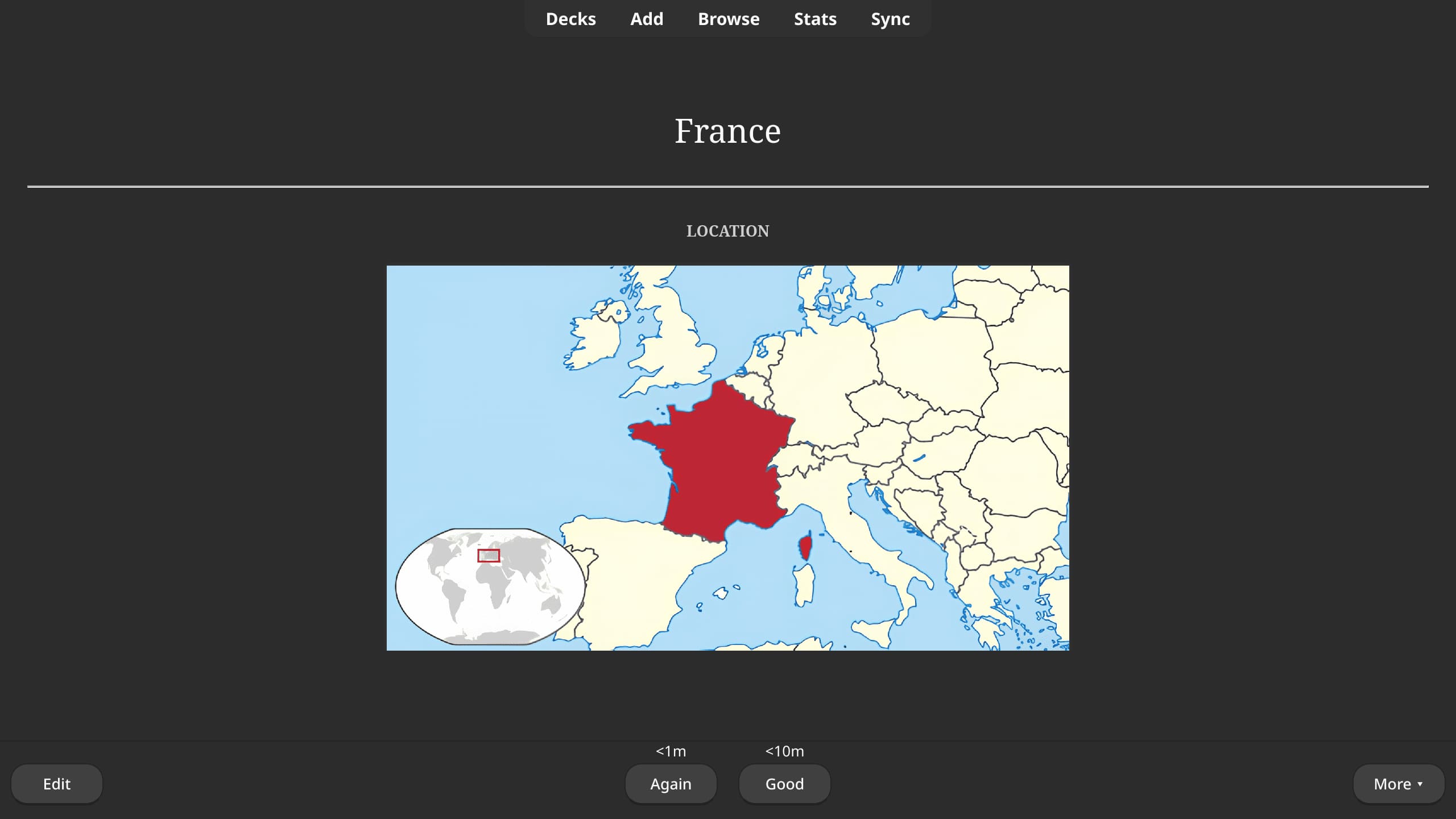
Removes the Hard and Easy buttons from Anki's review interface, leaving only Again and Good to simplify reviews into a pass/fail workflow and reduce cognitive load.
AI-generated summary; may contain mistakes.

schedulingreview-flow

Open on AnkiWeb GitHub Find alternatives

AnkiWeb

Votes
3 (👍 3 · 👎 0)
Updated
2026-01-06
Anki versions
25.09.2~
License
GPL-3.0 (from the GitHub repository)
Virus scan
No ClamAV match A match does not prove malware. No match does not prove that the code is safe.
Languages
Python, JSON
Description language
en

Maintenance

stale

  • Last update or commit: 2026-01-06 (299 days before the snapshot).
  • Commits in the last year: 1.
  • Issues: 0 open, 0 closed.
  • Pull requests: 0 open, 0 merged.

Will it work on my Anki?

Version branches
Min AnkiMax AnkiUpdated
24.1125.09.2+2026-01-06
History across monthly snapshots

Loading…

Similar addons

Again and Good Only

Removes Hard and Easy from the reviewer, remapping every passing answer to Good for faster, simpler, more consistent reviews.

schedulingreview-flow

2 votes 34% approval 👍 2 · 👎 0 ⭐ 0 Anki 25.09.4~ Updated 2026-06-17

Description

The Remove Hard and Easy Buttons add-on simplifies the Anki review interface by removing the Hard and Easy response buttons, leaving only Again and Good. This pass/fail-style workflow helps address well-known limitations of the legacy SM-2 algorithm and reduces cognitive load by allowing you to focus on recall instead of subjective difficulty ratings.

Install

Option 1: AnkiWeb (recommended)

  • Open Anki
  • Go to Tools > Add-ons > Get Add-ons...
  • Enter the add-on code 1236436346
  • Restart Anki

Option 2: Manual installation

  • Download the latest release
  • Extract the folder into your Anki add-ons directory:
    • Linux: ~/.local/share/Anki2/addons21
    • macOS: ~/Library/Application Support/Anki2/addons21
    • Windows: %APPDATA%\Anki2\addons21
  • Restart Anki

Compatibility

Remove Hard and Easy Buttons is compatible with Anki 24.11+ on Linux/macOS/Windows.

See also

README

The Remove Hard and Easy Buttons add-on simplifies the Anki review interface by removing the Hard and Easy response buttons, leaving only Again and Good. This pass/fail-style workflow helps address well-known limitations of the legacy SM-2 algorithm and reduces cognitive load by allowing you to focus on recall instead of subjective difficulty ratings.

Install

Option 1: AnkiWeb (recommended)

  • Open Anki
  • Go to Tools > Add-ons > Get Add-ons...
  • Enter the add-on code 1236436346
  • Restart Anki

Option 2: Manual installation

  • Download the latest release
  • Extract the folder into your Anki add-ons directory:
    • Linux: ~/.local/share/Anki2/addons21
    • macOS: ~/Library/Application Support/Anki2/addons21
    • Windows: %APPDATA%\Anki2\addons21
  • Restart Anki

Compatibility

Remove Hard and Easy Buttons is compatible with Anki 24.11+ on Linux/macOS/Windows.

See also