Pop-up Dictionary – Kanji Extension
Version 1.0
Updated version of the “Pop-up Dictionary” add-on with a new feature.
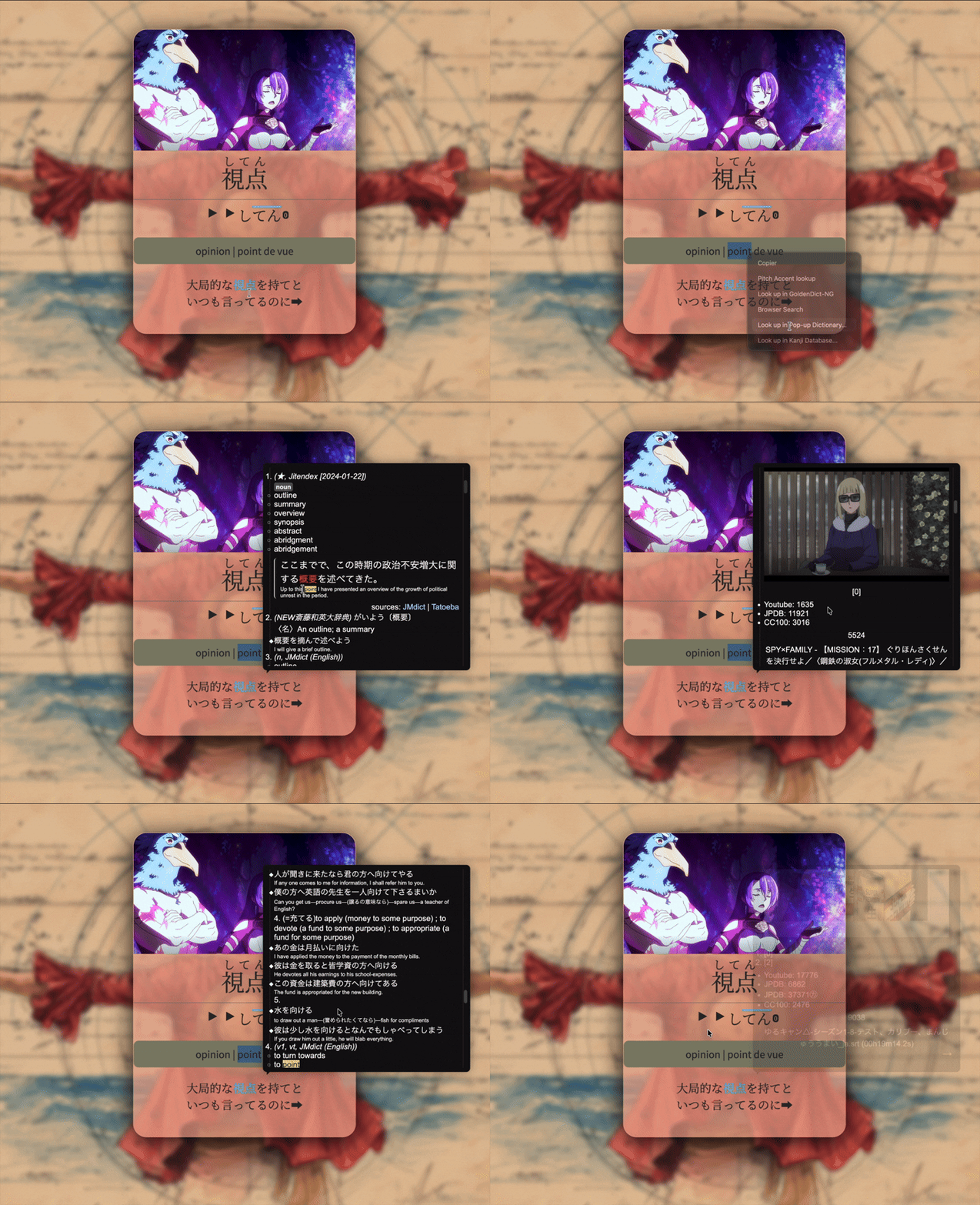
🔍 Look up in Pop-up Dictionary…
By selecting a word, you can open a popup that searches for all occurrences of that character or word in your collection and displays all matching cards, as shown below.
🧠 New feature: Look up in Kanji Database…
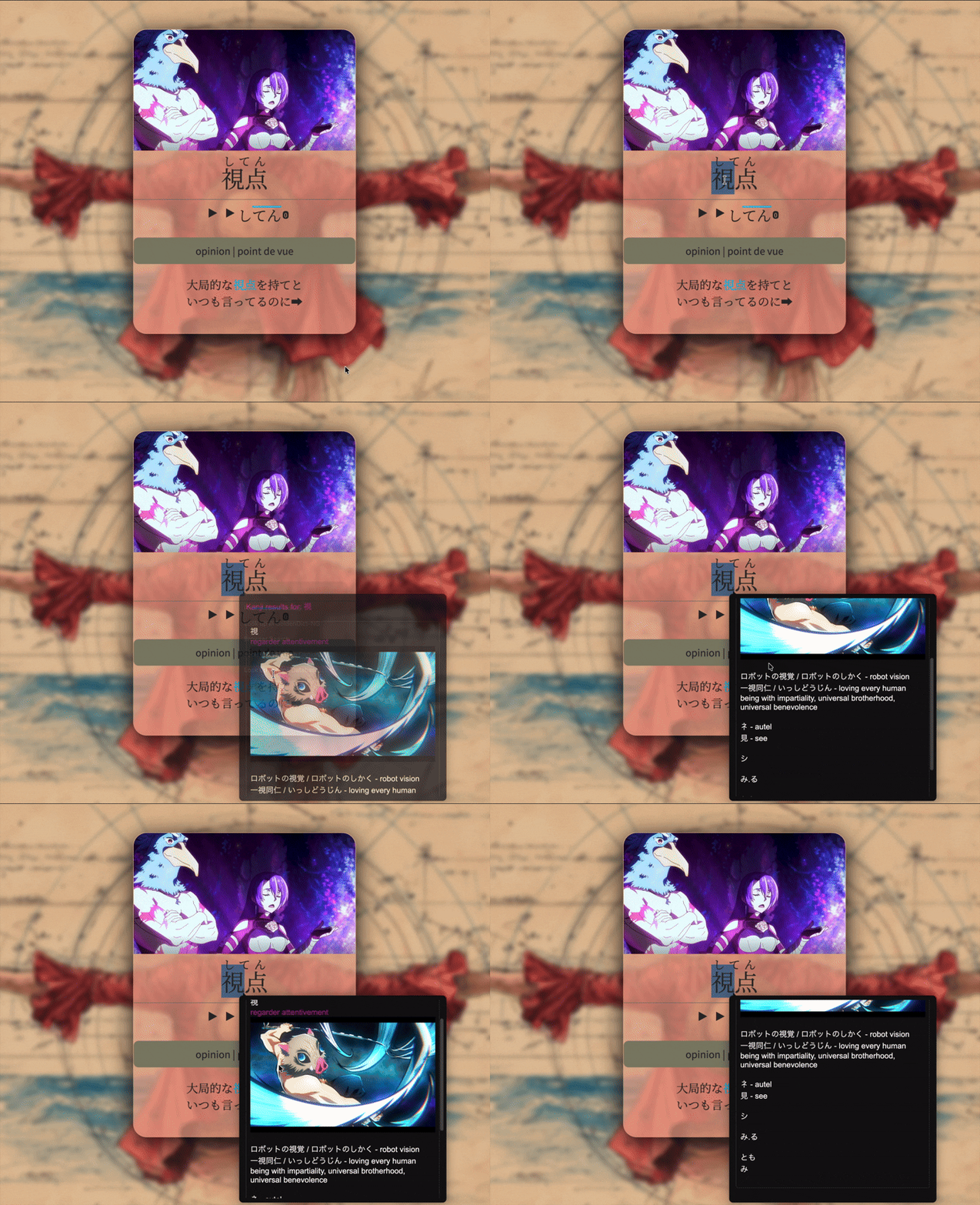
You can now display the kanji card associated with a selected kanji from any card.
How to use:
- Select a kanji
- Right-click
- Choose “Look up in Kanji Database…”
A popup will open with the associated kanji card.
⚠️ For this feature to work correctly, the main field of your kanji cards must be named:
kanji
🙏 Credits
This project is based on the original work of Glutanimate.
The original add-on was still very useful, but had been left unmaintained for several years.
👤 Author
Saikoh
Modified fork of Glutanimate’s Pop-up Dictionary.
Most of this update was built with the help of AI tools, used as assistance during development.
🚧 Future improvements
In a future update, I will try to allow searching by any field instead of only the kanji field.
Enjoy.