Anki add-on for importing media files as new notes.
This add-on is an updated version of the Media Import add-on, which is no longer being maintained.
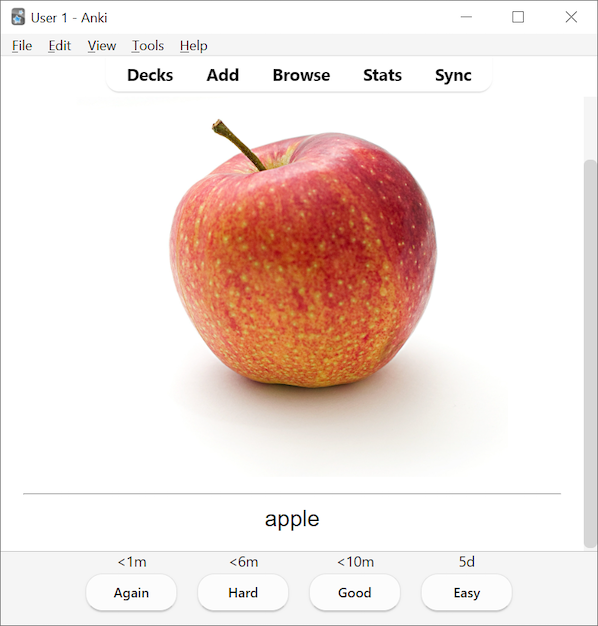
This add-on allows you to import media files into your Anki collection and use their file or folder names as a component of the note. You can create cards that might look like this (using apple.jpg):
When the add-on is installed, a Media Import 2... option will be added to the Tools menu.
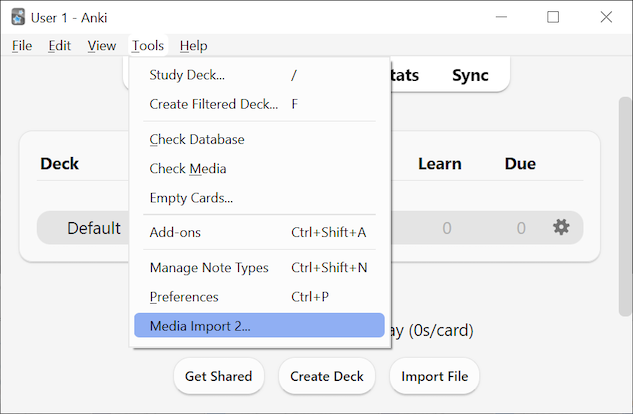
Selecting this menu item will open the Media Import 2 window.
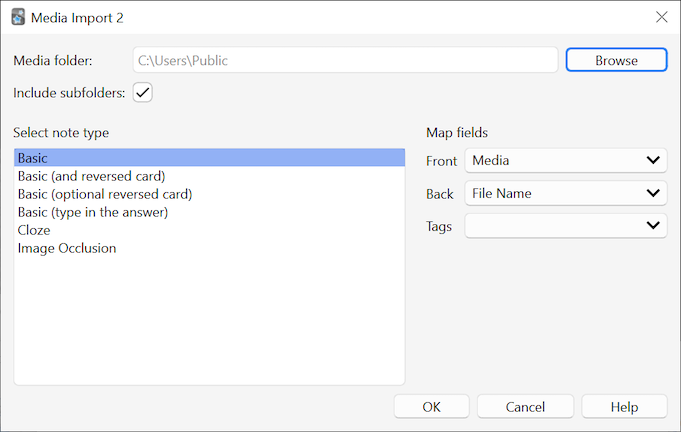
From this window, you are able to:
- Browse and select which folder to use as the source of media files
- Subfolders will be imported as well if the "Include subfolders" checkbox is activated
- Choose which note type to use for the imported notes
- Decide what content to put into each of the fields
Here is a list of the content available to insert into fields (with an example file located at ./f1/f2/apple.JPG):
- Media - The media file itself (image or audio will appear on the card)
- Media_2 - A second media file in the same folder that has the same file name followed by a suffix (
_2 by default). File extensions are ignored. For example, for the file apple.JPG, the secondary file could be called apple_2.png. The suffix _2 can be changed in the settings (Tools -> Add-ons -> double-click on Media Import 2).
- File Name - The name of the file without the extension (
apple)
- File Name (full) - The name of the file including the extension (
apple.JPG)
- Sequence - A number indicating the order in which the file was imported. If 15 files were imported, each file will contain a value starting from 0 to 14. Always starts over from 0 for each import.
- Subfolder tags (individual) - Creates separate tags for each subfolder (
f1 and f2). If this option is used in a non-tag field, the names are combined with spaces (t1 t2). Requires the "Include subfolders" checkbox to be active.
- Subfolder tag (hierarchical) - Creates a single, hierarchical tag for the subfolder hierarchy (
t1::t2). Requires the "Include subfolders" checkbox to be active.
The following options are hidden unless the showExtensionActions setting is set to true (Tools -> Add-ons -> double-click on Media Import 2):
- Extension - Only the lower-case extension of the file (
jpg)
- Extension (case-sensitive) - Only the original extension of the file (
JPG)
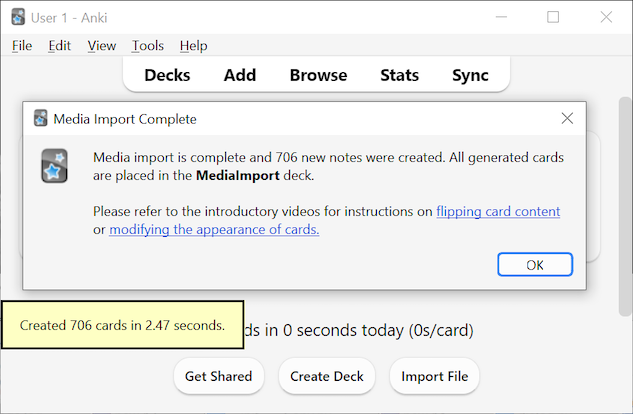
All new generated cards are added to a deck named MediaImport. This deck is created for you automatically if it doesn't exist.
Current version: 3.2.1
Changed in 3.2.1:
- Cards are now imported in alphabetical order by file path instead of in random order.
Changed in 3.2:
- Implemented an option to add a second media file to a card (
Media_2)
- The add-on now remembers recently used import settings
- Improved error messages
- Multiple bug fixes
Changed in 3.1.1:
- This release fixes a bug that caused the plugin to crash if an old / broken installation of PyQt5 was present.
Changed in 3.1:
- Support for subfolder tags (individual and hierarchical), as well as improved performance. Thanks to GitHub user saygo-png for their contributions.
- Improved tooltips and UI fixes
- Minor bug fixes
Changed in 3.0:
A list of previous changes can be found on the page of the first version.