Export Anki to PDF

AnkiWeb addon 1442112168

Exports notes as HTML with customizable, premade PDF exporter templates, then lets you open the file in a browser and print it to PDF.
AI-generated summary; may contain mistakes.

exportcard-templates

Open on AnkiWeb GitHub Find alternatives

AnkiWeb

Votes
18 (πŸ‘ 13 Β· πŸ‘Ž 5)
Updated
2026-10-21
Anki versions
2.1.54~
License
AGPL-3.0 (from the license file in the package)
Virus scan
No ClamAV match A match does not prove malware. No match does not prove that the code is safe.
Languages
Python, Handlebars, Jinja, Starlark, CSS, JSON
Description language
en

Maintenance

active

  • Last update or commit: 2026-10-21 (11 days before the snapshot).
  • GitHub Actions workflows: 1.
  • Commits in the last year: 6.
  • Issues: 7 open, 8 closed.
  • Pull requests: 0 open, 3 merged.
  • Median first response: 96 hours (9 answered issues and pull requests).
  • Outside pull requests: 100% of 1 merged.

Will it work on my Anki?

Version branches
Min AnkiMax AnkiUpdated
2.1.362.1.54+2026-10-21
History across monthly snapshots

Loading…

Similar addons

AnkiPdffer

Exports Anki decks as print-ready PDFs or standalone offline HTML files, with customizable layouts, themes, typography, native card rendering, and an interactive image viewer.

export

14 votes 78% approval πŸ‘ 14 Β· πŸ‘Ž 0 ⭐ 8 Anki 2.1.1~ Updated 2026-06-02
Export deck to HTML has 1 fork β†’

Exports decks to HTML files using customizable field templates and styles, optionally converting to PDF via wkhtmltopdf, bulk-converting CSV files to multiple formats, and saving settings for reuse.

export

29 votes 38% approval πŸ‘ 16 Β· πŸ‘Ž 13 Anki 2.1.21~ Updated 2022-05-17
PDF/HTML Exporter

Exports the back sides of selected cards to a standalone HTML file, preserving styling and images, ready for printing, sharing, archiving, or saving as PDF.

export

3 votes 21% approval πŸ‘ 2 Β· πŸ‘Ž 1 ⭐ 0 Anki 25.09.2~ Updated 2025-12-16
Print Selected Cards

Exports selected cards, decks, or tags to a printable HTML file showing both card sides, with media and LaTeX support, for printing or saving as PDF.

exportshortcutsfork-or-reupload

2 votes 9% approval πŸ‘ 1 Β· πŸ‘Ž 1 Anki 26.05~ Updated 2026-07-07
Export Anki cards as picture

Exports Anki cards as images using customizable Jinja2 HTML templates and CSS, with configurable resolution, auto-cropping, cloze replacement, excluded fields, and per-note/card-type templates.

exportcard-templates

1 votes 0% approval πŸ‘ 0 Β· πŸ‘Ž 1 ⭐ 0 Anki 24.06.2~ Updated 2024-06-18

Description

This add-on was funded by the AnKing Memberships. Please consider supporting us so we can continue to fund add-on projects like this.

You must be on Anki > 2.1.36 to use this add-on

How to Use

  1. Create print templates In the "add card" or "edit card" dialog, choose the note type that will be printed. Click "Cards". At the bottom, click the "PDF Exporter Templates" and you can see options for changing the exporter templates that will be printed. These templates are already premade for AnKing Note Types. If the AnKing Note Type premade templates aren't working, you can use the menu AnKing->PDF Exporter->Reset AnKing Templates

Exporter templates video
Templates video

  1. Export html file Export notes as normal, but change the dropdown from .apkg to .html and you will get the addon dialog. Watch the video for more

Print to pdf video
Print to PDF video

  1. Open the .html file that is exported in any browser and you can then print from the browser

Screenshots

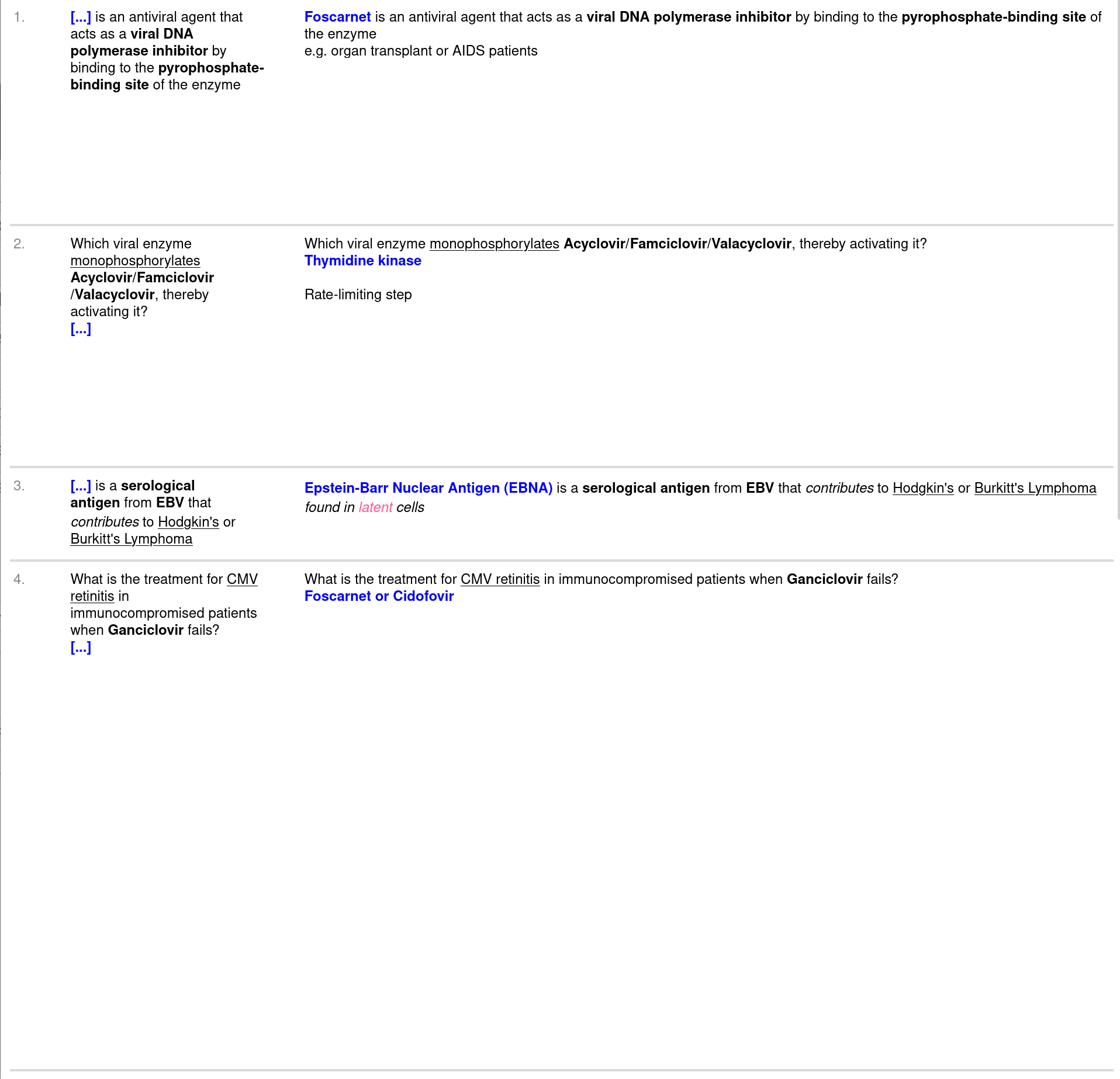
results

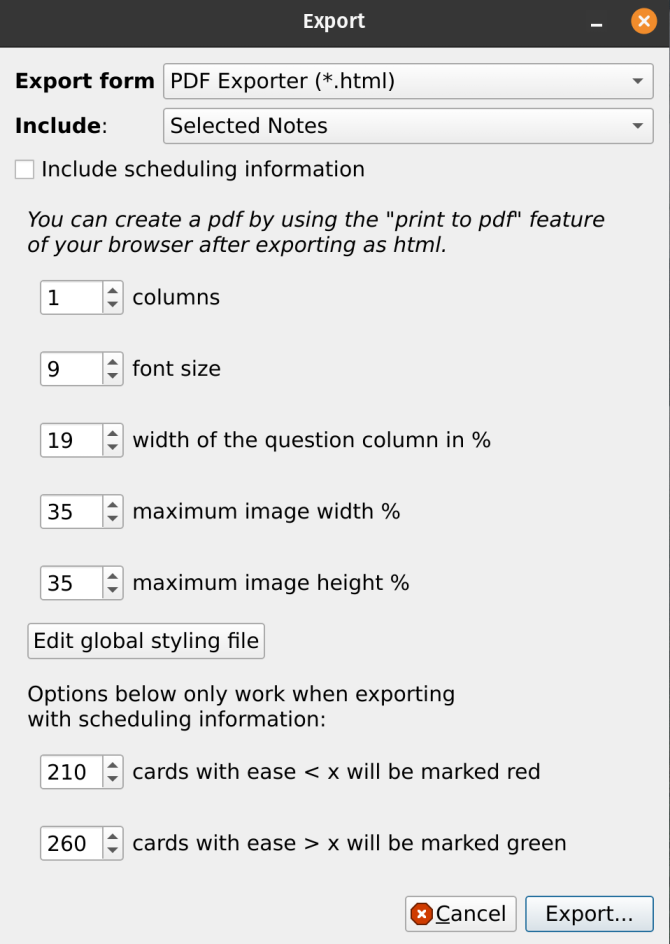
export dialog

Problems, Bugs, Errors, Improvements

If you find a serious bug, please submit it on Github or email us at ankingmed@gmail.com. Please remember that we are not coders and thus may not be able to provide support.

Please consider checking out our: YouTube Channel- How to use Anki for beginners and advanced users. Instagram/Facebook: @Ankingmed www.TheAnKing.com- Recommended add-ons, tutorials and more including how to download 40+ add-ons in < 5min Patreon/VIP- Support our work and get individualized Anki help!


README

This add-on was funded by the Anki Mastery Course. Please consider supporting our work using the links below so we can continue to fund add-on projects like this. This add-on was funded by the AnKing Memberships. Please consider supporting us so we can continue to fund add-on projects like this.

You must be on Anki > 2.1.36 to use this add-on

AnkiWeb listing: https://ankiweb.net/shared/info/1442112168

How to Use

  1. Create print templates In the "add card" or "edit card" dialog, choose the note type that will be printed. Click "Cards". At the bottom, click the "PDF Exporter Templates" and you can see options for changing the exporter templates that will be printed. These templates are already premade for AnKing Note Types. If the AnKing Note Type premade templates aren't working, you can use the menu AnKing->PDF Exporter->Reset AnKing Templates

exporter templates video
https://user-images.githubusercontent.com/31575114/168179403-1ac03002-d13c-4316-884b-c9443e06e160.mp4

  1. Export html file Export notes as normal, but change the dropdown from .apkg to .html and you will get the addon dialog. Watch the video for more

print to pdf video
https://user-images.githubusercontent.com/31575114/168179374-d80775c4-5e2c-4738-be72-397f411c878d.mp4

  1. Open the .html file that is exported in any browser and you can then print from the browser

Screenshots

results

export dialog

Problems, Bugs, Errors, Improvements

If you find a serious bug, please submit it on Github or email us at ankingmed@gmail.com. Please remember that we are not coders and thus may not be able to provide support.

Changelog:


2025-01-28: Initial Release

If you like these, please consider donating to this project