Ankimote - remote to control Anki from your phone

AnkiWeb addon 149004221

Starts a local-network phone remote for Anki via QR code or URL, letting you answer cards, scroll, undo, switch decks, show hints, and run custom actions.
AI-generated summary; may contain mistakes.

review-flowaccessibility

Open on AnkiWeb GitHub Find alternatives

AnkiWeb

Votes
119 (👍 104 · 👎 15)
Updated
2021-08-11
Anki versions
2.1.46~
License
MIT (from the GitHub repository)
Virus scan
No ClamAV match A match does not prove malware. No match does not prove that the code is safe.
Languages
CSS, JavaScript, Python, HTML, JSON
Description language
en

Maintenance

abandoned

  • Last update or commit: 2023-05-12 (1269 days before the snapshot).
  • Commits in the last year: 0.
  • Issues: 21 open, 30 closed.
  • Pull requests: 1 open, 1 merged.
  • Median first response: 18 hours (44 answered issues and pull requests).

Will it work on my Anki?

Version branches
Min AnkiMax AnkiUpdated
2.1.352.1.46+2021-08-11
History across monthly snapshots

Loading…

Similar addons

Description

Ankimote is an addon that adds remote control functionality to Anki. After installing this addon, selecting 'Ankimote' from the Anki toolbar will start Ankimote and display a QR code and URL directing to the remote that can be accessed by any other device on the local network (usually your phone). Best used with the Anki Zoom addon to make card text bigger. Then place your laptop far away (or plug into an external monitor or TV) and put your feet up! FEATURES
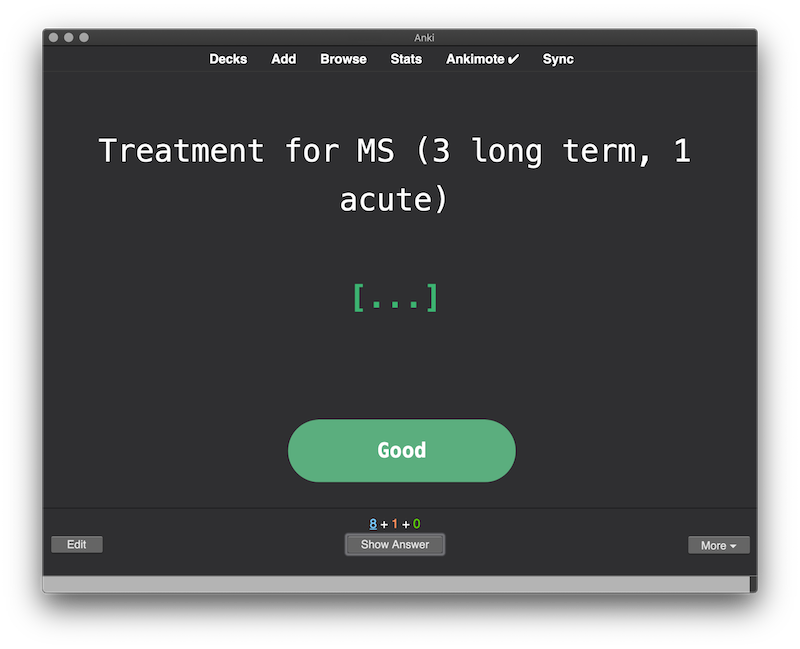
  • Answer cards (again, hard, good, easy) from the remote and get visual feedback on the desktop app
  • Scroll up, scroll down, undo from the remote
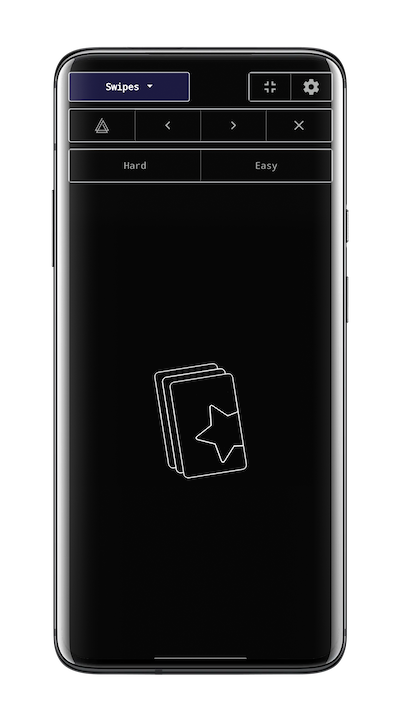
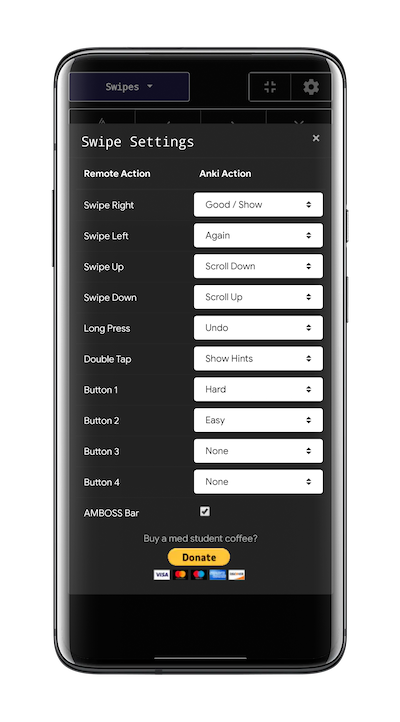
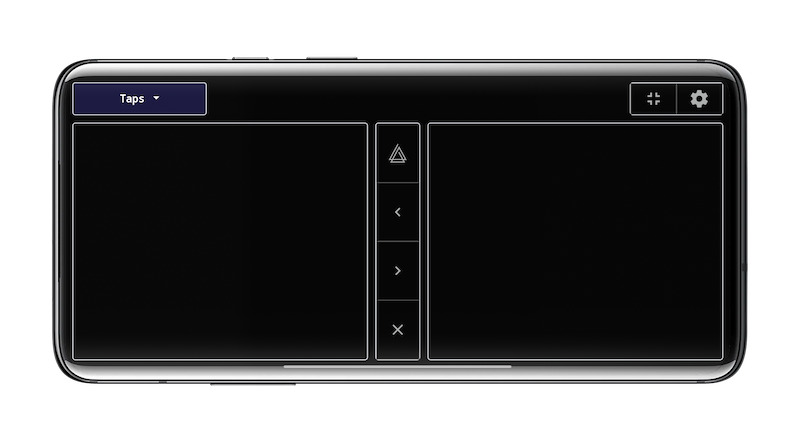
  • One-hand (Swipes) and two-hand (Taps) control interfaces
  • Switch decks without touching your computer
  • Works with the AMBOSS addon to flip through popups
  • 'Show Hints' action reveals hidden portions of cards in common decks such as Anking and Pepper
  • Advanced features (see addon config in Anki):
    • Custom actions to trigger execution of user-defined Python code (to interact with Anki) or Javascript (to interact with the current card)
    • Custom hook support for integration with other addons
LIMITATIONS/TROUBLESHOOTING
  • Both devices must be on the same network (usually the same WiFi name), and the network must allow local communication (public networks like coffee shops and some schools may not work)
    • Workaround (if you know some networking): when the above conditions cannot be met, try enabling Bluetooth tethering on your phone and connect your computer to your phone's Bluetooth. In your computer's Bluetooth settings, use "connect to network" or similar to create an internet connection over Bluetooth between the two devices. Then find your computer's IP address on the Bluetooth connection, and use that IP address instead of the one Ankimote displays. Use the same port displayed by Ankimote.
  • If the page never loads on your phone, make sure you have allowed Anki firewall access on both public and private networks.
  • VPN must be off on both phone and computer.
  • If you experience bugs after updating this addon, clear browser cache on your phone, as browsers will sometimes use a cached older versions of web page components
  • Problems with AMBOSS? Try updating to the 7/26/21 or later version found here.
  • May be incompatible with some addons that modify the answer buttons (with the latest update, it should work with Button Colors and Auto Ease Factor).
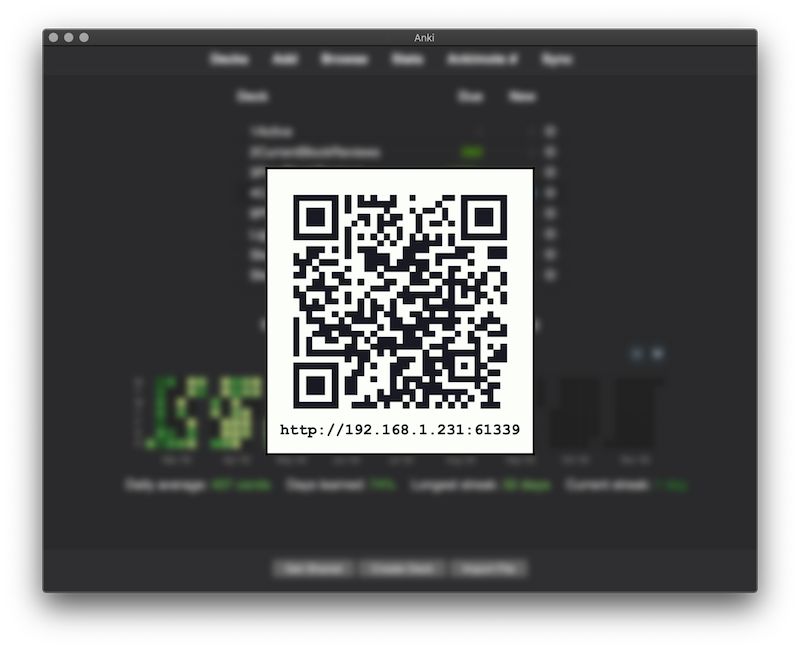
SCREENSHOTS Connect by scanning a QR or visiting the URL from a phone or other device that is on the same local network Visual feedback in the desktop Anki app Swipe mode and swipe settings Tap mode (best in landscape) PRIVACY Ankimote uses Google Analytics to count anonymized users and engagement. LICENSE MIT License (see github) BUG REPORTS, FEATURE REQUESTS, SOURCE CODE https://github.com/TheDabblingDuck/ankimote CHANGELOG 8/11/21 - Fixed inaccurate feedback with V1 scheduler on learning cards, and recognition of 'undo' action on V3 scheduler. 7/29/21 - Fixed bug when using V1 scheduler 07/27/21 - Fixed feedback and scrolling for the latest versions of Anki (tested on 2.1.45). Updated AMBOSS integration for the latest version of the AMBOSS addon (07-26-21 update). 07/11/20 - Reworked custom actions to execute Python code instead of Javascript as previously. This allows the user to easily set actions to suspend, mark, bury, replay audio, etc. See addon config within Anki. 07/05/20 - Initial Release SUPPORT DEVELOPMENT

README

Ankimote

Ankimote is an addon that adds remote control functionality to Anki, the open source flashcards app.

After installing this addon, selecting 'Ankimote' from the Anki toolbar will start Ankimote and display a QR code and URL directing to the remote that can be accessed by any other device on the local network (usually your phone).

Features

  • Answer cards (again, hard, good, easy) from the remote and get visual feedback on the desktop app

  • Scroll up, scroll down, undo from the remote

  • One-hand (Swipes) and two-hand (Taps) control interfaces

  • Switch decks without touching your computer

  • Works with the AMBOSS addon to flip through popups

  • 'Show Hints' action reveals hidden portions of cards in common decks such as Anking and Pepper

Advanced features (see addon config in Anki):

  • Custom actions to trigger execution of user-defined Python code (to interact with Anki) or Javascript (to interact with the current card)

  • Custom hook support for integration with other addons

Limitations

  • Both devices must be on the same network (usually the same WiFi name)

  • The network must allow local communication (public networks like coffee shops and some schools may not work)

  • Workaround: when the above conditions cannot be met, try enabling Bluetooth tethering on your phone and connect your computer to your phone's Bluetooth. In your computer's Bluetooth settings, use "connect to network" or similar to create an internet connection over Bluetooth between the two devices. Then find your phone's IP address on the Bluetooth connection, and use that IP address instead of the one Ankimote displays. Use the same port displayed by Ankimote.

Screenshots

Connect by scanning a QR or visiting the URL from a phone or other device that is on the same local network.

Visual feedback in the desktop Anki app.

Swipe mode and swipe settings

Tap mode (best in landscape)

Privacy

Ankimote uses Google Analytics to measure anonymized user engagement.