📊 Deep Dive Stats - Advanced Statistics & Customization
AnkiWeb addon 1498951013
Displays detailed per-deck and per-period statistics in a separate window or pinned beneath the deck list, with customizable charts, themes, and PNG, JPEG, PDF, or CSV export.
Generates personalized monthly and yearly study reports with statistics, streaks, achievements, study personality, comparisons, shareable social cards, and printable PDF or PNG exports.
Generates an HTML dashboard summarizing daily, weekly, or monthly study sessions with retention, FSRS metrics, SVG growth graphs, narrative insights, and optional LLM-generated reflections from local collection data.
Adds statistics showing correct-answer percentages for each learning step and review interval, separately for learning, relearning, and cramming reviews, to help tune learning steps and the interval modifier.
Provides a detailed analytics dashboard for Anki review history, including heatmaps, retention, consistency, efficiency scores, trends, session and lapse analysis, and time-range filters.
Replaces standard deck stats with a customizable, theme-adaptive dashboard showing per-deck progress, remaining cards and today's completed reviews, configured through a graphical menu.
Detailed statistics for Anki, in a separate window or pinned under your deck list. Any stat or chart can be pinned.
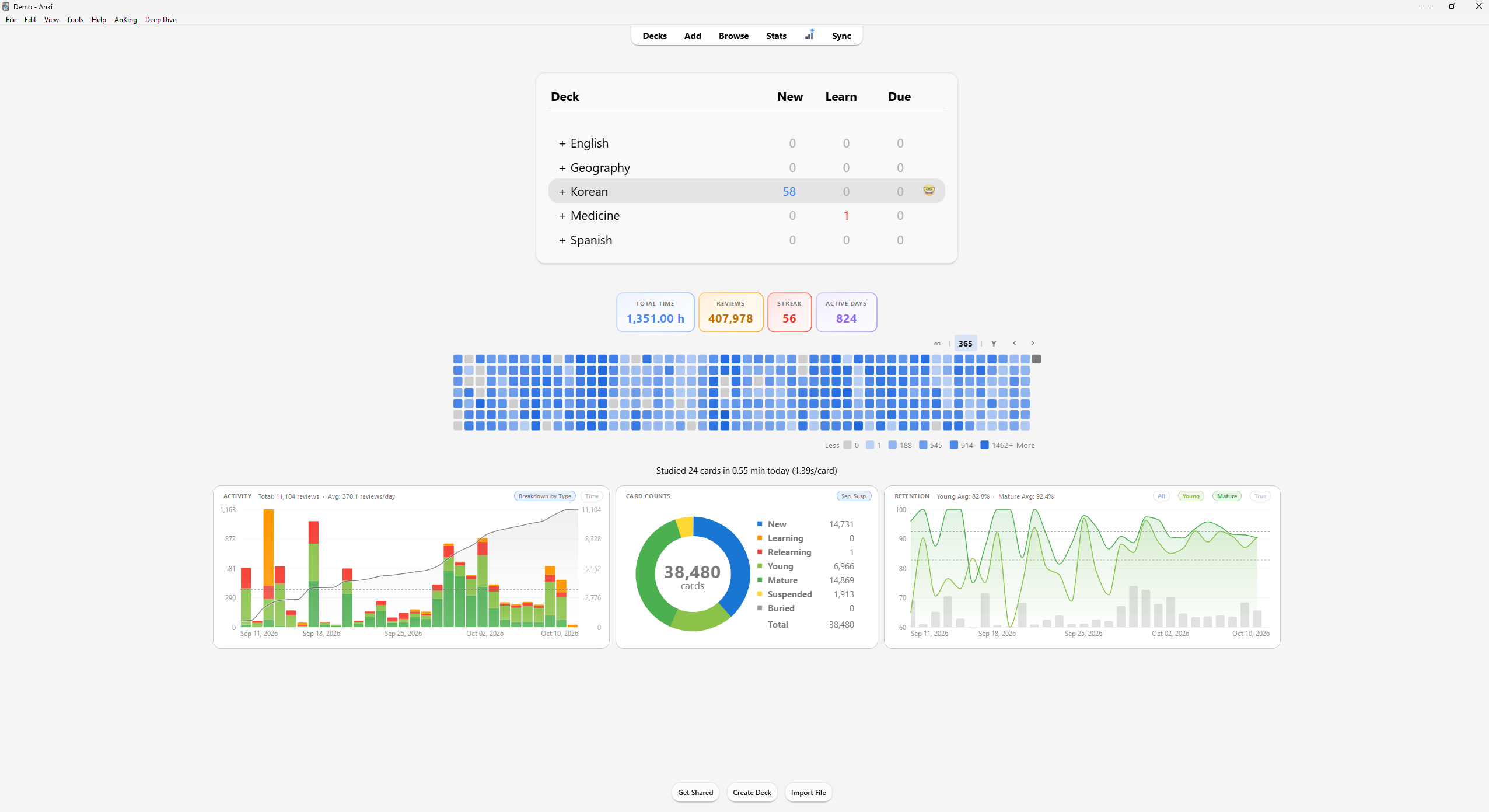
Pinned to the main screen
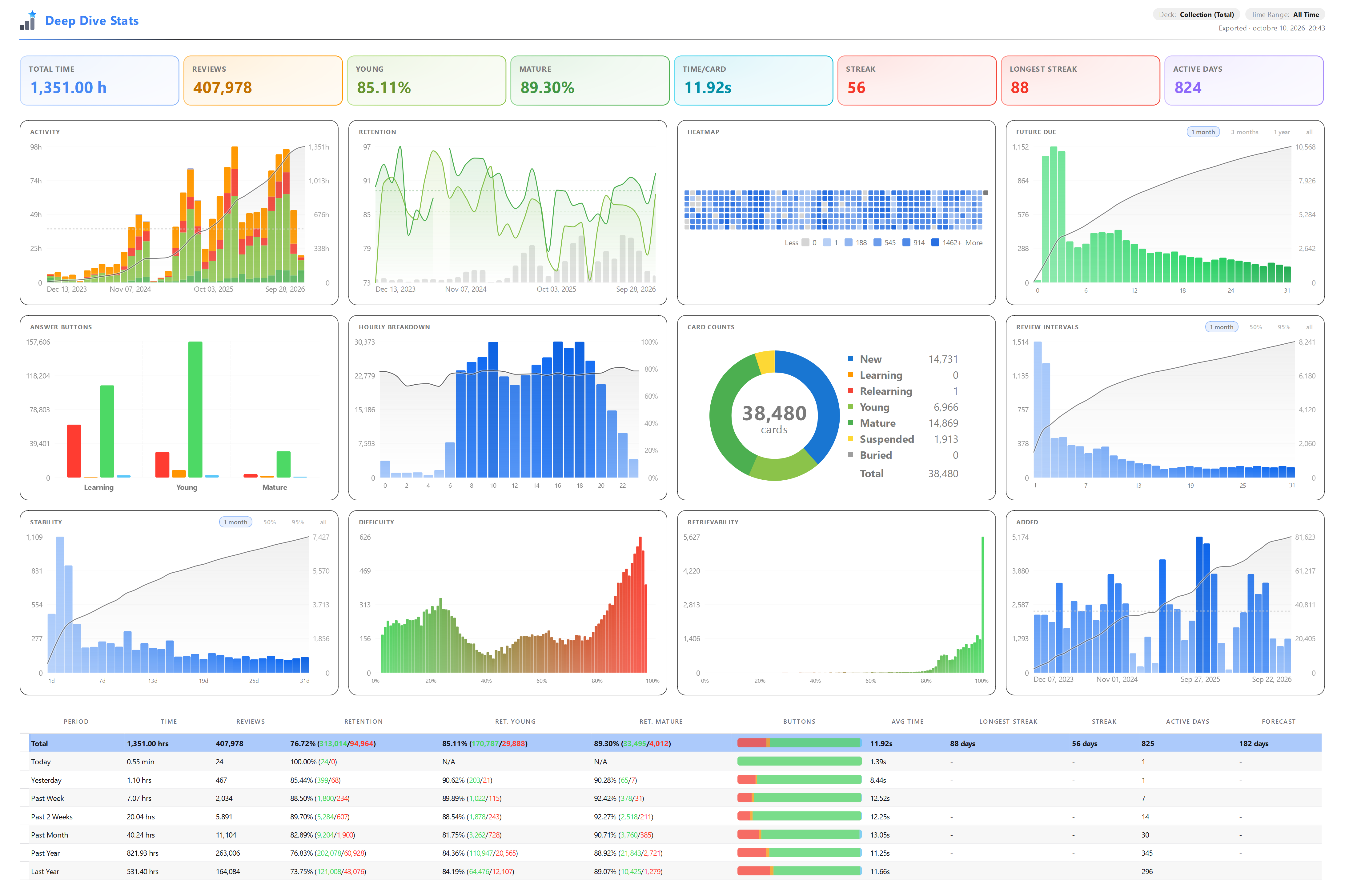
Separate stats window
Features
Deep Dive window with stats per deck and per period, and a table by deck or
by time span.
Charts: activity, retention, heatmap, future due, answer buttons, hours of the
day, card counts, review intervals, cards added, FSRS stability, difficulty
and retrievability.
Pin stat cards, charts, the heatmap and text to the deck list and the deck
overview.
Settings per chart, built-in themes and custom colors.
Export as PNG, JPEG, PDF or CSV.
Install
Install it from AnkiWeb: in Anki, go to
Tools > Add-ons > Get Add-ons, enter the code 1498951013 and restart.
You can also build the .ankiaddon yourself (see Build below) and use
Tools > Add-ons > Install from file.
Needs Anki 23.10 or newer. Tested on Anki 26.09.
If the pinned charts clash with another add-on, turn them off in
Settings > General > "Disable Pinned Widgets".
Bugs and ideas
Open an issue on GitHub. The log is user_files/debug.log in the add-on folder.
Paths and the profile name are redacted, so you can attach the relevant lines.
Build
python dev_tools/build_release.py
Writes dist/Deep_Dive_Stats.ankiaddon. Add --check to only run the audit.
dev_tools/check_import_graph.py imports every module without starting Anki.
Support
If you find this add-on useful, you can support me on Ko-fi.
License
GNU AGPL v3 or later, the same license as Anki itself. See LICENSE.