TesseractOCR

AnkiWeb addon 1509163599

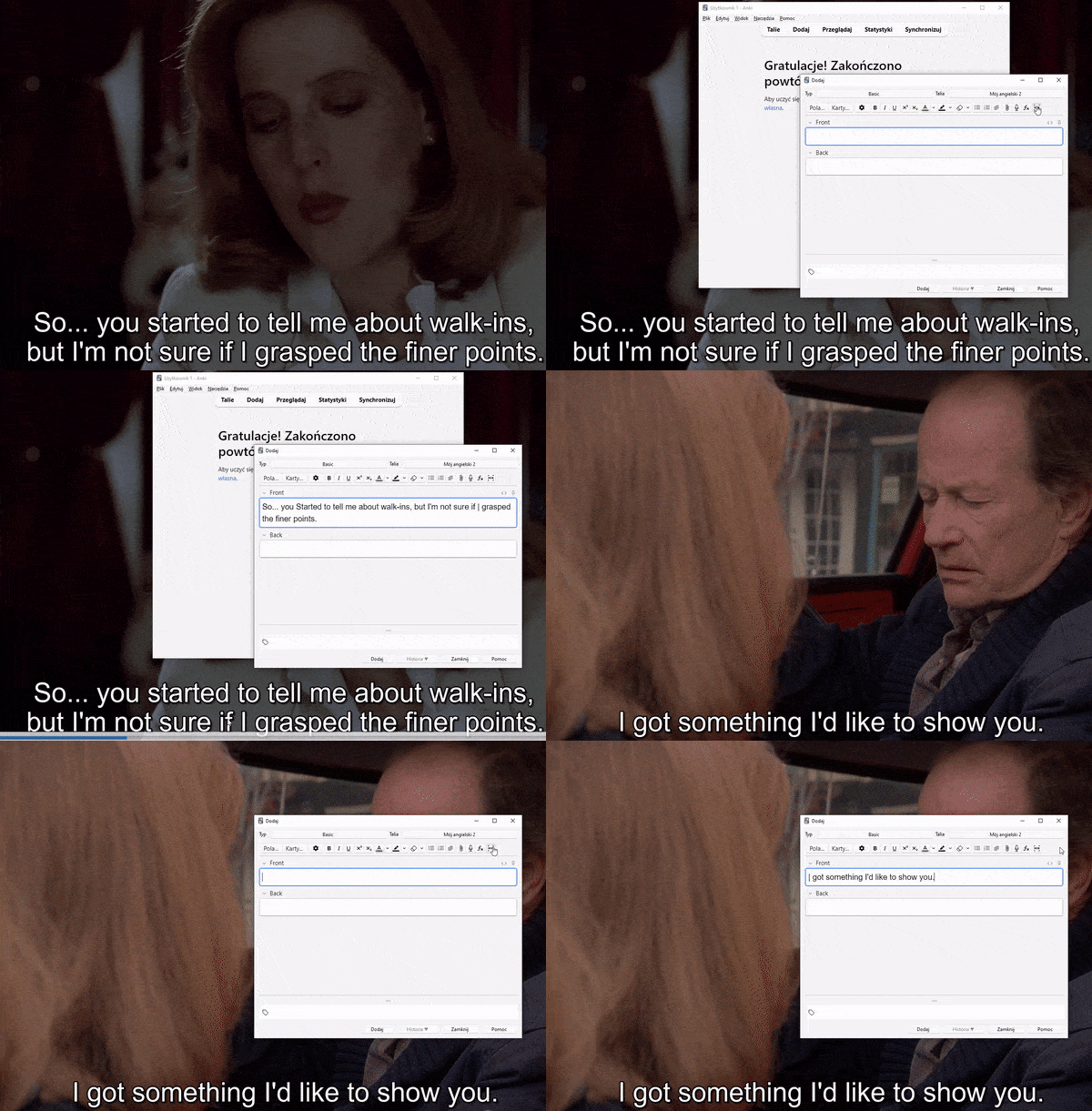
Pastes text from a fixed screen area using Tesseract OCR, supporting many languages, useful for transcribing video text from a second monitor.
AI-generated summary; may contain mistakes.

card-creation

Open on AnkiWeb Find alternatives

AnkiWeb

Votes
0 (👍 0 · 👎 0)
Updated
2023-02-12
Anki versions
2.1.57~
License
Not found (this does not mean that the addon has no license)
Virus scan
No ClamAV match A match does not prove malware. No match does not prove that the code is safe.
Languages
Python
Description language
en

Maintenance

abandoned

  • Last update or commit: 2023-02-12 (1358 days before the snapshot).

GitHub

No GitHub repository linked.

Will it work on my Anki?

Version branches
Min AnkiMax AnkiUpdated
2.1.562.1.57+2023-02-12
History across monthly snapshots

Loading…

Similar addons

pasteOCR has 1 fork →

Extracts text from clipboard images using Tesseract OCR, letting users paste screenshots of lecture slides or textbooks directly into Anki cards via a button or keyboard shortcut.

card-creationshortcutsbeta

16 votes 72% approval 👍 15 · 👎 1 ⭐ 6 Anki 2.1.16~ Updated 2023-02-26
Hands-Free-Anki

Enables fully hands-free Anki review by reading cards aloud, recognizing spoken answers, and scoring them with AI, OCR, and multi-language support.

aischedulingreview-flowaccessibility
1 votes 0% approval 👍 0 · 👎 1 ⭐ 5 Anki 2.1.1~ Updated 2026-02-06

Description

Read before use! It's quite complicated. The addon adds the ability to paste text from any area of the screen (fixed area permanently in the config file). In particular, it allows you to transcribe text from videos when you watch the video on a second monitor (I use it for this purpose). Addon uses google's Tesseract OCR engine. It supports many languages.
  1. Install it and DO NOT reopen anki yet
  2. Install python externally and install packages pyautogui, pytesseract (you can create environment for it)
  3. Install Tesseract Open Source OCR Engine: https://github.com/tesseract-ocr/tesseract
  4. Go to plugin configuration file* and change four configuration lines as you would like it to see
  5. Now reopen anki
* Plugin configuration file for windows is under: C:\Users\[Your User]\AppData\Roaming\Anki2\addons21\1509163599\ config .py Included example crop_coords (2160, 800, 3580, 1080) means: second screen area from 2160-1920 x 800 to 3580-1920 x 1080 Here is a demo: demo