Add text, speech, and images to individual cards or your entire deck in one click.
Add with Anki extension id 1531888719. Learn more on the web and Discord.
🥳 NEW: Smart Notes now supports VoiceVox, the #1 Japanese TTS.
Turn any existing field into an automatically generating ✨ Smart Field ✨

Create rich, multimedia cards with text, audio, and images.

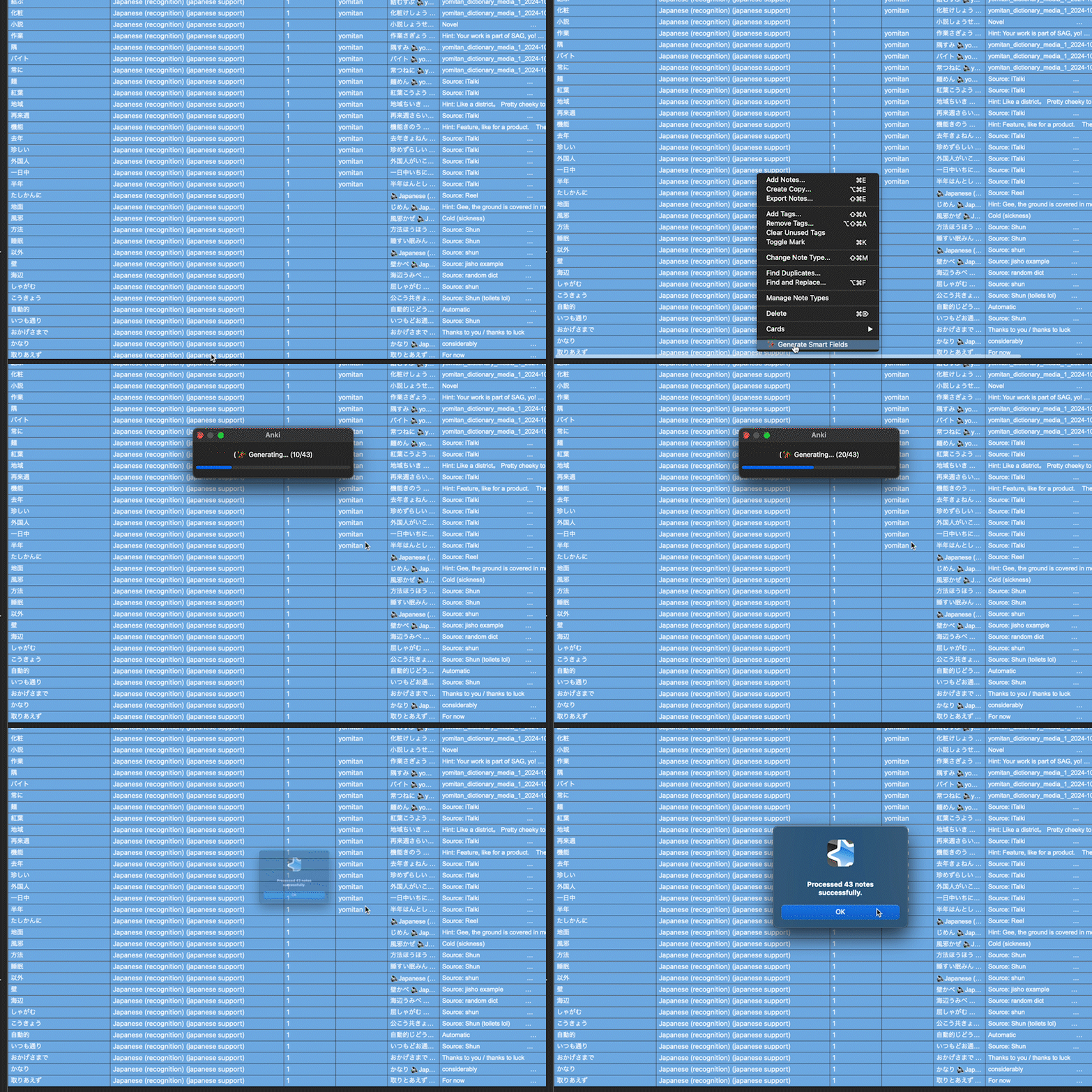
💬 Generate any field in bulk.
🗣️ Text to Speech (TTS).
Generate 1000+ premium voices in 90+ languages, from Google, Azure, VoiceVox, OpenAI, and ElevenLabs. Competative with Awesome/HyperTTS.
🎨 Image Generation.
Create memorable images to improve retention. Image models from NanoBanana, ChatGPT, and more.
⚙️ Complex Pipelines
Generate an example sentence in one field, translate it into another, and generate an example image in the third.
🌎 Global Language Support
The Smart Notes UI fully supports all 48 Anki languages.
⚠️ 💳 Smart Notes is paid (with a free trial).
Learn more about plans or start your free trial within Anki. AliPay 🇨🇳 and Pix 🇧🇷 payments are also supported.
Unable to afford Smart Notes due to financial hardship? Get in touch at support@smart-notes.xyz.
(I'm a solo dev & passionate Anki user, not some faceless company - your support allows me to continue developing Smart Notes for years to come)
Demo
The fastest way to learn Smart Notes is to see it in action!
Smart Notes Video Demo / Tutorial
Usage
Please watch the demo video, it covers everything :)
Creating Smart Fields
Smart Fields are AI generated fields, associated with a particular note type (and optionally deck). You define the prompts, Smart Notes generates your fields.
Add text, image, or TTS smart fields via Tools > Smart Notes.
They can reference other fields, and you can have as many Smart Fields as you like.
Writing Prompts
Smart Fields are just "prompts" that get sent to the AI.
You to use AI to generate those prompts in natural language, and then edit the Smart Field later.
A prompt may reference any other field on the card via {{double curly braces}}. It may even reference other Smart Fields, allowing you to create complicated pipelines.
Generating Notes
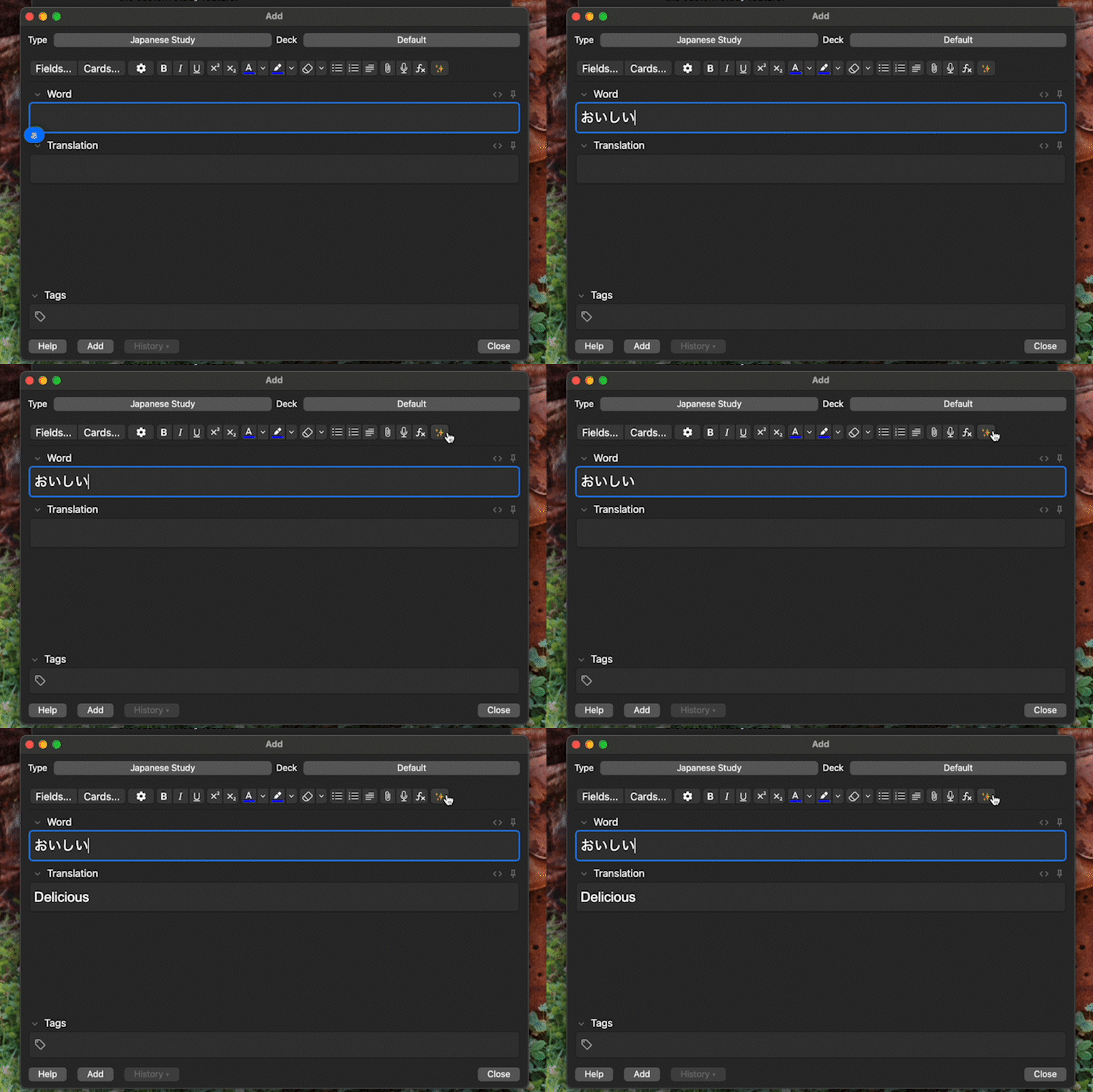
After setting up your Smart Fields, you can generate your notes in many different ways. Please watch the demo video.
- In the editor, for individual fields or the entire note.
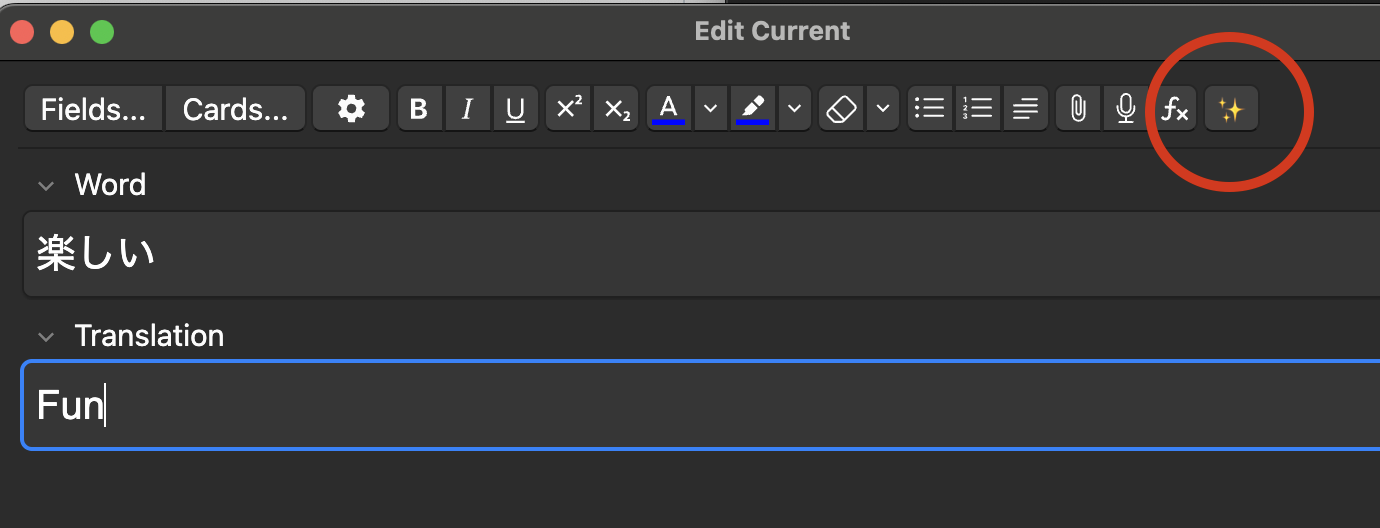
To generate all smart fields on a note, press ctrl+shift+g (on Mac: cmd+shift+g) or click the ✨ button in the editor
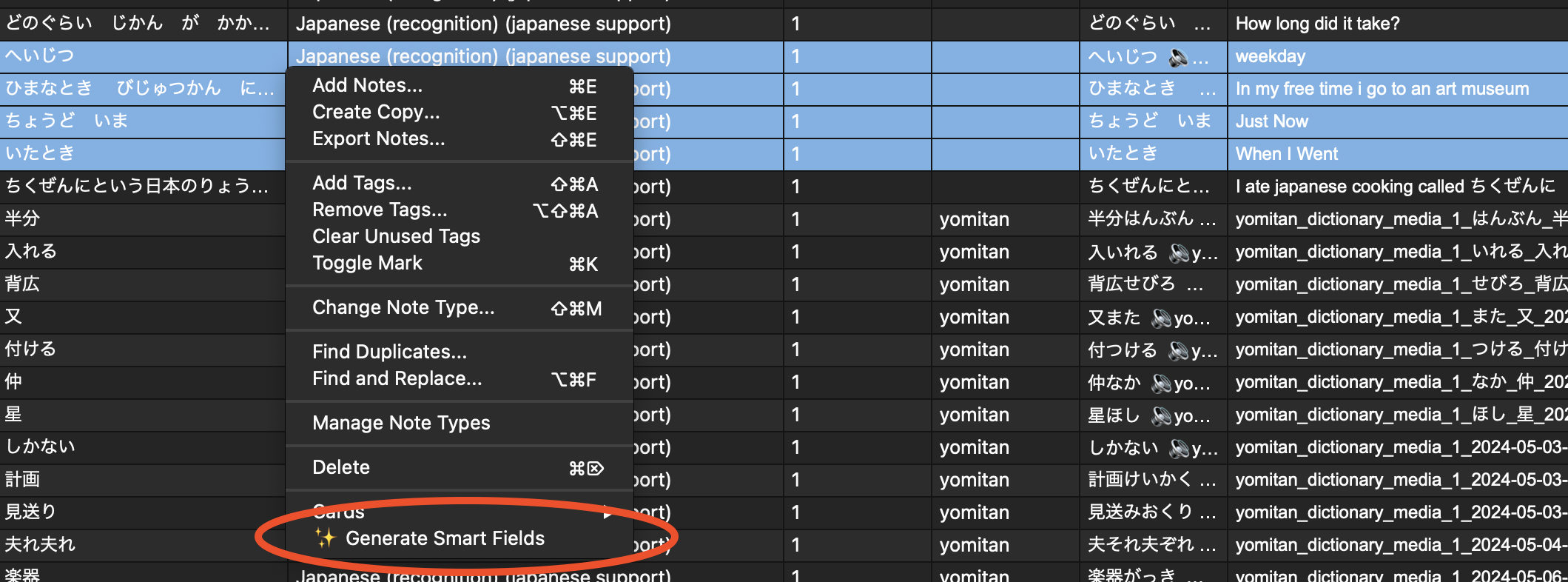
- In bulk in the browser.
- Per field
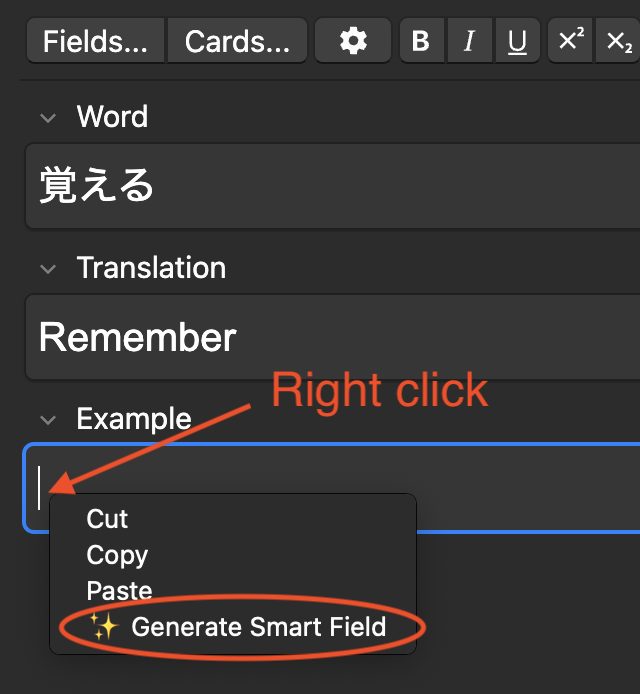
- At review time, in the background (you can turn this off in Advanced settings)

A sparkle emoji will briefly show (we love sparkle).
Models
You can set text, image, and TTS generation models for the entire plugin. You can also opt to allow individual Smart Fields to set their own Smart Field, overriding the default.
Help and Support
Found a bug or want to request a feature? File an issue on Github or email support@smart-notes.xyz
Enjoying this addon? Please rate it to help others find it.👍
Prices
Learn More about Smart Notes Plans.
Changelog
Smart Notes is under constant development. See Changelog.md for the latest changes.
Smart Notes owes a debt of gratitude for inspiration to Intellifiller.