PixelFairy AI - for Anki (windows only)

AnkiWeb addon 1537940103

Integrates Google Gemini AI into Anki's editor to generate questions, answers, and flashcards from text, selected paragraphs, or images using customizable prompts and keyboard shortcuts.
AI-generated summary; may contain mistakes.

card-creationaishortcuts

Open on AnkiWeb GitHub Find alternatives

AnkiWeb

Votes
4 (πŸ‘ 2 Β· πŸ‘Ž 2)
Updated
2025-05-15
Anki versions
25.02~
License
Not found (this does not mean that the addon has no license)
Virus scan
No ClamAV match A match does not prove malware. No match does not prove that the code is safe.
Languages
JSON, Python, CSV, Protocol Buffer, Jinja, JavaScript, XML, Starlark, Shell, YAML, Ignore List
Description language
en

Maintenance

stale

  • Last update or commit: 2025-05-15 (535 days before the snapshot).
  • Test files: 139.
  • Commits in the last year: 0.
  • Issues: 0 open, 1 closed.
  • Pull requests: 0 open, 0 merged.
  • Median first response: 344 hours (1 answered issues and pull requests).

Will it work on my Anki?

Version branches
Min AnkiMax AnkiUpdated
2.1.125.02+2025-05-15
History across monthly snapshots

Loading…

Similar addons

Ankify

Turns clipboard text into Anki flashcards using a chosen AI provider directly in the Add window, with review, regeneration, note-type mapping, and specialization options.

card-creationaishortcutscloze

1 votes 21% approval πŸ‘ 1 Β· πŸ‘Ž 0 ⭐ 0 Anki 2.1.1~ Updated 2026-10-27
AnkiExplain

Adds an Explain button and dockable sidebar that uses Gemini AI to generate flashcard explanations, mnemonics, related concepts, and follow-up chat, with streaming responses and customizable prompts.

aireview-flowshortcutsaccessibility

6 votes 61% approval πŸ‘ 6 Β· πŸ‘Ž 0 Anki 2.1.1~ Updated 2026-02-12
AnkiAutoImage

Adds images, audio, and sentences to Anki notes using Yahoo image search, legacy Google Custom Search, Nadeshiko, and Gemini image generation, with configurable settings and review hotkeys.

card-creationaisync-integrationshortcuts

9 votes 35% approval πŸ‘ 6 Β· πŸ‘Ž 3 ⭐ 10 Anki 2.1.1~ Updated 2026-06-06
Gemini Speak

Uses Google Gemini AI to rewrite selected Anki text for natural speech, then generates audio with voice, model and processing-mode controls, smart caching and no external dependencies.

card-creationai

13 votes 58% approval πŸ‘ 11 Β· πŸ‘Ž 2 ⭐ 0 Anki 2.1.66~ Updated 2025-06-11

Description


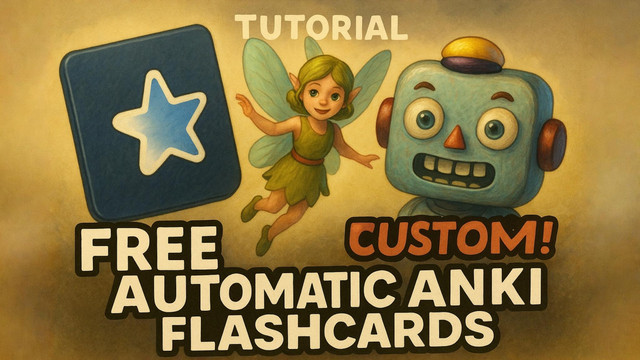
Showcase and tutorial (click πŸ‘‡)

Showcase and tutorial

Tired of spending hours manually creating Anki cards? Wish you could instantly get someone make it, generate questions, or even understand images for your flashcards? Pixel Fairy is here to revolutionize your study workflow, powered by the FREE Gemini AI!

Pixel Fairy seamlessly integrates the power of the Google Gemini AI directly into your Anki editor. Save precious time, customize cards on the spot, and say goodbye to endless searching and copy-pasting!


πŸ€” What Does Pixel Fairy Do For YOU?

  • Saves You Massive Amounts of Time: Automate the creation of cards - customise the output from settings!.
  • Customize Cards Instantly: Tailor content to your exact learning needs without leaving Anki, automated but personalised. You have the FULL CONTROL.
  • No More Constant Googling: Get AI-powered answers directly within your flashcard editor.
  • Understand Visuals Effortlessly: Use images as context for AI generation – perfect for diagrams, charts, and slides or even scanned pages if you don't want to copy the text!
  • Boost Your Learning Efficiency: Create richer, more effective flashcards faster than ever before.


⚑Get started

  • Step 1: Watch this Showcase and Tutorial Video so that you may gain a clearer understanding of your objective.
  • (Optional) Step 2: Download and import this specific Enhanced Cloze card type Recommended
  • Step 3: Add this addon from tools > addons > Get Add-ons.. and paste this code: 1537940103
  • Step 4: Get your free of cost API Key from Google AI Studio And Copy it
  • Step 5: Paste the API key to Tools > Pixel Fairy (by M Saajeel) ⭐ > API and Model settings. (NOTE: You can add up to 5 different API keys from 5 different google accounts, so that you don't hit daily free request limit)
  • Step 6: DONE:) You can customize the prompts and play around with settings, which are self-explanatory and user friendly.


πŸ’‘ Sample Use Cases to Get You Started:

  • Studying Lecture Slides? Take a screenshot or multiple screenshots of the slides, add it to a card, and ask Pixel Fairy to create questions and answers for you. (Ctrl + 1)
  • Reading a Dense Textbook? Select a complex paragraph and have Pixel Fairy create questions and answers for you. (Ctrl + 1)
  • Learning a New Language or improving vocabulary? No need to google it and waste time, just write the word and press ctrl + 2, you can customise the output by modifying the prompt as per your needs!
  • Card got too lengthy? Open the editing window and press Ctrl + 3 AND MUCH MORE!


βš™οΈ Default Prompt Details!

Pixel Fairy comes with powerful default prompts to get you started immediately. See them in action and understand their potential by watching this Showcase and Tutorial Video. Clicking the link will take you directly to the video!


✨ Pro Tips for Best Results:

  1. Optimal Cloze Cards: For the best experience creating cloze deletion cards, i recommend using this specific card type. (Click to download from Google Drive).
  2. Join the Community: Discuss your card-making prompts, share workflows, and get help from other users in GitHub Discussions.
  3. Formatting Control: If you need specific line spacing (like pressing "Enter" for a new paragraph) in the AI's output, instruct the AI to use <br> tags. For example: "Explain concept X. Please use a <br> tag between each point." (Refer to the default prompts for more examples).
  4. Keyboard shortcuts: "πŸ€–1" = ctrl + 1, "πŸ€–2" = ctrl + 2, "πŸ€–3" = ctrl + 3

⚠️ DEBUG

  1. The add-on should work properly if you are on windows by default, no changes needed.
  2. for MAC OS: you will have to make these changes
  3. for Linux Based operating systems: you will have to make these changes respectively

README

Pixel Fairy - an AI Add-on for AnkiπŸ§šβ€β™‚οΈ

Showcase and tutorial (clickπŸ‘‡)

Showcase and tutorial


Tired of spending hours manually creating Anki cards? Wish you could instantly get someone make it, generate questions, or even understand images for your flashcards? Pixel Fairy is here to revolutionize your study workflow, powered by the FREE Gemini API!

Pixel Fairy seamlessly integrates the power of the Google Gemini AI directly into your Anki editor. Save precious time, customize cards on the spot, and say goodbye to endless searching and copy-pasting!

πŸ€” What Does Pixel Fairy Do For YOU?

  • Saves You Massive Amounts of Time: Automate the creation of cards - customise the output from settings!

  • Customize Cards Instantly: Tailor content to your exact learning needs without leaving Anki, automated but personalised. You have the FULL CONTROL.

  • No More Constant Googling: Get AI-powered answers directly within your flashcard editor.

  • Understand Visuals Effortlessly: Use images as context for AI generation – perfect for diagrams, charts, and slides or even scanned pages if you don't want to copy the text!

  • Boost Your Learning Efficiency: Create richer, more effective flashcards faster than ever before.

⚑ Get started

  • Step 1: Watch this Showcase and Tutorial Video so that you may gain a clearer understanding of your objective.

  • (Optional) Step 2: Download and import this specific Enhanced Cloze card type Recommended

  • Step 3: Add this addon from tools > addons > Get Add-ons.. and paste this code: 1537940103

  • Step 4: Get your free of cost API Key from Google AI Studio And Copy it

  • Step 5: Paste the API key to Tools > Pixel Fairy (by M Saajeel) ⭐ > API and Model settings.
    (NOTE: You can add up to 5 different API keys from 5 different google accounts, so that you don't hit daily free request limit)

  • Step 6: DONE :) You can customize the prompts and play around with settings, which are self-explanatory and user friendly.

πŸ’‘ Sample Use Cases to Get You Started:

  • Studying Lecture Slides? Take a screenshot or multiple screenshots of the slides, add it to a card, and ask Pixel Fairy to create questions and answers for you. (Ctrl + 1)

  • Reading a Dense Textbook? Select a complex paragraph and have Pixel Fairy create questions and answers for you. (Ctrl + 1)

  • Learning a New Language or improving vocabulary? No need to google it and waste time, just write the word and press Ctrl + 2. You can customise the output by modifying the prompt as per your needs!

  • Card got too lengthy? Open the editing window and press Ctrl + 3
    AND MUCH MORE!

βš™οΈ Default Prompt Details!

Pixel Fairy comes with powerful default prompts to get you started immediately. See them in action and understand their potential by watching this Showcase and Tutorial Video. Clicking the link will take you directly to the video!

✨ Pro Tips for Best Results:

  1. Optimal Cloze Cards: For the best experience creating cloze deletion cards, we recommend using this specific card type. (Click to download from Google Drive).

  2. Join the Community: Discuss your card-making prompts, share workflows, and get help from other users in GitHub Discussions.

  3. Formatting Control: If you need specific line spacing (like pressing "Enter" for a new paragraph) in the AI's output, instruct the AI to use <br> tags. For example: "Explain concept X. Please use a <br> tag between each point." (Refer to the default prompts for more examples).

  4. Keyboard shortcuts: "πŸ€–1" = Ctrl + 1, "πŸ€–2" = Ctrl + 2, "πŸ€–3" = Ctrl + 3


🎁 Support the creator!

I have intentionally kept the add-on completely free, since all the other alternatives are paid and not customizable. If you found Pixel Fairy AI Assistance useful, please consider supporting the creator. Your support is incredibly helpful and allows for continued development and improvements! πŸ’

you can support with as low as 1$ (click πŸ‘‡)

Buy Me A Coffee