EMAIL ANKIBRAIN@RANKMD.ORG FOR ALL SUPPORT ISSUES
Please use the Qt6 version of Anki, otherwise you may run into a bug with a blank white screen
Source code: https://github.com/RosettaTechnologies/AnkiBrain
Changelog: https://github.com/RosettaTechnologies/AnkiBrain/blob/main/changelog.md
Setup guide (Local mode and AnkiBrain Voice): https://github.com/RosettaTechnologies/AnkiBrain#readme
Demo video: https://www.youtube.com/watch?v=Wyy4-V6iezM
Support and information: https://www.reddit.com/r/ankibrain/ or email ankibrain@rankmd.org
AnkiBrain is an extension for Anki that fully integrates knowledge-based AI study features. Explain any topic, ask follow-up questions, and generate Basic, Cloze, image-occlusion and audio cards from your own notes, textbooks and lecture slides. AnkiBrain cards can be to any deck in one click. Answers and cards are grounded in the documents you import, with the model temperature at 0 by default so the AI follows your source material instead of guessing. Run it entirely on your own computer, or use AnkiBrain's servers for zero setup.
Support for 49+ languages: English, Spanish, Albanian, Arabic, Armenian, Azerbaijani, Belarusian, Bengali, Bulgarian, Bosnian, Chinese (Mandarin), Chinese (Cantonese), Croatian, Czech, Danish, Dutch, Estonian, Farsi (Persian), Filipino, Finnish, French, German, Greek, Hindi, Icelandic, Indonesian, Irish (Gaelic), Italian, Japanese, Kazakh, Khmer, Korean, Kurdish, Hebrew, Hungarian, Malay, Mongolian, Norwegian, Polish, Portuguese, Romanian, Russian, Serbian, Swedish, Thai, Turkish, Ukrainian, Urdu, Vietnamese, and more!
Make cards from anything
Paste a passage, add a page from a textbook, snip an image, or import a whole document, and AnkiBrain can create the cards: Basic, Cloze or automatic image occlusion. Every card can be edited, regenerated or deleted inside of AnkiBrain before being added to Anki. The finished set goes to any new or existing deck with the tags you choose. No need for manually fooling around with files or exporting.
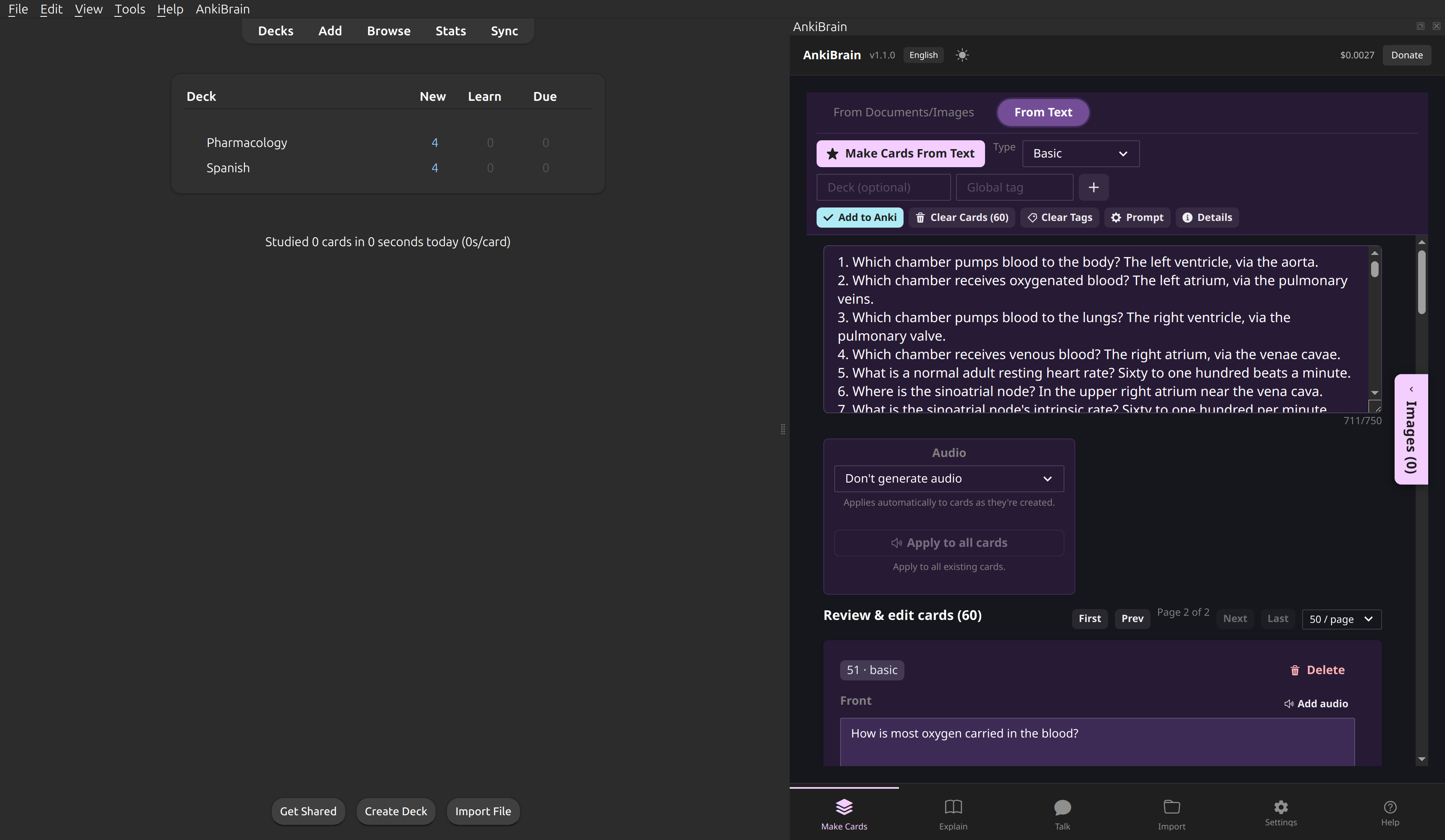
Cards generated from a text passage.
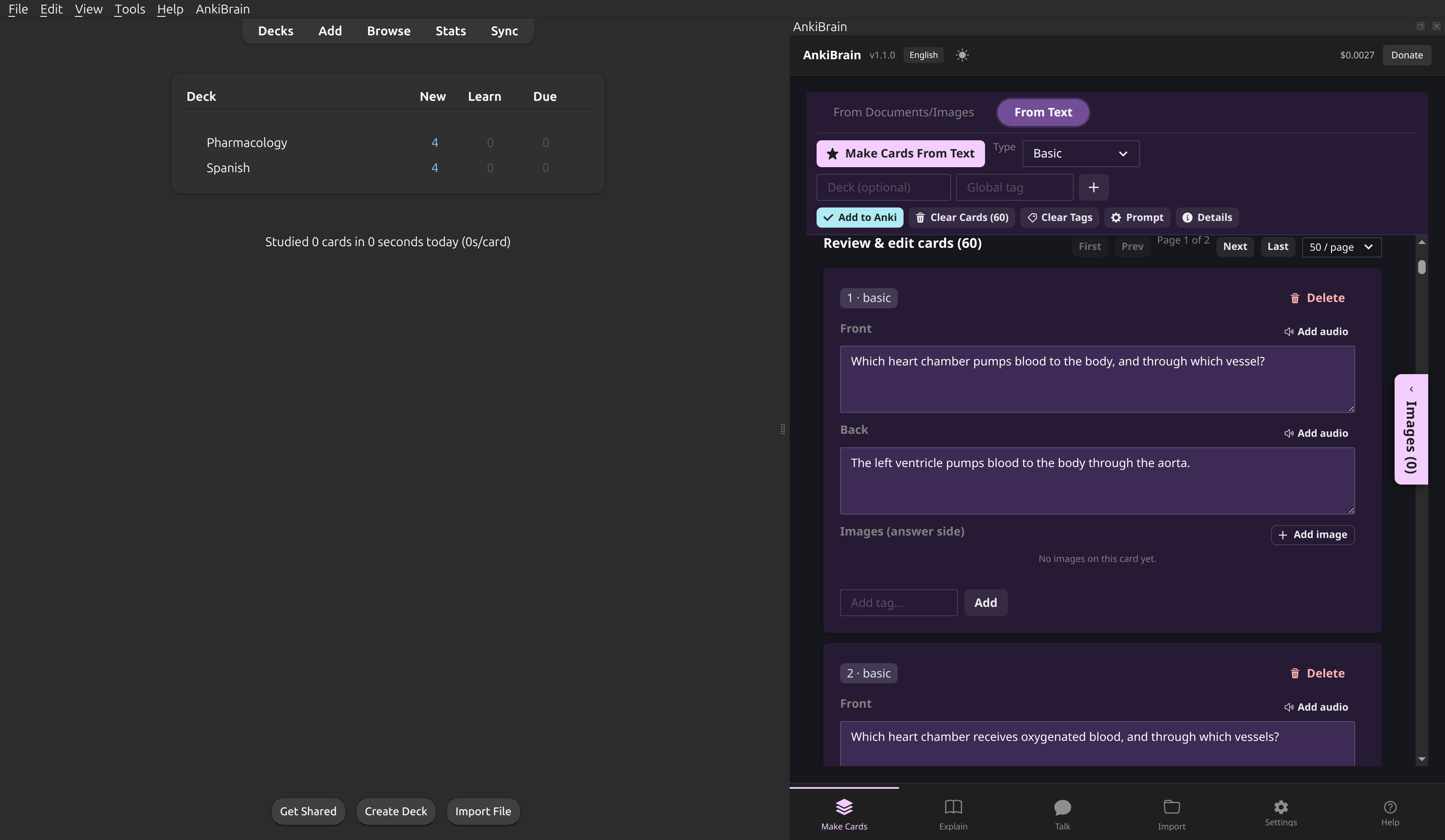
The generated card list.
Bring your own source material
Import PDFs, Word documents, PowerPoint decks, plain text and HTML files. AnkiBrain can use the relevant passages as the source for its explanations and cards. Figures and diagrams inside PDFs and DOCX files are extracted too, and attached to the cards made from the text around them. For technical users: AnkiBrain does this by embedding documents in a powerful vector database (local or remote).
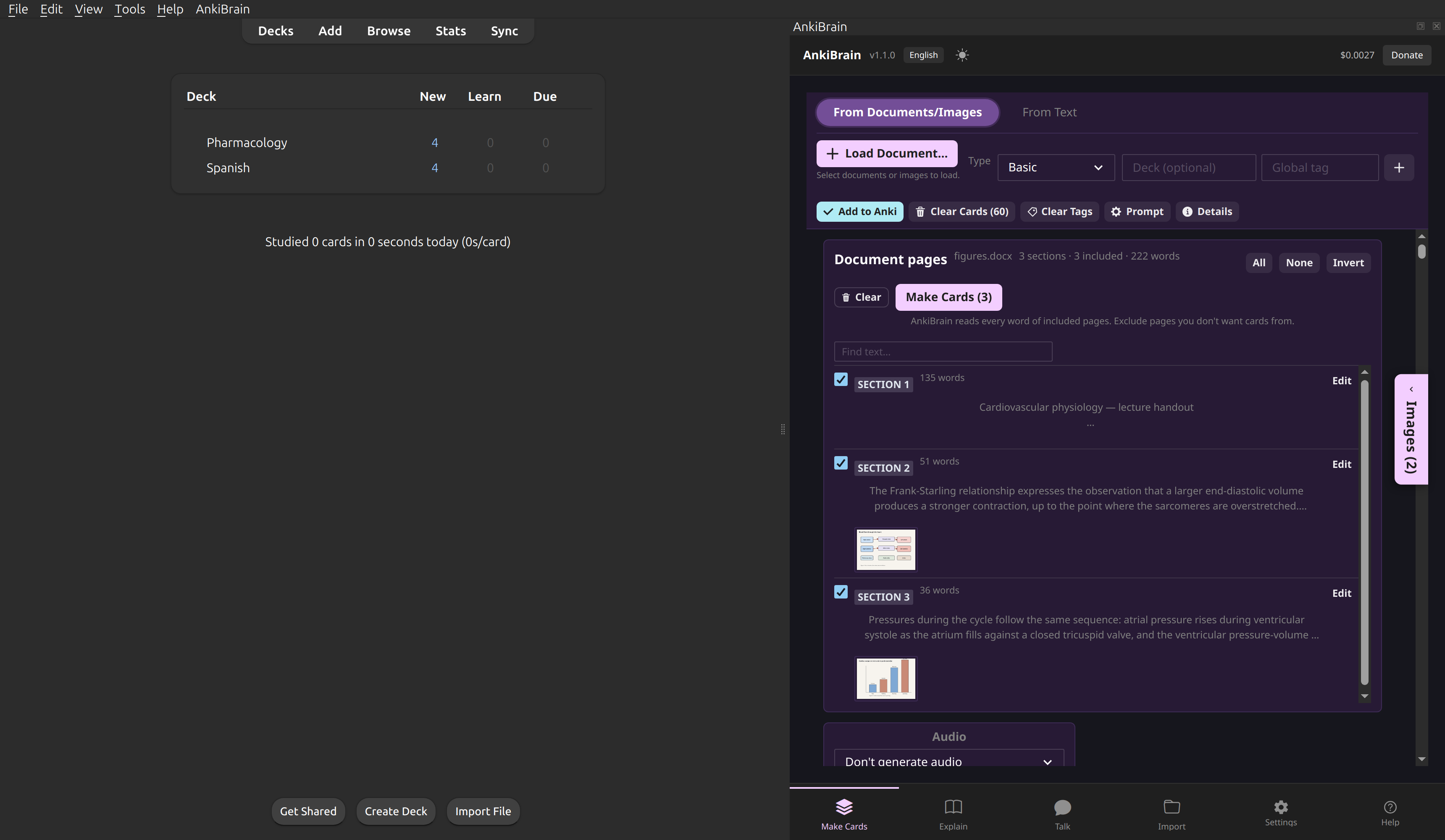
A textbook split into staged pages.
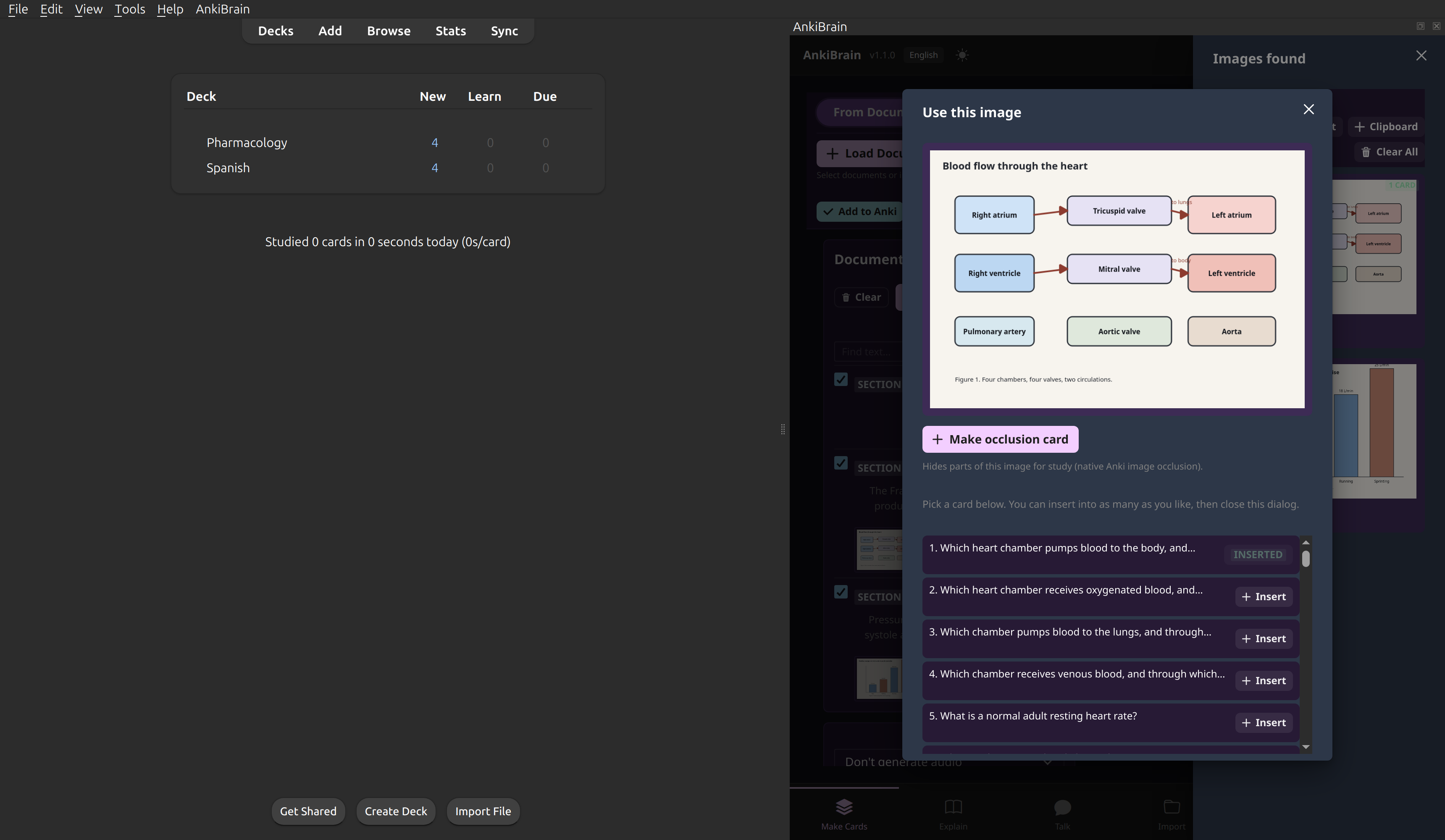
The image library, with a figure attached to a card.
Automatic image occlusion
Add a diagram, a figure from a paper, or a screenshot you pasted from the clipboard. Image occlusion cards can be created automatically or with a single click. Adjust the masks in the editor inside of AnkiBrain, or let AnkiBrain generate a whole batch of occlusion cards at once. Image occlusion cards use Anki's built-in image occlusion note type.
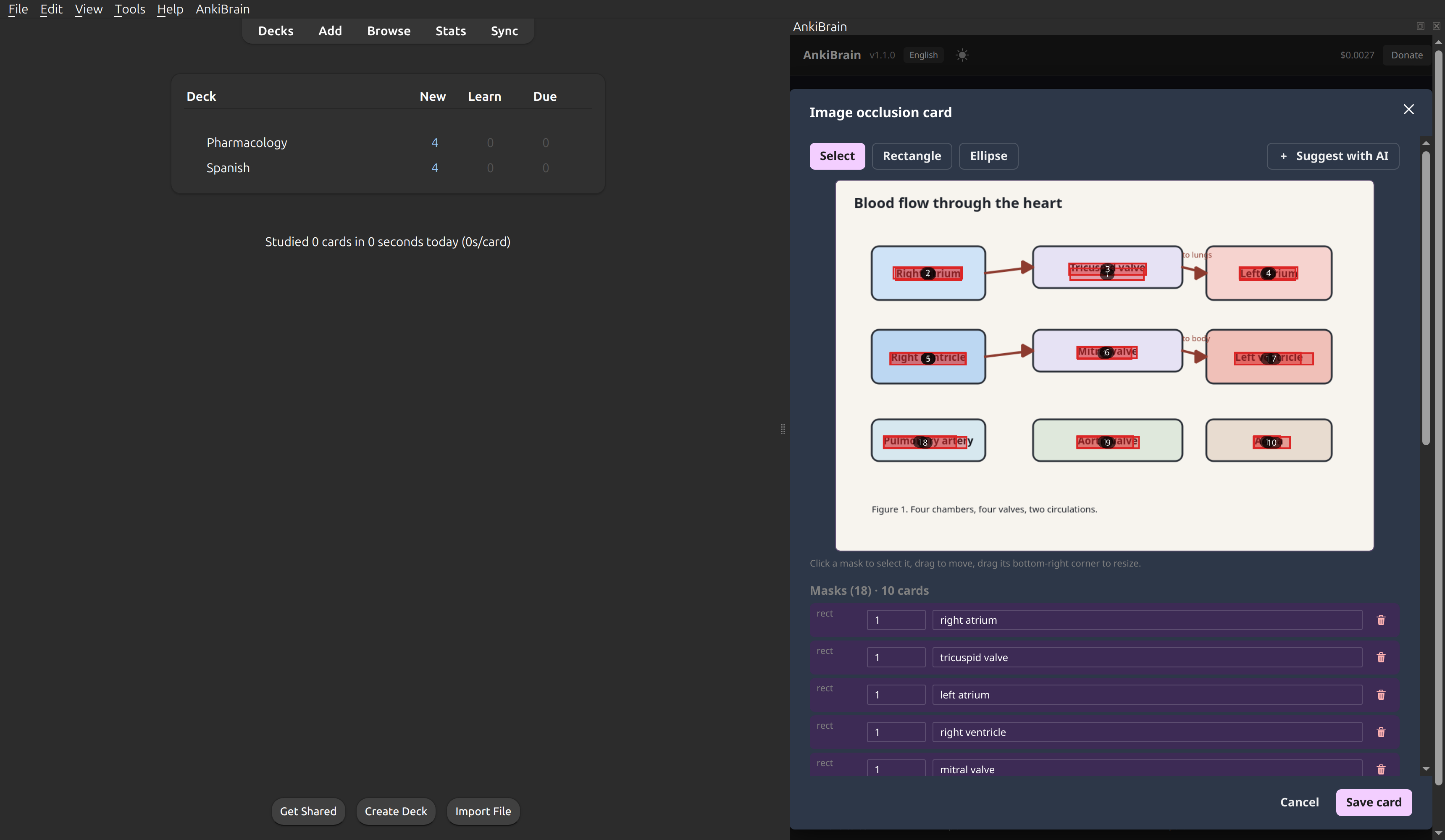
Masks proposed by the vision model.
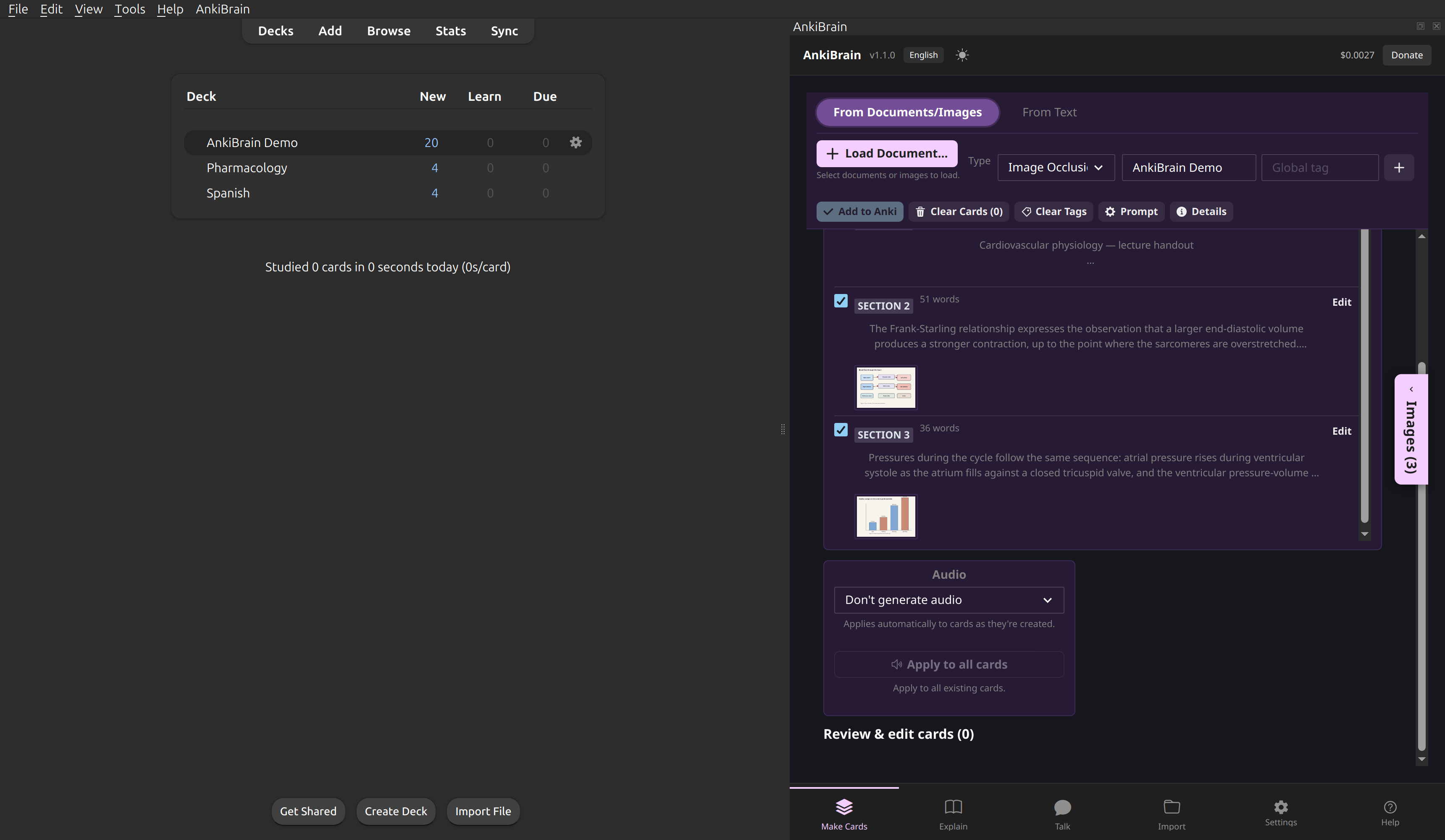
The cards added to the deck.
Hear your cards - AnkiBrain Voice
AnkiBrain Voice is a free high quality text-to-speech engine. Highlight text on a card and press Speak, press the speaker icon on any chat reply, or have card audio generated for the front side, the back side or both, so it plays automatically while you review. AnkiBrain automatically detects the language of the text and speaks it with a matching voice - 54 voices over 9 languages: English (US and UK), Spanish, French, Hindi, Italian, Portuguese, Chinese, and optional Japanese.
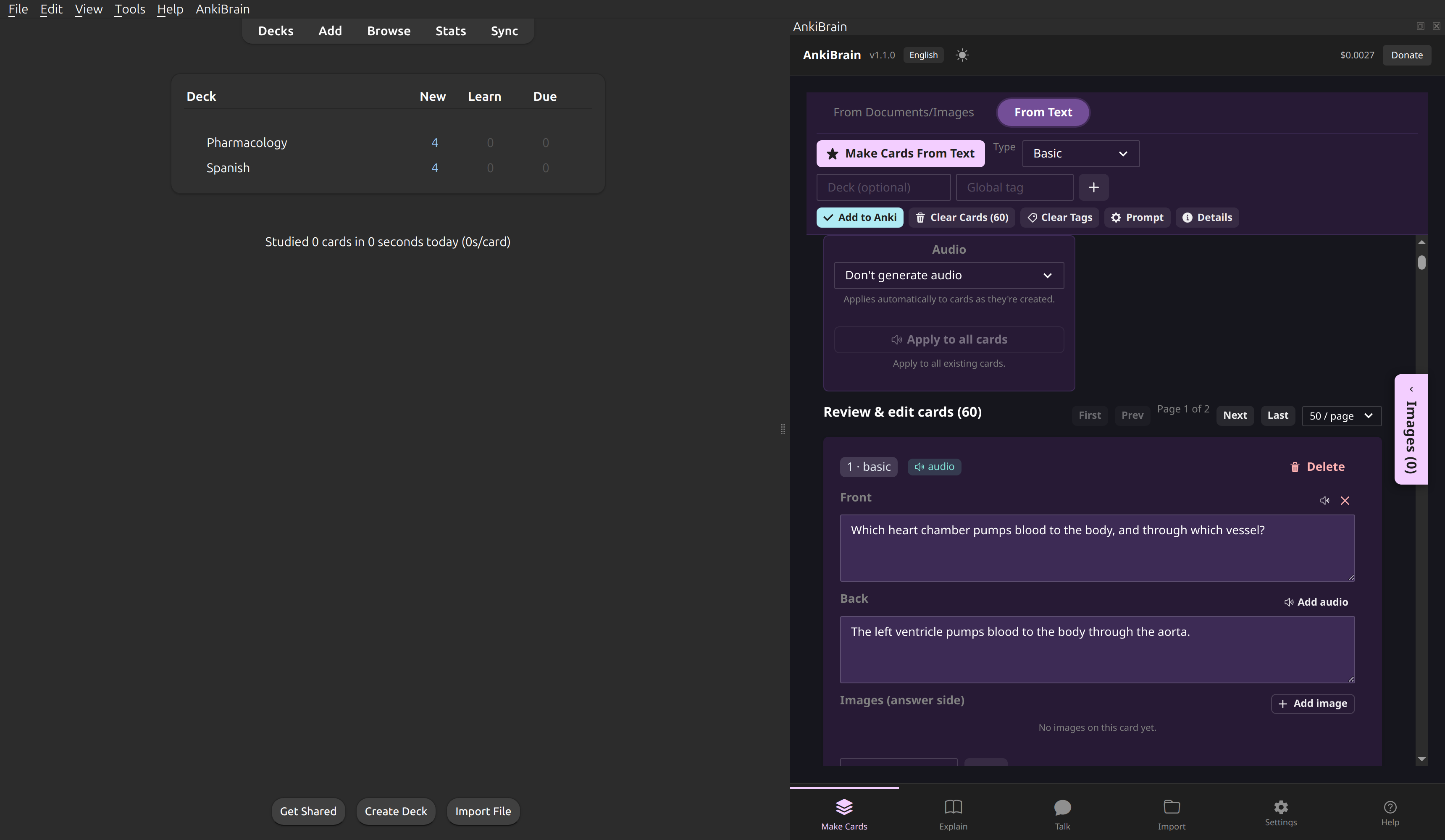
Per-field audio generated by the voice engine.
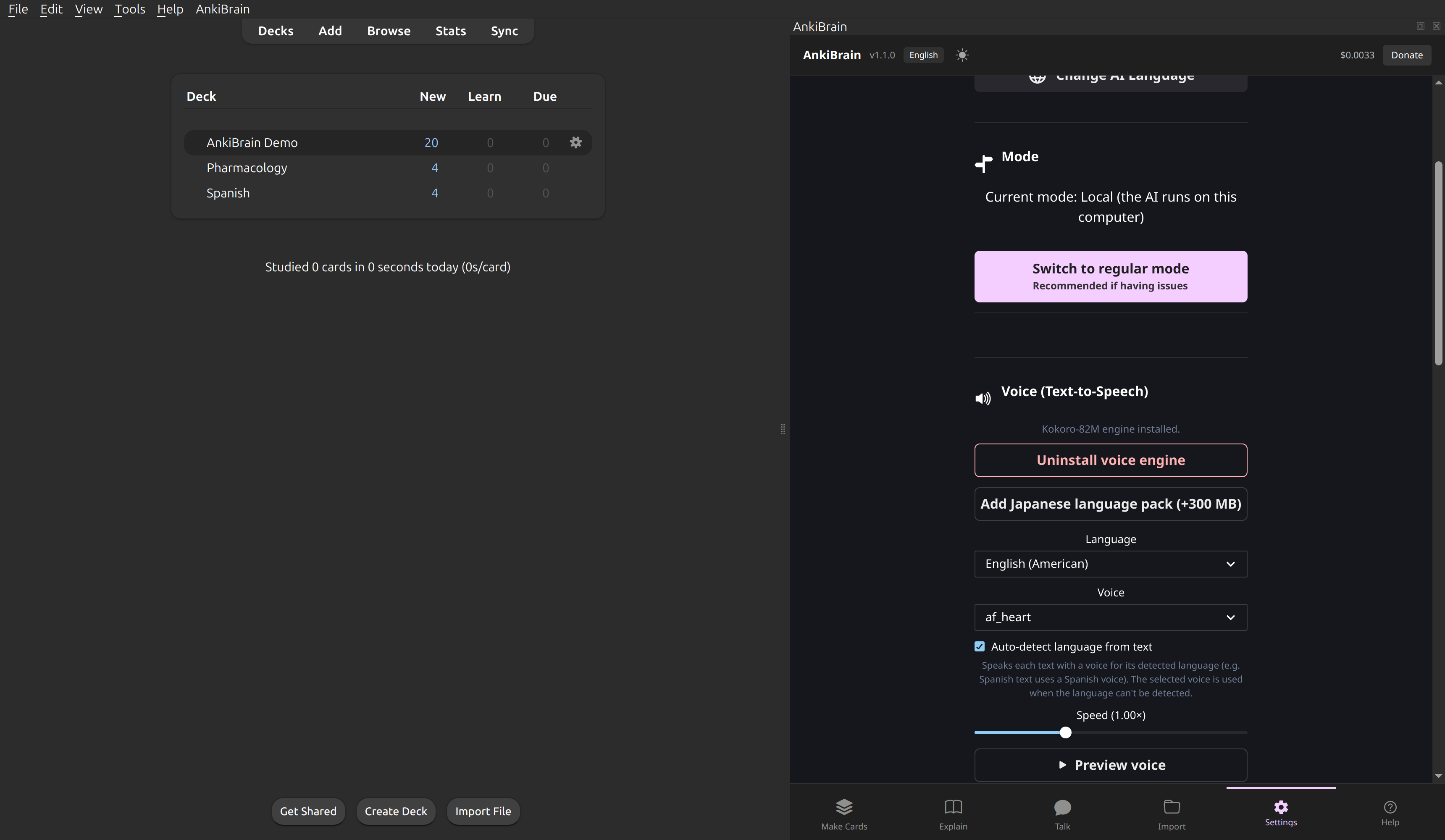
The voice engine settings.
Explain and Talk about the material
Ask for an explanation at the level of detail you want, with or without your own documents behind it, and send it to Make Cards with a single click. Talk is the same idea as a conversation: ask about the material, follow up, and turn any answer into cards by selecting the "share" button on any answer (sends text to Make Cards).
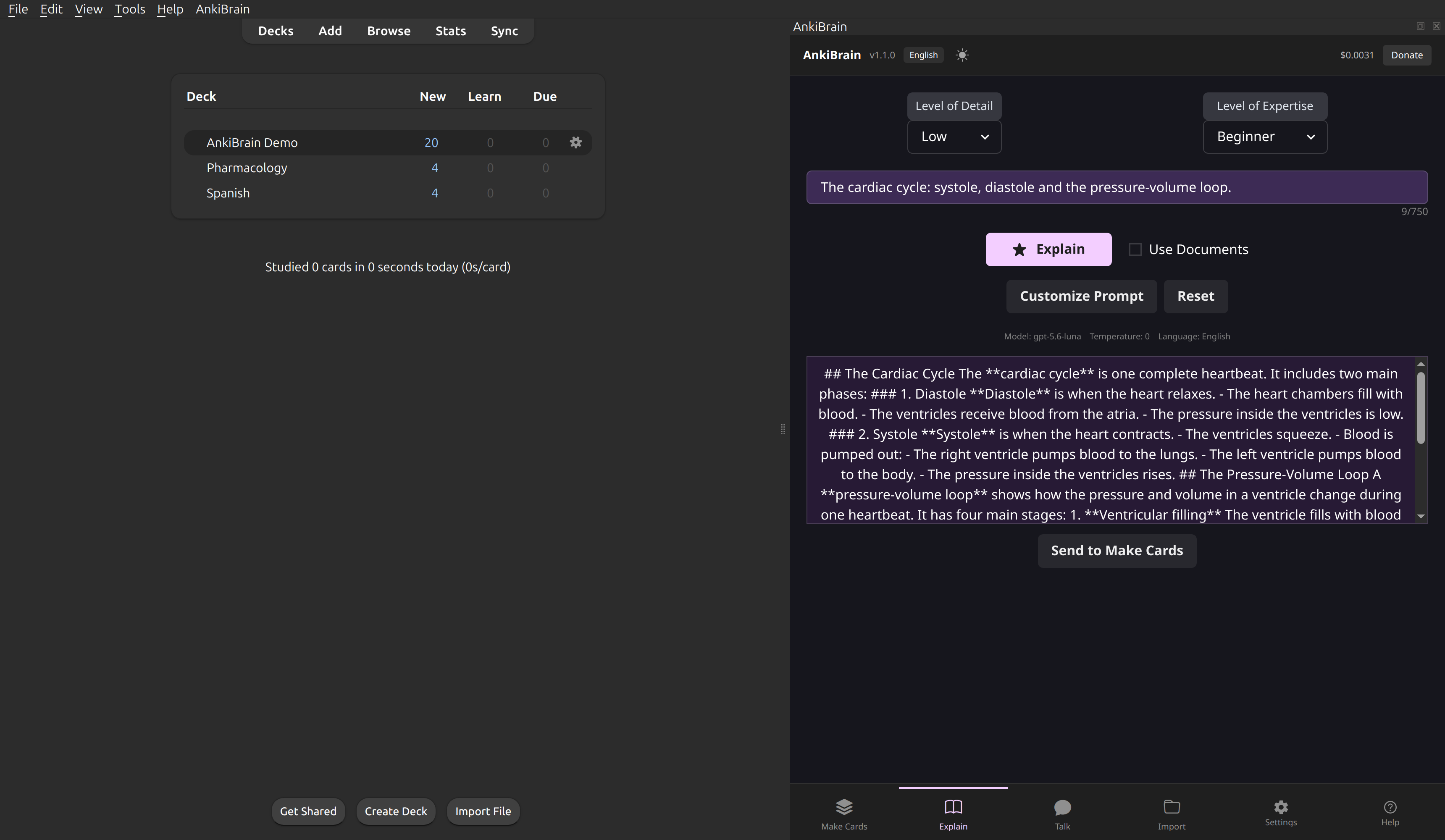
A topic explanation.
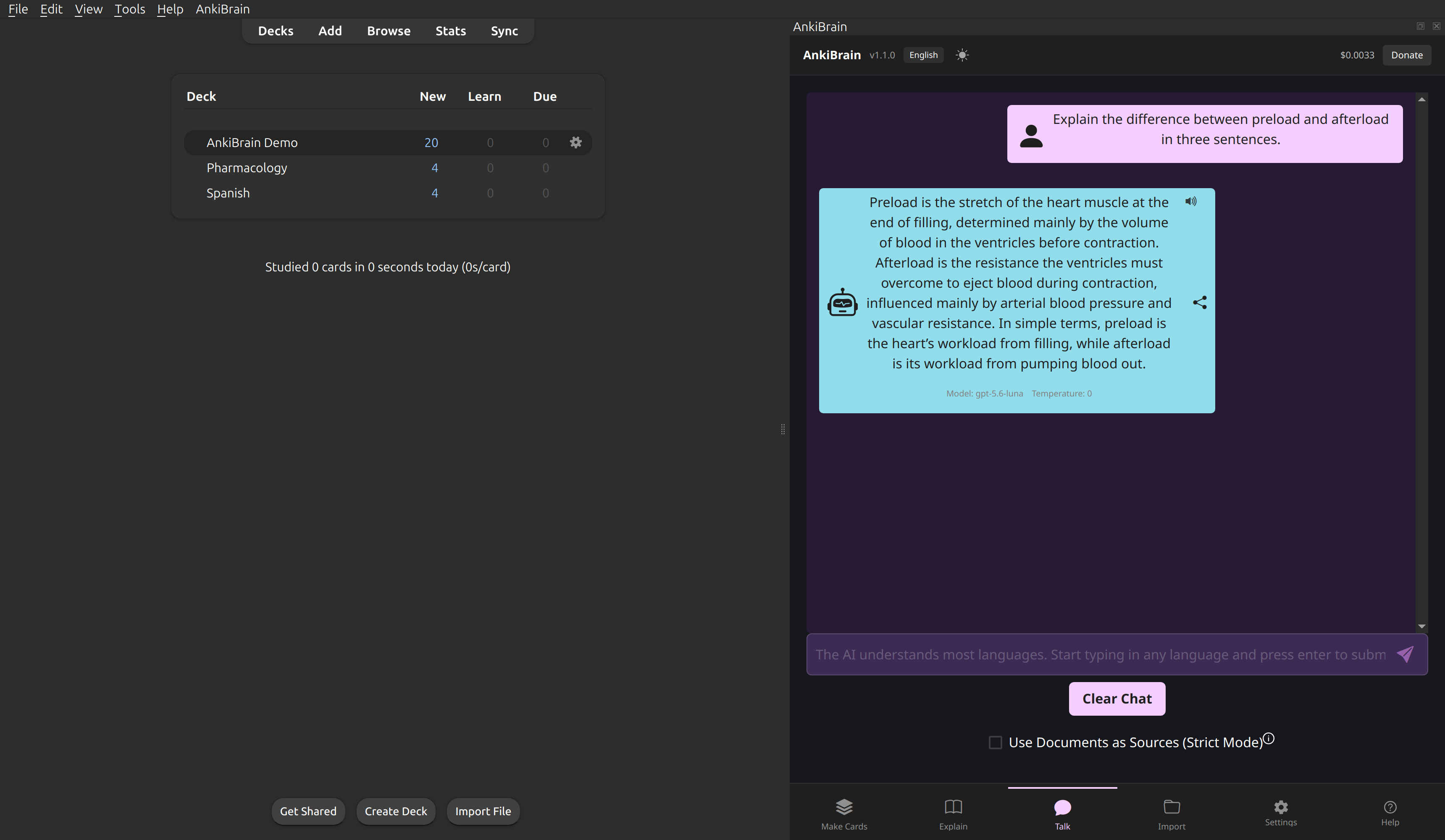
A Talk answer.
Anki Card Interaction - highlight to interact with AnkiBrain
If you highlight any text on a card while studying, Explain/Talk/Speak buttons appear. Explain opens the topic explanation screen for that passage, Talk opens the chat with it, and Speak reads it aloud with the local voice engine. In a future update, Speak will be changed to automatically adding audio to that card's front or back.
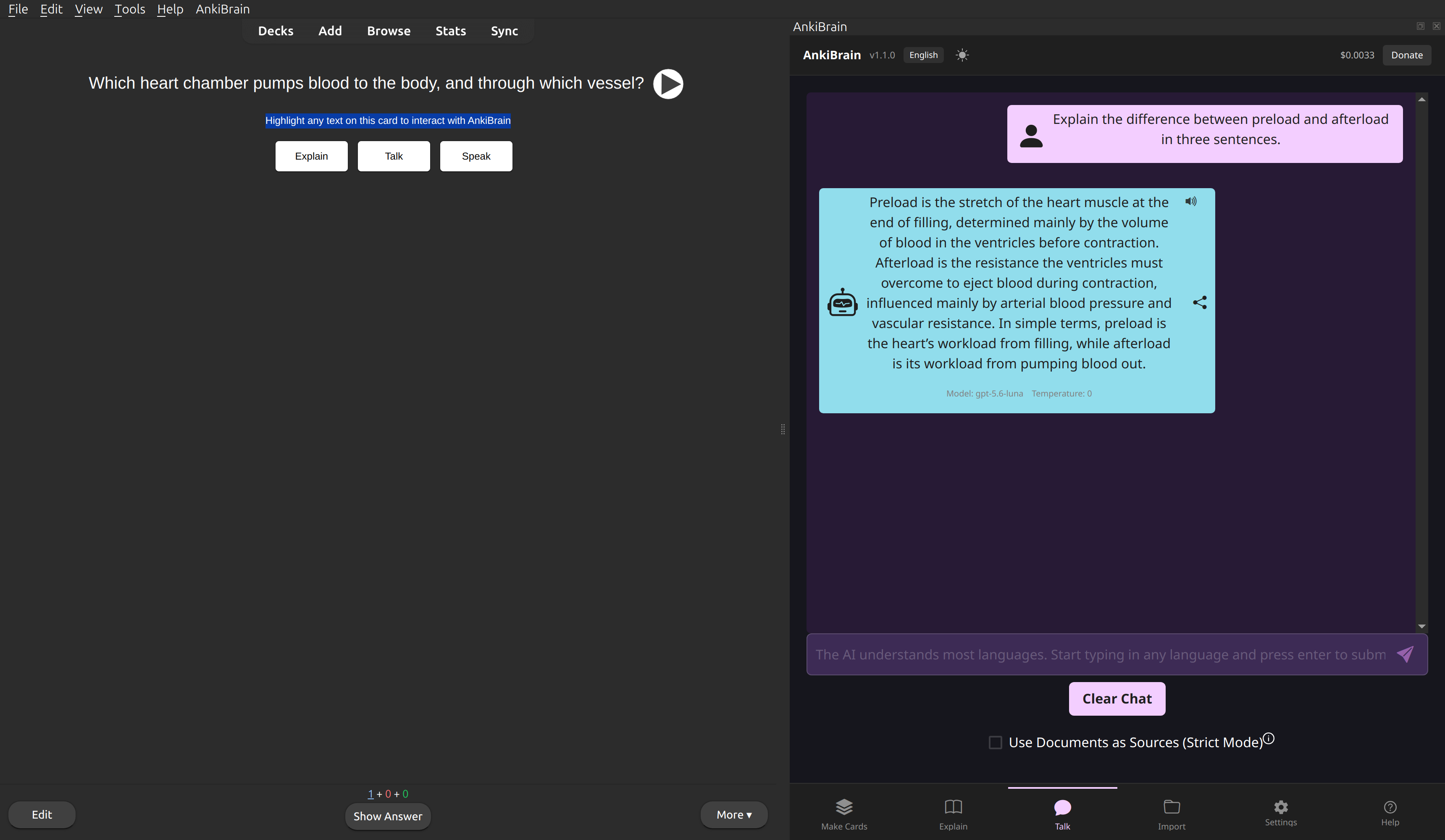
Highlight text on a card to Explain it, Talk about it, or have it read aloud.
Regular Mode for everyone or Local Mode for advanced users
Regular (server) mode recommended for most users: no setup required. AI runs on AnkiBrain's servers with no API key to manage.
Local (advanced) mode for advanced users: AnkiBrain installs its own AI engine locally, then set any OpenAI-compatible endpoint (remote or local LLM). A cost tracker is available in the sidebar. Windows 10+ (x86_64), macOS 12+ (Apple Silicon) and Linux x86_64/aarch64 are supported.
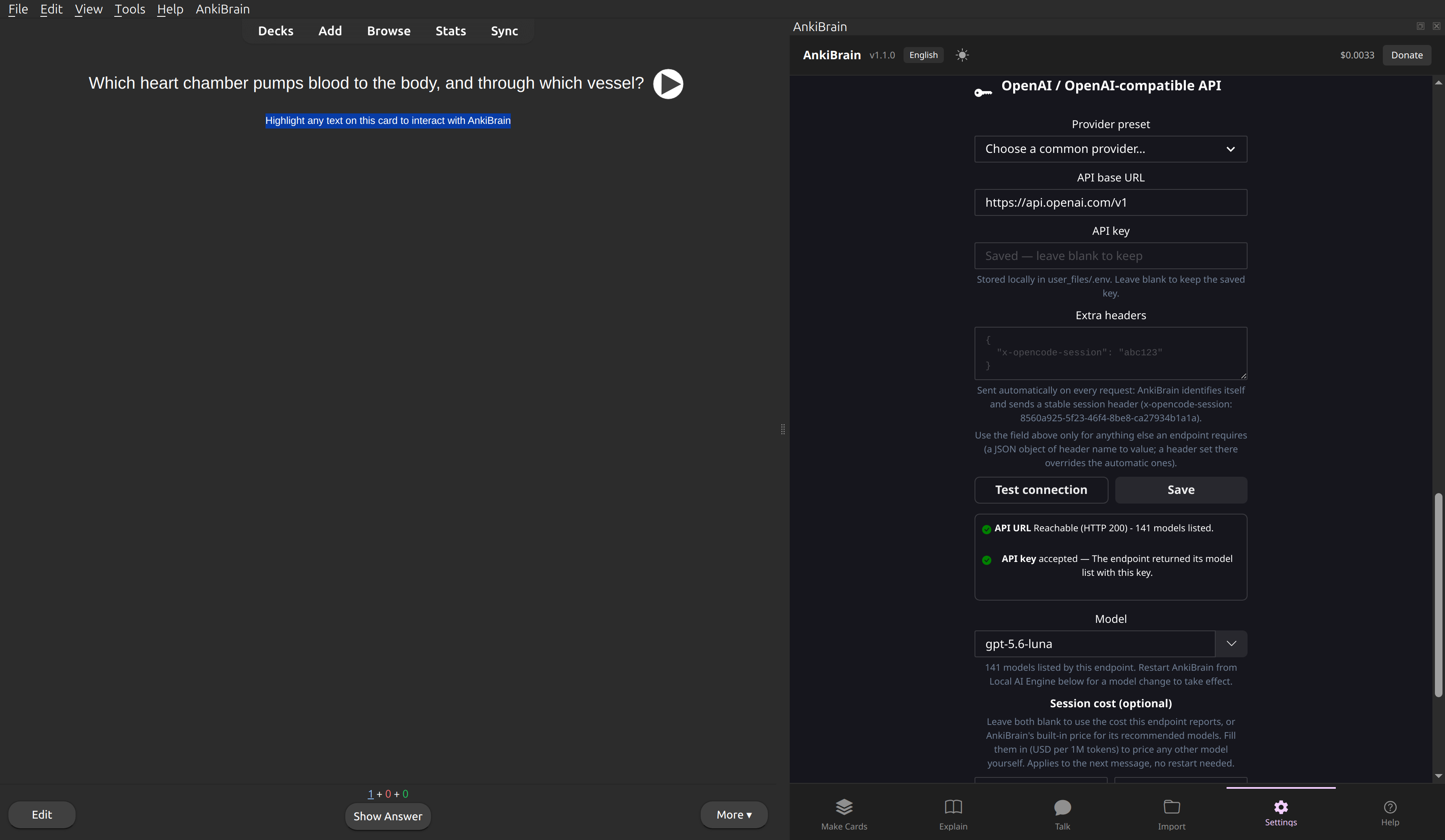
Local mode: any OpenAI-compatible endpoint, with a Test connection button that lists its models.
More features
- Topic explanations - in your choice of detail, with or without source documents.
- Make Cards - Basic, Cloze and image-occlusion cards from text, images or whole documents, with custom tags.
- Talk - a conversation about your material, with every answer one click away from becoming cards.
- AnkiBrain Voice - free local text-to-speech and per-field card audio.
- Cost tracking - the running session cost in Local mode, with exact prices for the recommended models.
- Custom prompts and model settings - edit the prompts used for explanations and cards, and choose the model and temperature.
- Light and dark interface.
Languages
AnkiBrain writes its answers and cards in 49 languages, plus a custom entry for anything else: English, Spanish, Albanian, Arabic, Armenian, Azerbaijani, Belarusian, Bengali, Bulgarian, Bosnian, Chinese (Mandarin), Chinese (Cantonese), Croatian, Czech, Danish, Dutch, Estonian, Farsi (Persian), Filipino, Finnish, French, German, Greek, Hindi, Icelandic, Indonesian, Irish (Gaelic), Italian, Japanese, Kazakh, Khmer, Korean, Kurdish, Hebrew, Hungarian, Malay, Mongolian, Norwegian, Polish, Portuguese, Romanian, Russian, Serbian, Swedish, Thai, Turkish, Ukrainian, Urdu, Vietnamese. Most languages work as a source too - type your question in the language you like. This setting changes the language of the AI's answers; the AnkiBrain interface itself is in English, a future update will provide interface language settings as well.
Please leave constructive feedback only and report bugs. Visit https://www.reddit.com/r/ankibrain/ for information, installation, support and bug reports, or email ankibrain@rankmd.org for one-on-one support.
EMAIL ANKIBRAIN@RANKMD.ORG FOR ALL SUPPORT ISSUES
Please use the Qt6 version of Anki, otherwise you may run into a bug with a blank white screen