OCR local: turn any image into text and LaTeX
Take a screenshot, a photo or a scan. Click OCR in the editor. Get clean text and LaTeX formulas in your note, with a compiled preview underneath. It works offline and for free; a paid AI is optional.
Set it up in 2 steps (once)
1. Install LaTeX (free). Formulas are shown as real LaTeX images, so your computer needs a LaTeX distribution: MiKTeX on Windows, MacTeX on macOS, TeX Live on Linux.
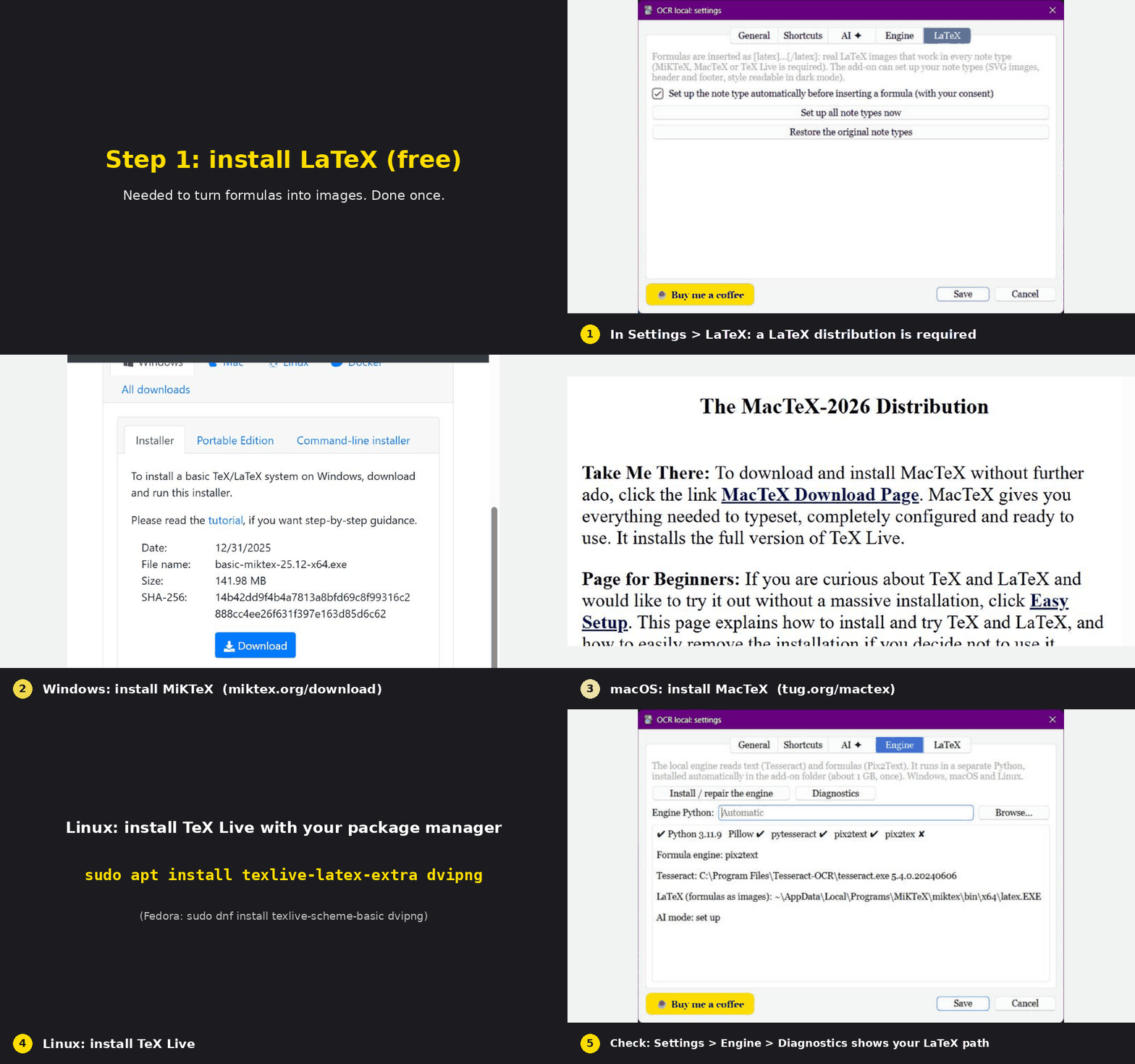
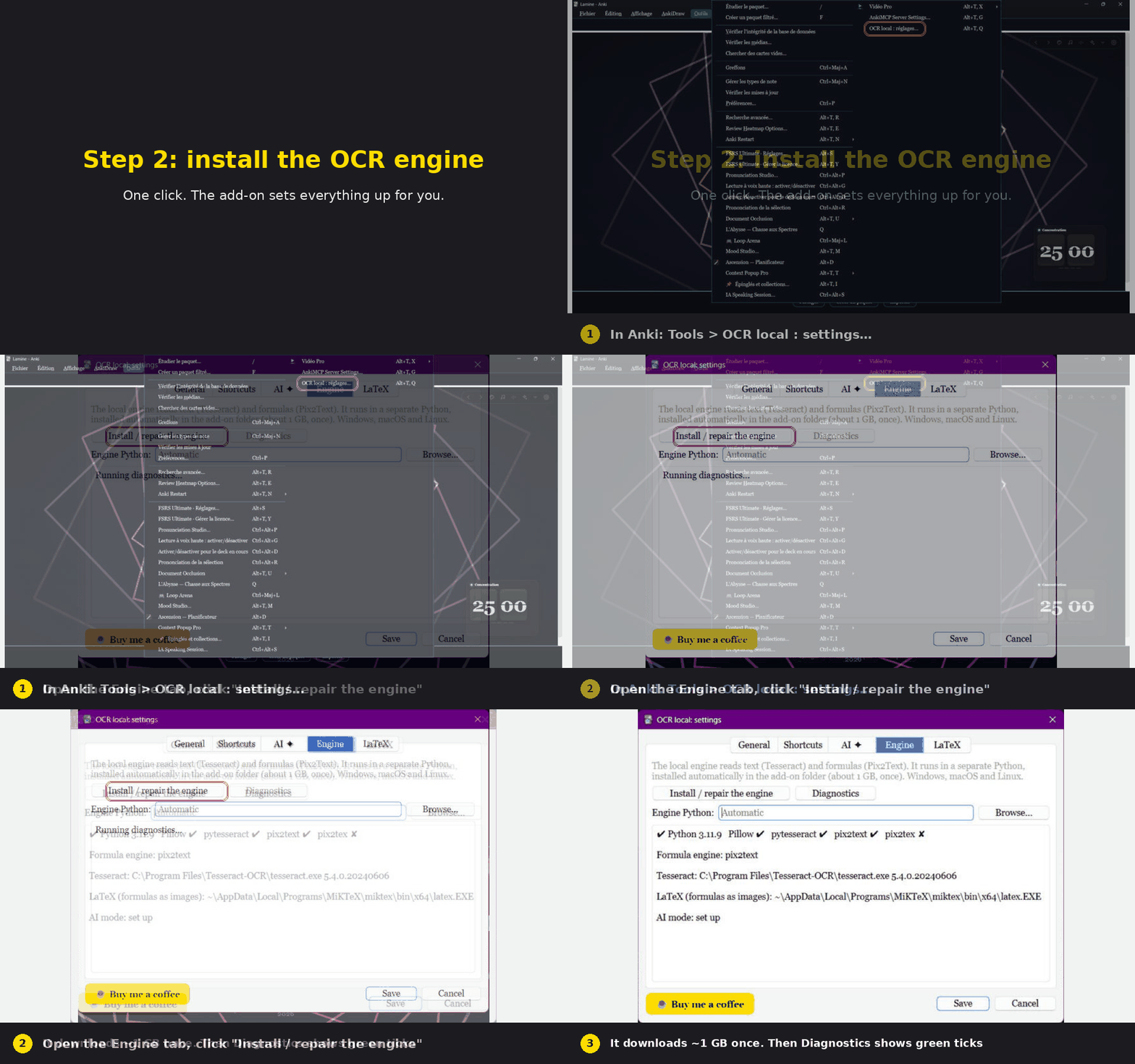
2. Install the OCR engine. Tools > OCR local: settings > Engine > "Install / repair the engine". It downloads about 1 GB, one time, and sets everything up inside Anki's add-on folder.
Then use it
In the Add or Edit window click OCR, choose your image (or paste one), pick Formula, click Read image, then Insert into note.
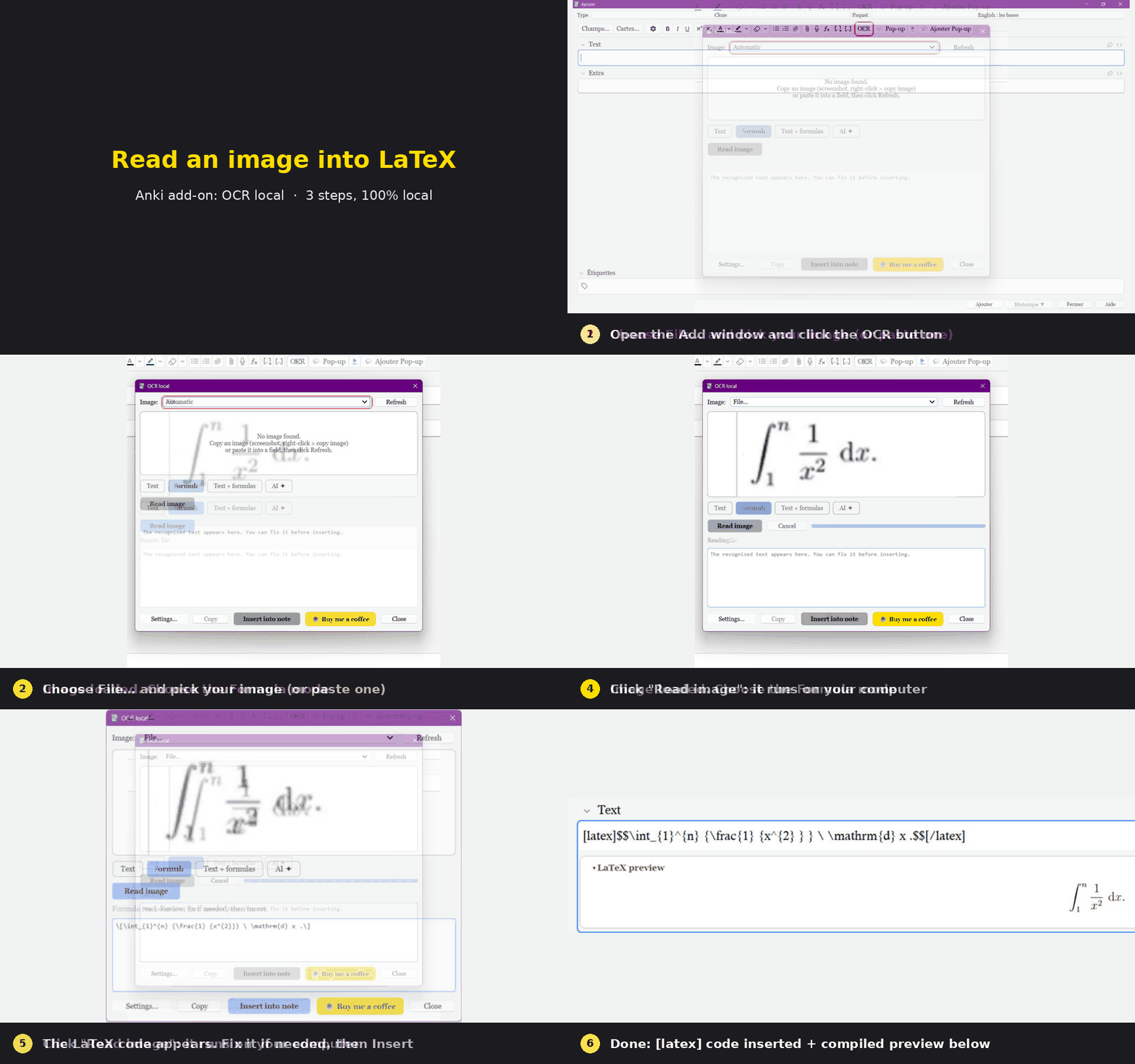
The animations are real captures of the add-on running in Anki, with captions added.
Features
- Local first: Tesseract (text) and Pix2Text (formulas) run on your computer.
- Optional AI mode: a vision model (Claude, any OpenAI-compatible service, or a free local Ollama model) gives the best LaTeX on hard formulas and handwriting. With "local first" on, the paid AI is called only when the local result looks doubtful.
- Formulas are compiled with LaTeX to check them; broken ones are corrected automatically.
- Four modes: text, formula, text + formulas, AI. You can edit the result before inserting.
- Keeps bold, italics, colors and bullet lists.
- Windows, macOS and Linux. Shortcuts: Ctrl+Shift+O / U / K / L.
Languages
English, French, Spanish, German, Italian, Portuguese, Dutch, Russian, Japanese and Chinese. It follows Anki's language automatically. The translations are machine-made, so corrections are welcome. Right-to-left languages are not supported yet (English is used instead).
Privacy
Nothing leaves your computer unless you turn on the AI mode and use it; then the image goes only to the provider you chose. No analytics, no tracking. Your API key stays in Anki's configuration on your computer.
Help and source
Questions, bugs, ideas: https://github.com/DesosseBR/OCR-local---Image-to-text-and-LaTeX-offline-first-optional-AI-
If this add-on saves you time, a coffee helps me keep improving it:

Created by Habib Lamine Ouattara
```