Cross Profile Search and Import





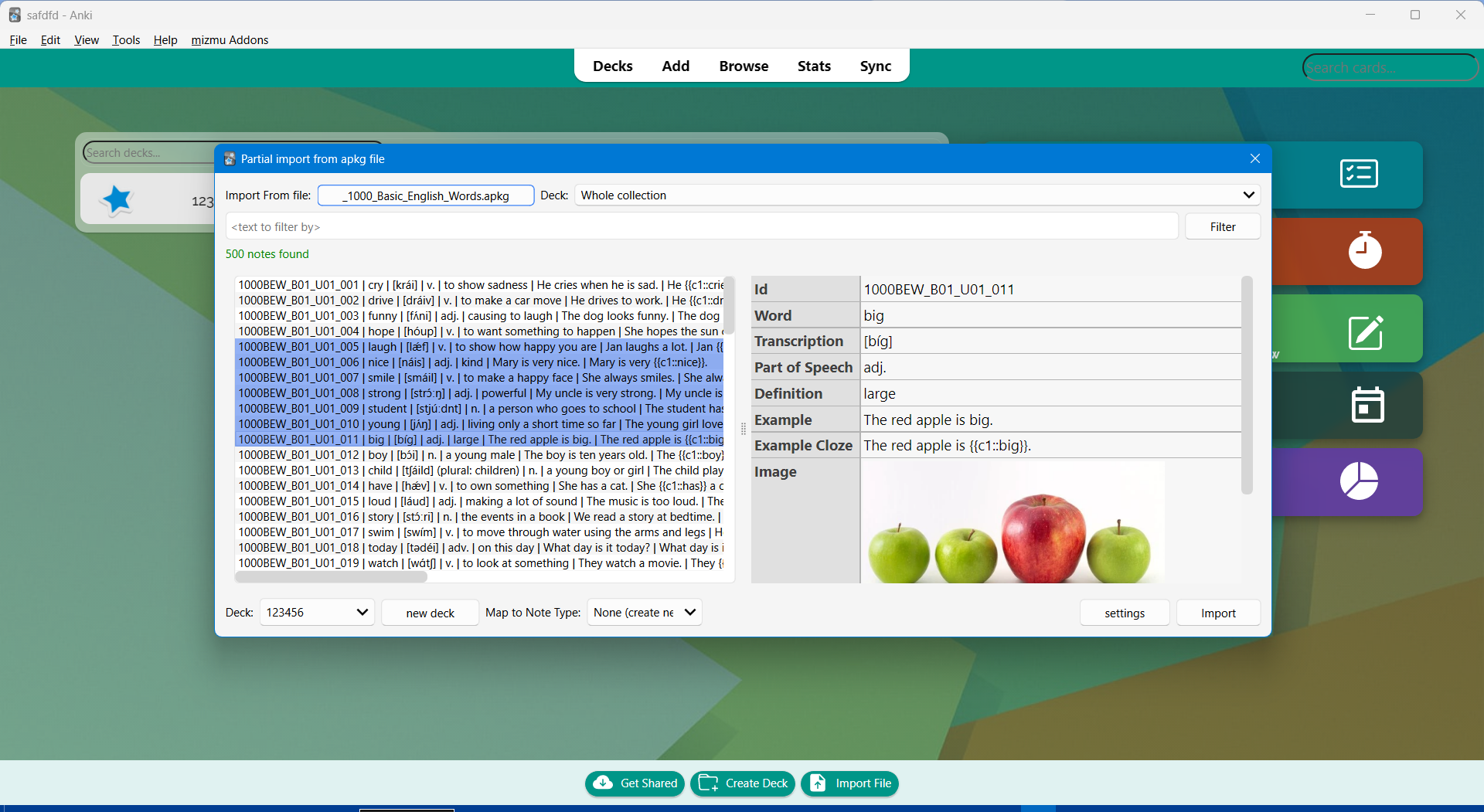
This add-on allows you to find and import notes from another profile into your currently loaded profile.
For example, you can make a "sentence bank" profile where you store thousands of cards generated by
subs2srs,
and then use this add-on to search for and import cards with certain words into your main profile.
This helps keep your main profile uncluttered and free of large amounts of unneeded media.
https://user-images.githubusercontent.com/69171671/147933768-bd8cd362-0bd0-4fa9-9c95-66334127be6b.mp4
This add-on is a continuation of the original
Cross Profile Search and Import
that hasn't been updated since 2019.
How to use
Install the add-on from AnkiWeb.
After installation, restart Anki and go to "AJT" > "Cross Profile Search and Import".
Set the following settings.
- The profile and deck to import from.
- The deck to import to and the Note Type to use.
Use the search bar to find notes.
Select the notes you want to import and press "Import".
Links
 dev by mizmu
Get exciting new features soon by becoming a Patreon