Field AutoComplete

AnkiWeb addon 511710206

Adds editor autocomplete that suggests existing values from the same note type and field, with toggleable suggestions and strict or loose search modes.
AI-generated summary; may contain mistakes.

card-creationshortcutsfork-or-reupload

Open on AnkiWeb GitHub Forum topic Find alternatives

AnkiWeb

Votes
24 (πŸ‘ 21 Β· πŸ‘Ž 3)
Updated
2025-01-29
Anki versions
24.11~
License
MIT (from the license file in the package)
Virus scan
No ClamAV match A match does not prove malware. No match does not prove that the code is safe.
Languages
Python, JavaScript, CSS, JSON
Description language
en

Maintenance

stale

  • Last update or commit: 2025-01-29 (641 days before the snapshot).
  • GitHub Actions workflows: 3.
  • Commits in the last year: 0.
  • Issues: 5 open, 10 closed.
  • Pull requests: 0 open, 5 merged.
  • Median first response: 15 hours (13 answered issues and pull requests).
  • Outside pull requests: 100% of 1 merged.

Will it work on my Anki?

Version branches
Min AnkiMax AnkiUpdated
2.1.452.1.492022-02-25
2.1.5024.11+2025-01-29
History across monthly snapshots

Loading…

Similar addons

Word autocomplete (for Anki 2.1)

Provides fuzzy word autocomplete by suggesting candidates from previously entered notes, with Tab and Ctrl+1–5 shortcuts to insert a suggestion.

card-creationshortcuts

6 votes 30% approval πŸ‘ 4 Β· πŸ‘Ž 2 ⭐ 2 Updated 2020-12-06
Quick Template Copy fork

Copies pre-formatted information from selected Anki Browser notes using customizable per-note-type templates, hotkeys, tag placeholders, and escaped HTML for Word/Excel compatibility.

exportformattingshortcutsfork-or-reupload

1 votes 21% approval πŸ‘ 1 Β· πŸ‘Ž 0 ⭐ 0 Anki 2.1.1~ Updated 2026-08-12
Image Rescaler

Rescales images in the Anki editor by setting width/height attributes, reversibly, with per-image, field, and card scopes plus optional auto-rescale on paste.

note-managementformatting

1 votes 21% approval πŸ‘ 1 Β· πŸ‘Ž 0 Anki 2.1.2~ Updated 2026-08-05

Description

This add-on was funded by the Anki Mastery Course. Please consider supporting our work using the links below so we can continue to fund add-on projects like this.

You must be on Anki 2.1.45+ to use this add-on

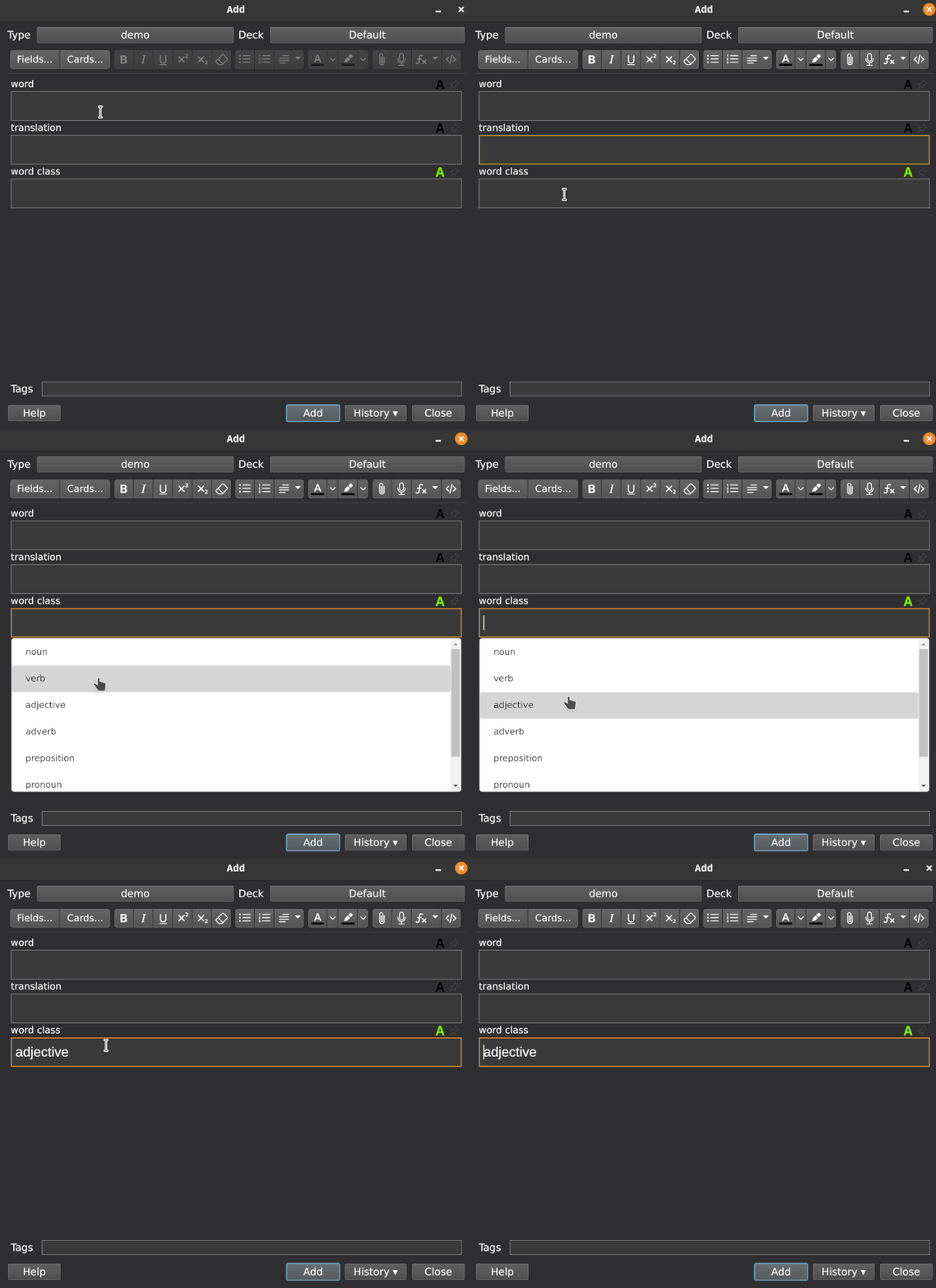
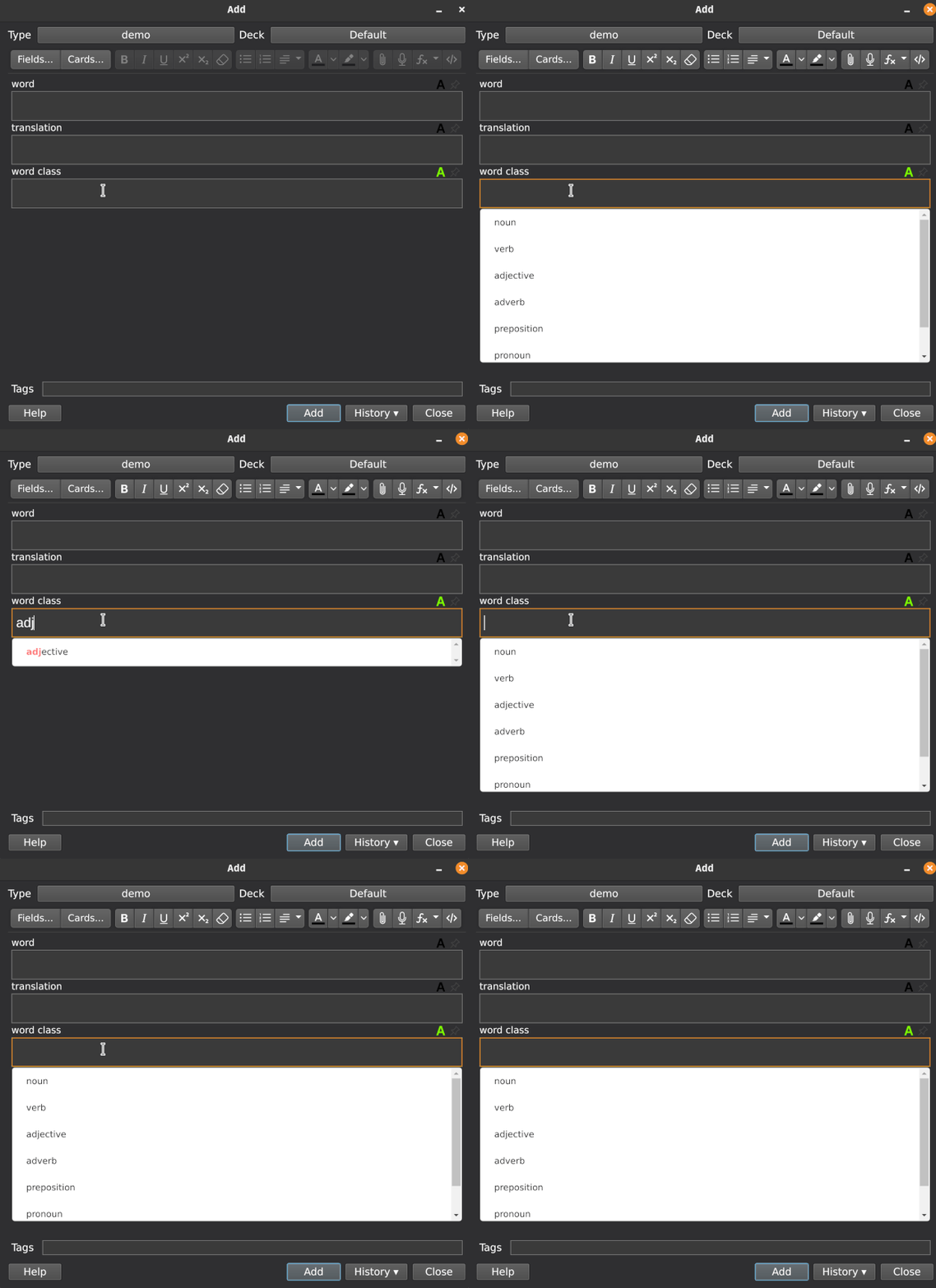
This add-on enhances the editor with autocomplete functionality. When you type text in a field or even just click on it a list of values from existing cards will appear. These values will be only from the exact note type and field that you're typing into. The auto-completion makes it easy to fill a field which always takes on one of a set of values (here the autocomplete can be used the same ways as a dropdown menu).

When you click one of the values (or press tab) the field will be set to this option.

The autocomplete feature can be toggled on and off for a field by clicking the "A" icon, or using a keyboard shortcut (F4 by default). The setting will be remembered for the next time you edit such a note.

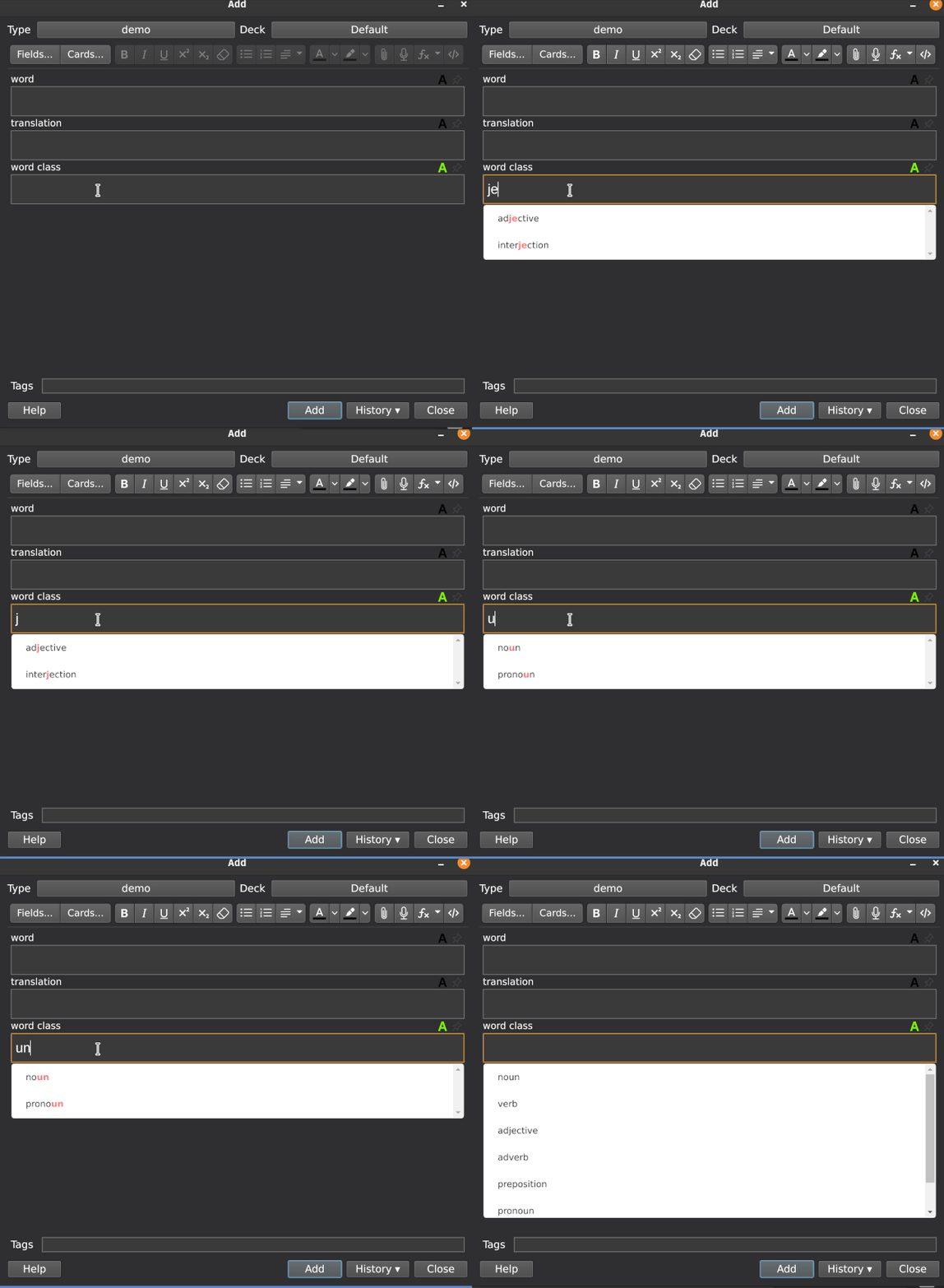
The search mode can be set to strict (default) or loose in the add-on settings. When using the loose search mode, searching for e.g. "ate" would also bring up "rate", which wouldn't show up in the strict search mode.

This add-on is based on the anki-editor-autocomplete add-on.

Screenshots

strict search (default)

loose search

Problems, Bugs, Errors, Improvements
If you find a serious bug, please submit it on
Github or email us at ankingmed@gmail.com. Please remember that we are not coders and thus may not be able to provide support.

Changelog

2021-08-17: Initial Release

2021-08-19: Fixed a bug making it not work on windows

2021-09-07: Fixed an error that appeared when typing " into a field with autocomplete active

2022-02-25: Fixed occasional crash when importing a collection file

2022-04-09: Updated for Anki 2.1.50

2022-11-21: Updated for Anki 2.1.55 and Qt6

2022-12-19: Fix for 2.1.55

2023-02-25: Version 1.6 brings recently "autocompleted" words and phrases to the top of the suggestions list next time you type a similar string

2024-07-20: Fixed autocomplete not being available until first note is added.

2025-01-29: Updated icons

Please consider checking out our:

YouTube Channel- How to use Anki for beginners and advanced users.

Instagram/Facebook: @Ankingmed

www.TheAnKing.com- Recommended add-ons, tutorials and more including how to download 40+ add-ons in < 5min

Patreon/VIP- Support our work and get individualized Anki help!


README

This add-on was funded by the Anki Mastery Course. Please consider supporting our work using the links below so we can continue to fund add-on projects like this.

You must be on Anki 2.1.45+ to use this add-on

This add-on enhances the editor with autocomplete functionality. When you type text in a field or even just click on it a list of values from existing cards will appear. These values will be only from the exact note type and field that you're typing into. The auto-completion makes it easy to fill a field which always takes on one of a set of values (here the autocomplete can be used the same ways as a dropdown menu).

When you click one of the values (or press tab) the field will be set to this option.

The autocomplete feature can be toggled on and off for a field by clicking the "A" icon, or using a keyboard shortcut (F4 by default). The setting will be remembered for the next time you edit such a note.

The search mode can be set to strict (default) or loose in the add-on settings. When using the loose search mode, searching for e.g. "ate" would also bring up "rate", which wouldn't show up in the strict search mode.

In version 1.6+ Words or phrases that you have used more than once will show up at the top of the search as a suggestion.

This add-on is based on the anki-editor-autocomplete add-on.

Screenshots


strict search (default)


loose search


Problems, Bugs, Errors, Improvements If you find a serious bug, please submit it on Github or email us at ankingmed@gmail.com. Please remember that we are not coders and thus may not be able to provide support.

Changelog 2021-8-17: Initial Release 2021-8-19: Fixed a bug making it not work on windows

Please consider checking out our: