You just finished a UWorld block and missed 14 questions. Somewhere in your AnKing deck are the cards that teach exactly those 14, but finding them one ID at a time takes longer than the block did.
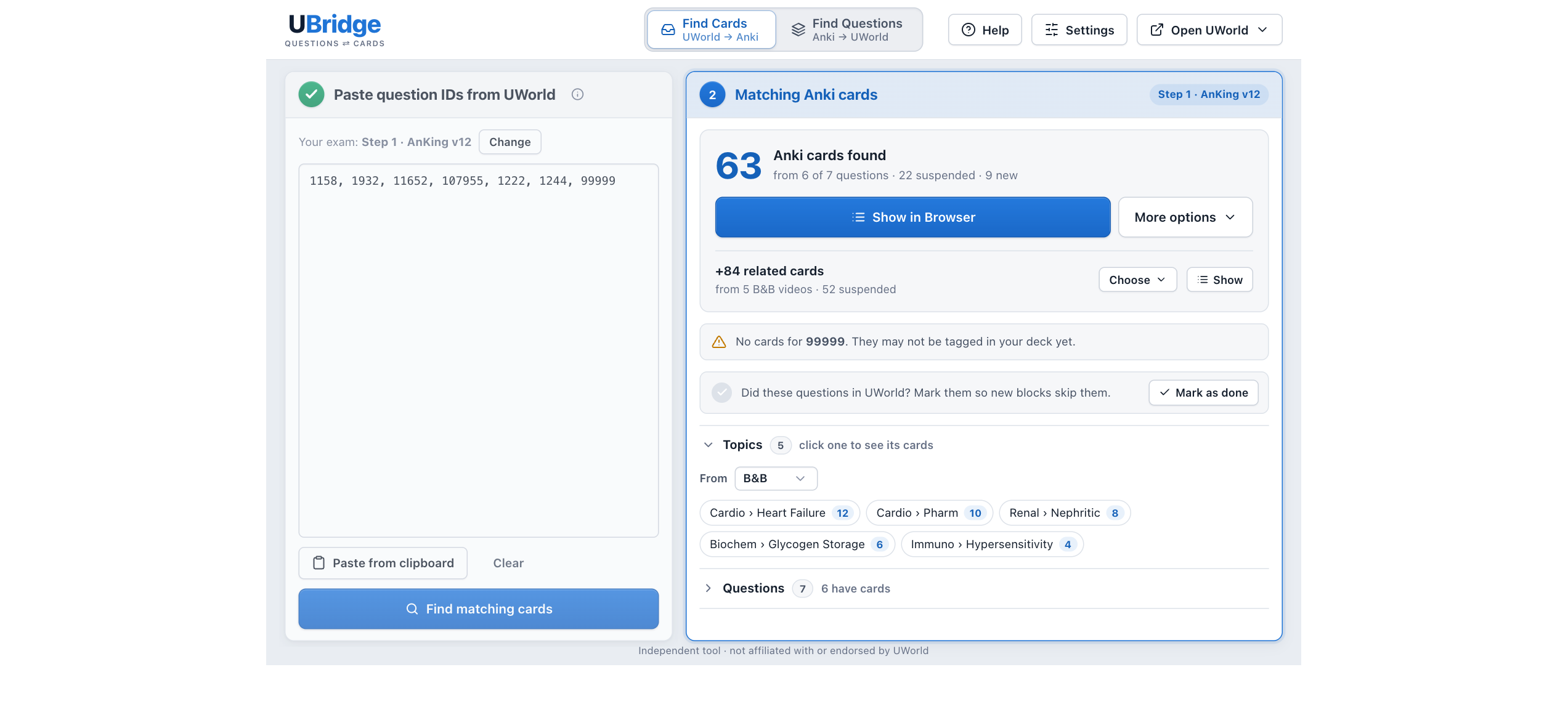
UBridge finds them in one step. Paste the question IDs from a UWorld test (or click one button on UWorld's results with the free Chrome extension) and it shows the Anki cards tagged with each question ID, ready to unsuspend and study. It works the other way too: pick a deck, tag or topic, and it finds their UWorld question IDs and groups them into blocks to paste into a Custom test.
What it does
- Turns your misses into reviews (Find Cards, UWorld → Anki). Paste a test's question IDs and see their cards, grouped by topic. Look them over in Anki's Browser, then unsuspend, tag them, or make a review deck. "Unsuspend and study these first" makes them come up first in your reviews.
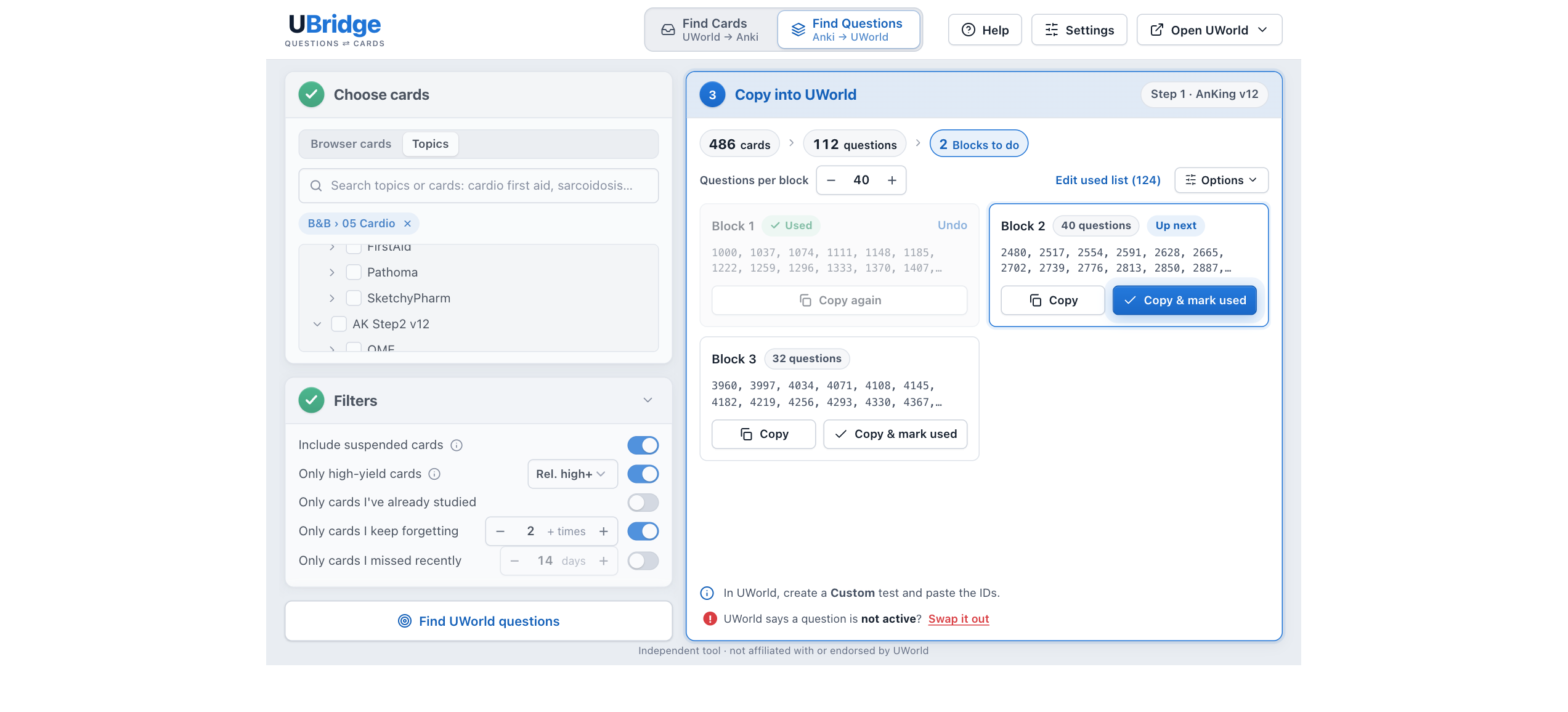
- Turns your cards into UWorld tests (Find Questions, Anki → UWorld). Pick a deck, tag or Browser search, or tick topics, and get blocks of up to 40 question IDs for a Custom test. It remembers the questions you've used, so new blocks skip them.
- Keeps track of what you've done. Question history lists every test and block, and Check against UWorld finds questions you marked used in UBridge but never did in UWorld.
- Fits the exam you're studying for. Pick Step 1, Step 2 CK, Step 3, COMLEX or MCAT, and the whole add-on follows it.
Faster with the Chrome extension
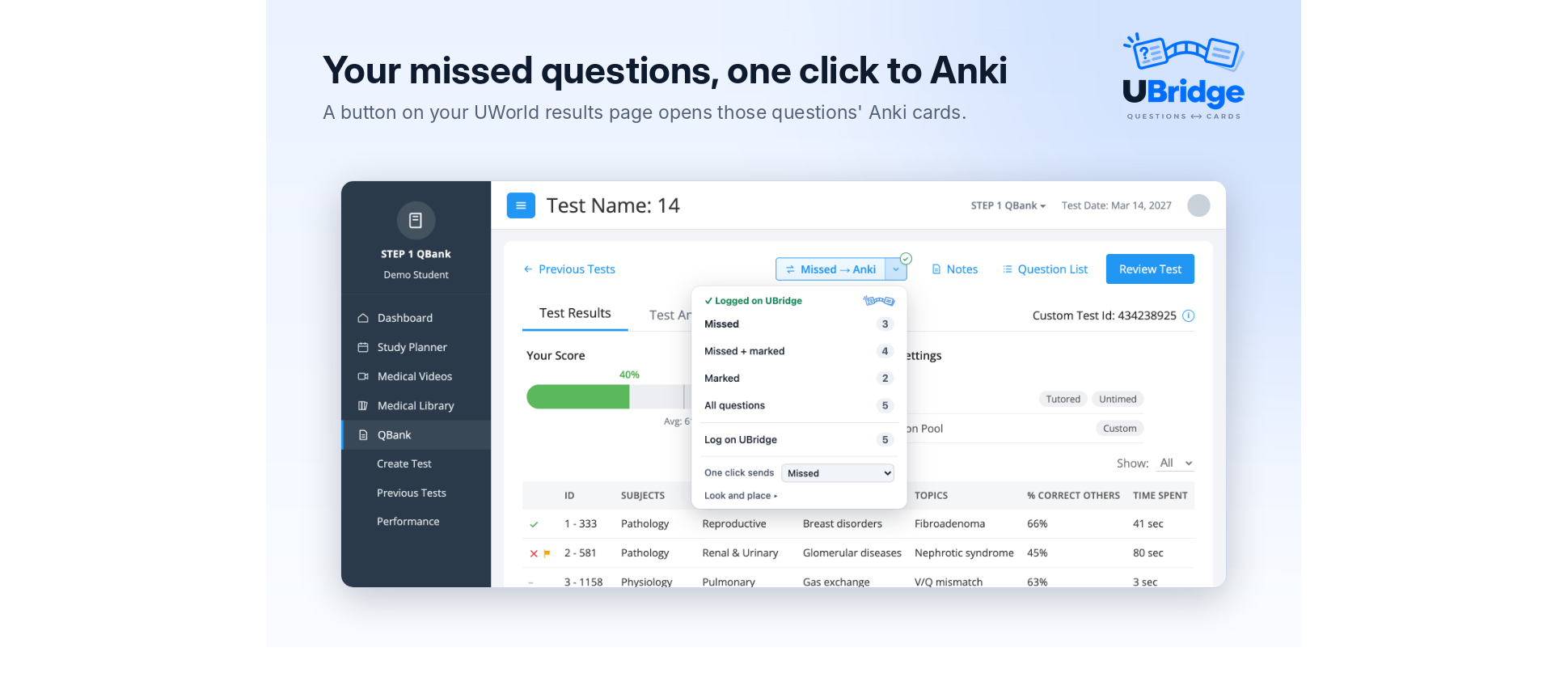
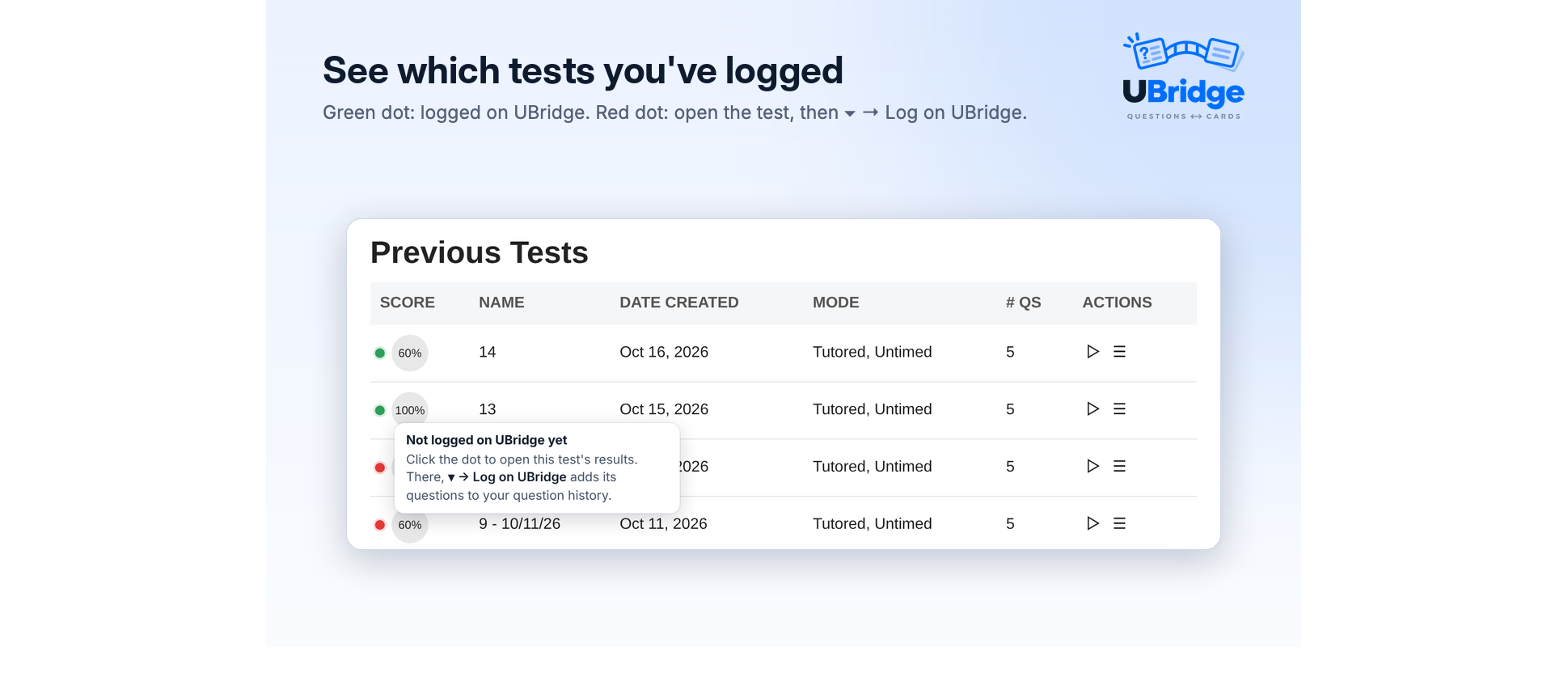
The free UBridge Chrome extension puts a Missed → Anki button in UWorld's toolbar on a test's results. One click and UBridge opens here with the cards found. When you open a test's results, it logs the test automatically. Previous Tests shows a green or red dot by each test, so you can see which are logged. If UWorld won't take a question, it swaps it out. To connect it, turn on Settings → Chrome extension in UBridge.
Also
- Topic search with words in any order, highlighted matches, and ↑ ↓ and Enter, similar to BetterSearch
- Filters: only high-yield cards (from AnKing's yield tags), cards you keep forgetting, or cards you missed recently
- UWorld won't take a question (retired, or not in your subscription)? Swap it out and new blocks leave it out
- Export and import your used questions when you move to a new computer
- A short setup, a guided tour, How to Use, and light and dark mode
Where to find it: the UBridge card on Anki's home screen, the UWorld button in Anki's top bar, or ⇄ Find UWorld Questions in the Browser (Ctrl+Shift+U, ⇧⌘U on a Mac).
Needs: Anki 2.1.50 or newer on Mac, Windows or Linux, a deck tagged with UWorld question IDs (AnKing v11 or v12: Step 1, Step 2 CK, Step 3, COMLEX, MCAT), and your own UWorld subscription.
Privacy: everything stays on your computer. No account, no analytics. UBridge only uses the question IDs in your cards' tags and never reads or copies UWorld questions, answers or explanations. The Chrome extension talks only to Anki on your computer.
UBridge is an independent tool, not affiliated with or endorsed by UWorld, AnKing or Anki. Found a bug? Please report it on the support page rather than in a review, since reviews don't let me reply.
Made by Matthew Correll, a medical student who also made Year in Cards, Manna, Swole Mate and Study Sounds.
Enjoying it? You can support more of my work ☕