Anki Fantasy
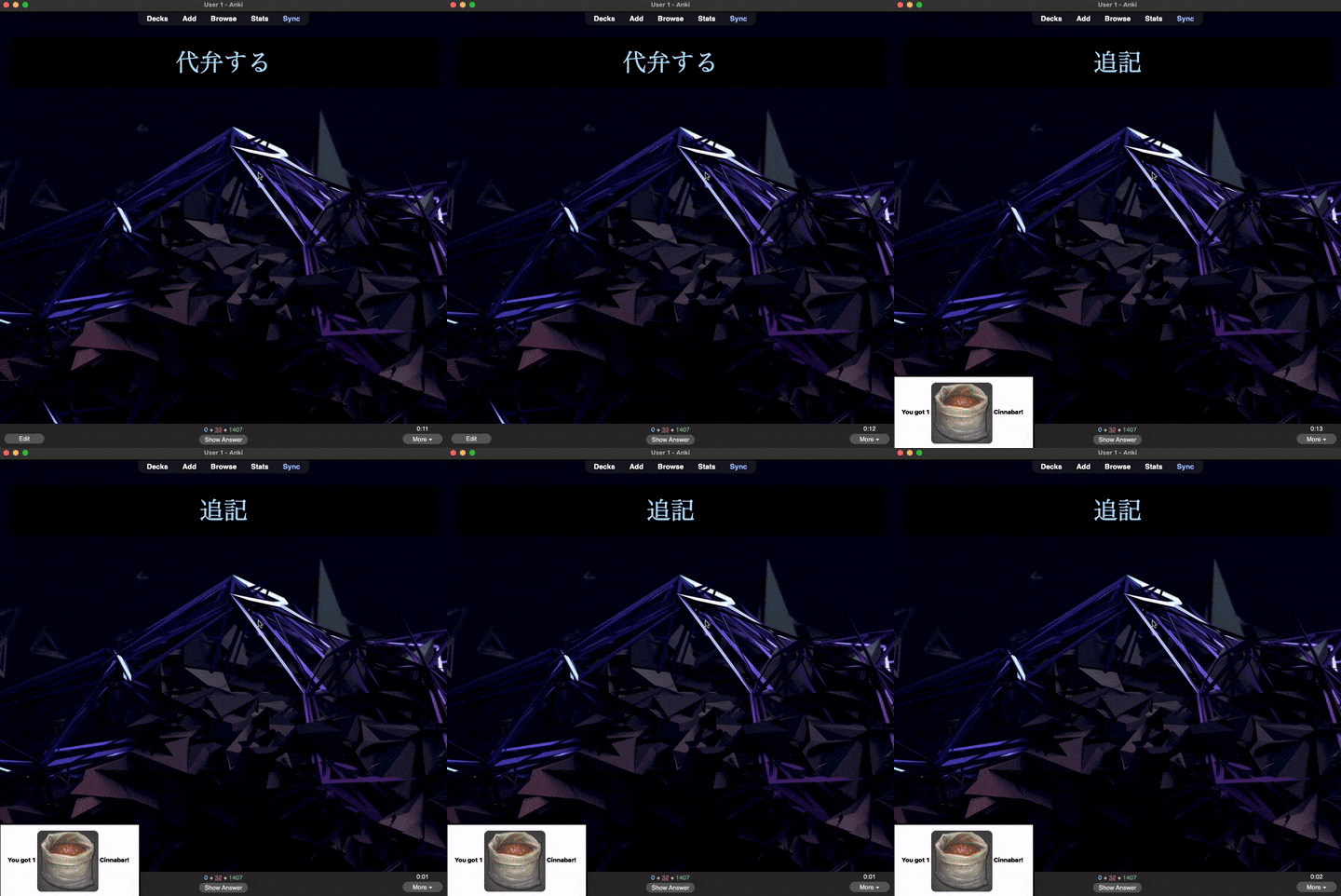
This add-on is inspired by Puppy Reinforcement, Anki Killstreaks, and AnkiCraft. Doing cards generates random item drops, which you can use to craft items from Final Fantasy XIV.
This add-on is intended to be used for a very long time. There are 98 levels, each with 100 items to craft. You must complete all the required items for a given level before you will be given the option to level up.
If you like this addon,  Buy me a coffee?
See this project on GitHub.
Adding images (IMPORTANT!)
There are a lot of required images for this add-on. If you download and build from GitHub, this is not an issue, but the add-on is too large with images included to upload to AnkiWeb. Once you have installed the add-on, you can download the images separately as a .zip file here. You will need to unzip to the add-on folder to see the images: (example end result folder on a Mac: Application Support/Anki 2/User 1/addons21/This Add-on id/img).
If you'd like to skip all that headache, you can download the complete add-on from here, but you will not get automatic updates from AnkiWeb. You can just double-click the .ankiaddon file and it should load in Anki.
There are three menus:
Inventory
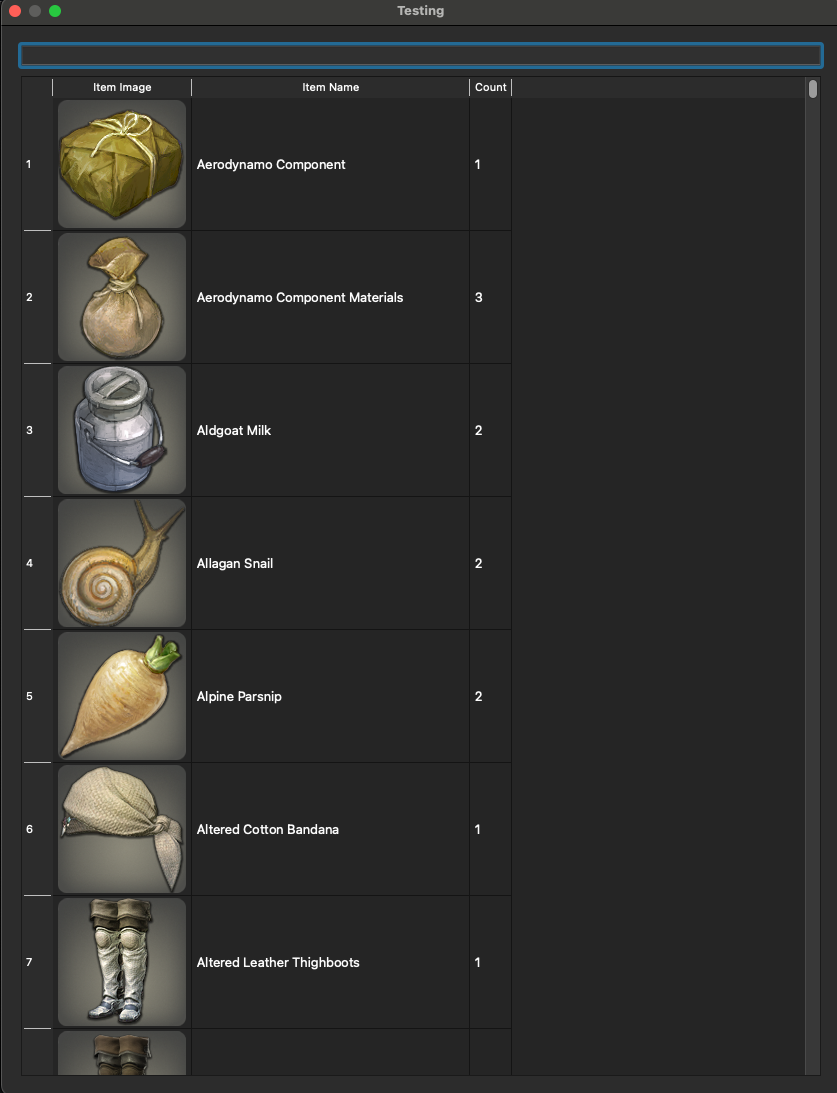
View the items you have collected and crafted in the inventory. You can search via the top bar.
Craft
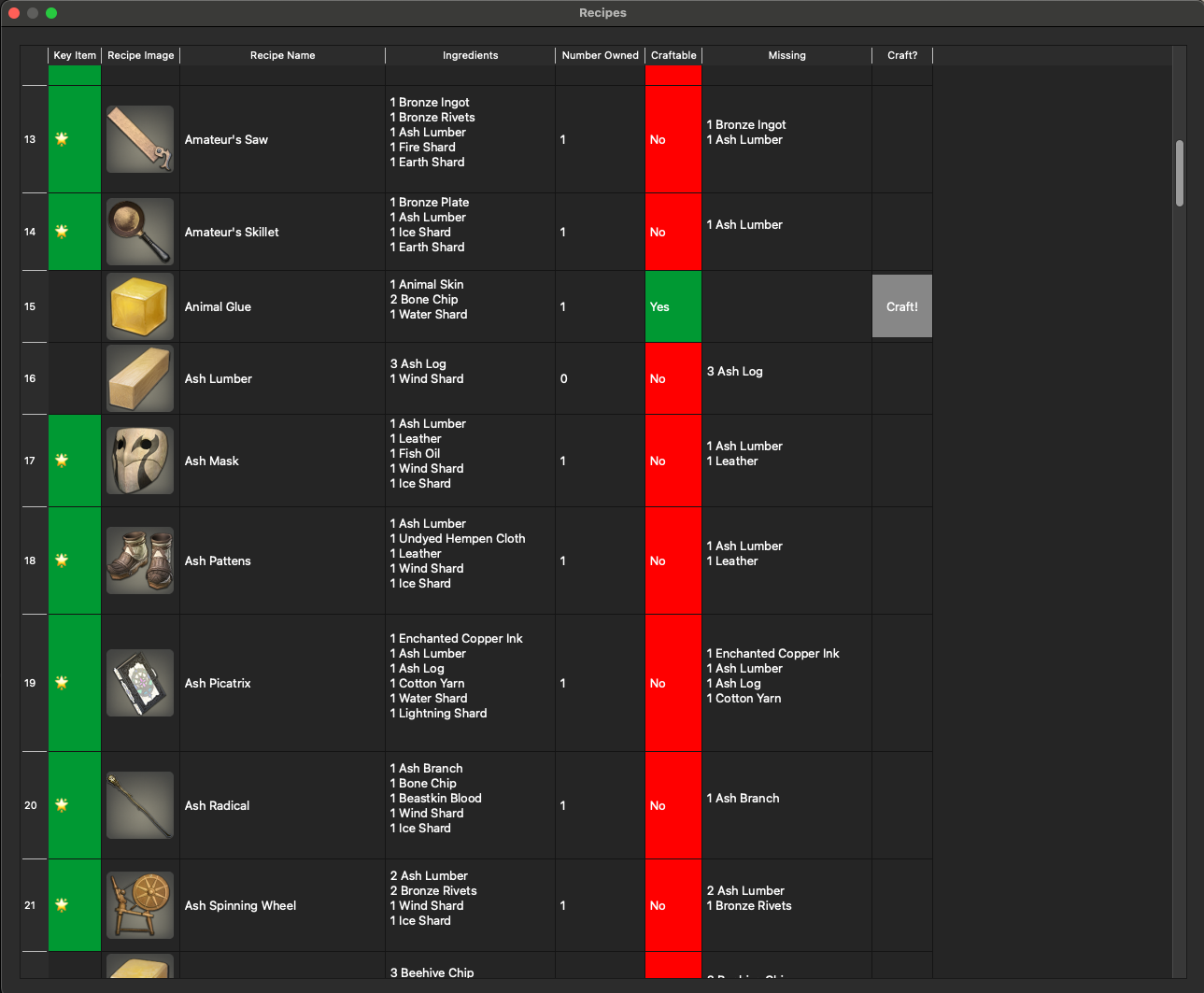
Craft items. Items required to level up are denoted with a star. These are called "Key Items." Items you have at least one of in the inventory are highlighted in green.
Crafting Progress
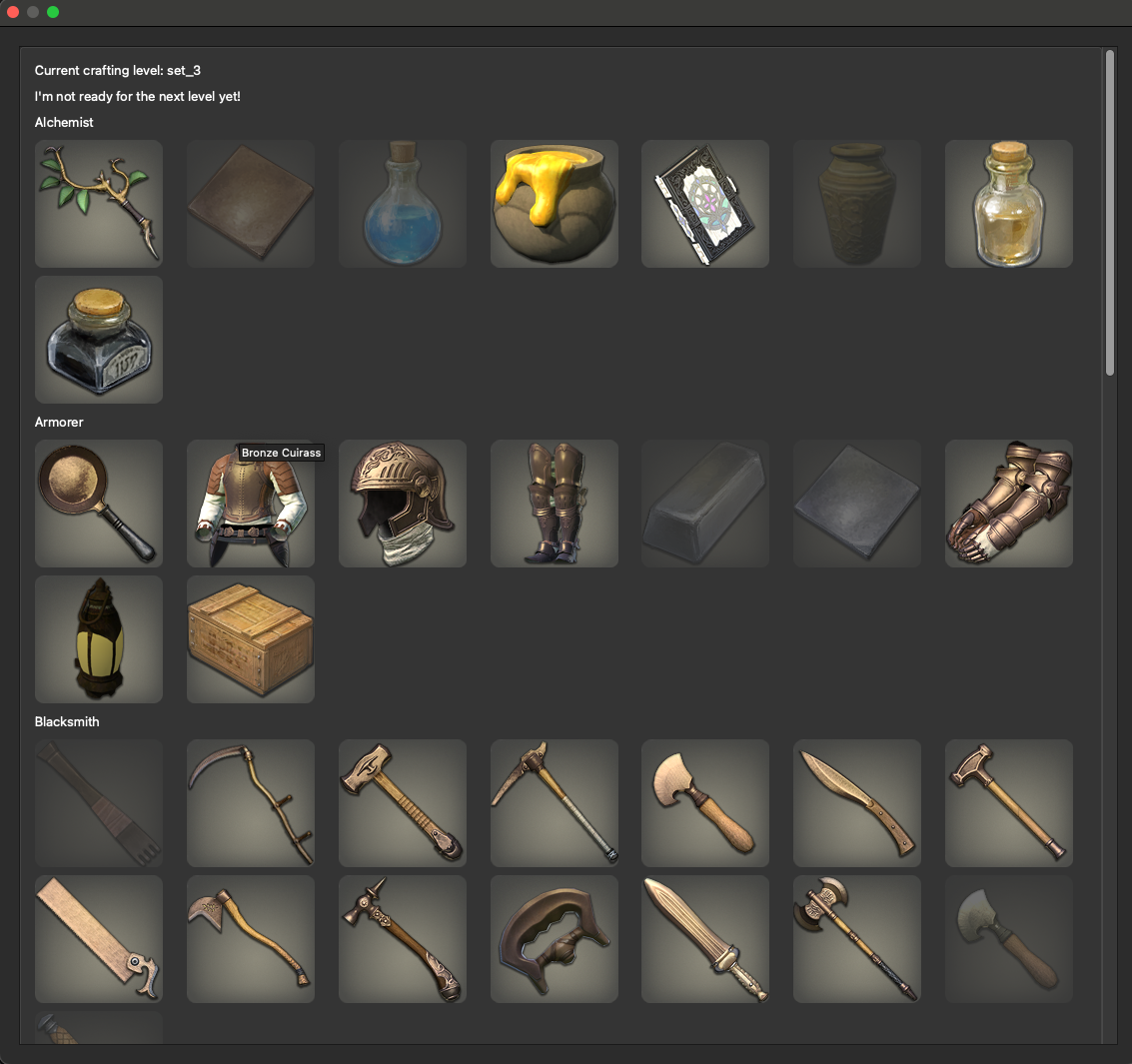 Items required for the current level are displayed here. Hover for the item name. Items that you have at least one of in the inventory are in full color, while those you have yet to craft are darkened in color. When you are ready to level up, a message will appear in this menu with a "Level Up" button.
Local Build
If you'd like to develop and then build locally, check out this repository, make any changes you'd like to make, cd into anki-fantasy/src/anki_fantasy and run the following command:
zip -r anki_fantasy.addon ./*.
You can then double click that archive and it will open and load in Anki. You should delete the add-on before installing a different or new version from local.
Miscellaneous Notes
This is a big add-on. There are a lot of images.
Many thanks to the authors of Puppy Reinforcement and Anki Killstreaks. I could not have figured out how to do this without your foundational effort (especially that little foible that the profile doesn't load on program load!!).
Project contributions and bug reports are much appreciated. This is an active project.
Changelog
- 2024-10-22 - Fixed level up bug
- 2025-01-02 - Fixed bug where menus were not resizable
- 2025-02-25 - Fixed level up bug (string parsing bug)
- 2025-03-12 - Updated iniherit vendor package to support Python 3.12+
- 2025-08-04 - Updated yoyo version and improved package import code cleanliness
- 2025-08-18 - Improve crafting menu speed and memory usage
- 2025-08-20 - Fixed bug that allowed for unlimited item drops on number press
- 2025-08-22 - Fixed missing recipe on Level 2
- 2025-09-17 - Fixed some items not updating count upon craft
- 2025-12-01 - Added missing rare rewards sets, added missing Quicksilver recipe to set 3
- 2026-01-05 - Added missing items to set 18
- 2026-06-26 - Improvements to speed and memory usage, fixed missing downstream recipes up to level 23


 View the items you have collected and crafted in the inventory. You can search via the top bar.
 Craft items. Items required to level up are denoted with a star. These are called "Key Items." Items you have at least one of in the inventory are highlighted in green.
 Items required for the current level are displayed here. Hover for the item name. Items that you have at least one of in the inventory are in full color, while those you have yet to craft are darkened in color. When you are ready to level up, a message will appear in this menu with a "Level Up" button.