TTS powered by Gemini AI (completely FREE)

AnkiWeb addon 89648149

Generates AI text-to-speech audio from selected editor text, saves it to the media folder, and automatically fills a configurable Audio field.
AI-generated summary; may contain mistakes.

card-creationai

Open on AnkiWeb Find alternatives

AnkiWeb

Votes
1 (πŸ‘ 0 Β· πŸ‘Ž 1)
Updated
2026-01-20
Anki versions
23.09~
License
Not found (this does not mean that the addon has no license)
Virus scan
No ClamAV match A match does not prove malware. No match does not prove that the code is safe.
Languages
Python, JSON
Description language
en

Maintenance

stale

  • Last update or commit: 2026-01-20 (285 days before the snapshot).

GitHub

No GitHub repository linked.

Will it work on my Anki?

Version branches
Min AnkiMax AnkiUpdated
23.09+2026-01-20
History across monthly snapshots

Loading…

Similar addons

Gemini Speak

Uses Google Gemini AI to rewrite selected Anki text for natural speech, then generates audio with voice, model and processing-mode controls, smart caching and no external dependencies.

card-creationai

13 votes 58% approval πŸ‘ 11 Β· πŸ‘Ž 2 ⭐ 0 Anki 2.1.66~ Updated 2025-06-11
Edge TTS for Anki

Generates Microsoft Edge text-to-speech audio from the current field in the Anki editor via button or Ctrl+T, auto-detecting languages and caching results, with customizable voices, rate, and volume.

card-creationshortcuts

11 votes 62% approval πŸ‘ 10 Β· πŸ‘Ž 1 ⭐ 10 Anki 25.02.6~ Updated 2026-10-14
AnkivnTTS - FreeTTS by Vietnamese

Generates natural flashcard audio with four free online and offline text-to-speech engines, parallel processing, multi-language workflows, presets, and pitch, speed, and volume controls.

card-creationnote-management
4 votes 30% approval πŸ‘ 3 Β· πŸ‘Ž 1 ⭐ 3 Anki 25.09.2~ Updated 2026-04-08

Description

basically the same stuff as https://greasyfork.org/en/scripts/560437-gemini-tts-reader-w-console

How to use:

  • apply for multiple free API keys in google AI studio
  • Go to Tools -> Add-ons -> Config to set your API keys, hotkey, and voice preferences. (You may need to restart Anki after doing this)
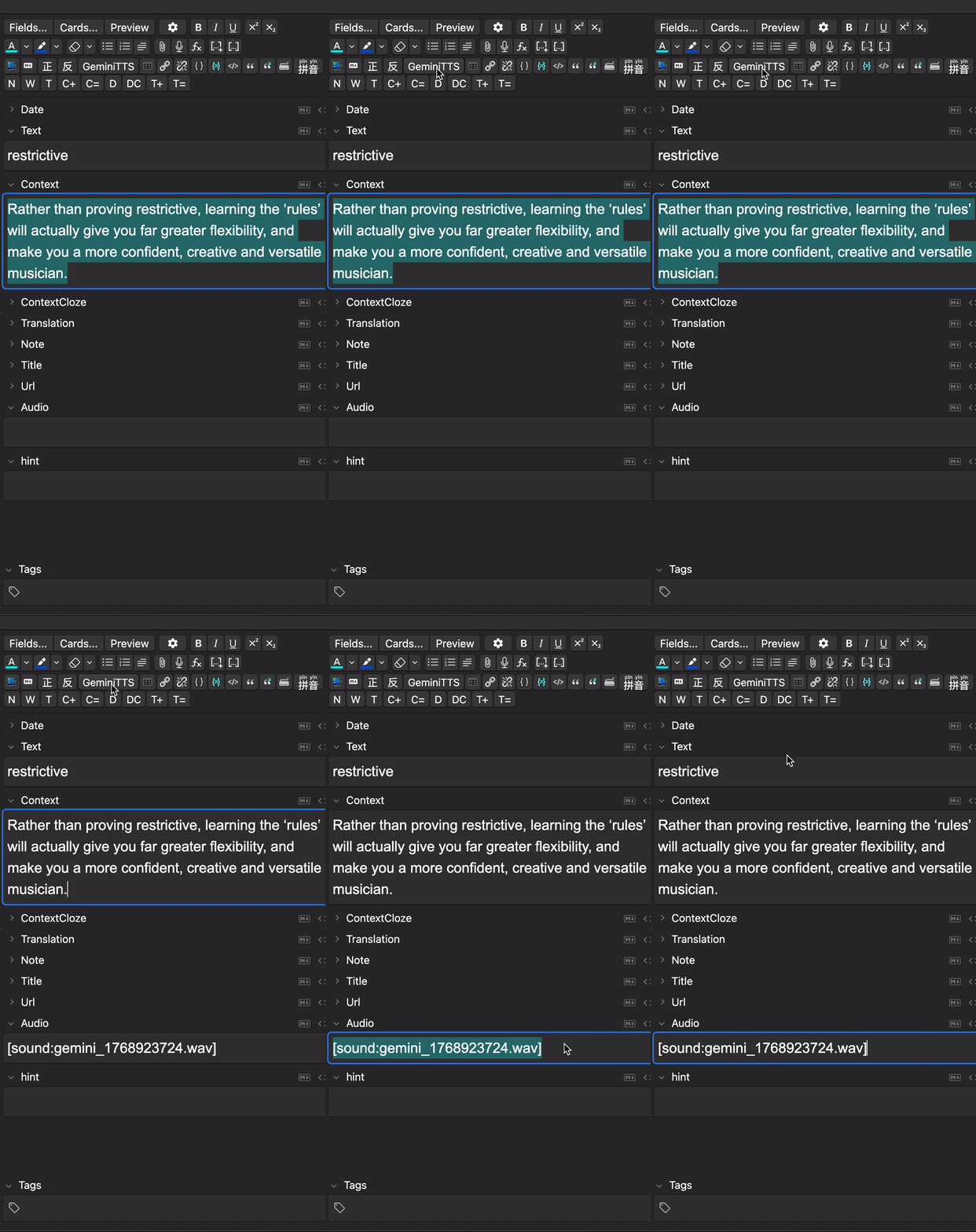
  • Select text in the editor.
  • Click the GeminiTTS button or hit Alt+T. (you can change the hotkey in Config)
  • The add-on fetches the audio, saves it to your media folder, and automatically fills your "Audio" field. (you can change the field in Config)

What's good about this:

  • It supports multiple API keys so the rate limit is increased
  • It's AI audio (more suitable for language learning ) and it's FREE

What's not so good about this:

  • I only made this to learn English so there's no language detection/language switching. You can change it in the script yourself (I think).
  • You can't request too quickly or too many times a day. 10 requests per day is the rate limit for one project, and I think you can apply for 10 projects? I'm not sure about this. So you'll have about 100 requests available per day max.
  • I tried to set this up to run in the background so it doesn't completely freeze Anki while downloading the audio track, but the attempt is futile. So yeah sometimes it might take several seconds per track and you can't operate on the app during that period.
  • I don't know what versions it supports I just randomly filled in some numbers you may need to try it out yourself
  • It's AI audio so you need to take that burden on your soul for using AI idk

Gemini TTS Demo