Aura is a minimalistic Pomodoro Timer, study timer, and Focus Rhythm add-on for Anki. It helps you stay aware of your study time, focus, breaks, and study rhythm without cluttering your review screen.
Aura adds a small and lightweight floating HUD to your Anki review sessions. You can use it as a simple Pomodoro timer, manage focus sessions and breaks, and track your Focus Rhythm while studying.
The goal is simple: help you stay focused, manage your study time, take regular breaks, and build a more sustainable study routine while keeping your normal Anki workflow clean and distraction-free.
Quick Demo
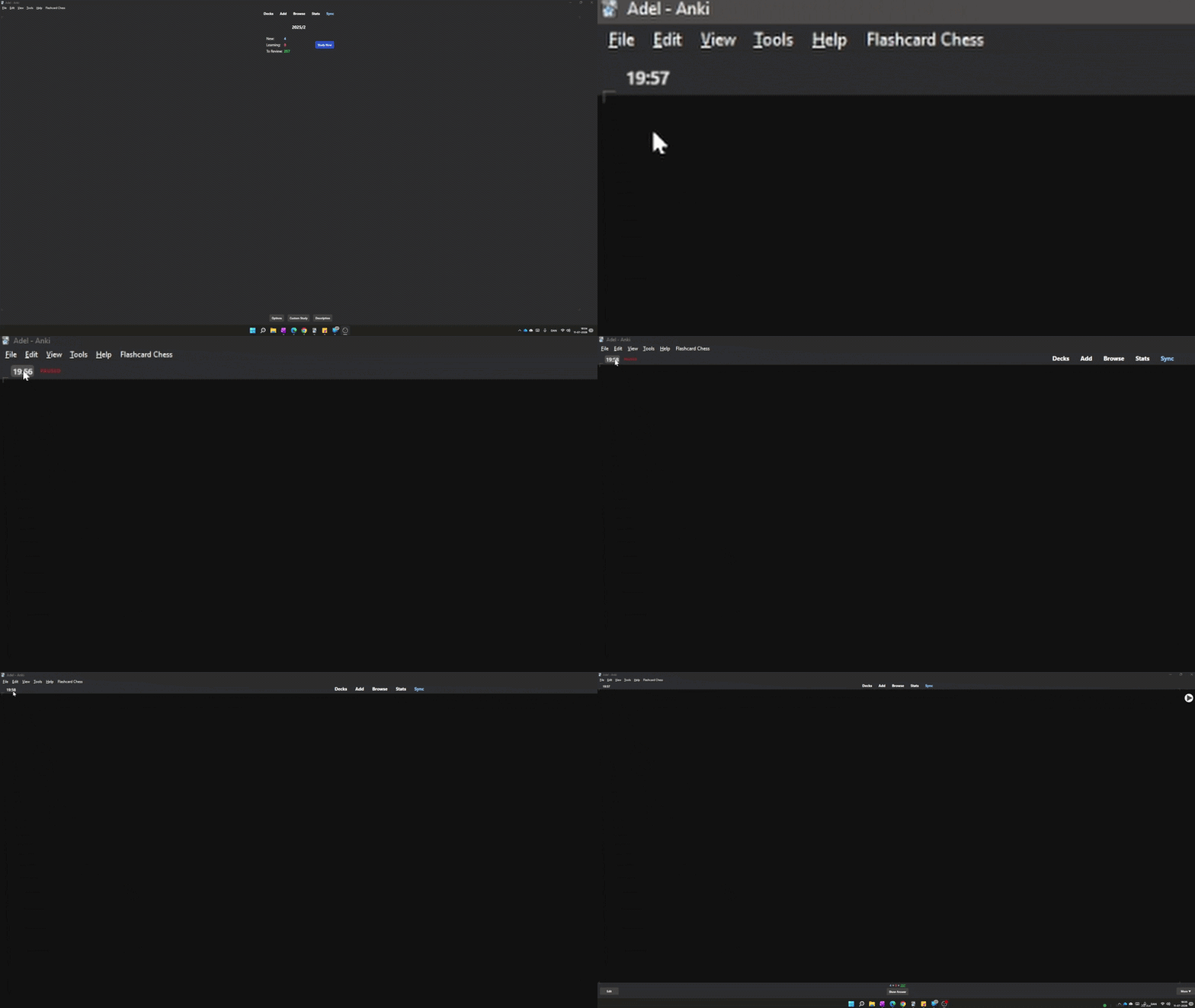
Live Focus Rhythm tracking during review sessions
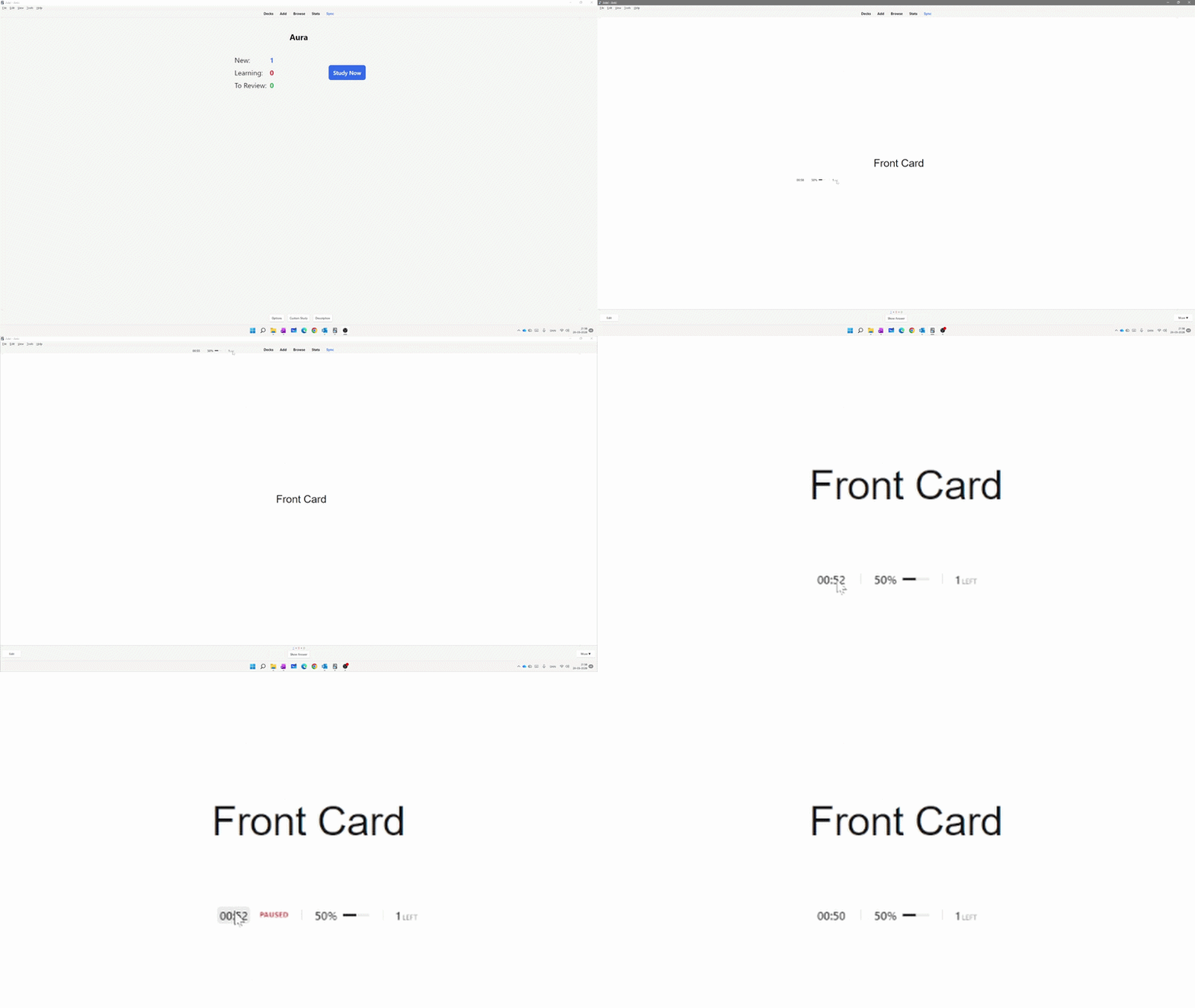
Focus sessions, breaks, pause support, and session statistics
Aura at a glance
- Minimalistic Pomodoro Timer
- Study timer and focus sessions
- Focus Rhythm tracking
- Automatic short and long breaks
- Pause and resume support
- Cards remaining counter
- Session summary and statistics
- Draggable floating HUD
- Customizable display modes
- Automatic Light and Dark mode support
Three display modes
Choose the display that works best for your study workflow.
- Aura HUD – Shows the timer, Focus Rhythm score, rhythm indicator, and cards remaining.
- Pomodoro Only – A clean Pomodoro timer with study and break management.
- Custom – Choose exactly which elements you want to see on the HUD.
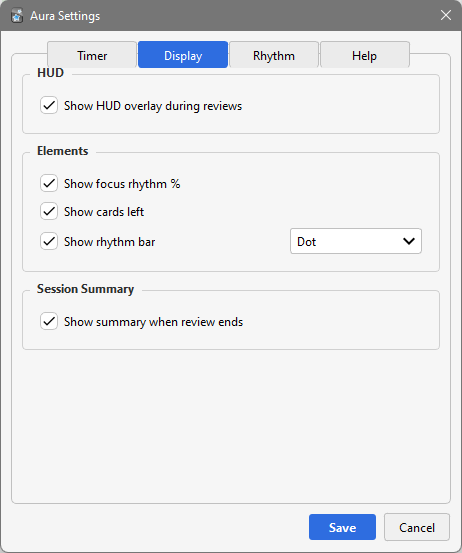
Choose between Aura HUD, Pomodoro Only, and Custom mode
Pomodoro Timer and study sessions
Aura automatically manages your study sessions, Pomodoro timer, short breaks, and long breaks. Start reviewing cards normally, and Aura follows your session in the background.
You can pause and resume at any time. When it is time for a break, Aura can automatically switch to break mode and show a countdown until your next study session.
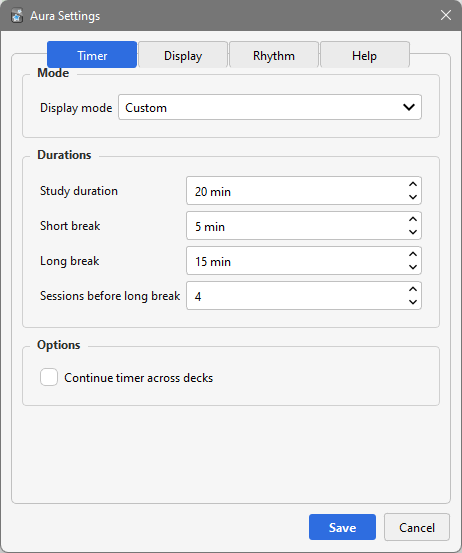
Aura HUD with Pomodoro Timer, Focus Rhythm, and study information
Focus Rhythm
Focus Rhythm is designed to give you a simple indication of how your study session is going. The score can use your answer patterns and response time to help show changes in your study rhythm.
You can customize answer weights, response-time influence, warning thresholds, and calibration settings to make the system work better for your own study style.
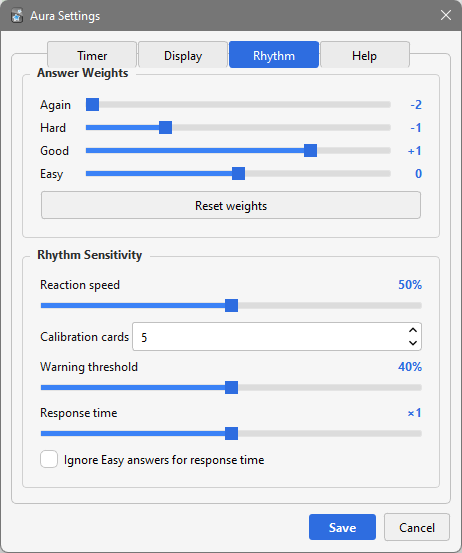
Focus Rhythm settings and customization
Settings
Aura includes a clean settings panel where you can customize the timer, breaks, Focus Rhythm, display mode, and HUD appearance.
You can choose between the full Aura HUD, a simple Pomodoro-only display, or create your own custom layout by selecting exactly which information you want to see.
Custom mode – choose exactly what appears on the HUD
Session summary
When your study session is finished, Aura gives you a summary of your session so you can see useful information about your study time and activity.
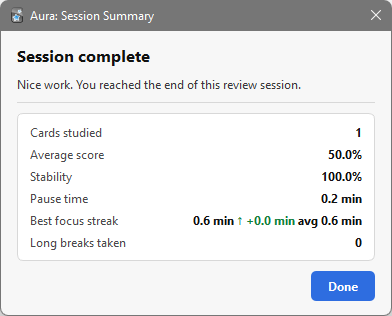
Session summary and statistics
Features
- Minimalistic Pomodoro Timer
- Study timer and focus sessions
- Focus Rhythm scoring based on answer patterns
- Three display modes: Aura HUD, Pomodoro Only, and Custom
- Custom Again / Hard / Good / Easy weights
- Response-time influence options
- Calibration for more stable rhythm tracking
- Configurable warning thresholds
- Automatic study and break cycles
- Short and long breaks
- Pause and resume support
- Cards remaining counter
- Session summary and statistics
- Draggable floating HUD overlay
- Automatic Dark / Light mode support
- Built-in guide explaining the settings
How to use
- Start reviewing cards normally in Anki.
- Aura activates automatically when your review session begins.
- Monitor your Pomodoro timer, Focus Rhythm, and remaining cards.
- Pause or resume your session when needed.
- Take short or long breaks when prompted.
- Review your session summary when your study session is finished.
Need more study tools?
Aura focuses on providing a minimalistic Pomodoro Timer, study timer, focus sessions, breaks, and Focus Rhythm tracking directly during your Anki reviews.
If you want a broader overview of your studying with additional tools for study activity, progress tracking, heatmaps, statistics, goals, streaks, and study habits, you can also take a look at: FocusFlow.
Support
Report an issue or suggest a feature on GitHub
I created Aura for my own studies because I wanted a simple way to manage my focus sessions, study time, and breaks without needing to leave Anki or use a separate Pomodoro timer.
I continue to use Aura in my own study sessions, and many of its features were created to solve real problems I noticed while studying.
Different people have different study routines, so it is always interesting to see how others use the add-on and which study workflows work best for them.
Related Add-ons
A companion add-on for: Focus Mode Suite.
A companion add-on for: Minimalistic Typing Panel.

