Progressive Image Occlusion
Progressive Image Occlusion is an Anki add-on for creating screenshot-based occlusion cards that reveal hidden parts one step at a time.
It is designed for long answers, ordered explanations, diagrams, tables, paragraph memorization, exam-style recall, and screenshot-based study.
Install code: 1067774886
Demo
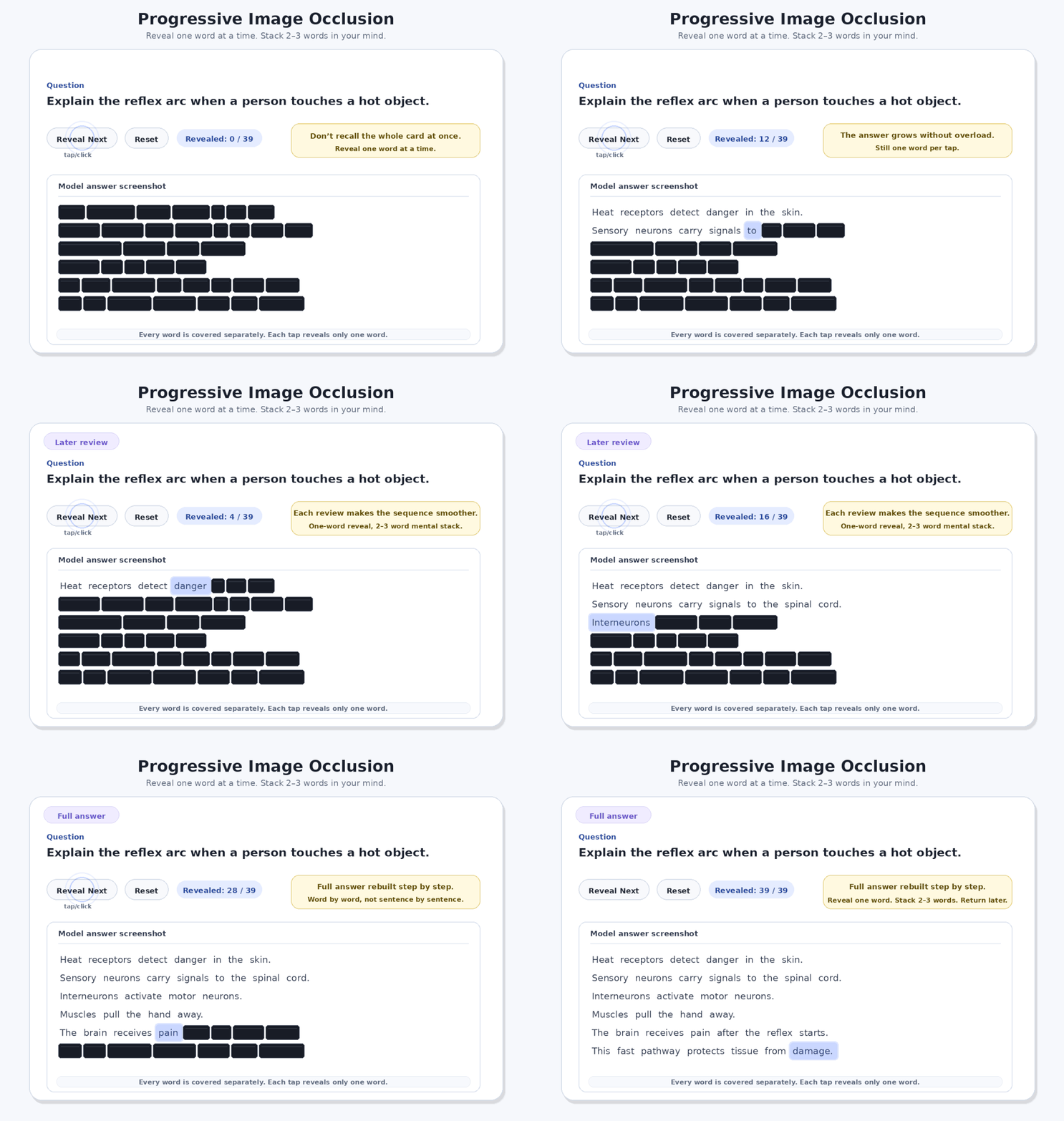
Progressive Image Occlusion can reveal hidden parts gradually instead of showing the whole answer at once.
For word-heavy answers, a useful method is:
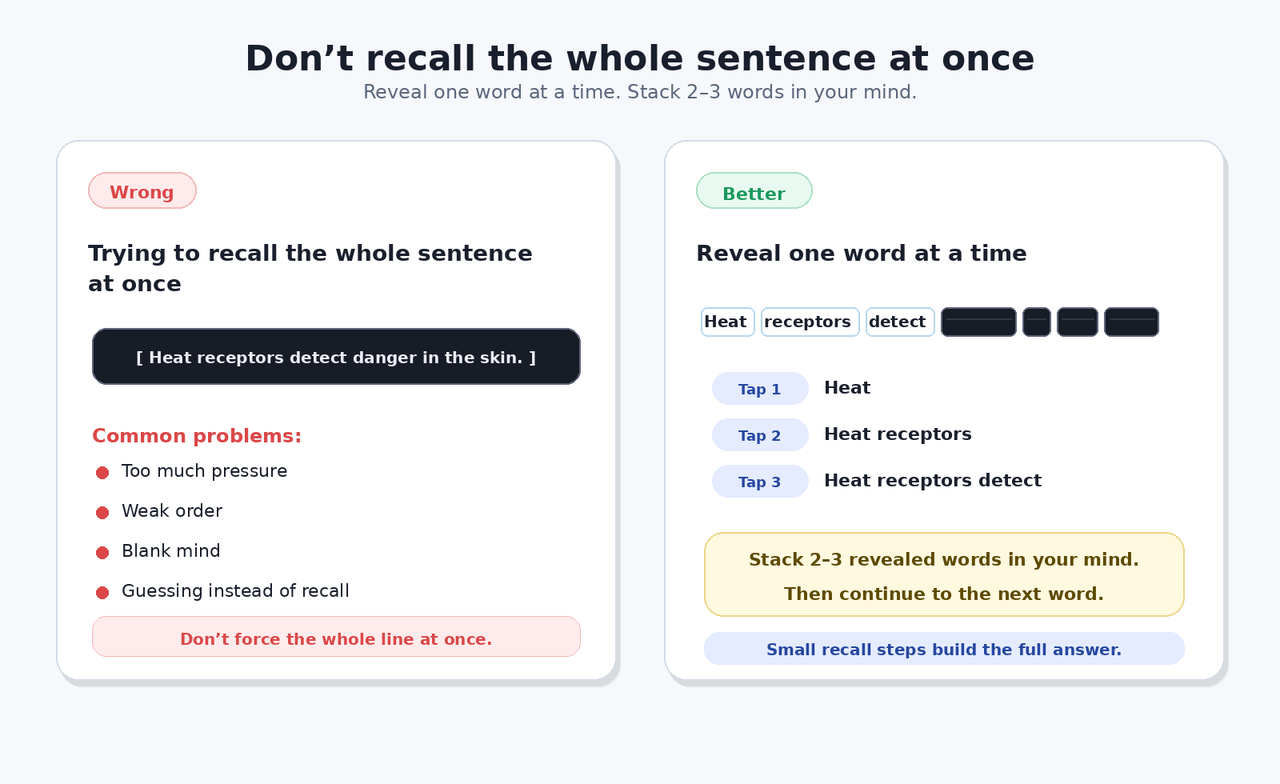
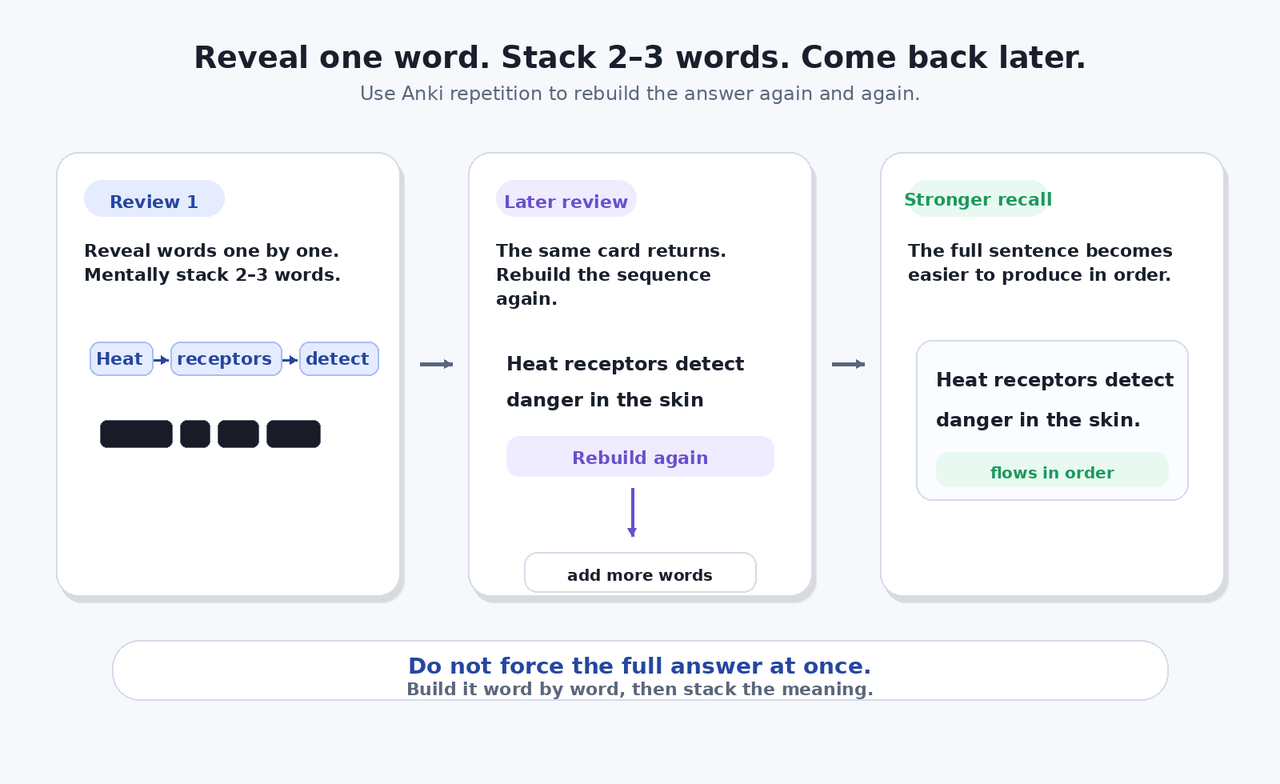
Reveal one word at a time. Stack 2–3 revealed words in your mind. Then continue.
How to study with it
Core idea
Normal atomic cards are excellent for small facts.
Use atomic cards for:
- vocabulary
- dates
- formulas
- short definitions
- one-line questions
But some answers are not just one small fact. Some answers must be rebuilt in order.
Progressive Image Occlusion helps with that.
How it works
- Open
Tools → Progressive Image Occlusion → Create Progressive Card.
- Choose a screenshot.
- Draw boxes over the parts you want hidden.
- Use Auto-next ON if each new box should reveal as a separate step.
- Use Auto-next OFF if several boxes should reveal together as one group.
- Save the card.
- During review, tap/click the image or press Reveal Next.
- Each tap reveals only the next hidden box/group.
- Previously revealed parts stay visible.
- Unrevealed parts stay hidden.
Why this is useful
This add-on is useful when the order and flow of an answer matters.
Good use cases:
- long exam answers
- 5-mark and 10-mark answers
- legal sections
- medical/anatomy diagrams
- ordered explanations
- bullet-point answers
- processes and steps
- tables
- flowcharts
- lecture slide screenshots
- PDF screenshots
- model answer screenshots
Learning method
Do not just tap quickly.
Before every reveal:
- Look at the hidden area.
- Try to recall what comes next.
- Tap Reveal Next.
- Compare your answer.
- Continue step by step.
For word-heavy answers:
- Reveal one word at a time.
- Mentally stack around 2–3 revealed words.
- Continue to the next word.
- Build the sentence gradually.
- Come back later through Anki and rebuild it again.
This helps avoid trying to force the whole sentence or full answer at once.
Learning rationale
This add-on is built around active recall and spaced repetition.
Instead of passively rereading a full screenshot, the learner must predict what comes next before revealing it. This creates a small retrieval attempt before each step.
It is especially useful for answers where sequence matters, because the learner rebuilds the answer in order.
Compatibility
Card creation requires Anki Desktop.
Reviewing the cards should work after syncing because the reveal behavior is stored inside the card template.
This means cards can be reviewed on:
- Anki Desktop
- AnkiDroid after sync
Known limitations
- This is not the official Anki Image Occlusion tool.
- This add-on is intended for screenshot-based progressive reveal cards.
- Very large screenshots may make cards heavier.
- Complex cards with many masks can take longer to create.
- Anki Desktop is needed to create cards.
Safety note
This add-on creates a note/card type for progressive image occlusion cards.
If you are testing heavily, it is always wise to keep Anki backups enabled.
Changelog
0.2 public beta
- Safer card creation behavior
- Progressive reveal template
- Reveal Next button
- Reset button
- Progress counter
- Support for separate reveal steps
- Support for grouped reveal steps
- Light review interface
Feedback
If you find a bug or have an improvement idea, please leave feedback through AnkiWeb or the Anki community.