Adds editor keyboard shortcuts to quickly change selected text color, with an option to bold it, configurable via a settings file.
formattingshortcuts
Applies customizable text colors and background highlights to selected editor text via configurable keyboard shortcuts.
formattingshortcuts
Applies color highlights, bold, superscript, and formatting removal to selected text during review via customizable keyboard shortcuts, automatically saving changes as synced HTML.
formattingshortcutsmobile-compatible
Adds editor buttons with keyboard shortcuts for wrapping selected text in collapsible details, colored bordered sections, ordered or unordered lists, and for stripping HTML from text.
formattingshortcuts
A deprecated incremental reading add-on that imports articles, web feeds, and Pocket items, enabling text extraction, highlighting, and card creation with customizable scheduling and shortcuts.
card-creationimportschedulingformattingshortcutsfork-or-reupload
Supports incremental reading in Anki by importing webpages, feeds, and Pocket articles, extracting or highlighting text into cards, and customizing shortcuts, formatting, zoom, and scheduling.
card-creationimportschedulingformattingshortcutsfork-or-reupload
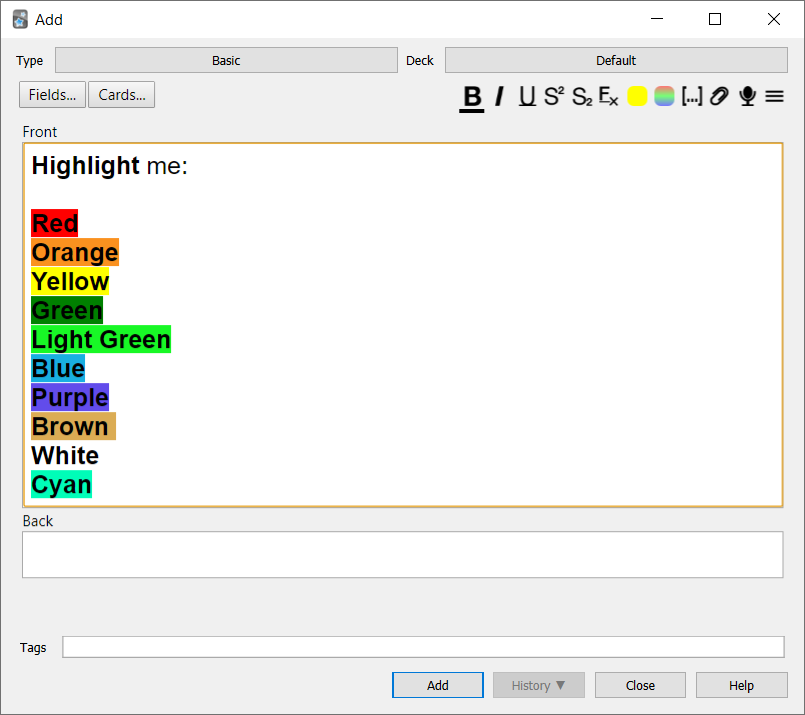 You can toggle whether you want the text to be bolded
as well by changing the config.json file: