Sentence Translator
Paste any text, translate it sentence-by-sentence, and instantly create Anki flashcards — all within Anki.
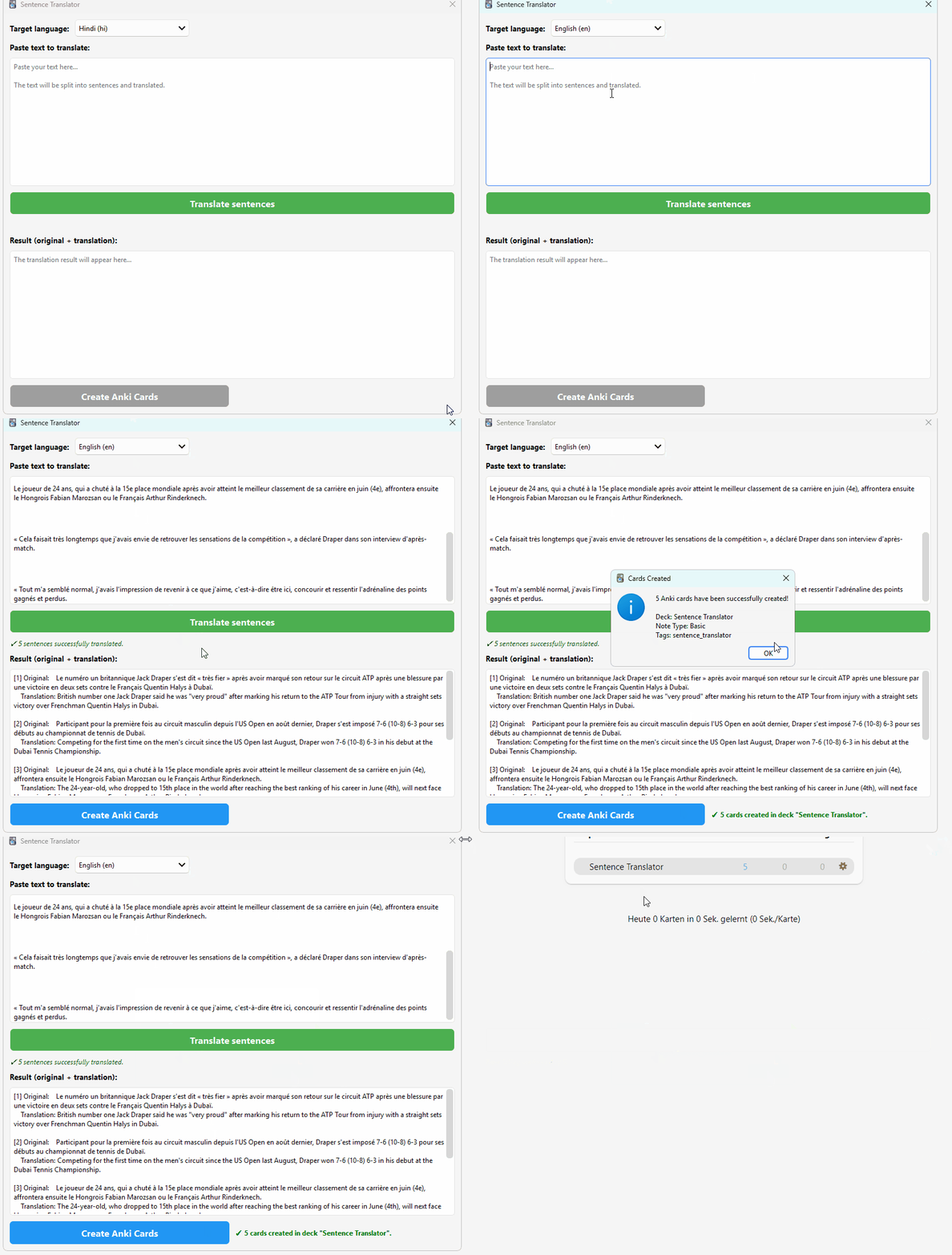
Demo
Features
- Sentence-by-sentence translation — Intelligent sentence splitting preserves punctuation, paragraph structure, and formatting
- 24+ target languages — German, English, Spanish, French, Japanese, Chinese, and many more
- Persistent language setting — Your chosen target language is saved and remembered across restarts
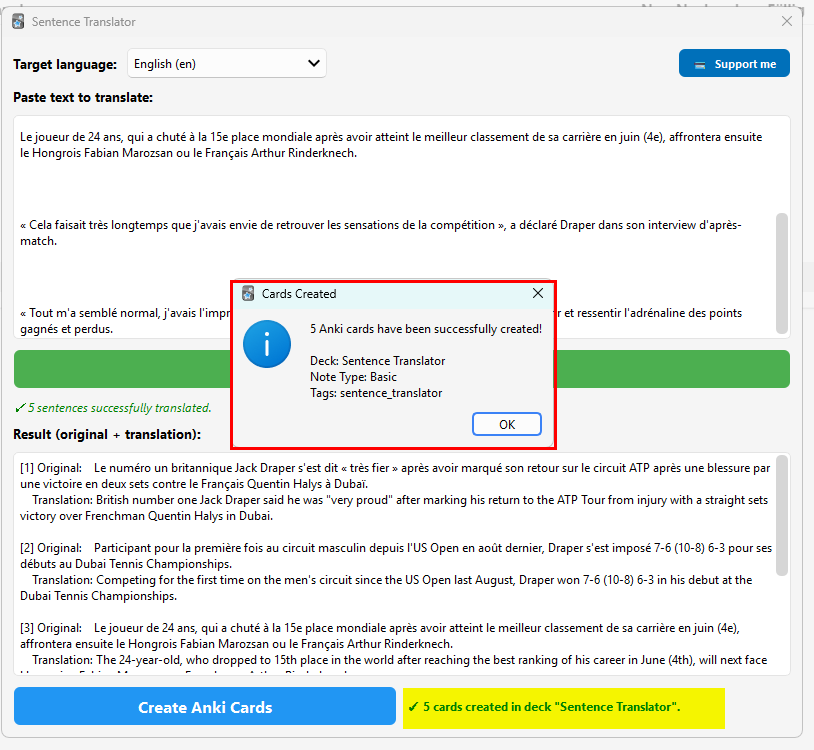
- One-click card creation — Instantly generate Basic flashcards (original → translation) into a dedicated "Sentence Translator" deck
- Non-blocking UI — Translation runs asynchronously in the background, so Anki stays responsive
- No API key required — Uses Google Translate via the open-source
deep-translator library (bundled with the add-on)
How to Use
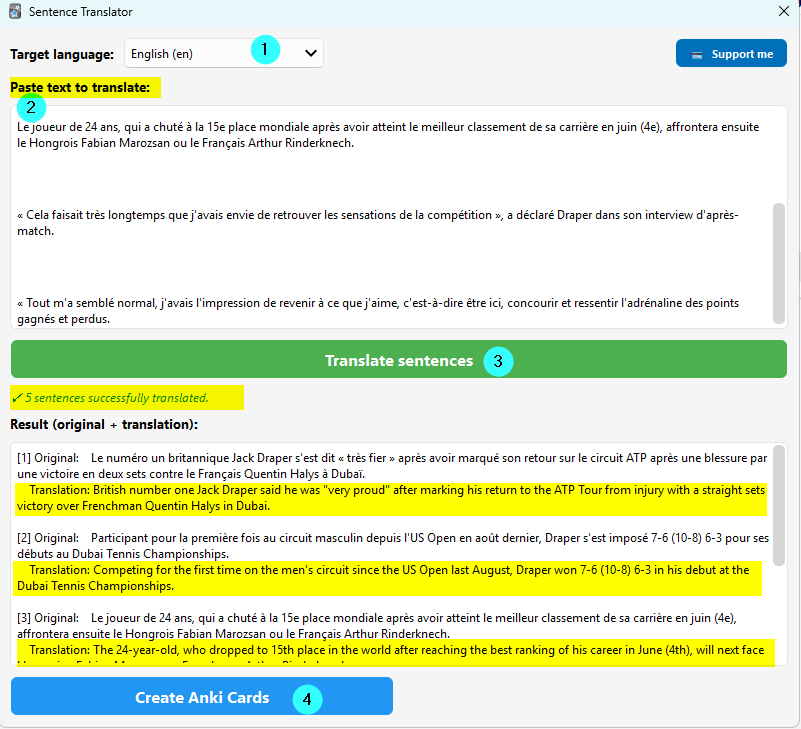
- Go to Tools → Open Text Translator
- Select your target language from the dropdown
- Paste your text into the input field
- Click "Translate sentences" — watch the progress bar
- Review the results (original + translation side by side)
- Click "Create Anki Cards" to generate flashcards
Screenshots

Card Format
| Side | Content |
|------|---------|
| Front | Original sentence (source language) |
| Back | Translated sentence (target language) |
Cards are tagged with sentence_translator for easy filtering.
Supported Languages
German, English, Spanish, French, Italian, Portuguese, Dutch, Polish, Russian, Japanese, Korean, Chinese (Simplified & Traditional), Arabic, Turkish, Ukrainian, Swedish, Danish, Finnish, Greek, Hindi, Indonesian, Thai, Vietnamese
Compatibility
- Anki 2.1.x (Qt5 and Qt6)
- Windows, macOS, Linux
License
MIT License — free to use, modify, and distribute.
Issues & Feedback
If you encounter any bugs or have feature requests, please leave a comment on the add-on page.