Speed Streak โšก๐ŸŽฎ

AnkiWeb addon 1237336370

Turns Anki reviews into a focused momentum game with question/answer timers, protective streaks, optional audio and controller feedback, Time Boosts, and tools for flagging slow cards.
AI-generated summary; may contain mistakes.

review-flowprogress-trackinggamificationtimerappearance

Open on AnkiWeb GitHub Find alternatives

AnkiWeb

Votes
39 (๐Ÿ‘ 37 ยท ๐Ÿ‘Ž 2)
Updated
2026-09-17
Anki versions
2.1.1~
License
MIT (from the GitHub repository)
Virus scan
No ClamAV match A match does not prove malware. No match does not prove that the code is safe.
Languages
Python, JavaScript, CSS, Swift, JSON, Shell
Description language
en

Maintenance

active

  • Last update or commit: 2026-10-11 (21 days before the snapshot).
  • Test files: 2.
  • Commits in the last year: 40.
  • Issues: 3 open, 0 closed.
  • Pull requests: 0 open, 0 merged.

Will it work on my Anki?

Version branches
Min AnkiMax AnkiUpdated
2.1.1+2026-09-17
History across monthly snapshots

Loadingโ€ฆ

Similar addons

Flow Timer

Adds a customizable pacing HUD that tracks front and back review times, adapts timer targets via EMA and session flow, shows visual rewards, and leaves Anki scheduling unchanged.

progress-trackinggamificationmotivationtimerappearance

2 votes 34% approval ๐Ÿ‘ 2 ยท ๐Ÿ‘Ž 0 Anki 2.1.1~ Updated 2026-05-10
AnkiBlitz

Combines adaptive answer-reveal delays, progressive word reveal, timed Blitz sessions with time-left estimates, Pomodoro breaks, focus lock, music and profiles.

review-flowprogress-trackingtimer

1 votes 21% approval ๐Ÿ‘ 1 ยท ๐Ÿ‘Ž 0 Anki 2.1.1~ Updated 2026-10-15
Cat Card Timer

Displays a live timer and animated cat when you reveal a card, comparing current review time to the previous time and color-coding faster or slower results.

review-flowstatisticsmotivationtimer

2 votes 34% approval ๐Ÿ‘ 2 ยท ๐Ÿ‘Ž 0 Anki 2.1.66~ Updated 2025-12-06

Description

Turn Anki review into a game of focused momentum.

Speed Streak adds separate question and answer timers, a streak worth protecting, optional audio and controller feedback, and tools for moving past cards that consume too much of a review session.
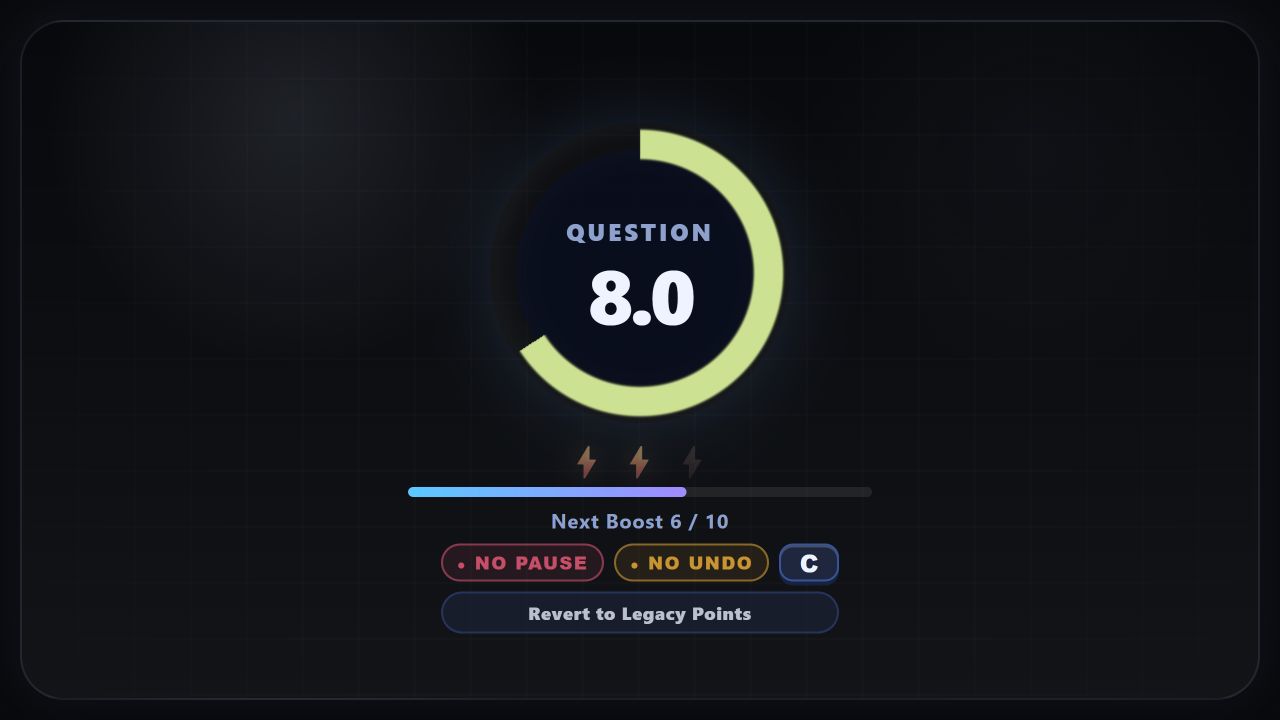
Speed Streak question timer, Time Boost bank, and focus controls

๐Ÿ‘ Leave a review   โ€ข   Reddit Feedback   โ€ข   Ko-fi Support development

</> Source code   โ€ข   ๐ŸŽฎ Controller setup

Keep the session moving

Speed Streak is designed to encourage you to push through cards faster. If you know a card, answer it. If you do not know it within an appropriate amount of time, let that be useful information. Get it wrong and keep moving quickly through your cards. If the card itself is the problem, mark it and handle it deliberately instead of losing the session to it.

  • Know it: Answer within the timer and build the speed streak.
  • Do not know it: Answer honestly and keep the review useful while building your speed streak.
  • Time drain/Review later: Flag the card, protect the pace, and return to it intentionally later when speed is not paramount.

New in 2.04
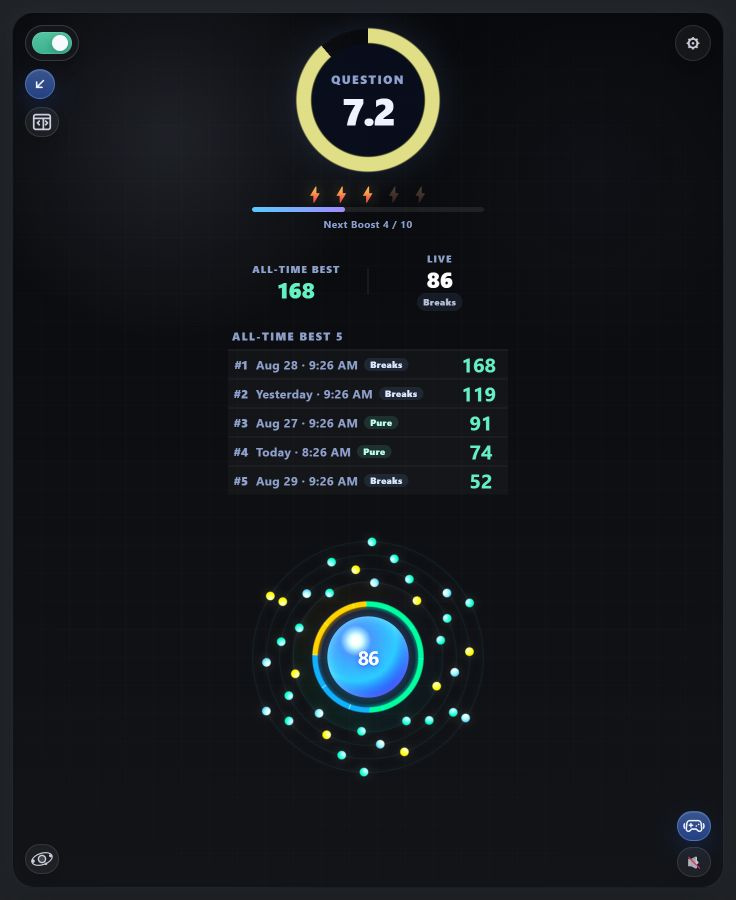
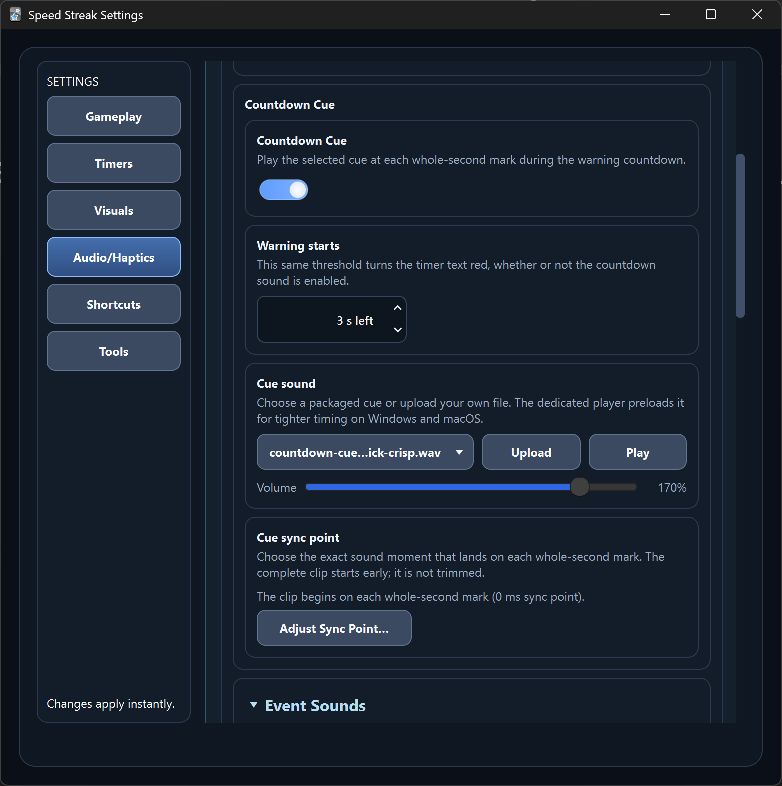
Speed Streak review display showing an all-time best, live streak, five records, and the Fusion visual Speed Streak countdown cue settings with warning threshold, sound, volume, and sync point controls

Streak records: Keep an all-time or today target in view. Choose Best Only, a live Streak Strip, or five ranked or recent streaks. Open a record to compare active time, pauses, Review departures, undo use, and Pure status.

โ€œTimeโ€™s Running Outโ€ sound: Choose when the warning starts, select or upload a cue, set its volume, and align the sound moment that lands on each whole-second mark.

Audio timing has also been substantially improved. Packaged effects are prepared ahead of time so countdown cues and review feedback start more consistently, including the first time they play.

Time Boost

Complete cards to earn Boosts, then use one before the timer expires to add time without stopping the session. Starting Boosts, bank capacity, cards required, time added, and the shortcut are configurable.

  • No Pause and No Undo are optional focus rules, not requirements.
  • The earlier score-and-multiplier system remains available as Legacy Points.
  • Click the Boost bank during review to open the related settings.

Choose the visual that motivates you
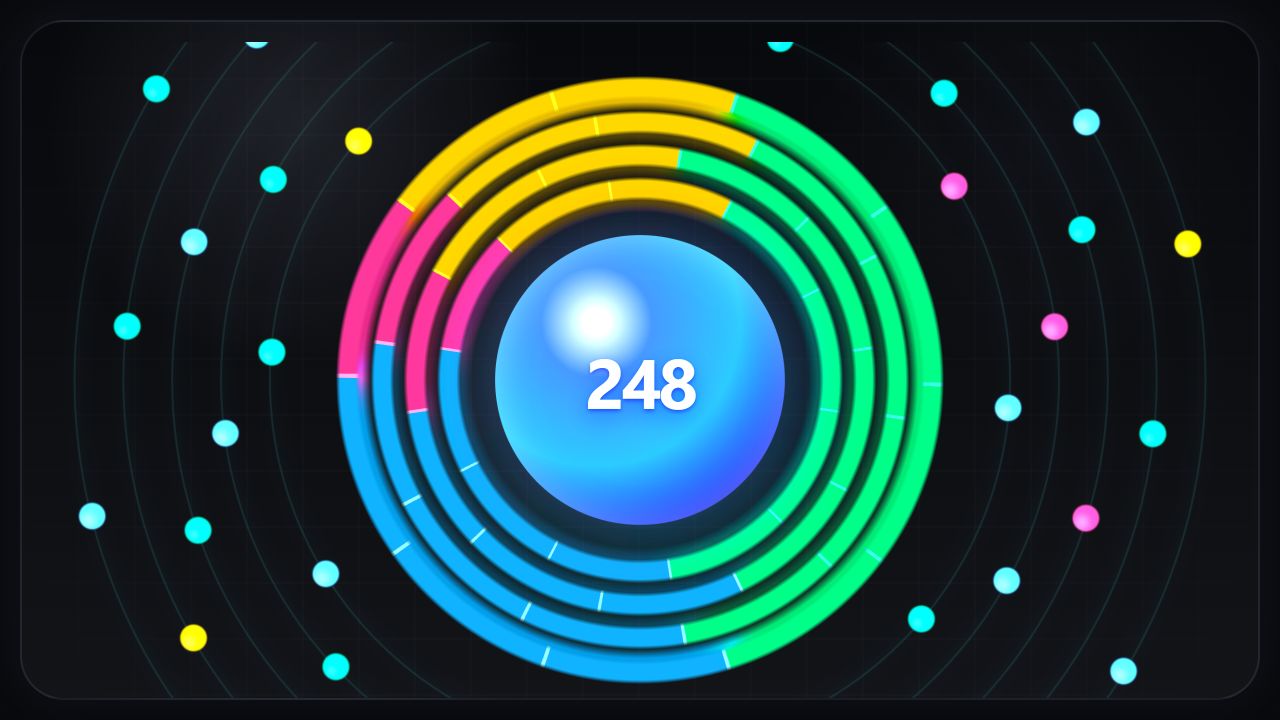
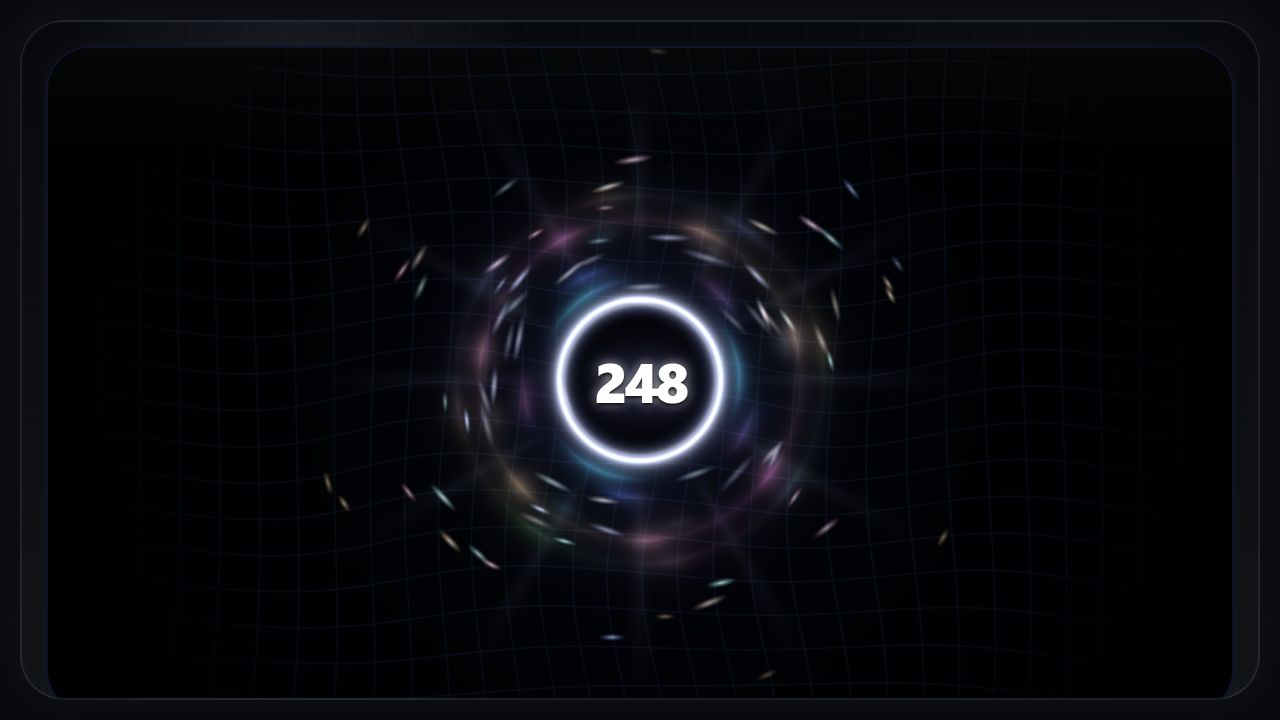
Fusion Rings at a 248-card streak Singularity at a 248-card streak Crystal Reactor at a 53-card streak

Fusion Rings  โ€ข  Singularity  โ€ข  Crystal Reactor

Prefer something quieter? Classic Orbit, lightweight rows, Brick, and number-only displays are also available, along with reduced-resource options and customizable colors.

Core toolkit

  • Separate question and answer timers
  • Special timers for note types, tags, typed-answer cards, AnKing one-by-one cards, and flagged cards
  • Time Drain warnings and optional countdown suspension for cards that need more room
  • Review Later marking plus a manager that can filter, copy, browse, or build a filtered deck
  • Pause overview with review pace and answer-button totals
  • Configurable per-event audio, countdown cues, volume, and custom uploads
  • Optional controller haptics with configurable patterns
  • Inline side panel or separate External Window with saved position presets
  • Configurable shortcuts, themes, colors, visual modes, and performance levels

Platform notes

  • Windows with an XInput-compatible controller remains the most reliable controller-vibration setup.
  • Visuals and audio are designed for Windows, macOS, and Linux. Controller vibration depends on the operating system, controller, driver, and available backend.
  • macOS vibration support is experimental and still needs real-controller testing. If you can help test it, please use the Feedback link above.
  • The External Window is generally the smoothest option and is useful alongside add-ons such as AMBOSS and AnkiHub.

Recent release highlights

2.04: Streak-record displays and detailed record comparison; a synchronized countdown cue with per-sound volume; improved sound startup consistency; and a consolidated Help / Feedback hub.

2.0: Time Boost gameplay; optional No Pause and No Undo rules; Fusion Rings, Singularity, and Crystal Reactor; smoother rendering; and a reorganized settings interface.

Background: Speed Streak began with this Reddit discussion. It is open source and continues to evolve from real review use and user feedback.

If Speed Streak has been useful, a review, a concise bug report, or optional Ko-fi support all help.

README

Speed Streak 2.04

Speed Streak turns desktop Anki review into a game of focused momentum. It adds separate question and answer timers, a streak worth protecting, optional audio and controller feedback, and tools for moving past cards that consume too much of a review session.

Speed Streak timer and Time Boost controls

AnkiWeb ยท Controller setup ยท Feedback on Reddit ยท Ko-fi

New in 2.04

  • Streak records: show an all-time or today target, a live comparison, or five ranked/recent streaks during review.
  • Comparable record details: inspect active time, pauses, Review departures, restart continuation, undo use, and Pure status.
  • โ€œTimeโ€™s Running Outโ€ cue: choose the warning threshold, sound, volume, and exact sound moment that lands on each whole-second mark.
  • More reliable audio startup: packaged review effects and countdown cues are prepared ahead of time for tighter first-play timing.
  • Help / Feedback hub: direct access to reviews, Reddit feedback, and optional Ko-fi support.
  • Experimental macOS controller vibration: diagnostic and backend work is included, but real-controller testing is still needed.

Streak records in the review display

Main features

  • Separate question and answer timers
  • Special timers for note types, tags, typed-answer cards, AnKing one-by-one cards, and flagged cards
  • Time Boost gameplay with optional No Pause and No Undo focus rules
  • Legacy Points mode for the earlier score-and-multiplier system
  • Time Drain warnings and optional countdown suspension
  • Review Later marking and manager tools
  • Per-event audio, synchronized countdown cues, custom sound uploads, and per-sound volume
  • Optional controller haptics with configurable patterns
  • Inline side panel or separate External Window with saved position presets
  • Fusion Rings, Singularity, Crystal Reactor, Classic Orbit, Brick, lightweight rows, and number-only visuals
  • Themes, color controls, shortcuts, and multiple performance levels

Visual modes

Fusion Rings Singularity Crystal Reactor

Installation

The normal installation route is the Speed Streak page on AnkiWeb.

For a manual 2.04 install, download speed_streak_v2_04.ankiaddon, open it with Anki, and restart Anki when prompted.

The release folder also contains local install scripts:

  • Windows: speed-streak-addon-v2.04/install_to_anki.ps1
  • macOS/Linux: speed-streak-addon-v2.04/install_to_anki.sh

Existing Speed Streak profile data is stored outside the add-on folder and is preserved across normal updates.

Platform notes

  • Desktop Anki only.
  • Windows with an XInput-compatible controller remains the most reliable controller-vibration setup.
  • Visuals and audio are designed for Windows, macOS, and Linux.
  • Controller vibration depends on the operating system, controller, driver, and available backend.
  • macOS vibration support is experimental and needs real-controller testing.
  • The External Window is generally the smoothest display option and is useful alongside add-ons such as AMBOSS and AnkiHub.

Repository layout

  • speed-streak-addon-v2.04/ โ€” current source and installable package
  • ankiweb/v2.04/ โ€” paste-ready AnkiWeb description, preview, and hosted screenshots
  • Older speed-streak-addon-* folders โ€” frozen historical versions
  • CHANGELOG.md โ€” repository-level release history

Development

The current add-on is a native Anki add-on written in Python with an HTML/CSS/JavaScript review interface. Its build scripts generate a clean .ankiaddon archive with the package root in the format AnkiWeb expects.

Tests for the actively developed copy are maintained in the development workspace; the public release folder contains the production add-on source and packaging scripts.

License

MIT