Deckorator
Decorate your Anki decks. A modern, customizable theme for Anki's deck list, overview, study screen and windows. It stays quiet while you study.

Install: in Anki go to Tools → Add-ons → Get Add-ons… and enter 1326296861
(AnkiWeb page)
Features
Looks
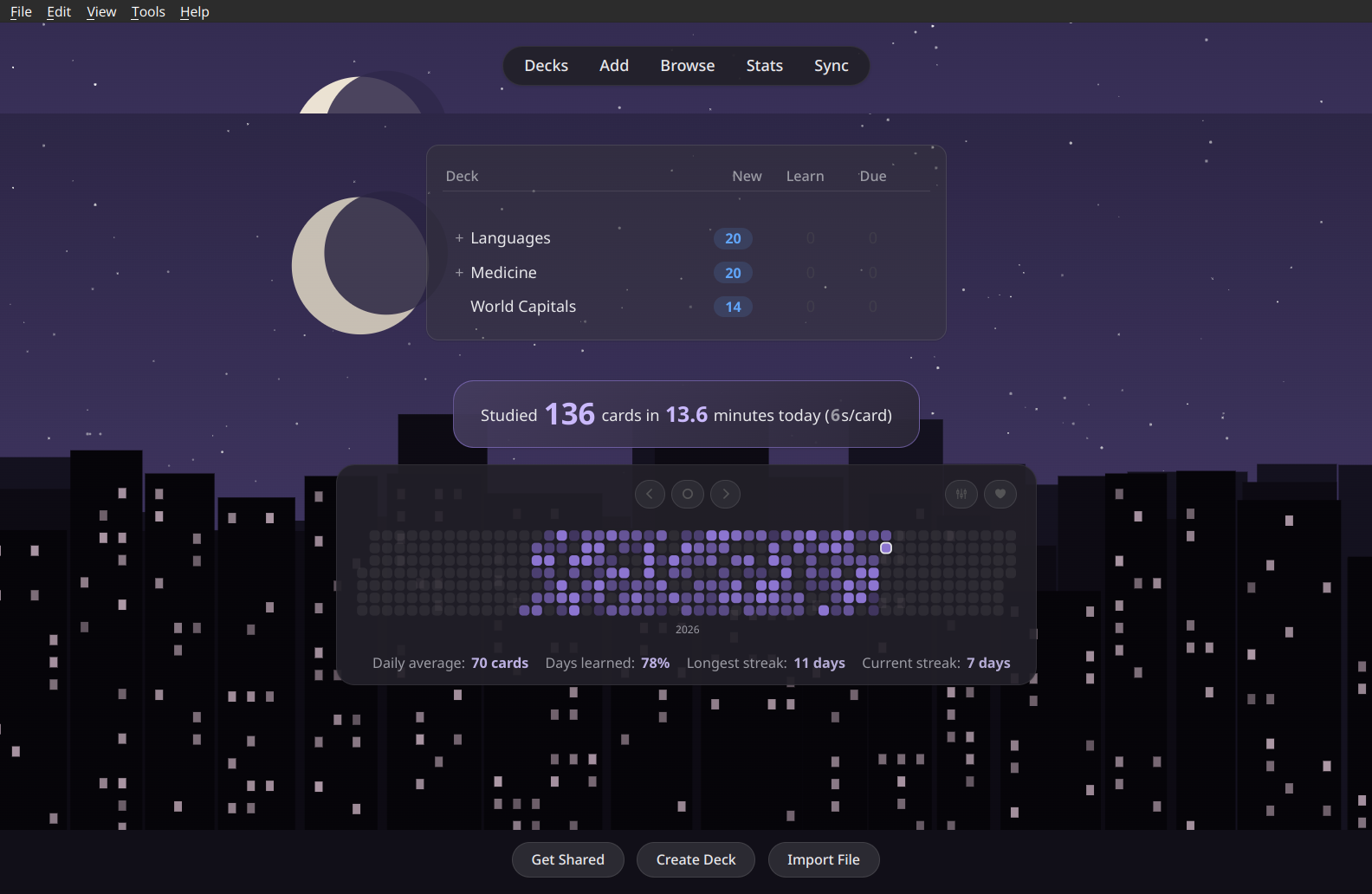
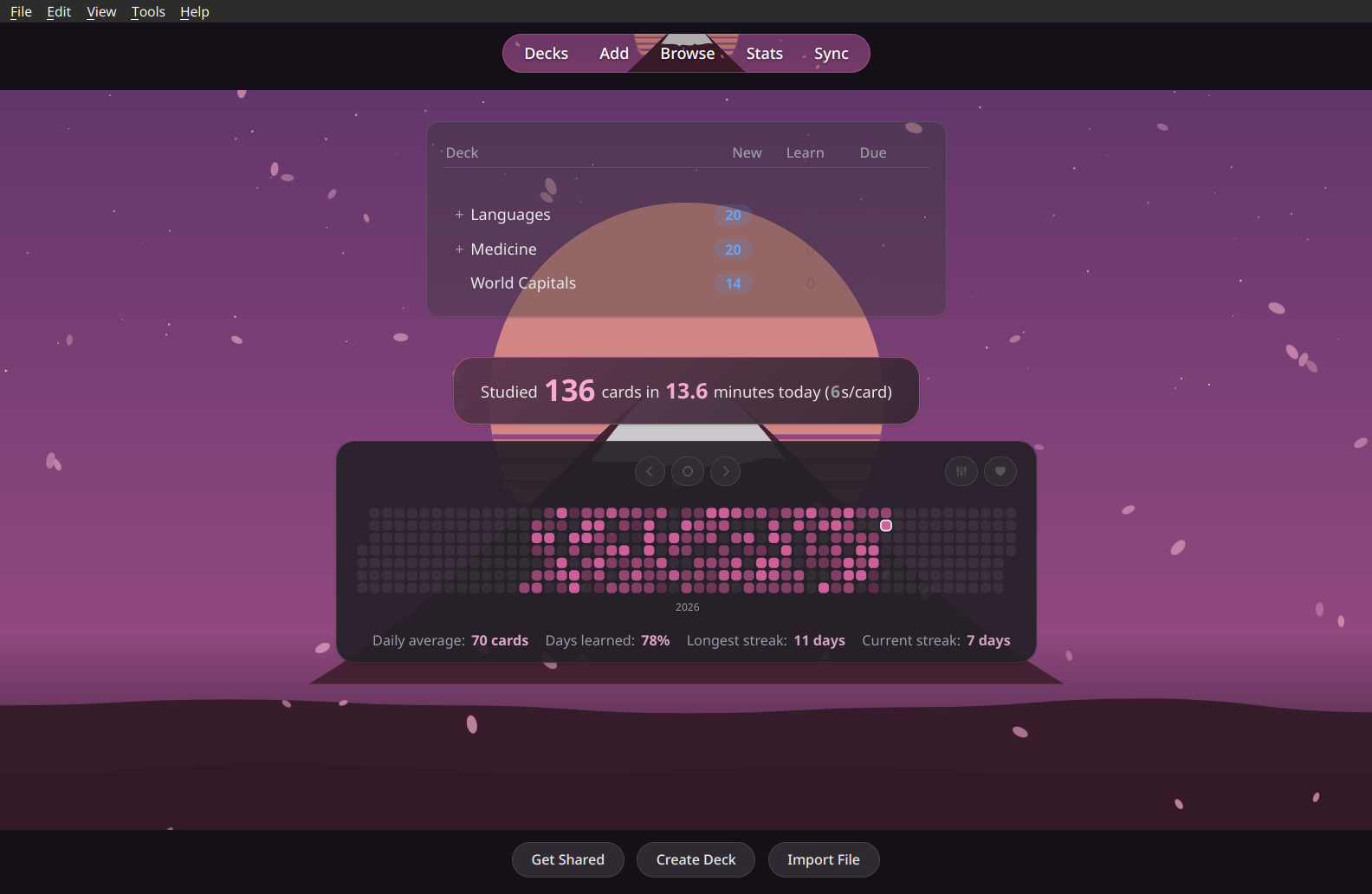
- 46 theme packs for a complete look in one click: illustrations, photos, the Omarchy color themes (Catppuccin, Gruvbox, Nord, Tokyo Night …) and minimal patterns
- Illustrated wallpapers drawn for Deckorator that take on your accent color, with light and dark versions
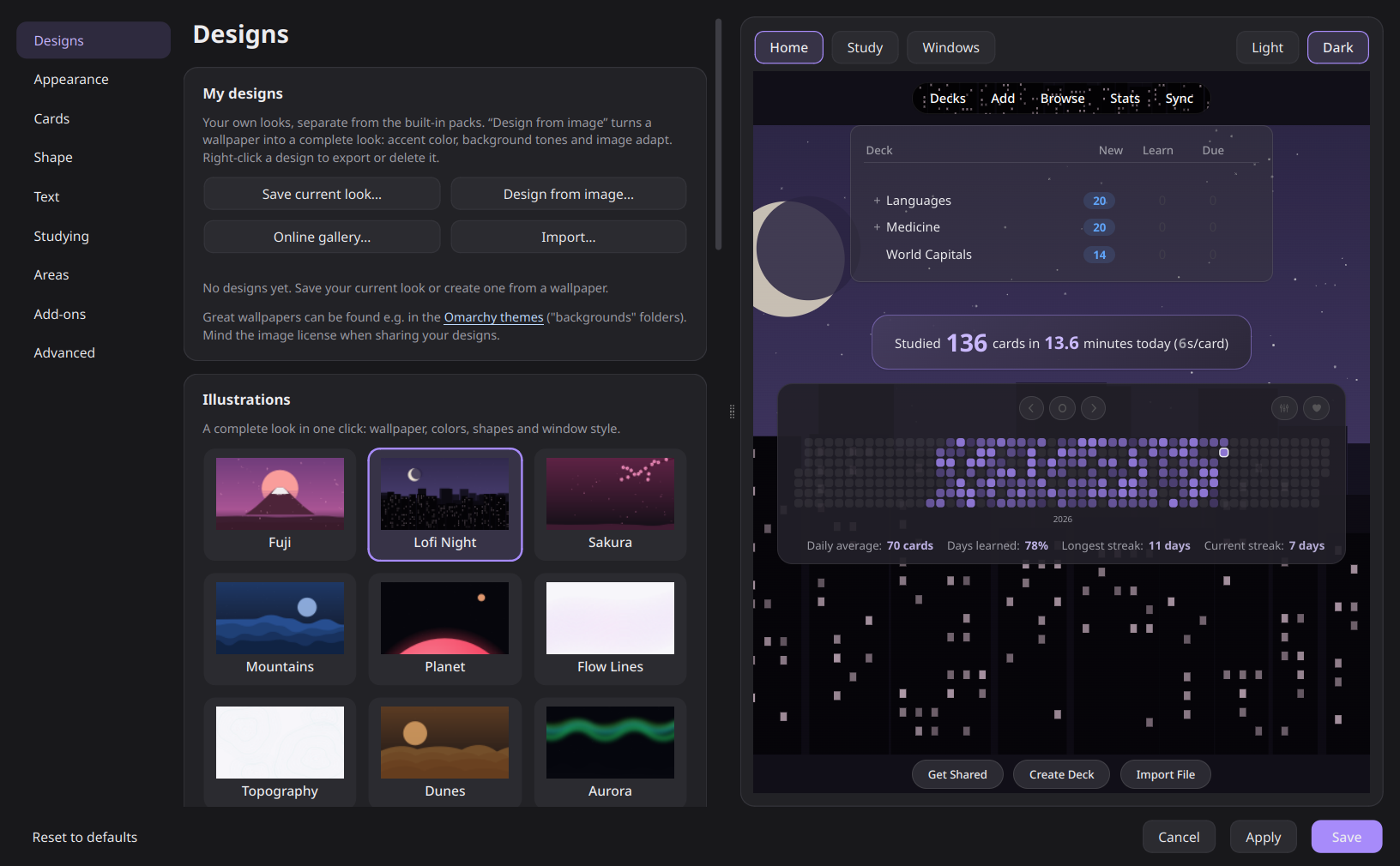
- My designs: save your look or turn any wallpaper into a complete theme (accent and tones adapt), share as
.deckorator files
- Online gallery: browse wallpapers from Omarchy and ML4W on GitHub and use them as designs
- 21 color presets, a quick color pick, or take the accent from your system or desktop wallpaper
- Backgrounds: spotlight, dot grid, line grid, grain, waves, illustration, your own image (also a separate one for dark mode) or your desktop wallpaper
- Banner behind the top bar, or only inside the tab capsule
Studying
- Calm study mode: the background stays quiet so the card comes first
- Card designs: six styles for any note type, previewed on your own cards and fully reversible
- Readable review counters, answer buttons tinted by rating, "studied today" highlighted
Windows & add-ons
- Card browser, editor, statistics, deck options, preferences and add-ons window in the same style, bold or subtle
- Every area adjustable: Deckorator look or Anki's original, per window
- Add-on center: your add-ons as cards with a switch, settings and page link; pin favorites to the top
- Content other add-ons place below the deck list gets a matching card; other theme add-ons are detected
- Review Heatmap support: fully restyled, colors only, or left untouched
Comfort
- Performance mode: blur is switched off automatically on weak laptops; glow effects can be turned off
- Settings window with a live preview of your own decks, cards and windows, light and dark
- English and German interface, follows Anki's language
Screenshots
| Fuji with banner in the tab bar |
Catppuccin (Omarchy color theme) |
 |
 |
| Winter, dark mode (aurora photo) |
Clouds, light mode |
 |
 |
| Calm study screen |
Answer buttons tinted by rating |
 |
 |
| Card browser |
Statistics |
 |
 |
Settings: designs, card designs and areas, all with a live preview

| Card designs |
Areas & window preview |
 |
 |
Settings
Tools → Deckorator – Theme settings… or the Config button in the add-on manager.
Deckorator only changes how Anki looks. It never touches your cards. The one exception you control yourself: card designs add a clearly marked CSS block to the note types you choose, and "Remove style" restores the original.
Reporting a problem
Open the settings, go to Advanced → Help & feedback → Copy diagnostic report and paste the report into a new issue. It contains your Anki/Qt version, OS, the detected hardware, your Deckorator settings and recent errors. It does not include card contents or file paths. Nothing is ever sent automatically.
Compatibility
Tested with Anki 26.09 on Linux (KDE Plasma, Wayland). It should work from Anki 25.02 on. Wallpaper and accent detection supports KDE, GNOME, Windows and macOS. Reports from Windows and macOS are very welcome.
Development
The add-on lives in addon/. Symlink it into Anki's add-on folder (addons21/deckorator) while working on it. ./build.sh creates dist/deckorator.ankiaddon for upload to AnkiWeb.
License
GNU AGPL v3, the same license as Anki itself. The bundled wallpapers are CC0 or public domain, see addon/wallpapers/CREDITS.md.
Releasing
- Bump
VERSION in addon/__init__.py and add an entry to CHANGELOG.md
- Run
./build.sh
- Upload
dist/deckorator.ankiaddon on AnkiWeb (add-on 1326296861)