Enables word wrap in the Browser table via View menu, adds zoom and customizable toggle shortcuts, and remembers the last configuration.
shortcutsappearanceaccessibilityfork-or-reupload
Adds a configurable info bar to the browser, with optional background colors for suspended or high-lapse cards, deck line placement, and width settings.
shortcutsappearance
Inserts customizable HTML tables through a dialog or keyboard shortcut, or converts selected pipe-delimited markdown-like text into a table; it does not edit existing tables.
formattingshortcutsfork-or-reupload
Lets you hide or show the browser's table, editor, and sidebar to maximize the remaining view, with configurable shortcuts and one-card-per-note behavior.
shortcutsappearance
Moves the browser's card/note table into the sidebar to maximize the editor area, toggled by menu or configurable shortcut, and optionally minimizes the tags editor.
note-managementshortcutsappearancebeta
Enables adding and editing Anki notes in extended CommonMark Markdown within fields or a separate window, using a CodeMirror editor with HTML conversion and configurable syntax extensions.
card-creationnote-managementformattingshortcutscloze
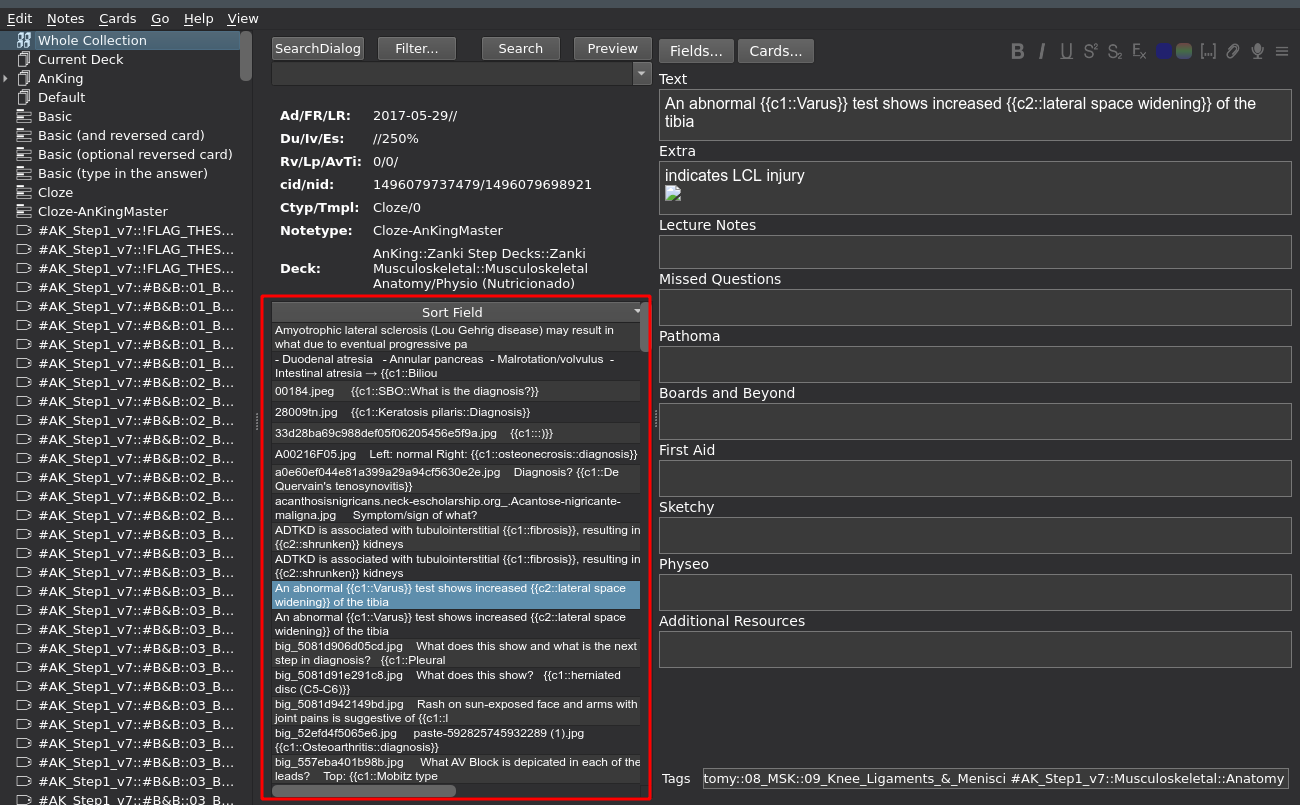 (The screenshot shows the AnKingMed deck.)
This add-on is intended as a companion to the following add-ons:
- Browser: Table/Editor side-by-side (horizontal split) which is used in the screenshot. Alternatively you could also have a look at my add-on Browser Maximize/Hide Table/Editor
- Browser Card Info Bar (which is shown in the screenshot above the browser table).
- BetterSearch (which created the "SearchDialog" button, this version might not yet be available on ankiweb).
You can configure the shortcut in the add-on settings.
# Limitations
- This add-on slows down the browser.
- Not well tested. Use this at your own risk.
# Thanks
- /u/brunzus added a crucial line of code.
# Versions
- 2022-01-26 different menuView detection for better compatibility with other add-ons
- 2020-07-02 fix for 2.1.24+, disabling the add-on doesn't require you to reopen the browser, use new style hooks, ...
- 2019-12-22 initial release
# Bugs, Problems, Feedback
If you run into a bug or have code for improving this add-on let me know on github or in the add-on thread in the official anki forum (click the button "contact author" on the upper right of this window).