AnkiForge
AI-powered flashcard generation for Anki — create high-quality cards in seconds using any LLM via OpenRouter.

What is AnkiForge?
AnkiForge is a free, open-source Anki add-on that generates flashcards using AI. Instead of spending hours writing cards by hand, just type a few words or paste your study notes — AnkiForge creates complete, ready-to-study cards with definitions, examples, audio, and images.
It works with any model available on OpenRouter (GPT-4o, Claude, Gemini, Llama, and 200+ others), so you choose the price/quality balance that works for you.
Features
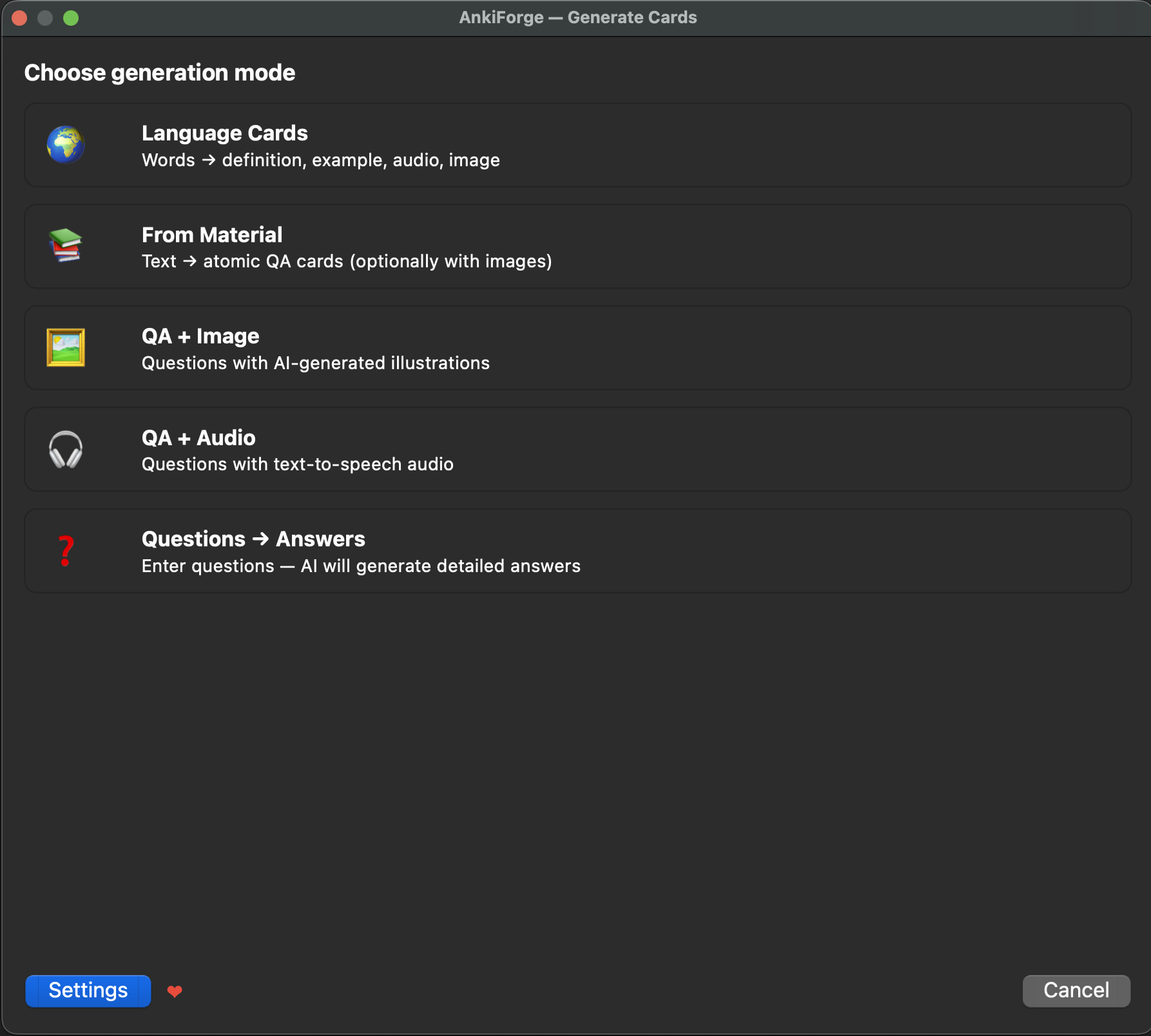
5 Generation Modes
| Mode |
What you give it |
What you get back |
| Language Cards |
A list of words |
Definition, example sentence, IPA transcription, audio pronunciation, and a photo for each word |
| Questions → Answers |
Your questions |
Detailed AI-generated answers as Q&A flashcards |
| From Material |
Any study text (notes, articles, textbook pages) |
10–30 atomic Q&A cards extracted from key facts |
| QA + Image |
Your questions |
Answers with AI-generated illustrations |
| QA + Audio |
Your questions |
Answers with text-to-speech narration |
Why AnkiForge?
- Any LLM model — pick from 200+ models on OpenRouter, from free to state-of-the-art
- Cost estimation — see the price before generating, track actual spending in real time
- Custom prompts — tweak AI instructions for any mode to fit your study style
- Code highlighting — cards render code blocks with syntax highlighting via highlight.js
- Batch generation — enter multiple words or questions at once
- Progress tracking — real-time progress bar with cancel support
- Beautiful card templates — styled HTML/CSS cards that look great in both light and dark mode
Screenshots
Mode Selection
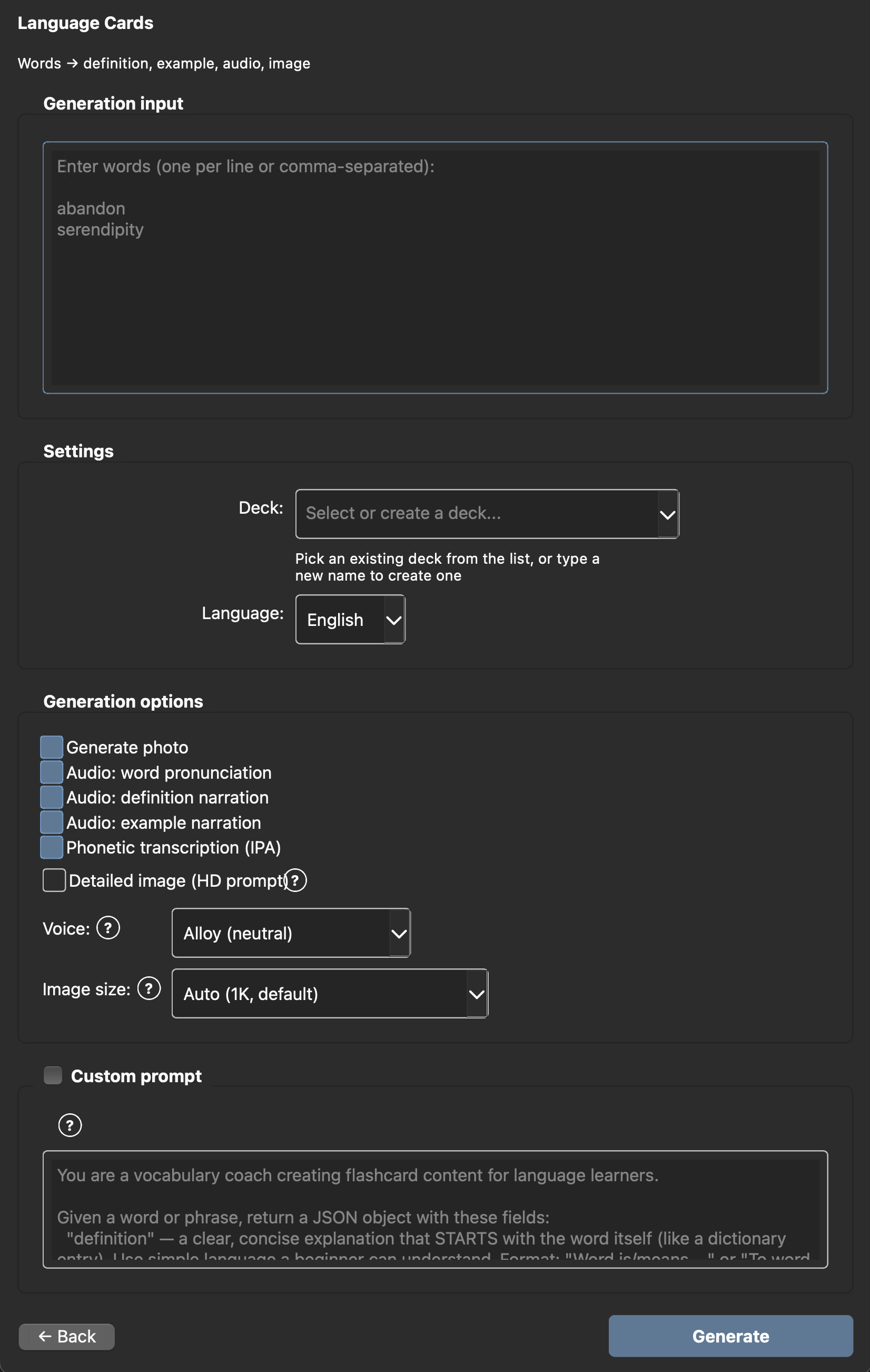
Language Cards — Input

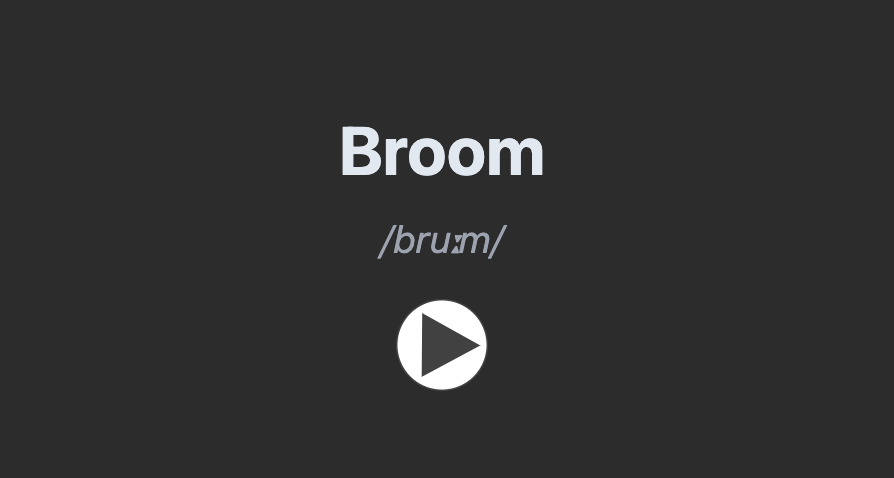
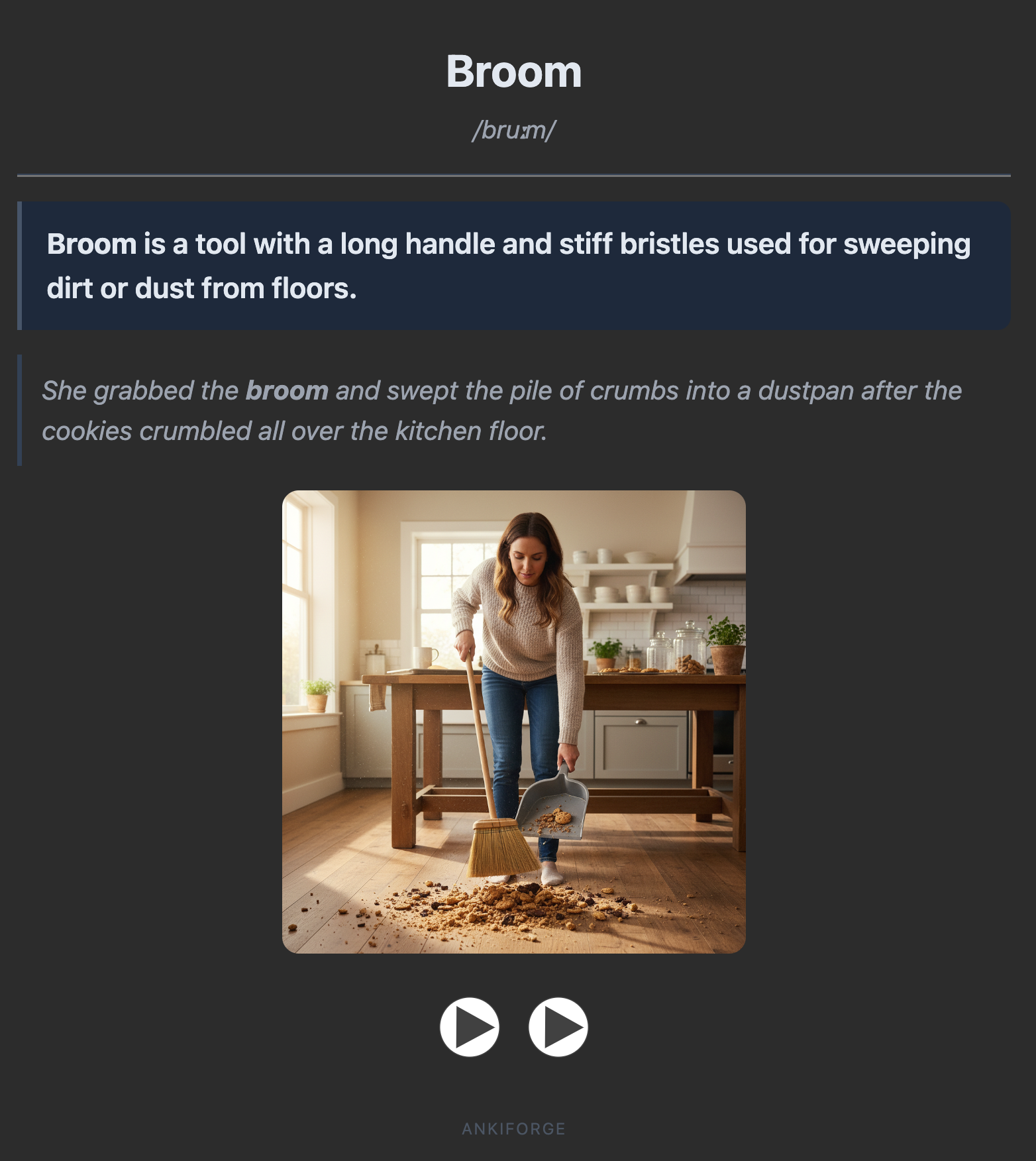
Language Card — Front & Back
| Front |
Back |
 |
 |
From Material — Input

Questions → Answers — Result

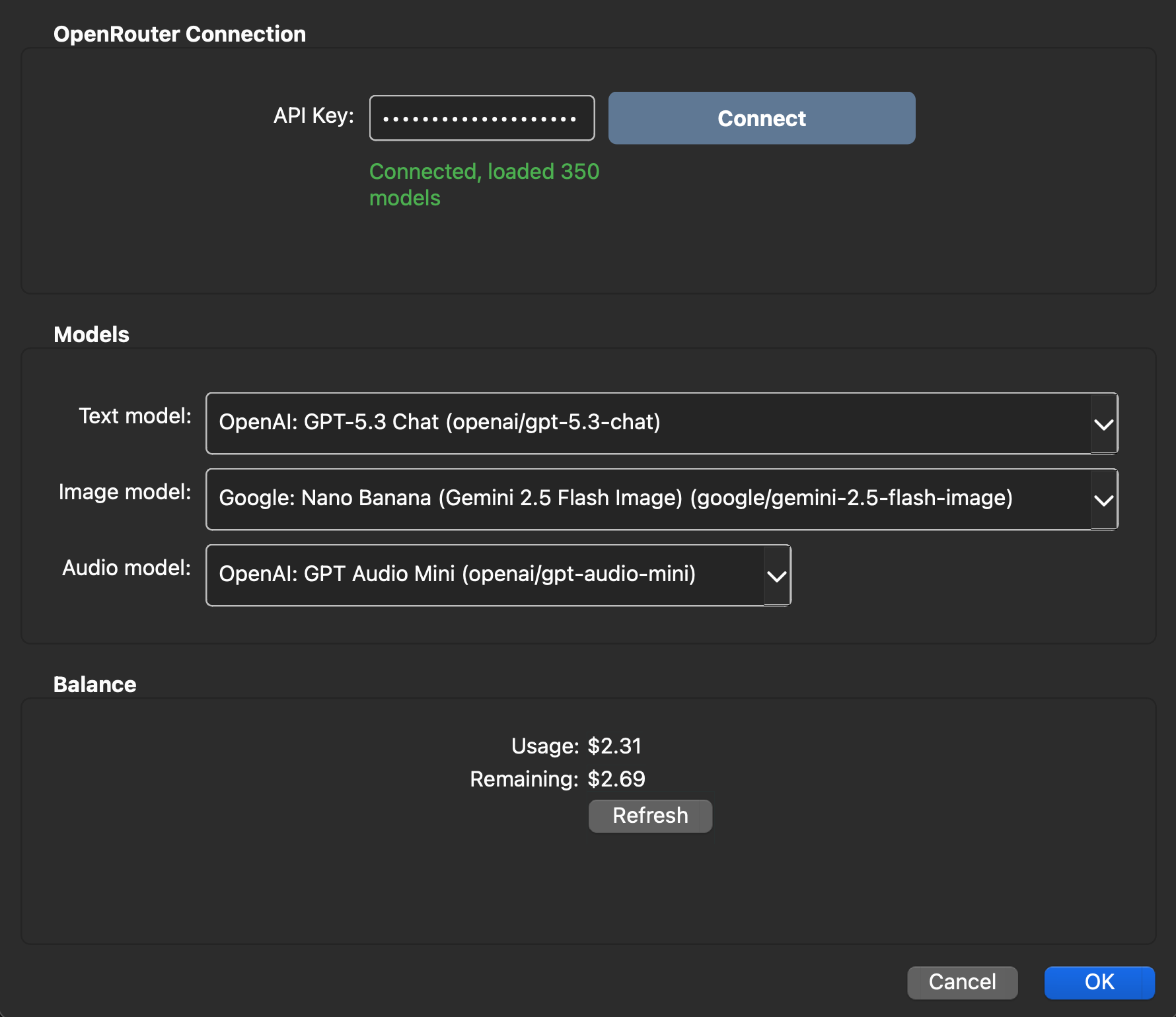
Settings

Installation
From AnkiWeb (recommended)
- Open Anki
- Go to Tools → Add-ons → Get Add-ons...
- Paste the add-on code:
1482895298
- Restart Anki
Manual install
- Download the latest
.ankiaddon file from Releases
- In Anki, go to Tools → Add-ons
- Click Install from file... and select the downloaded file
- Restart Anki
Setup
1. Get an OpenRouter API Key
- Create an account at openrouter.ai
- Go to Keys and generate a new API key
- Add credits (starting from $5 is enough for thousands of cards)
2. Configure AnkiForge
- In Anki: Tools → AnkiForge Settings
- Paste your API key
- Pick models for text, image, and audio generation
- Click OK
3. Generate your first cards
- Click the AnkiForge button in the toolbar (or Tools → AnkiForge)
- Choose a generation mode
- Type words, questions, or paste study material
- Pick a target deck (or type a new name to create one)
- Click Generate
Pricing
AnkiForge is free. You only pay for AI usage through OpenRouter.
| Mode |
Cost per card* |
| Questions → Answers |
~$0.001 |
| Language (text only) |
~$0.002 |
| Language (text + audio + image) |
~$0.01 |
| From Material |
~$0.001 per card |
| QA + Image |
~$0.01 |
| QA + Audio |
~$0.003 |
* Estimates for GPT-4o-mini. Actual cost depends on the model you choose. AnkiForge shows the estimated cost before generation.
Requirements
- Anki 23.10+ (Qt6)
- OpenRouter account with API key
- Internet connection
Development
git clone https://github.com/Xpom1/AnkiForge.git
cd AnkiForge

uv sync                          # install dependencies
uv run pytest                    # run tests with coverage
uv run ruff check src/ tests/    # lint
uv run ruff format src/ tests/   # format
uv run mypy src/                 # type check
Project Structure
src/ankiforge/
├── __init__.py               # Entry point — registers add-on in Anki
├── models.py                 # Dataclasses: CardRequest, GeneratedCard, AddonConfig
├── config/
│   ├── manager.py            # Read/write config via Anki API + JSON fallback
│   └── dialog.py             # Settings dialog (API key, model pickers, balance)
├── openrouter/
│   ├── client.py             # HTTP client with retry/backoff
│   ├── models.py             # Model, Modality types
│   └── exceptions.py         # Typed exception hierarchy
├── generators/
│   ├── language.py           # Word → definition + example + audio + image
│   ├── questions.py          # Question → detailed answer
│   ├── material.py           # Text → atomic QA cards (2-phase map-reduce)
│   ├── image.py              # Question → answer + AI illustration
│   └── audio.py              # Question → answer + TTS audio
├── anki_bridge/
│   ├── deck_manager.py       # Deck CRUD
│   ├── media_manager.py      # Save audio/images to Anki media folder
│   └── note_types.py         # 4 note types with HTML/CSS templates
└── ui/
    ├── main_button.py        # Toolbar & deck browser button
    ├── generate_dialog.py    # Mode selection, input dialog, generation logic
    ├── progress_widget.py    # Progress bar with cancel
    └── styles.py             # Shared QSS styles
Support the Project
AnkiForge is free and open source. If you find it useful, consider supporting development:
EVM: 0x34f58CF2BE6073f12b2c3c6aE9f8c31983A3f5fE
Networks: Ethereum, Base, Arbitrum, Avalanche
License
GPL-3.0 — see LICENSE