Deck-icons
101
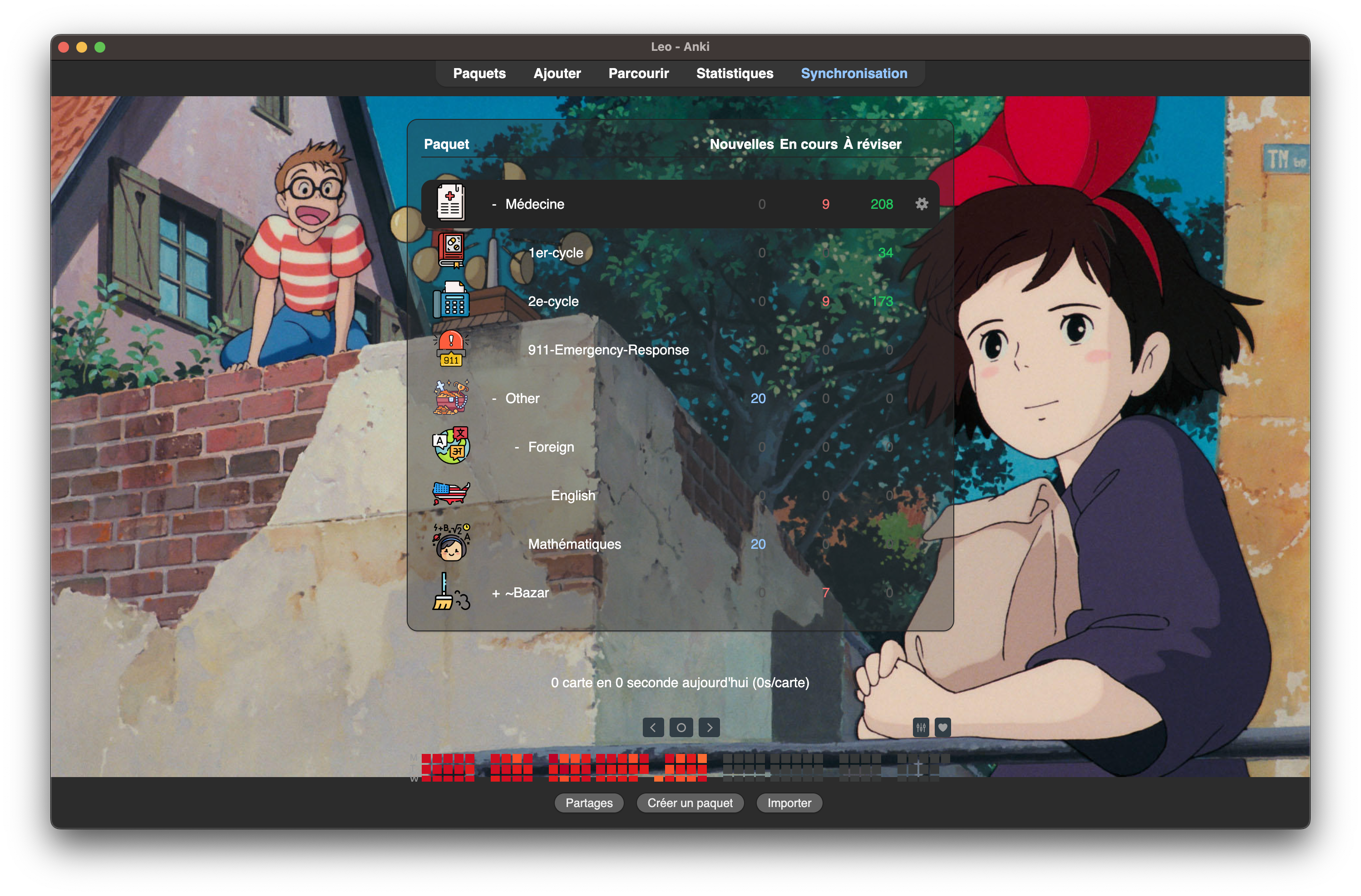
This add-on allows you to add icons to your decks
- On Anki, open the addon's files: go to
Tools > Add-ons > deck_icons > Show files
- On your files explorer, go to to the
user_files folder
- Add icons you'd like for your decks
- They should be in the png format.
- They should be named as the deck you want the icon for
- If you don't add an icon, default.png will be used (you can modify it to your liking)
Examples
Here are some "deck name"-"icon name" pairing:
- "Language" and "language.png"
- "Language::English.png" and "English.png"
Your icon's name (hence your deck's name) should not contain the following
characters (the list might not be exhaustive): /, \, #, :.
Here what it can look like, combined with the amazing Custom Background Image
and Gear Icon by The AnKing.
Click here for an example
Where can you find icons?
There are plenty of them on the internet. I love
flaticon, that's where I found the icons in the
example above. They were made by Freepik.
Troubleshooting
Let me know in the comments if you run into troubles. I cannot promise I'll be
a good enough coder to solve them, but I'll try my best!
Support
If you enjoy this addon, you can support me by buying me one coffee or more on
this website ! I talk about how I created
this addon on
my website on which you'll also find blog posts (in French) about study tips for
medical school.