KNOWN FLASHING ISSUE:
I've had many reports of the screen flashing white or black (depending on if you're on nightmode or not). This is due to Anki reloading the images when you click "deck" and is not something I can fix. The best solution is to use a smaller file size image for the background so that it loads faster and the flash is less noticeable.
KNOWN FONT COLOR ISSUE:
Many people have struggled with white or black font. The best trick to fix this is to switch anki to night mode or normal mode.
This add-on pairs very well with our new ReColor add-on!
HUGE thank you to u/ijgnord for helping me learn bits of python and helping make this add-on. Also thanks to u/dollajas for the original idea. (NOTE: This can only be used on Anki 2.1.22+ which was released a day prior to this add-on)
If you like this add-on, please give it a like :)
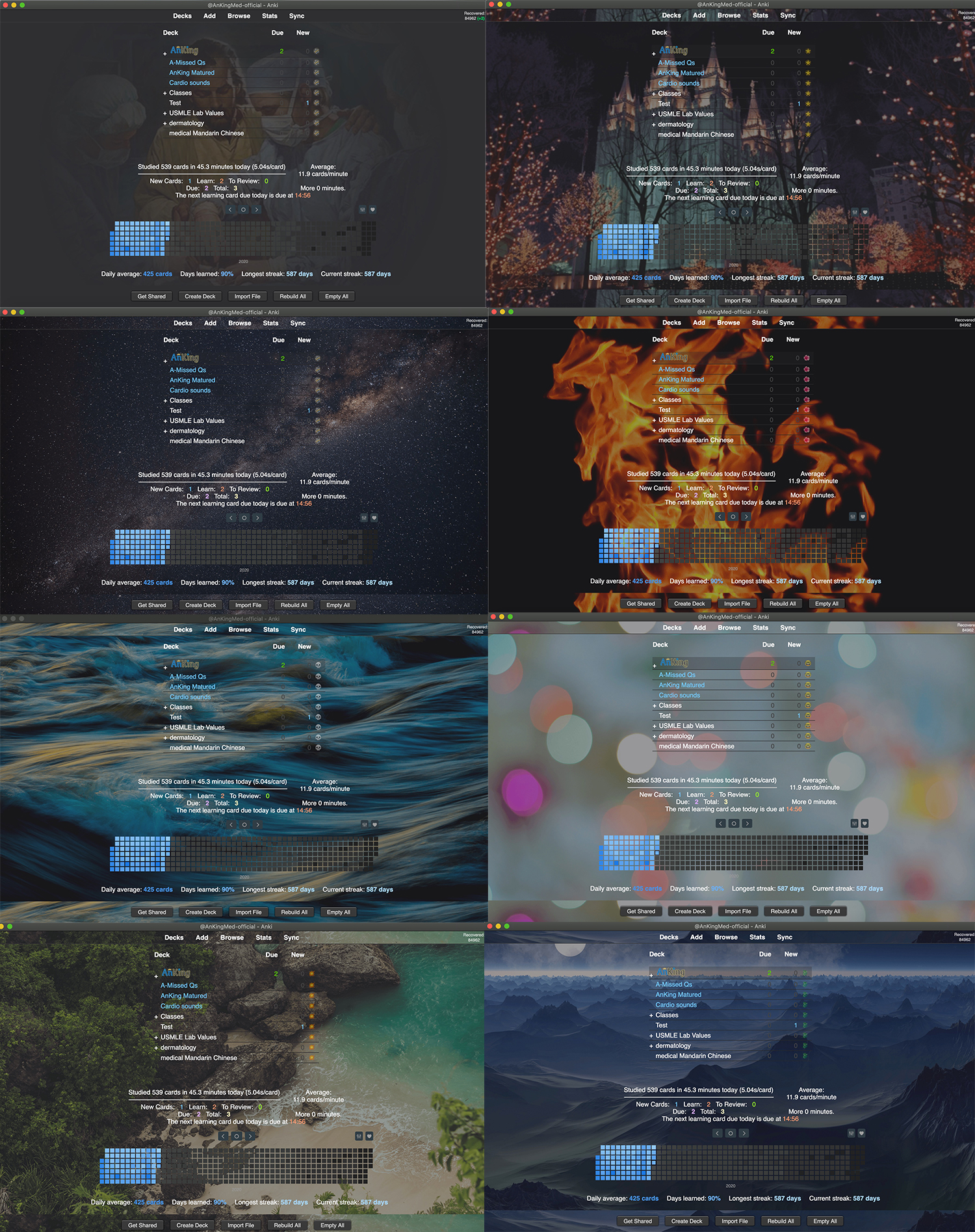
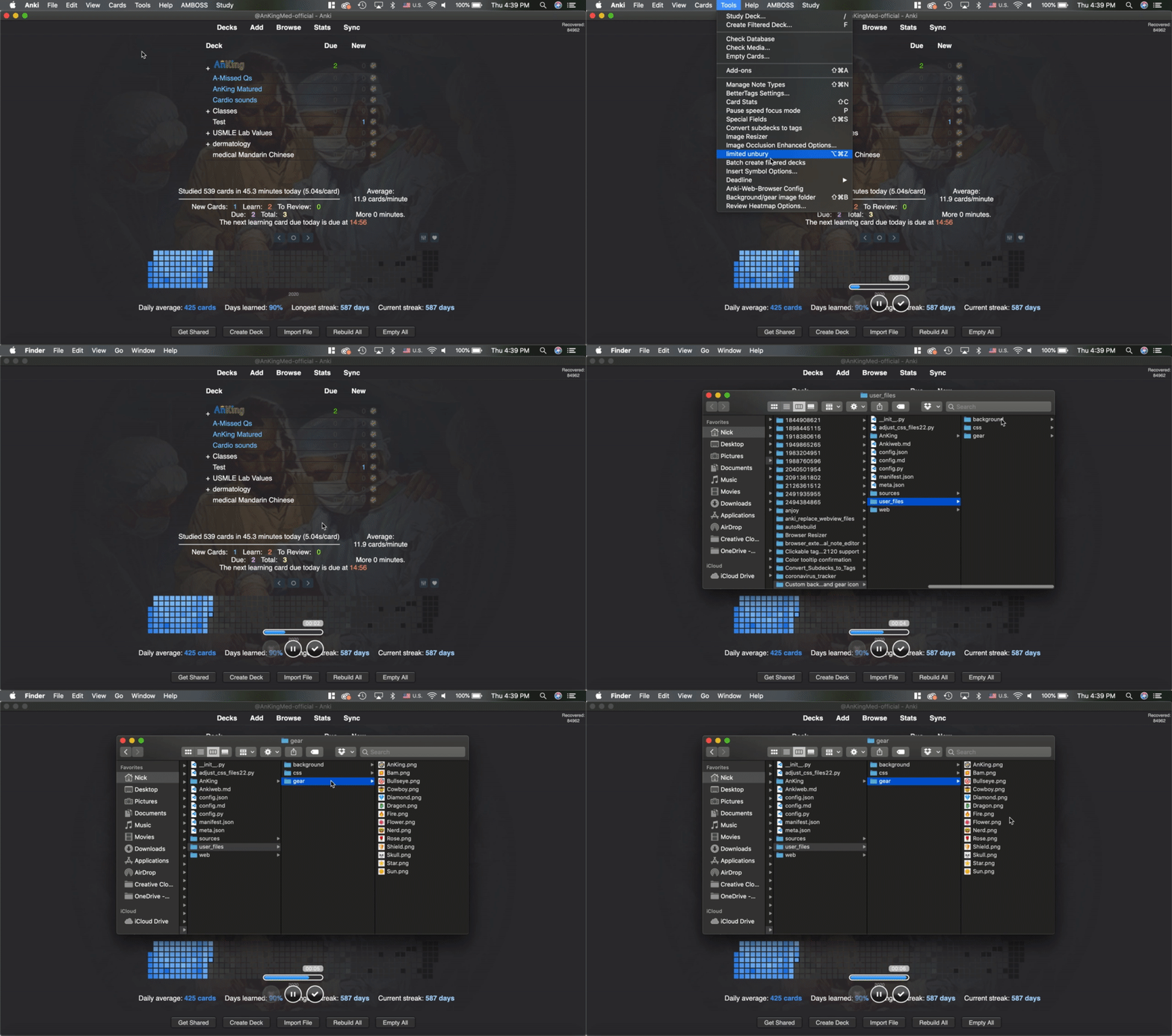
There is a link in the AnKing menu for the folders to put your own images or css in. I recommend making them 20-50% transparent (you will need to use photoshop or another photo editing software). To configure the background, go to the config
If you want to edit the main anki css (change colors, etc), you can change the files in the "sources" folder, but they will overwrite when updating the add-on. Any css added to the files in the user_files folder will remain after updating.
If you choose to style the toolbars, the top toolbar will remained styled during review. If you'd prefer to hide this, I would recommend checking out this No Distractions add-on.
This Dancing Baloney add-on can also be used to customize the background, although in a different way.
Background images were obtained from Pexels.com
Gear icons were obtained from Wikimedia Commons
Problems, Bugs, Errors, Improvements
If you find a serious bug, please submit it on Github or email us at ankingmed@gmail.com. Please remember that we are not great coders and thus may not be able to provide support.
Changelog
2020-3-19: Initial Release
2020-03-20: Added an option in the menu bar to link the config
2020-04-17: Added config options to keep the image in reviewer, make the toolbars look better with the bottom toolbar showing the bottom of the image and top toolbar showing the top of the image, and an option to change the background color.
2020-12-27: Quick fix for 2.1.36+. All features have not been tested. If you want to try the next version's beta, please visit our Patreon
2021-01-02: Imported update from our Patreon beta testing. Added a new "AnKing" menu at the top bar that has the config. Config will update the background in real time. Images can be shown in reviewer.
2021-07-22: Added better support for future anki versions and compatibility with other add-ons.
2021-07-25: Pushed a fix that wasn't allowing download on 2.1.40. Also uploaded a change that fixes coloring on the background of current deck on 2.1.41+
2021-08-05: Fixed bug fix that wasn't allowing flag or mark image to show in reviewer
2021-08-16: Added small code for the AnKing menu
2021-08-19: Multiple bug fixes including fixing menu items and the auto-refresh. Also small update to the config. (Thanks to FloatingOrange)
2022-02-24: Fix a small bug that could potentially cause issues when importing .colpkg
2022-03-22: Bug fixes
2022-04-10: Updated for Anki 2.1.50
2022-07-28: Changed padding to hopefully fix scrolling issue (thanks BluMist for the fix)
2022-11-28: Update to support 2.1.55 and Qt6
2022-12-19: Fix for 2.1.55
2023-01-03: Fix font styling issue on 2.1.55 Qt6
2023-01-11: Bug fix
2023-03-04: Huge refactor. Anki's stylesheets are no longer completely replaced and instead, the custom styles are just appended. This makes the add-on easier to maintain for future versions. This was tested on .22, .35, .45, and .60. This update also adds support to .57+ and fixes some bugs that were occurring (Huge thanks to Abdo for doing this refactor!)
2023-04-18: Fixes an issue with the gear icon coloring on night mode and another issue surrounding the default background image folder.
2025-01-28: Fixed background not showing in congrats screen - Updated icon
2025-01-29: Fixed error in Qt5 version
2025-12-17: Fix background not showing in congrats screen.
Please consider checking out our:
YouTube Channel- How to use Anki for beginners and advanced users.
Instagram/Facebook: @Ankingmed
www.TheAnKing.com- Recommended add-ons, tutorials and more including how to download 40+ add-ons in < 5min
Patreon/VIP- Support our work and get individualized Anki help!