Qur'an Error Corrector - Quran Memorization FSRS | مصحح أخطاء القرآن
Qur'an Error Corrector is an Anki add-on for Qur'an memorization and hifz revision.
It is built for a very specific moment: you have finished your normal Qur'an revision, you noticed a real mistake, and you want Anki/FSRS to bring that weak spot back at the right time.
This add-on does not try to turn the whole mushaf into a giant deck. You keep your normal revision routine outside Anki, then use Anki only for the pages, half-pages, and passages where mistakes actually happened.
What It Does
- Shows a Madani-style mushaf page inside Anki.
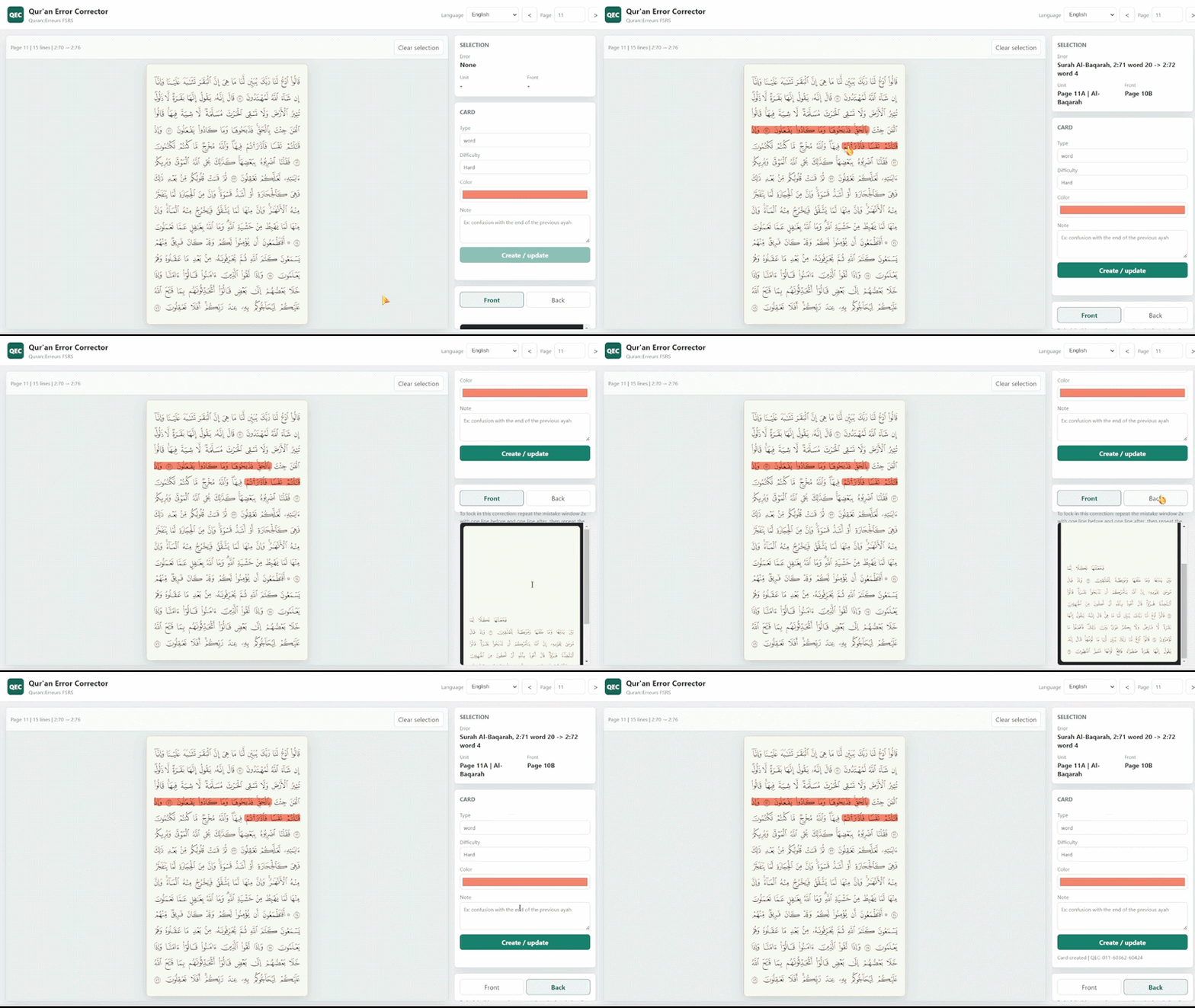
- Lets you select the exact word or passage where you made a mistake.
- Builds a focused FSRS correction card.
- Uses the closest useful half-page as the front.
- Shows the full page on the back, with the error highlighted.
- Adds automatic tags for the surah, mistake type, and difficulty.
- Lets you choose the highlight color.
- Gives a short anchoring routine when the mistake needs correction.
The Workflow
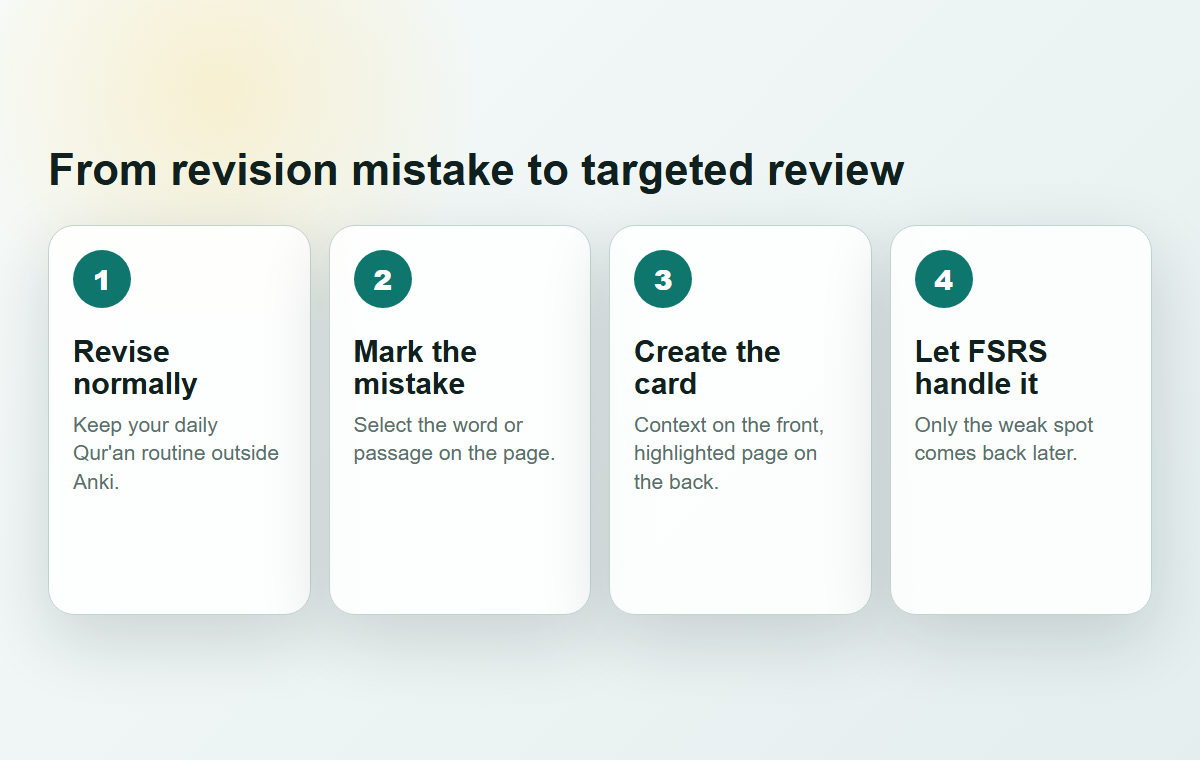
- Revise normally outside Anki.
- Open Tools -> Qur'an Error Corrector.
- Go to the page where the mistake happened.
- Select the exact word or passage.
- Choose the mistake type, difficulty, language, and highlight color.
- Create the card.
- Review it later with Anki/FSRS.
Card Design
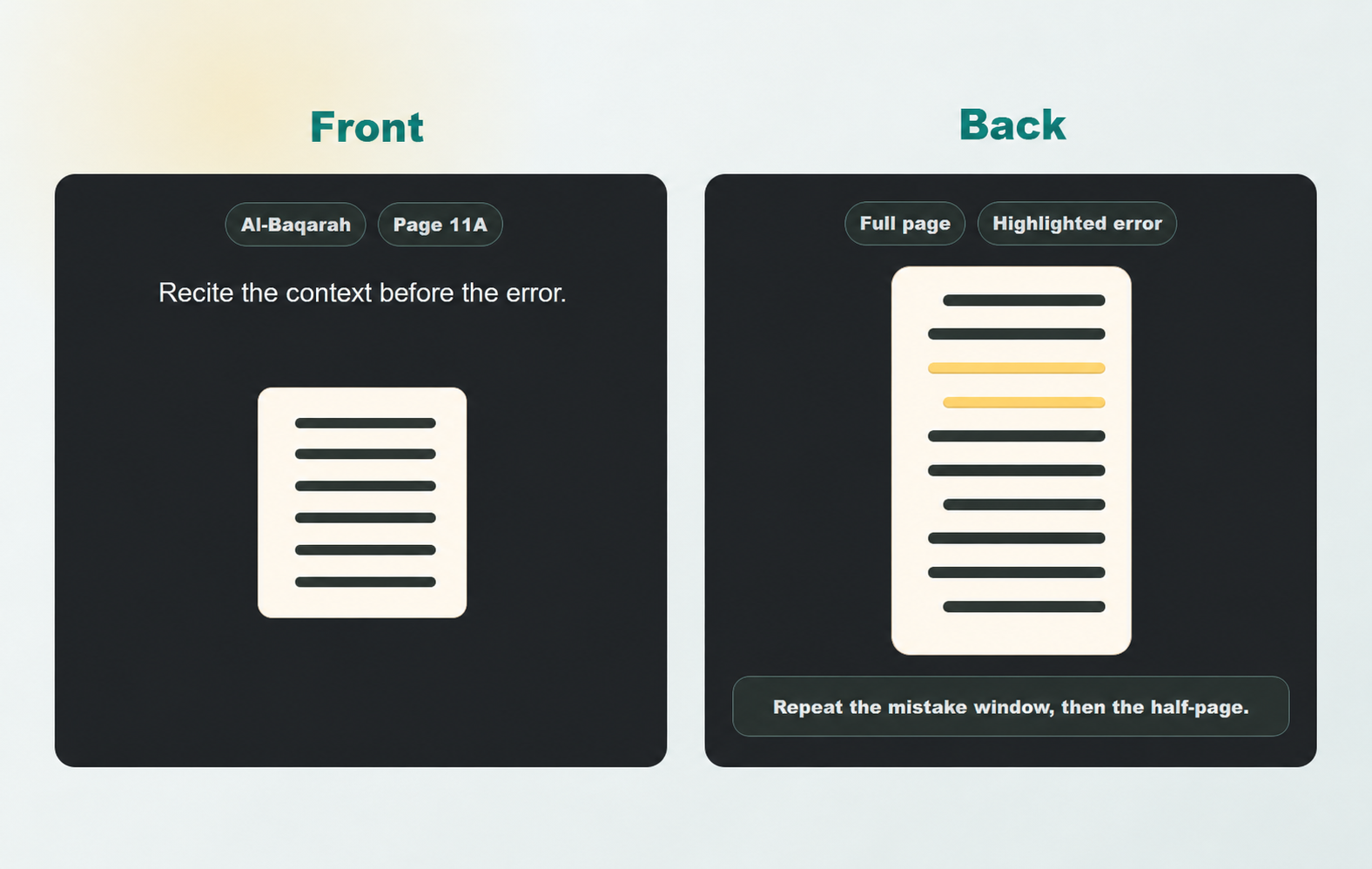
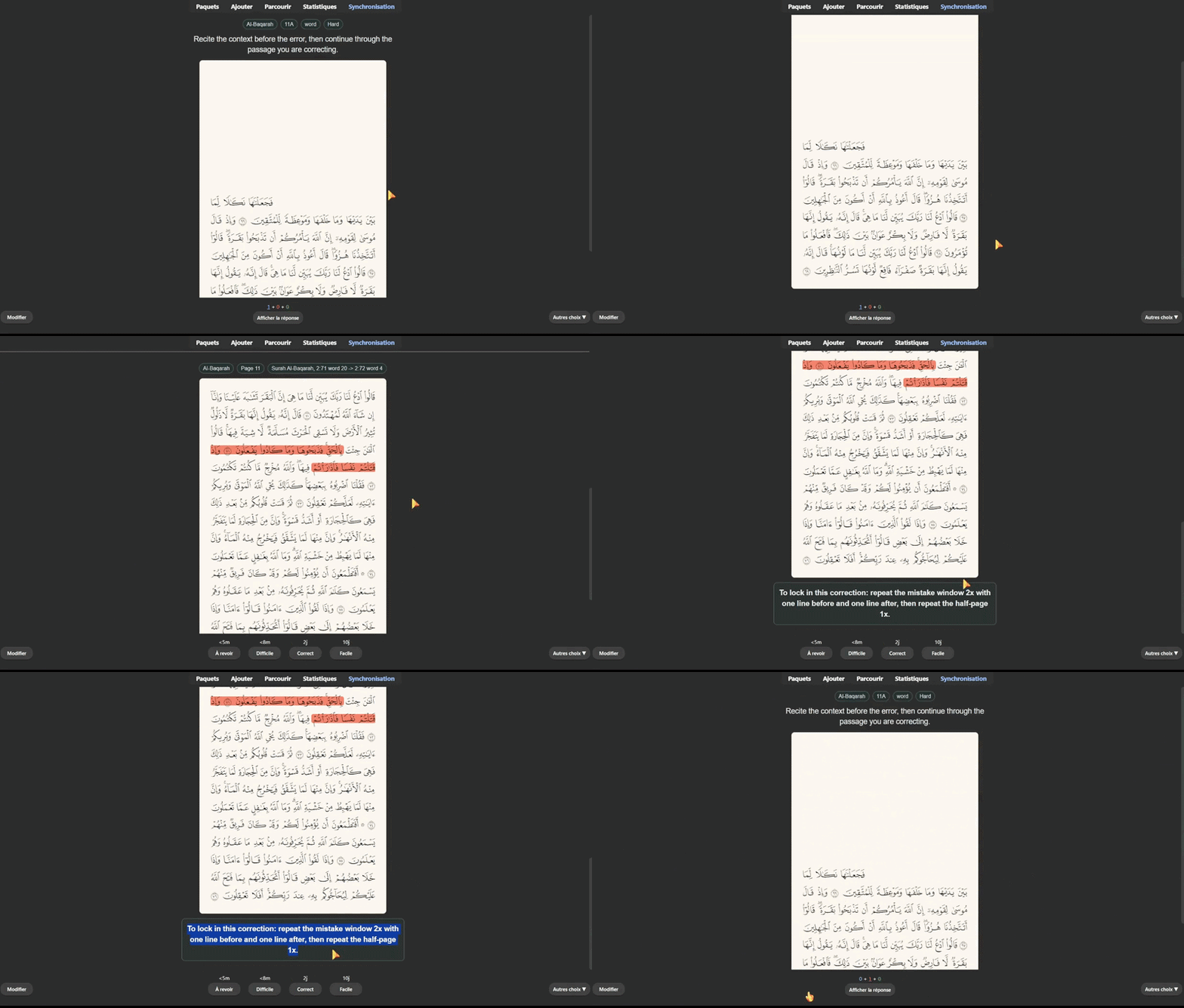
- Front: recite the context before the error.
- Back: check the full page and the highlighted mistake.
- Anchoring help: repeat the error window, then repeat the half-page.
- Tags: surah, mistake type, and difficulty are added automatically.
The goal is simple: repair the exact place where your memorization broke, without making your daily revision heavier than it needs to be.
Built For Sequential Qur'an Revision
Qur'an revision is sequential. A mistake rarely lives as an isolated word floating outside the page. The page is still the mental landmark, but the prompt needs to be focused enough for spaced repetition.
That is why the add-on uses half-page context for the front and the full page for the back.
It also avoids cutting prompts at random places. Half-page boundaries are adjusted to clear stopping points or verse endings whenever possible, so the card feels natural to recite.
Using Anki On iPhone?
You use Anki on your iPhone and you are annoyed that you cannot use this add-on there? Don't panic. I made exactly what you need.
Open the mobile CSV companion site.
On that site, you can do almost the same thing as with the add-on: select your mistake on the mushaf page, choose the type and difficulty, preview the front and back, then export everything as a two-column CSV file.
Then on iPhone, download the CSV and tap Open with -> Anki to import your errors.
Important: during import, match the fields correctly. Put Front with Front, Back with Back, and leave Tags empty.
Languages
The add-on and generated cards are available in multiple languages:
- French
- Arabic
- English
- Spanish
- Turkish
- Indonesian
Arabic uses right-to-left layout automatically.
Review Experience
During review, the card asks you to recite the context first, then continue into the passage that caused the mistake. The answer shows the full page with the selected error highlighted clearly.
Requirements
- Designed for Anki 25.x.
- Works best with FSRS enabled in your deck options.
- Uses QCF V2 page fonts for the rendered mushaf pages.
- Creates targeted Qur'an memorization correction cards. Anki remains responsible for scheduling.
Good Fit If...
You already have a Qur'an revision routine, such as revising a juz' per day, and you only want spaced repetition for the half-pages or passages where mistakes actually happen.
If you want Anki to manage your entire Qur'an revision schedule, this is probably not the right tool. If you want Anki to help you repair real mistakes after revision, this is exactly what it was built for.