Cloze (Hide All), CHA


This add-on creates a new card type. On this card type, all clozes except the one currently being reviewed now are hidden with yellow boxes.
Basic usage
You can apply CHA to cloze-type cards by adding a CHA marker to the note.
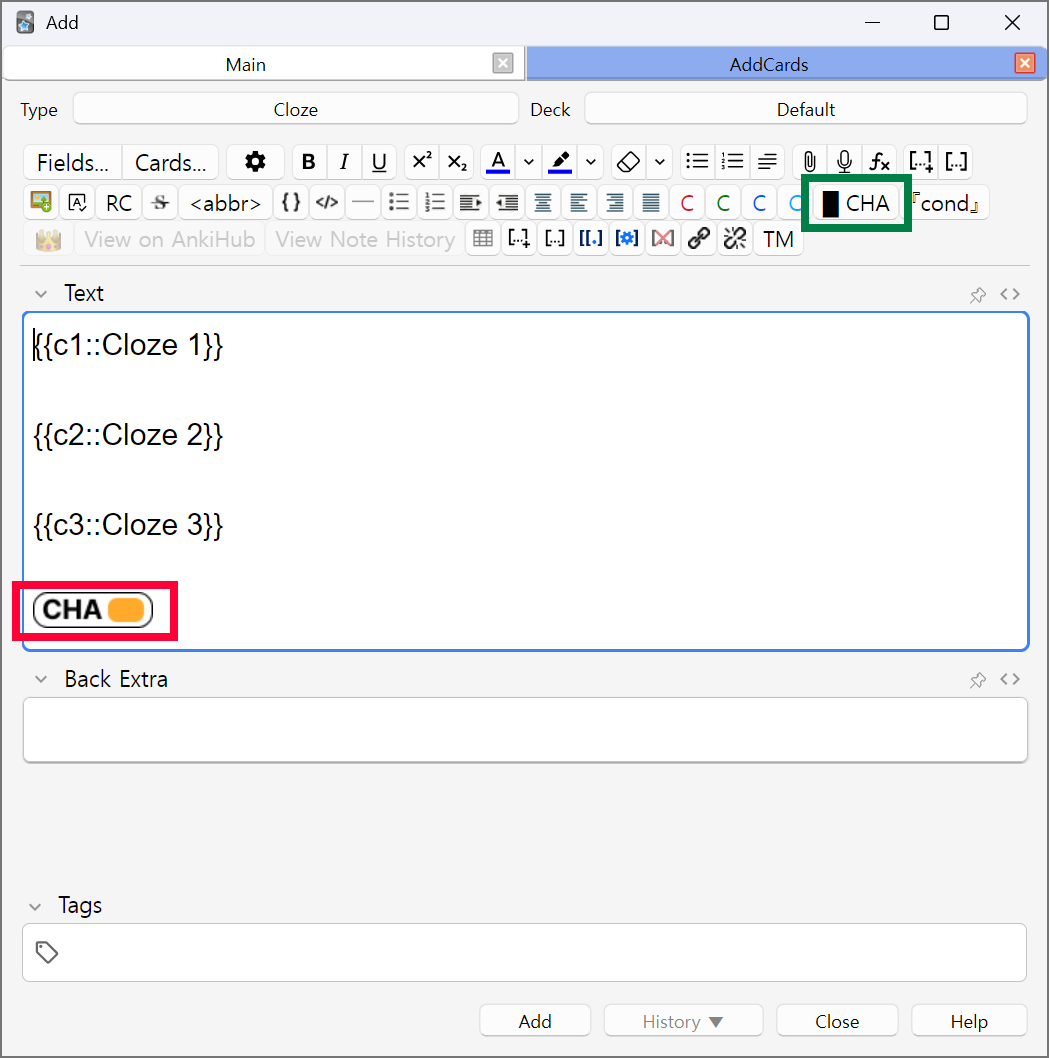
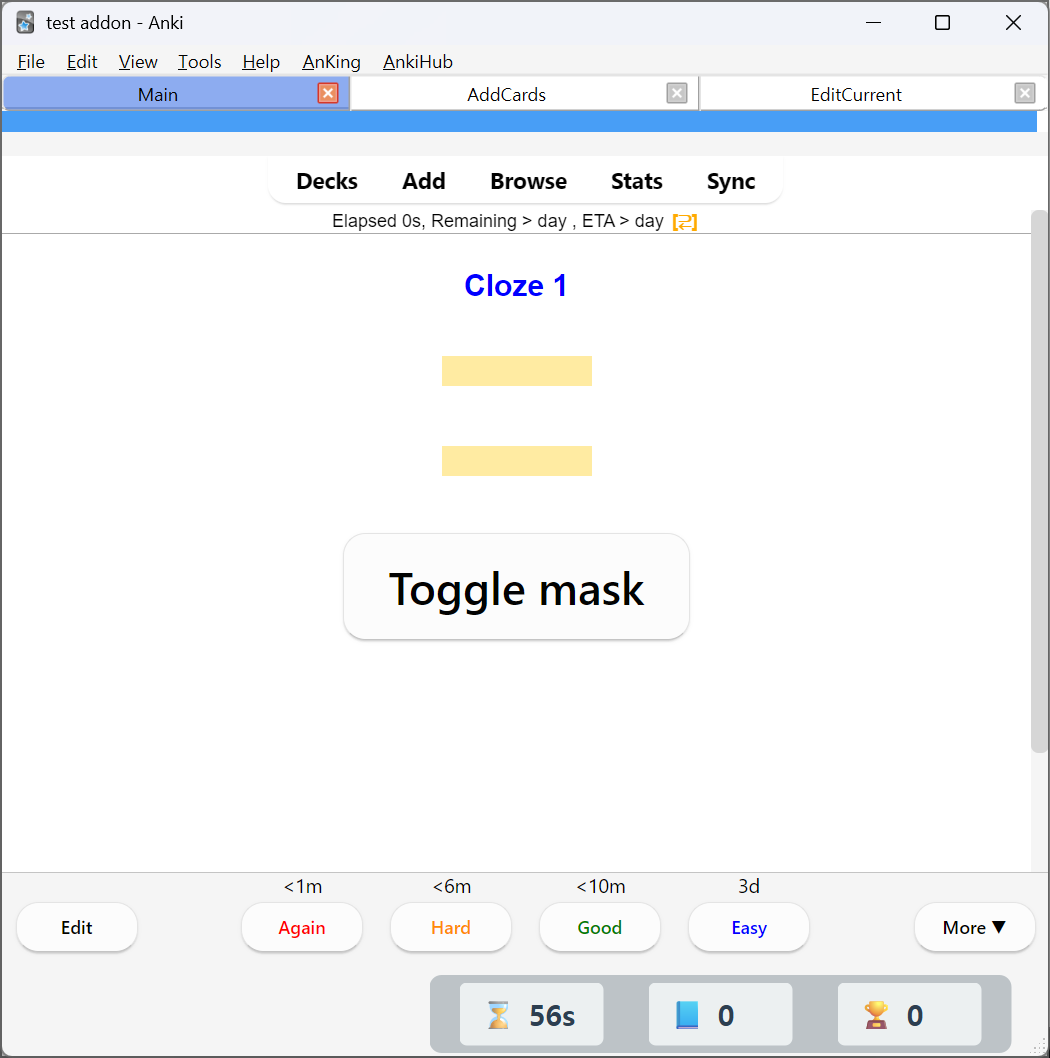
When reviewing each cloze, other clozes will be hidden.
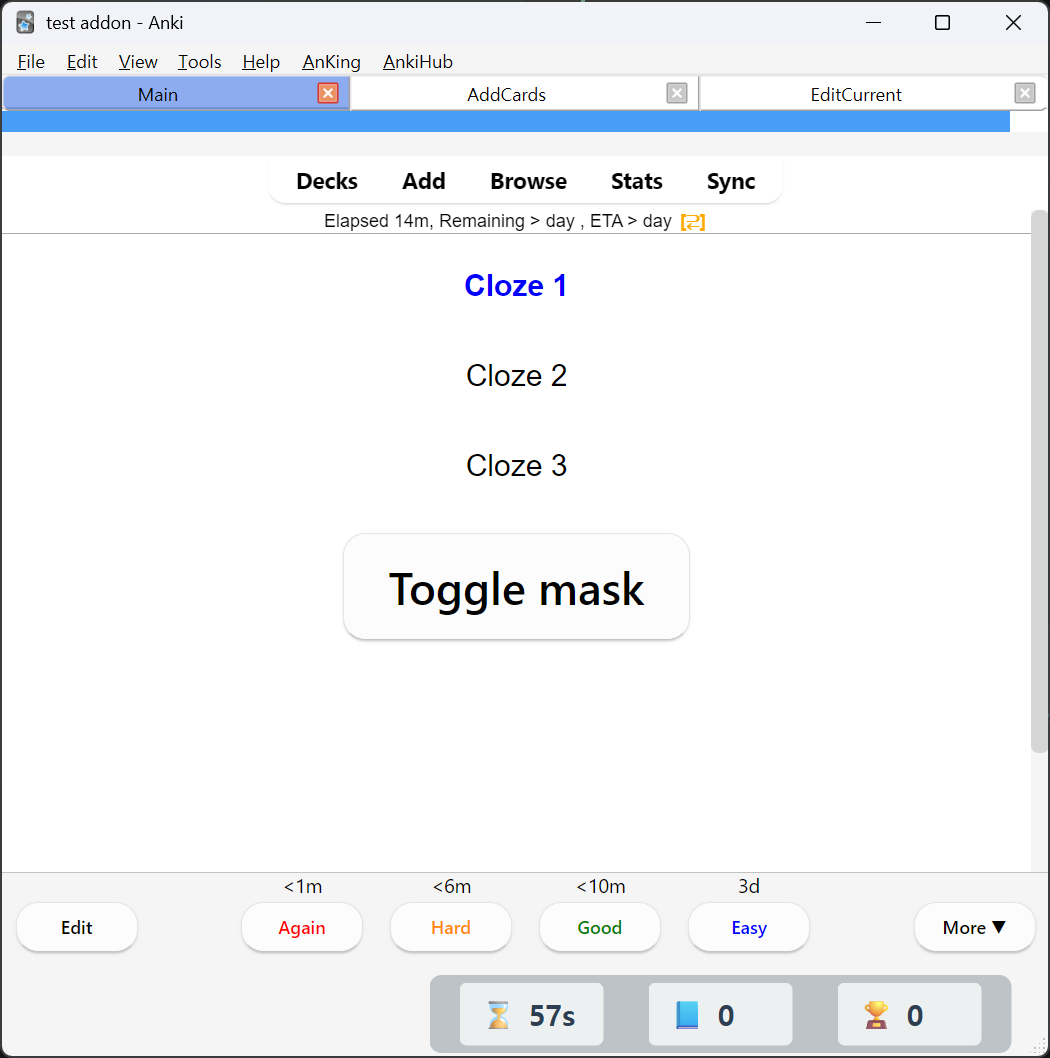
Wherever you put CHA marker, a "Toggle mask" button will appear. If you click that, all hidden clozes will be revealed.
Conditional reveal
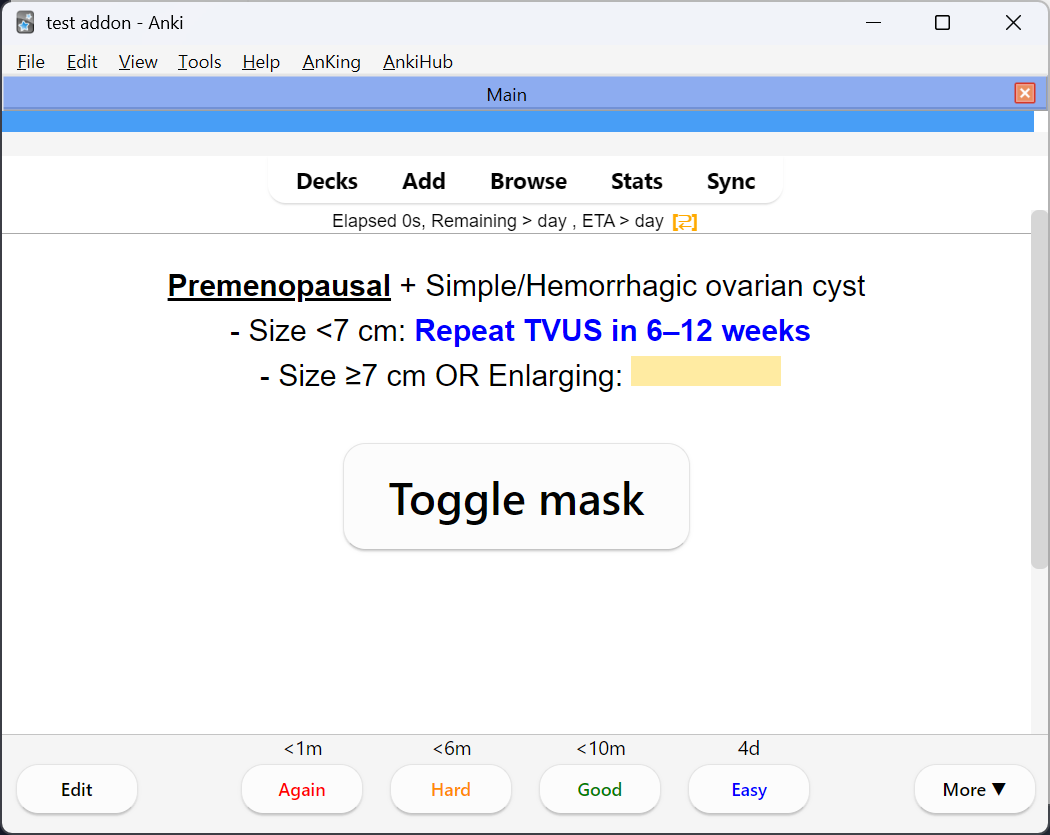
Often, you'll want some clozes to always be visible. Let's look at this card for an example.
Card
Preview
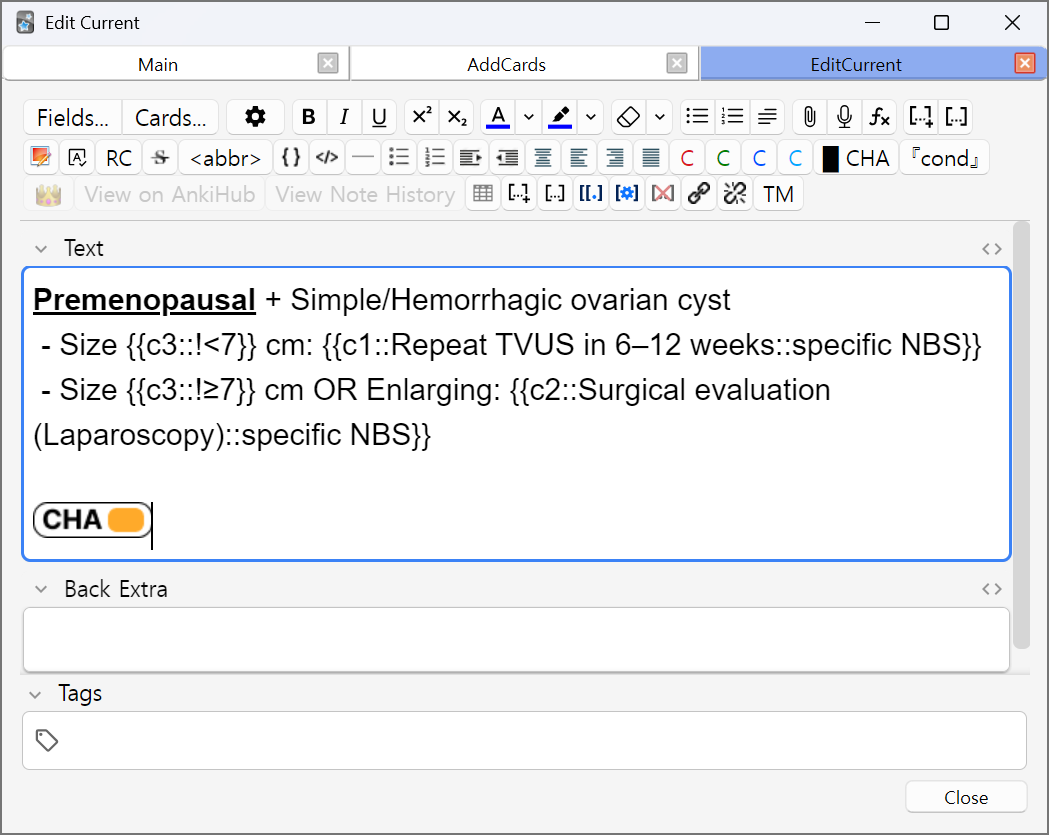
Here, c3 is a cloze for cyst size, where c1 and c2 are treatments based on the cyst's size. So c1 and c2 require c3 to be revealed on the review, while c3 can independently be reviewed. Think of it like memorizing hierarchy.
So here, we prepend the content of c3s with !, which means that cloze will always be visible when reviewing any other cards. You can think of this as an 'unconditional' reveal.
Premenopausal + Simple/Hemorrhagic ovarian cyst
 - Size {{c3::!<7}} cm: {{c1::Repeat TVUS in 6–12 weeks::specific NBS}}
 - Size {{c3::!≥7}} cm OR Enlarging: {{c2::Surgical evaluation (Laparoscopy)::specific NBS}}
Conditional reveals mean you can only reveal clozes on specific conditions. Let's look at this complex card.
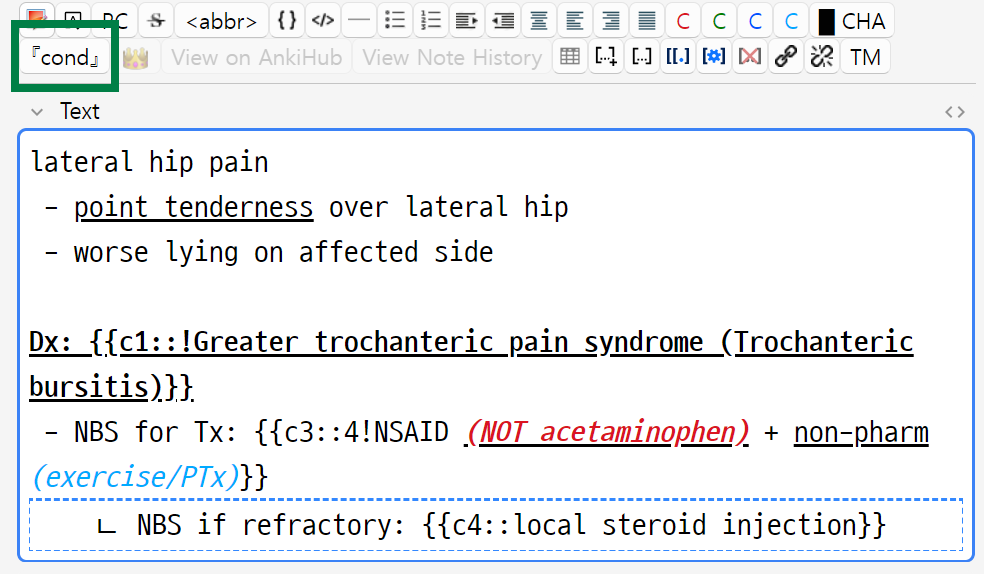
lateral hip pain
 - point tenderness over lateral hip
 - worse lying on affected side

Dx: {{c1::!Greater trochanteric pain syndrome (Trochanteric bursitis)}}
 - NBS for Tx: {{c3::4!NSAID (NOT acetaminophen) + non-pharm (exercise/PTx)}}

--------------------------------------------------------------
|   ㄴ NBS if refractory: {{c4::local steroid injection}}    |
--------------------------------------------------------------
{{c1::! the content starts with !, which means that card (Greater trochanteric pain syndrome (Trochanteric bursitis)) will always be revealed.{{c3::4! the content starts with 4!, which means that part will be revealed when reviewing c4 cloze. So it will stay hidden when reviewing c1. (there is no c2 in this card btw)c4 cloze inside a box. That box content will only be visible when any of the cloze within the box is being tested(reviewed). So user won't know if such box even exists when reviewing c1/c3. Only when reviewing c4 will the user know that such box exists.
Note that the box content will be visible when you click the 'Toggle Mask' button.
So to summarize,
- Box: only visible when any of the cloze within it is being reviewed. It may also be revealed when using the
Toggle Mask button you see on the back side of the card. You can put one with [cond] button in the toolbar.
- Cloze starting with
!: always revealed. Never hidden.
- Cloze starting with
2!, 1,3!: will be revealed when reviewing c2 and c1/c3 respectively.
There are other syntaxes like <2!, <=3!, <>5!, but the above examples will be sufficient for 99% of the cases.
With this system in mind, the above complex card is rendered like this.
c1
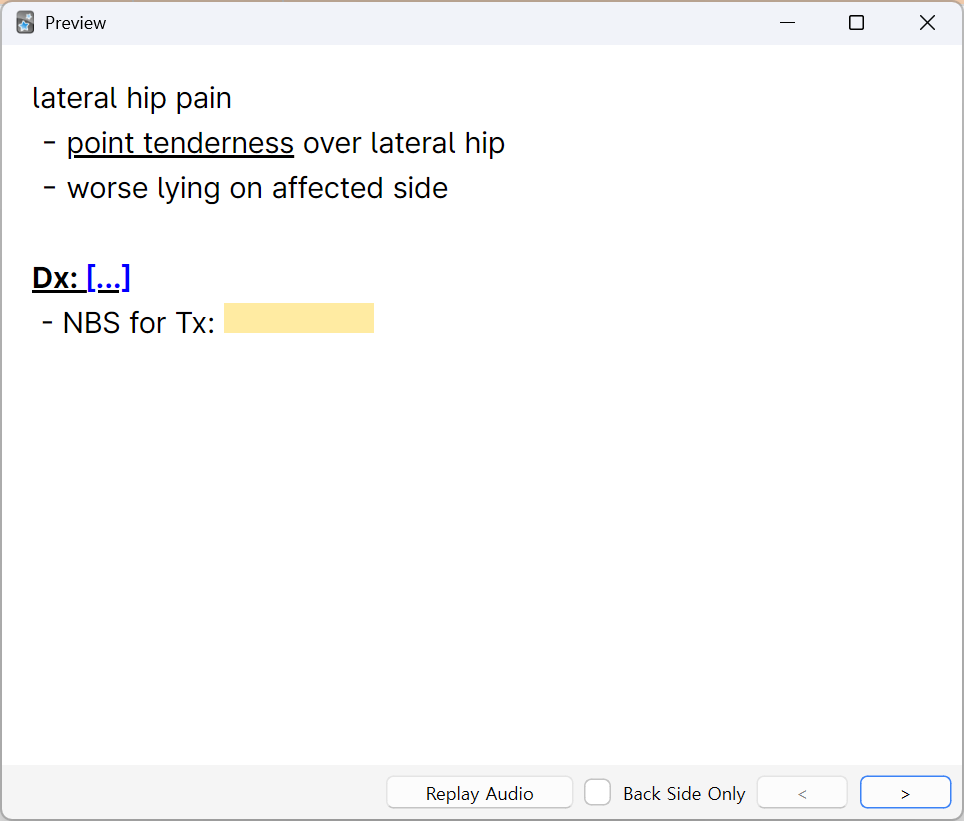
c2
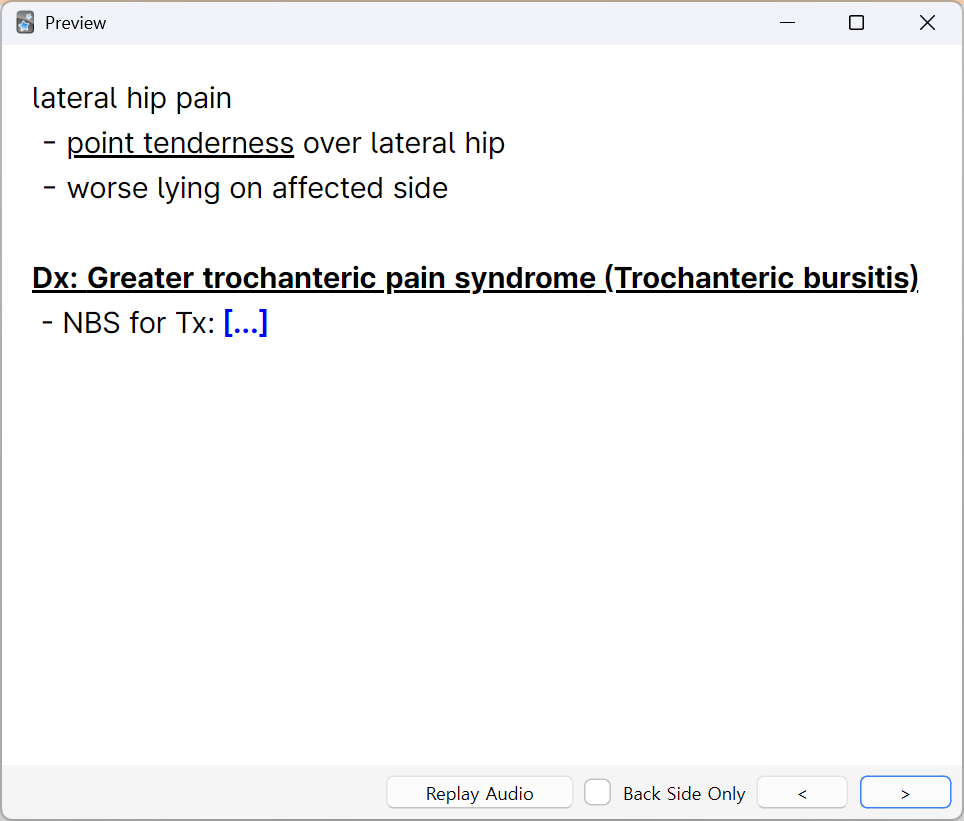
c3
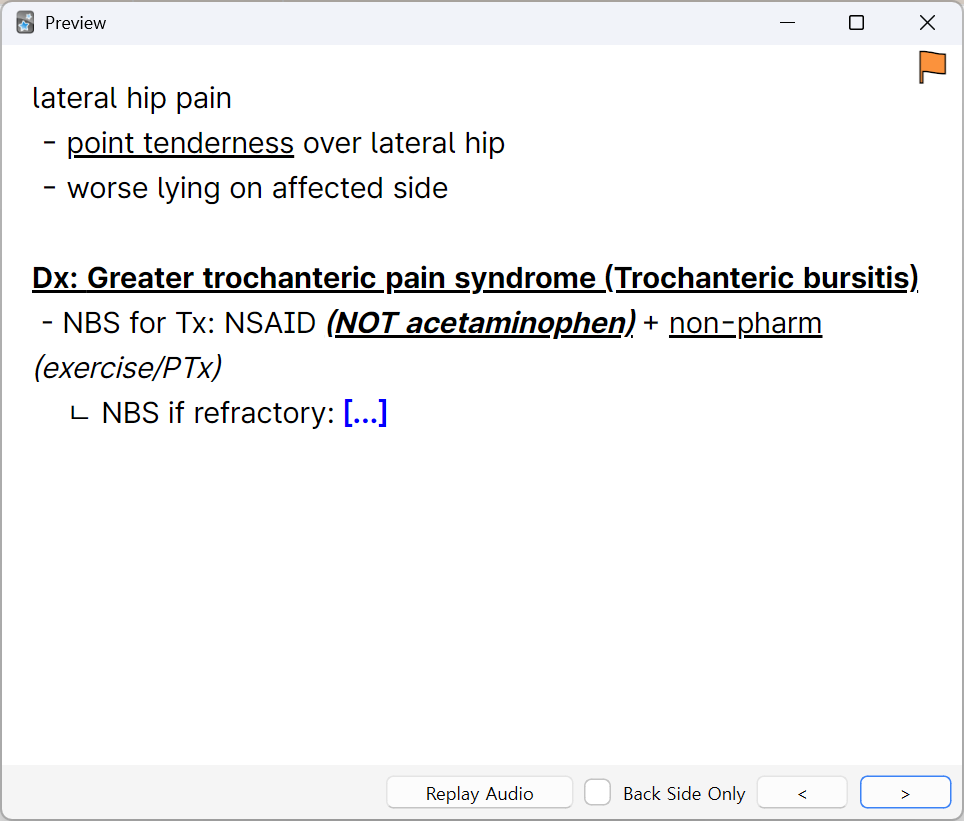
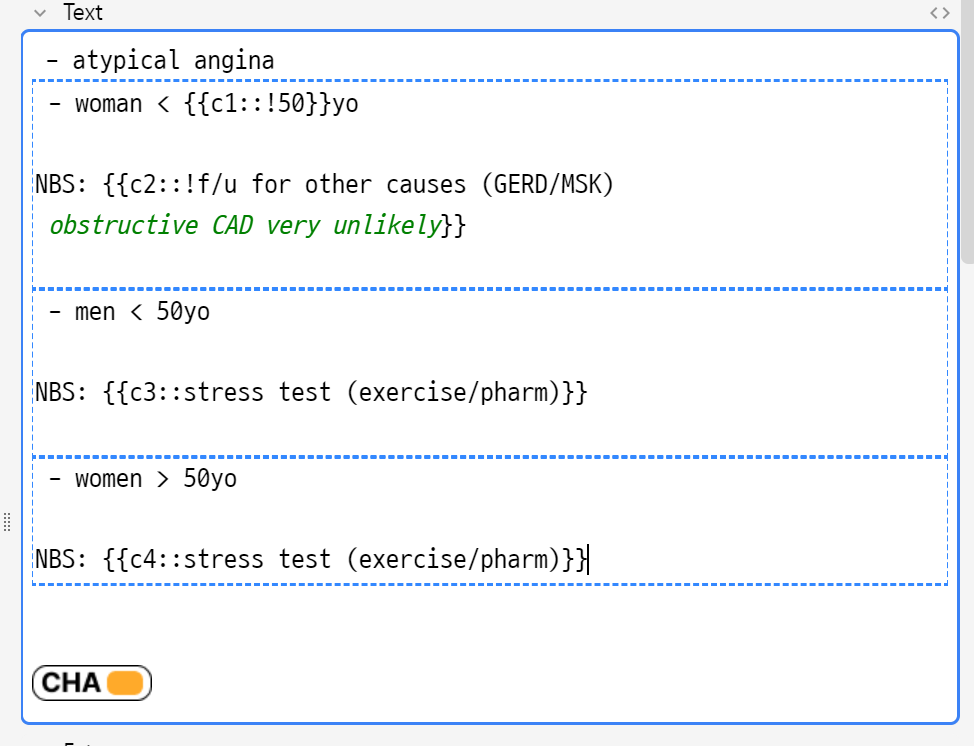
You can use this to create a mini multi-cloze card like this.
Example clozes
[Age-based understanding of death]

 - {{c1::!3}}-{{c1::!5}} yo: {{c2::death is temporary and reversible}}
 - {{c1::!5}}-{{c1::!7}} yo: {{c3::death is final, occurs to old/sick people → can be avoided by being careful}}
 - {{c1::!7}}-{{c1::!10}} yo: {{c4::death is universal and inevitable}}
 - {{c1::!10}}+ yo: {{c5::emotional understanding}}
Note about Cloze (Hide All) card type:
Legacy method: You can use "Cloze (Hide All)" card type to automatically apply
CHA to the card. Note that this is not the recommended method for new cards, and
I won't maintain the card type further unless strictly required for compatibility.
It's a little technical debt right now.


 c1 card
 c3 card
 c4 card
