YomiLens: Yomitan style Popup Dictionary for English, Japanese, Chinese and more

AnkiWeb addon 1807906393

Provides in-card popup dictionary lookup during Anki review, supporting Yomitan/Yomichan dictionary ZIP imports, multilingual searches, Japanese deinflection, kanji details, and optional Hanzi stroke-order practice.
AI-generated summary; may contain mistakes.

dictionary

Open on AnkiWeb Find alternatives

AnkiWeb

Votes
10 (πŸ‘ 10 Β· πŸ‘Ž 0)
Updated
2026-09-27
Anki versions
26.05~
License
Not found (this does not mean that the addon has no license)
Virus scan
No ClamAV match A match does not prove malware. No match does not prove that the code is safe.
Languages
JavaScript, TypeScript, Python, JSON, HTML
Description language
en

Maintenance

active

  • Last update or commit: 2026-09-27 (35 days before the snapshot).

GitHub

No GitHub repository linked.

Will it work on my Anki?

Version branches
Min AnkiMax AnkiUpdated
23.1026.05+2026-09-27
History across monthly snapshots

Loading…

Similar addons

Japanese popup dictionary

Provides instant hotkey-activated Japanese dictionary popups in Anki's reviewer and editor, showing definitions, pitch accents, and frequency with deinflection, customizable themes, and local SQLite caching.

shortcutsappearancedictionary

3 votes 44% approval πŸ‘ 3 Β· πŸ‘Ž 0 Anki 25.09.2~ Updated 2026-05-11
YomitanAnki

Provides an offline Yomitan-style popup dictionary with fast SQLite lookup, pitch accents, clickable kanji details, shadow DOM/iframe scanning, font customization, and instant theme presets across Anki's Reviewer, Editor, and Browser.

appearancedictionary

3 votes 44% approval πŸ‘ 3 Β· πŸ‘Ž 0 Anki 2.1.1~ Updated 2026-09-02
DictOver Addon Anki: Popup Lookup

Provides instant popup dictionary lookup and translation on text selection or double-click in nine languages, with audio pronunciation, IPA, definitions, and Ctrl-click inline field editing.

note-managementdictionary

6 votes 61% approval πŸ‘ 6 Β· πŸ‘Ž 0 ⭐ 5 Anki 2.1.1~ Updated 2026-10-03
QuickDict English Pop-up Dictionary (EN→PT-BR)

Shows an instant popup dictionary when you select English words during Anki review, with Portuguese (BR) translation, definitions, phonetics, audio pronunciation, synonyms, and offline caching.

dictionary

1 votes 21% approval πŸ‘ 1 Β· πŸ‘Ž 0 ⭐ 0 Anki 25.09.2~ Updated 2026-03-31
Yomitan Frequency Sort

Sorts new cards using Yomitan frequency dictionaries, with toggleable dictionaries, multiple averaging methods, optional backfilling, review-time frequency display, startup sorting, and occurrence-based filtering.

sync-integrationreview-flownote-managementdictionary

10 votes 72% approval πŸ‘ 10 Β· πŸ‘Ž 0 Anki 2.1.1~ Updated 2025-12-18

Description

YomiLens Popup Dictionary

A Yomitan/Yomichan-style popup dictionary for Anki.

YomiLens brings quick in-card lookup to Anki review: select a word, and a clean floating dictionary popup appears directly on the card. It supports Yomitan/Yomichan dictionary ZIPs, multilingual lookup, Japanese deinflection, kanji lookup, and optional Hanzi Writer practice.
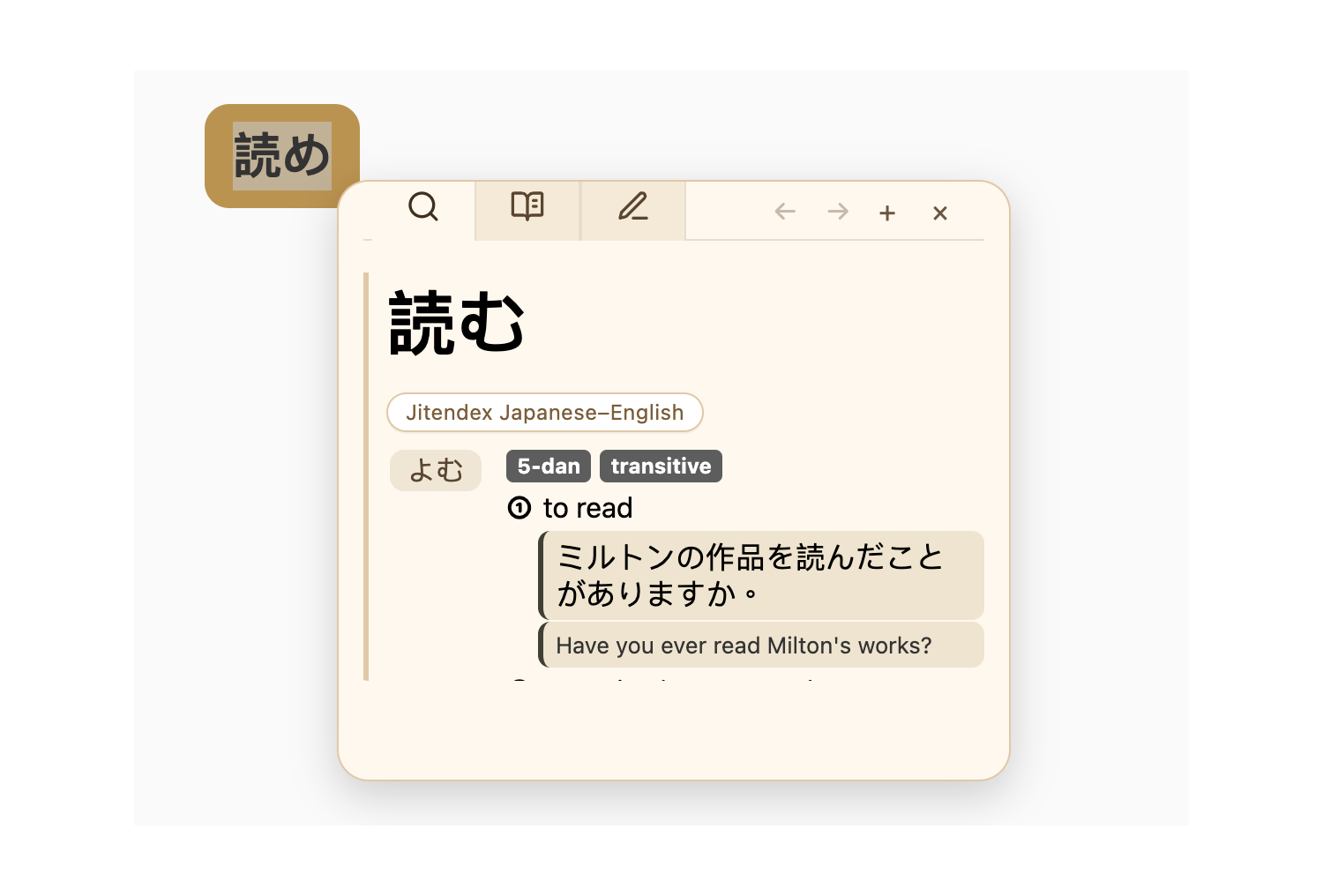
Japanese deinflection popup

Highlights

  • Popup dictionary lookup while reviewing Anki cards
  • Yomitan/Yomichan-compatible dictionary ZIP import
  • Built-in dictionary downloader
  • Supports English, Japanese, Chinese, Korean, Vietnamese, French, and more
  • Japanese deinflection logic adapted from the Yomitan ecosystem
  • Kanji tab for KANJIDIC-style dictionaries
  • Optional Hanzi Writer tab for stroke practice
  • Add/edit custom dictionary entries
  • Back/forward popup navigation
  • Works locally inside Anki, no browser extension required

Multilingual Lookup

Look up words across multiple languages directly inside Anki.
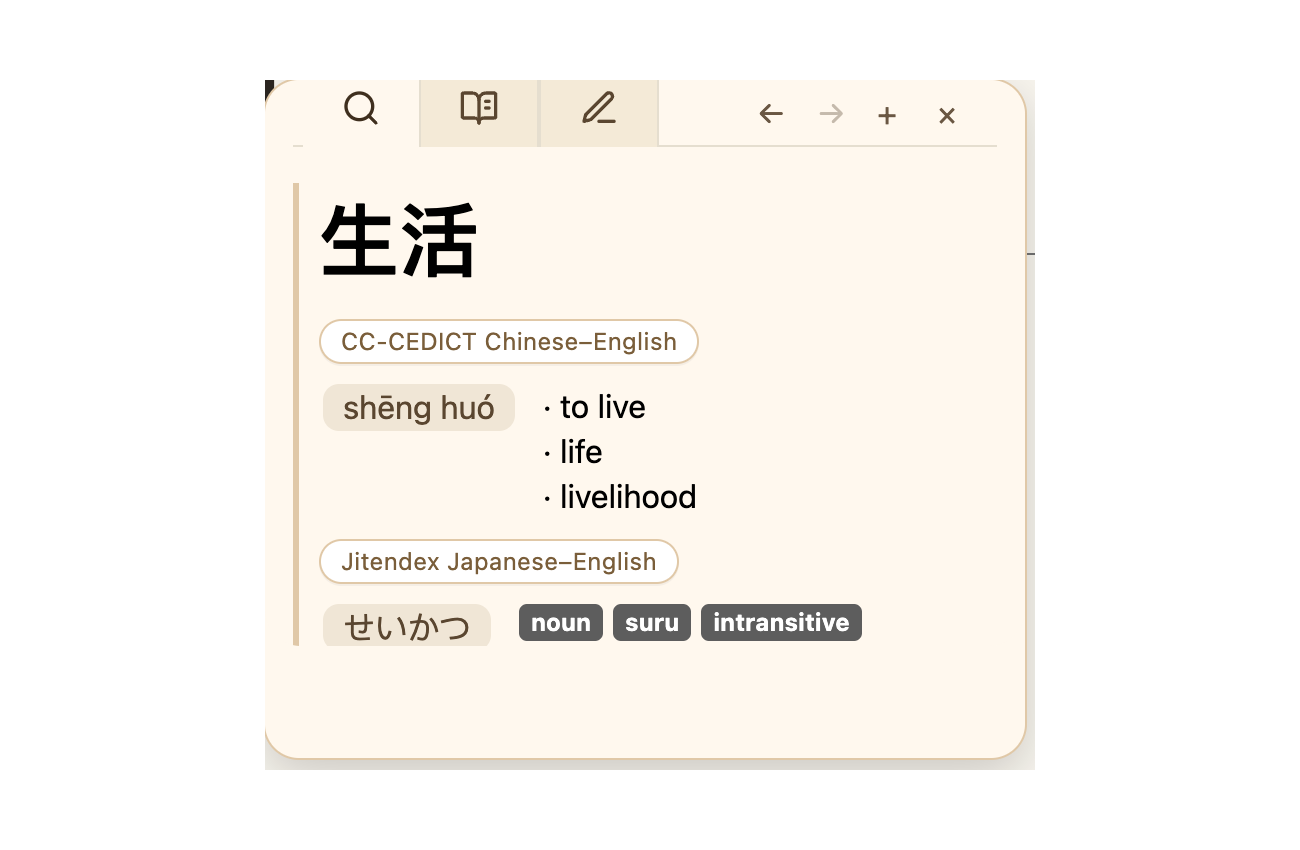
Chinese and Japanese lookup

Kanji Lookup

If you import KANJIDIC-style dictionaries, YomiLens can show kanji readings, meanings, tags, stroke count, JLPT level, frequency, and more.
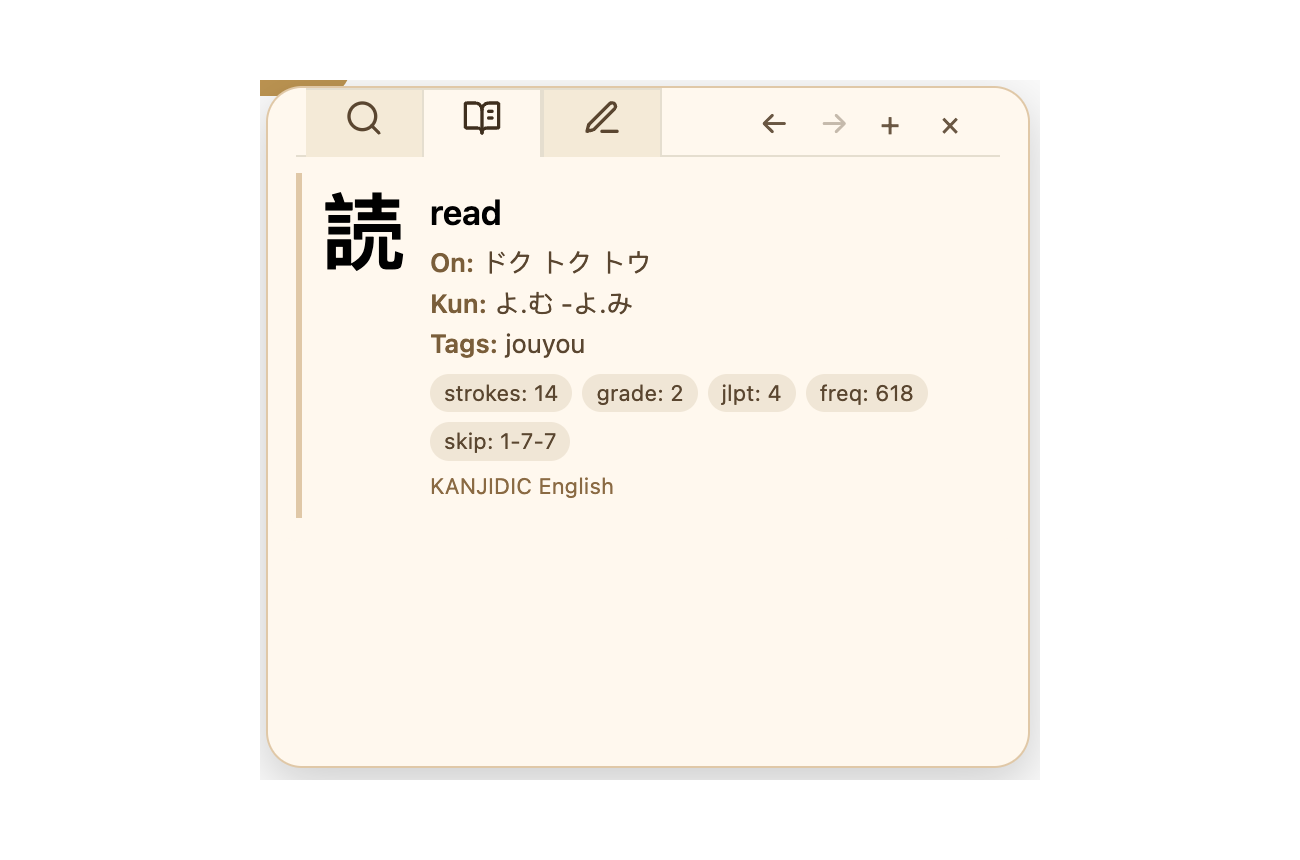
Kanji tab

Hanzi Writer Practice

Enable the Hanzi Writer tab to view and practice character stroke order.
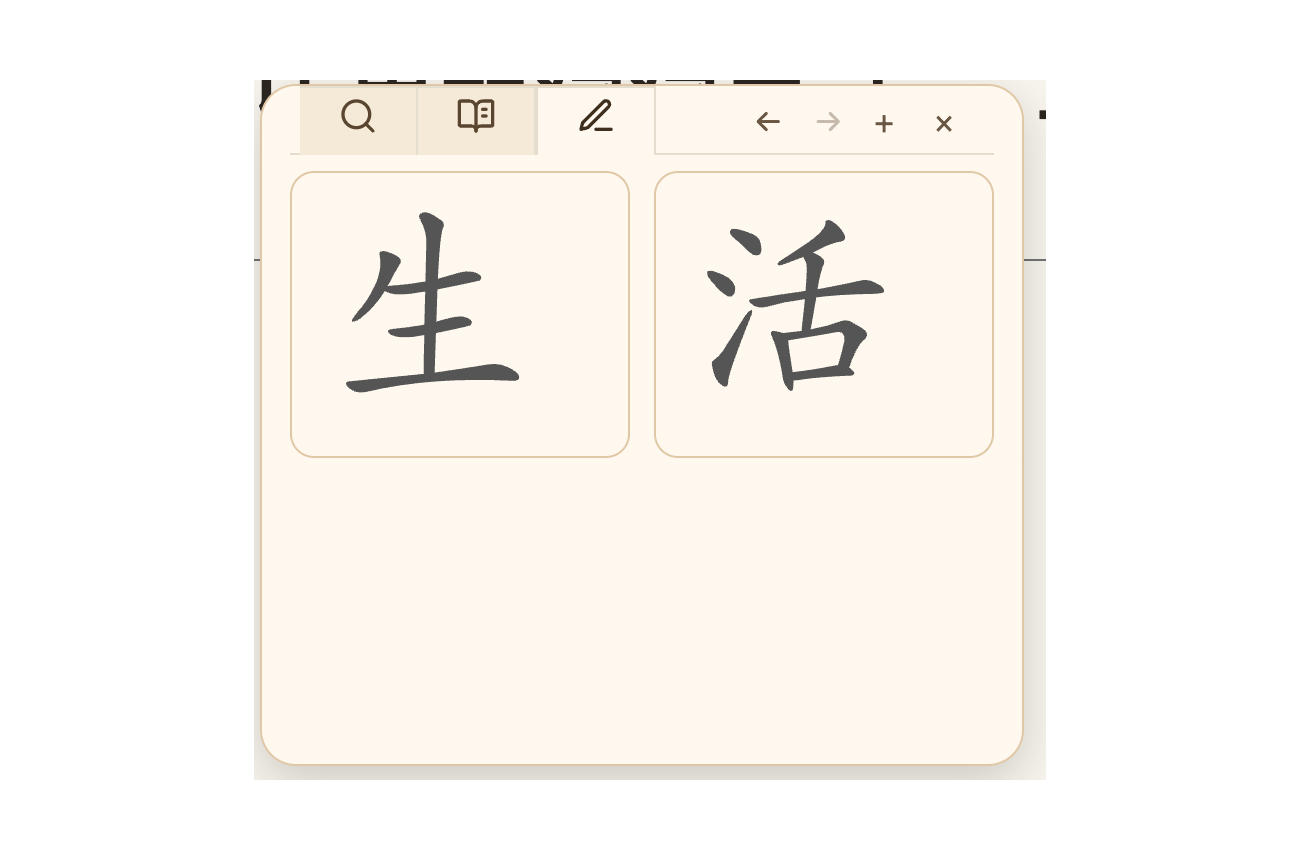
Hanzi Writer tab

Easy Setup

Choose the languages you want YomiLens to open popups for.
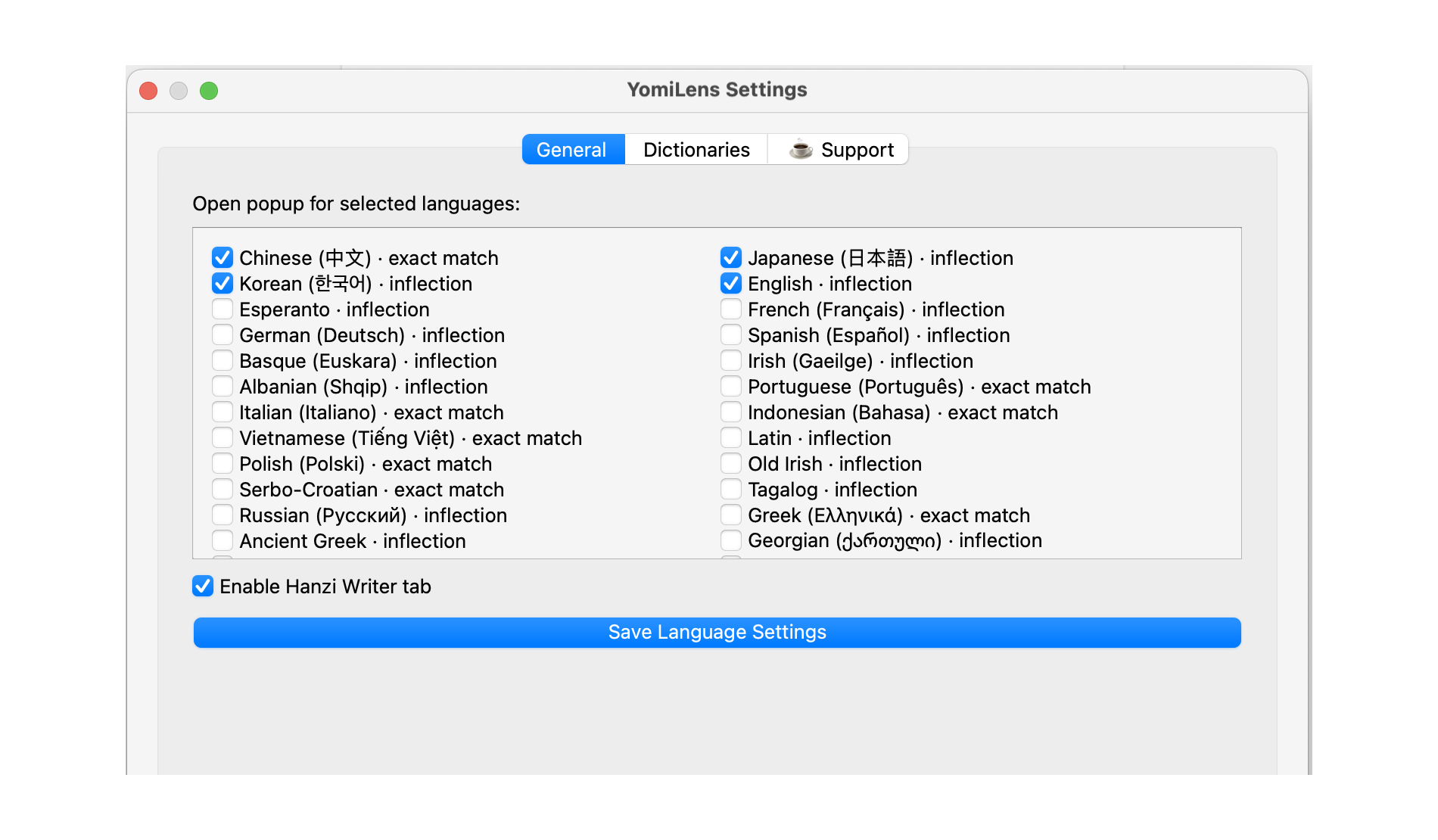
Language settings

Download dictionaries directly from the settings window, or import your own Yomitan/Yomichan ZIP files.
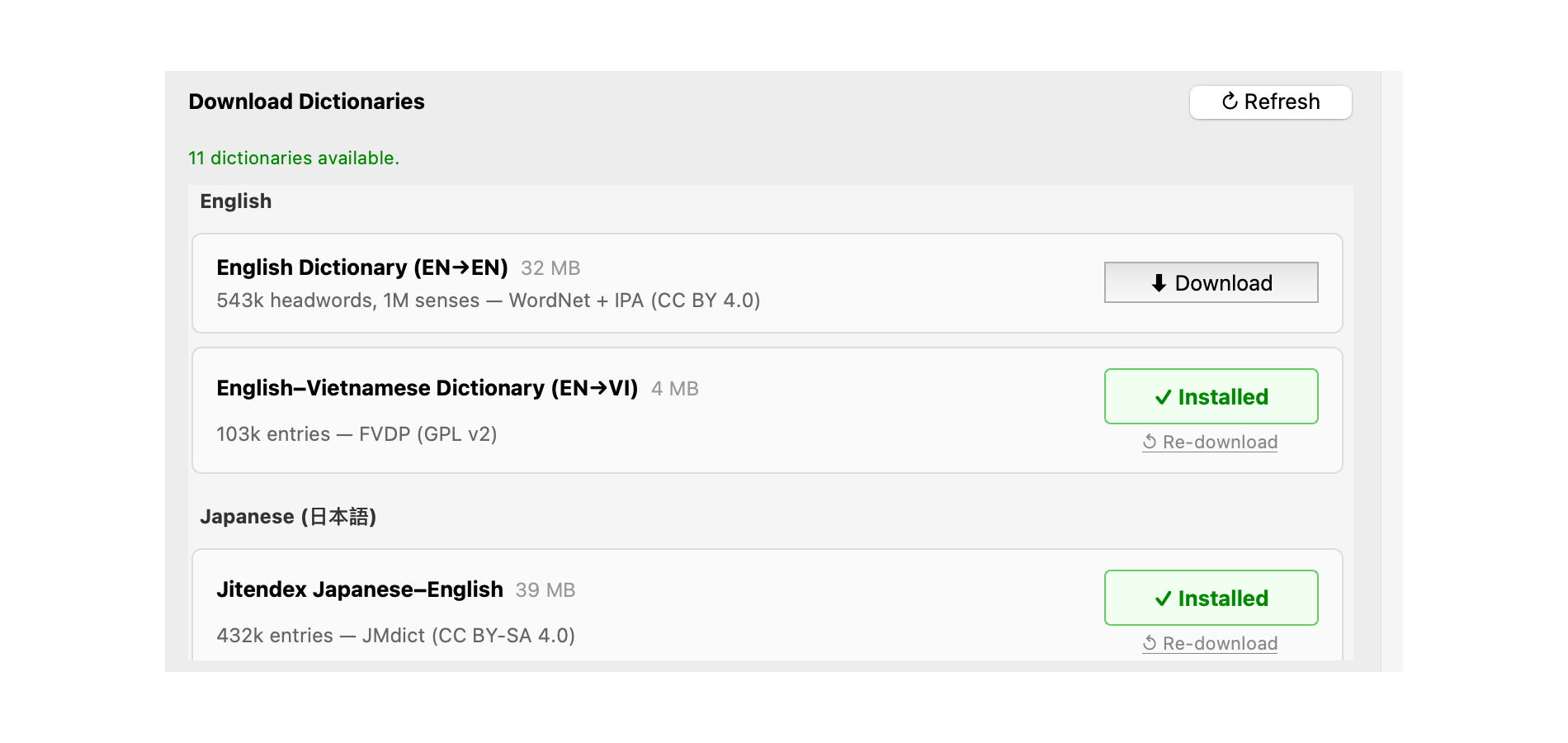
Dictionary downloader

Basic Usage

  1. Install the add-on.
  2. Open Tools β†’ YomiLens Settings.
  3. Go to Dictionaries and download or import dictionaries.
  4. Go to General and enable the languages you want.
  5. During review, select a word to open the popup.

Dictionary Sources

YomiLens can import Yomitan/Yomichan dictionary ZIPs. Optional downloadable dictionaries are maintained separately here:

https://github.com/MarshNg/yomilens-dictionaries

Credits

Special thanks to the Yomitan project and contributors for the dictionary format, language tooling, and inspiration:

https://github.com/yomidevs/yomitan

Dictionary data credits include EDRDG, Jitendex, CC-CEDICT, LingLook / Phong Phan, Open English WordNet, Free Vietnamese Dictionary Project, and other open dictionary contributors.