Migaku Anki Add-on

AnkiWeb addon 1846879528

Creates rich Anki flashcards from Netflix, YouTube and other sites via the Migaku browser extension, adding contextual language data, review editing, scheduling, media conversion and hotkeys.
AI-generated summary; may contain mistakes.

card-creationsync-integrationschedulingreview-flowdictionarypaidservice-client

Open on AnkiWeb Find alternatives

AnkiWeb

Votes
111 (πŸ‘ 59 Β· πŸ‘Ž 52)
Updated
2026-09-03
Anki versions
26.08.1~
License
Not found (this does not mean that the addon has no license)
Virus scan
No ClamAV match A match does not prove malware. No match does not prove that the code is safe.
Languages
Python, SCSS, CSS, Vue, Handlebars, XML, JavaScript, C, HTML, JSON, YAML, CSV
Description language
en

Maintenance

active

  • Last update or commit: 2026-09-03 (59 days before the snapshot).

GitHub

No GitHub repository linked.

Will it work on my Anki?

Version branches
Min AnkiMax AnkiUpdated
2.1.492.1.602024-02-22
2.1.6126.08.1+2026-09-03
History across monthly snapshots

Loading…

Similar addons

Migaku Dictionary

Streamlines language learning with global-hotkey dictionary lookups, automatic deconjugation, frequency data, and quick export of definitions and audio to Anki cards.

card-creationshortcutsdictionaryservice-client

228 votes 75% approval πŸ‘ 183 Β· πŸ‘Ž 45 ⭐ 66 Anki <=2.1.35 Updated 2021-07-02
Migaku Chinese

Provides a new approach to Chinese reading support in Anki, with a usage guide and audio support planned for later release.

dictionaryservice-client

34 votes 73% approval πŸ‘ 30 Β· πŸ‘Ž 4 Anki <=2.1.35 Updated 2021-04-12
Migaku Vacation

Schedules review vacations, smooths daily review counts, supports sick days, catch-up and get-ahead study, and maintains card ease within Anki's spaced repetition system.

schedulingreview-flowservice-client

35 votes 71% approval πŸ‘ 30 Β· πŸ‘Ž 5 Anki <=2.1.35 Updated 2021-01-14

Description

Before you install

You need an active Migaku subscription and the Migaku Browser Extension installed and open.

Migaku

Create rich flashcards for Anki from Netflix, YouTube, and other websites.
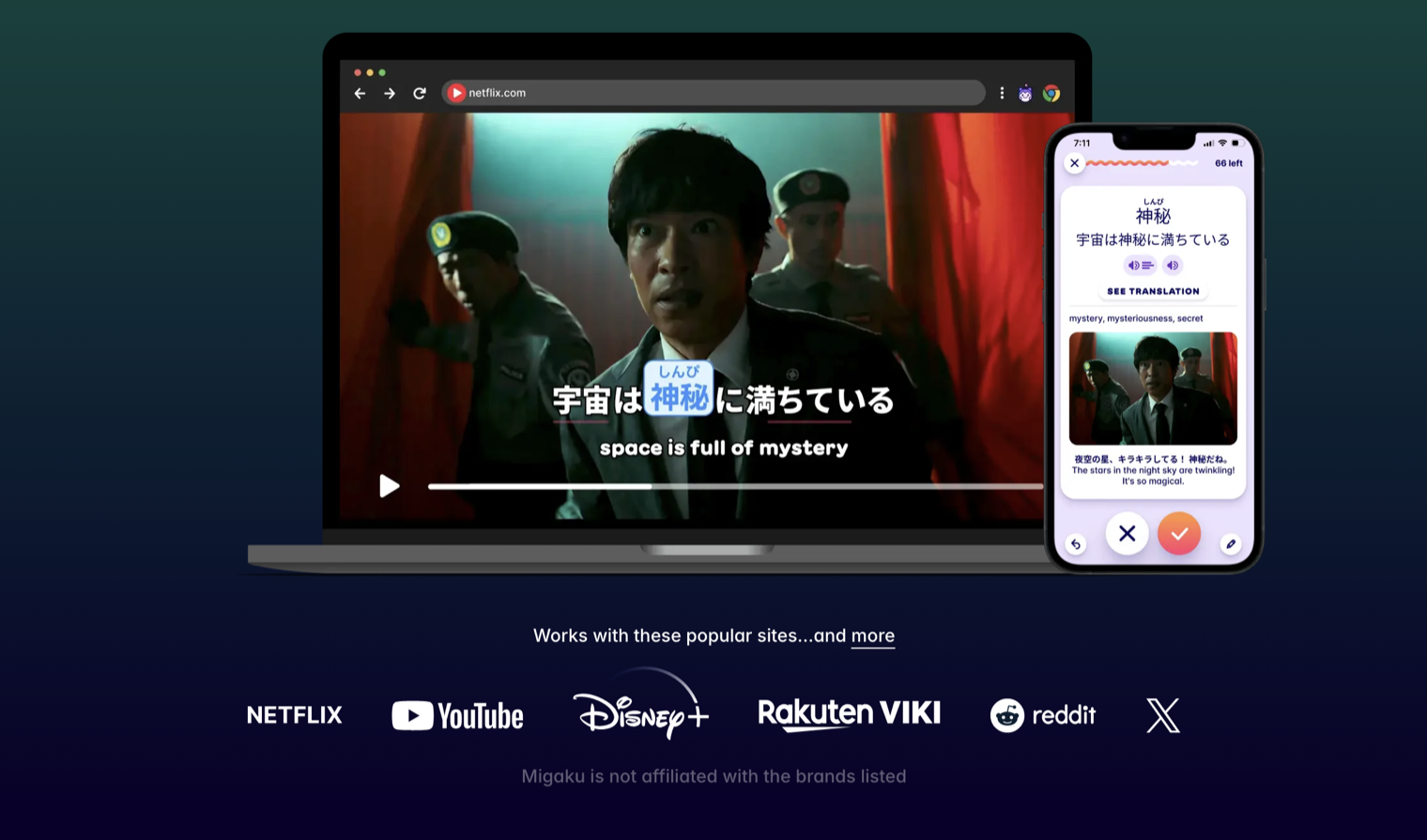
Create Migaku flashcards from popular sites including Netflix, YouTube, Disney+, Rakuten Viki, Reddit, and X

1. Install the add-on

Install Anki Desktop, then add Migaku using this code:

Add-on code: 1846879528

  1. In Anki, open Tools β†’ Add-ons.
  2. Select Get Add-ons…, enter the code above, and confirm.
  3. Restart Anki and complete the Migaku onboarding guide.
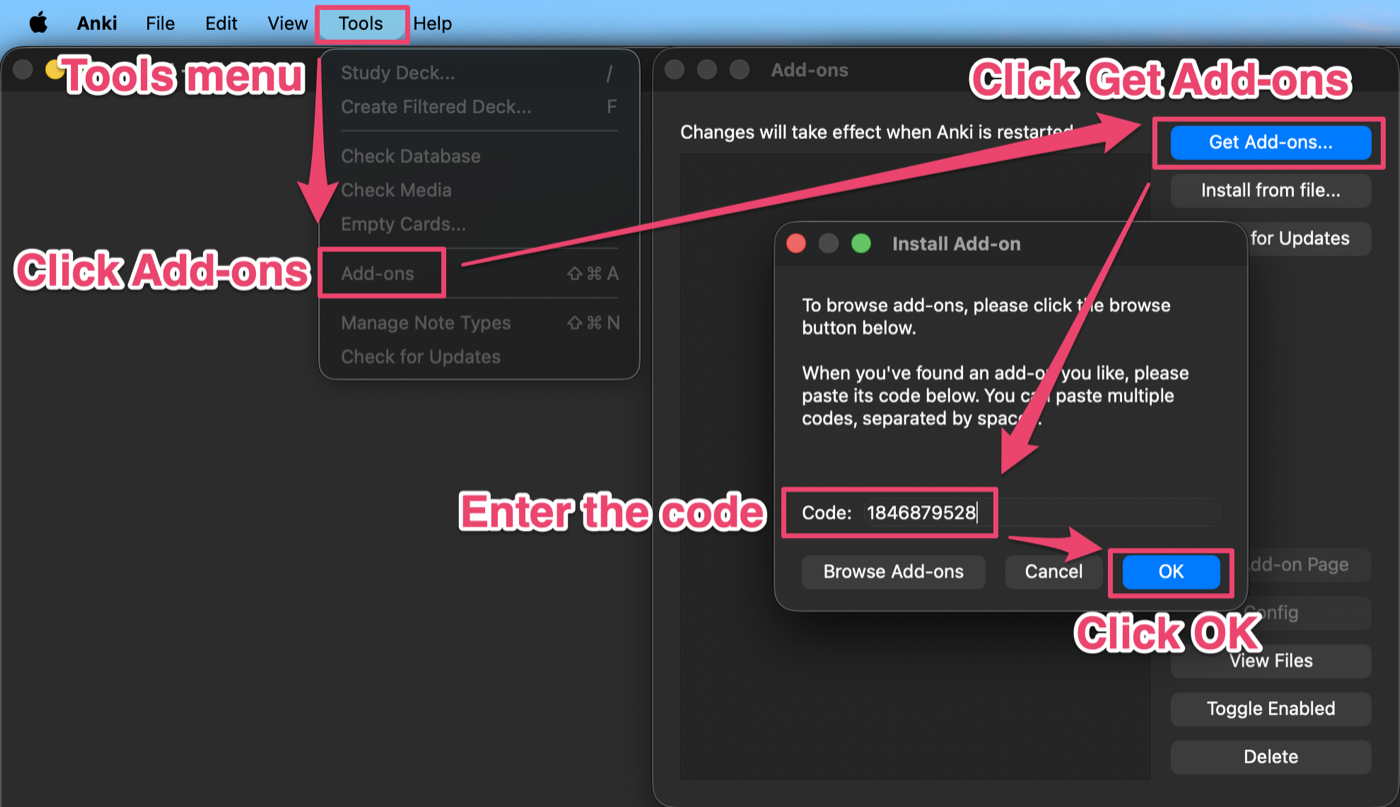
Open Anki's Tools menu, select Add-ons, click Get Add-ons, enter code 1846879528, and click OK

2. Connect card creation

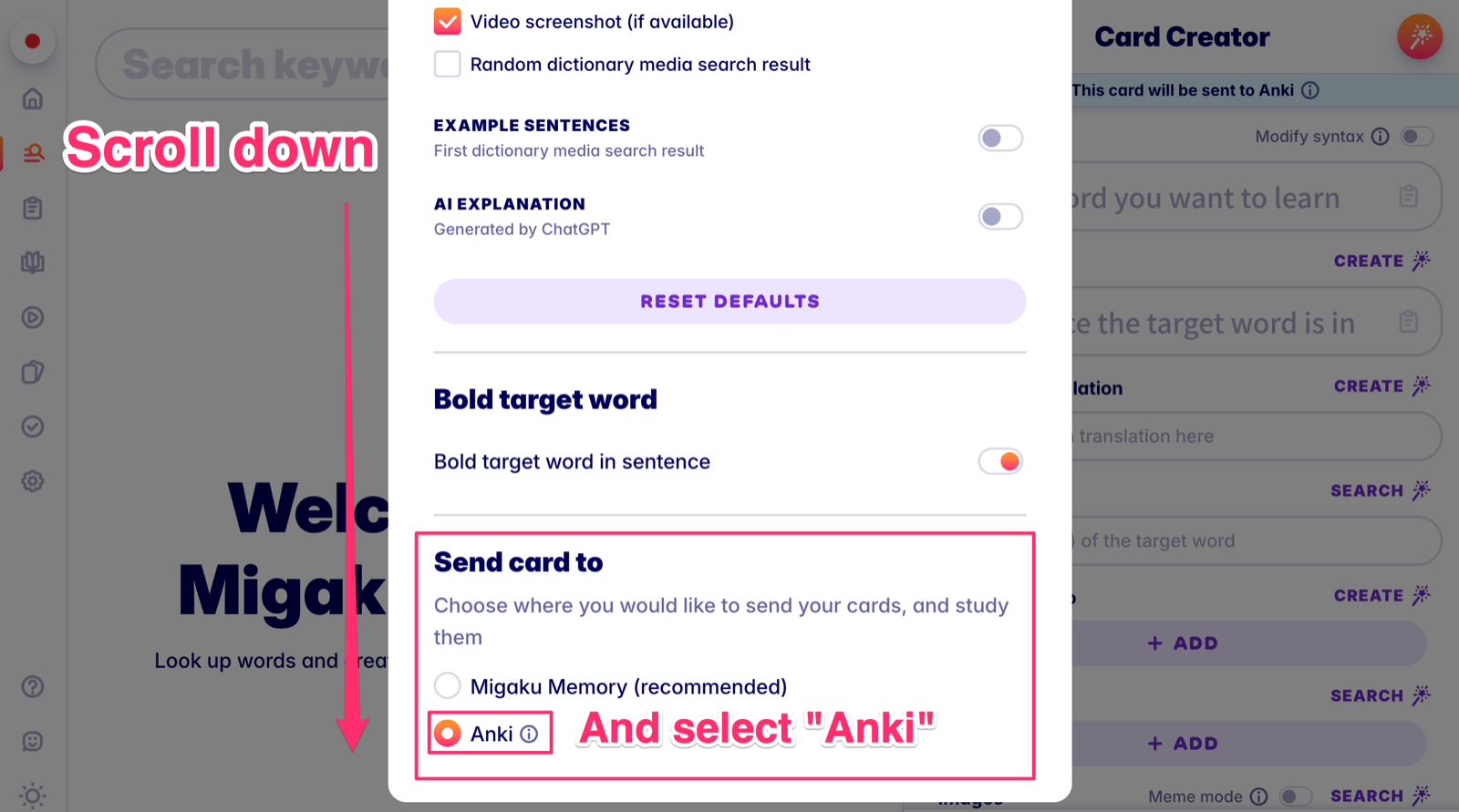
Choose Anki as the destination for cards created by the Migaku Browser Extension.

  1. Open the Migaku Extension

    Open Migaku from your browser toolbar.
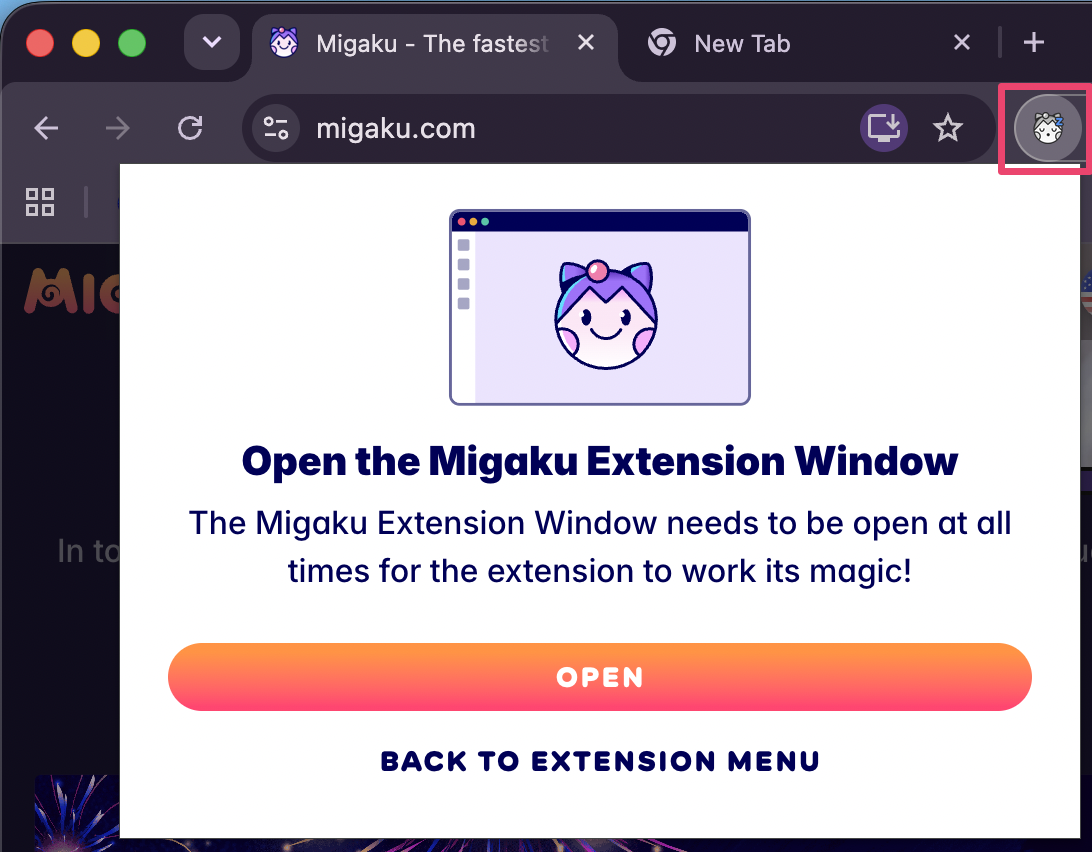
    Open the Migaku Extension window

  2. Open Card Creator settings

    In the Dictionary tab, select Card Creator settings.
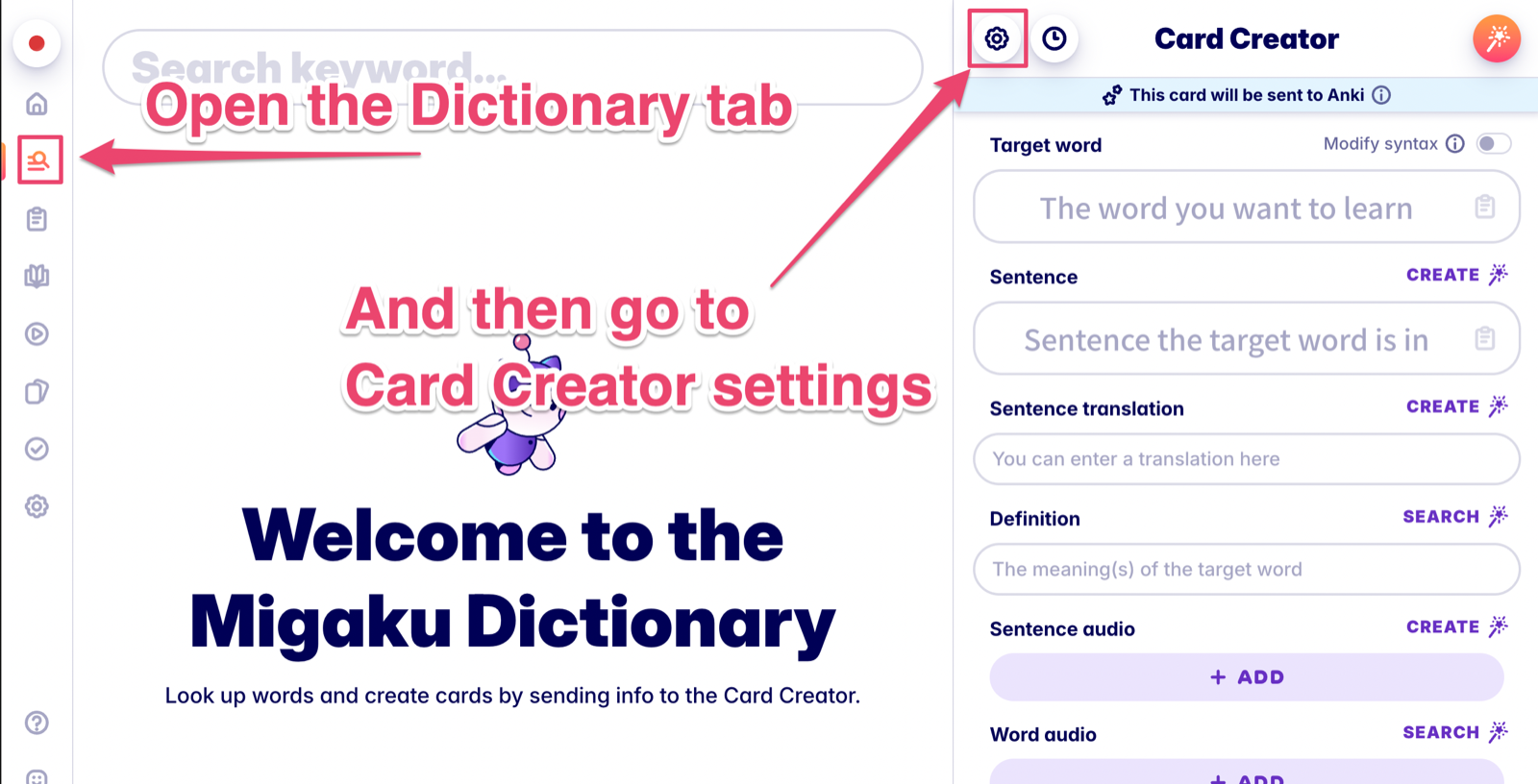
    Open Card Creator settings

  3. Select Anki

    Scroll to β€œSend card to” and choose Anki.

    Select Anki as the card destination

Done. New cards created with the Browser Extension will now be sent to Anki.

Optional configuration

Customize where cards are saved

Choose the destination deck, note type, and field mappings in the Anki Add-on settings. You can skip this during initial setup.
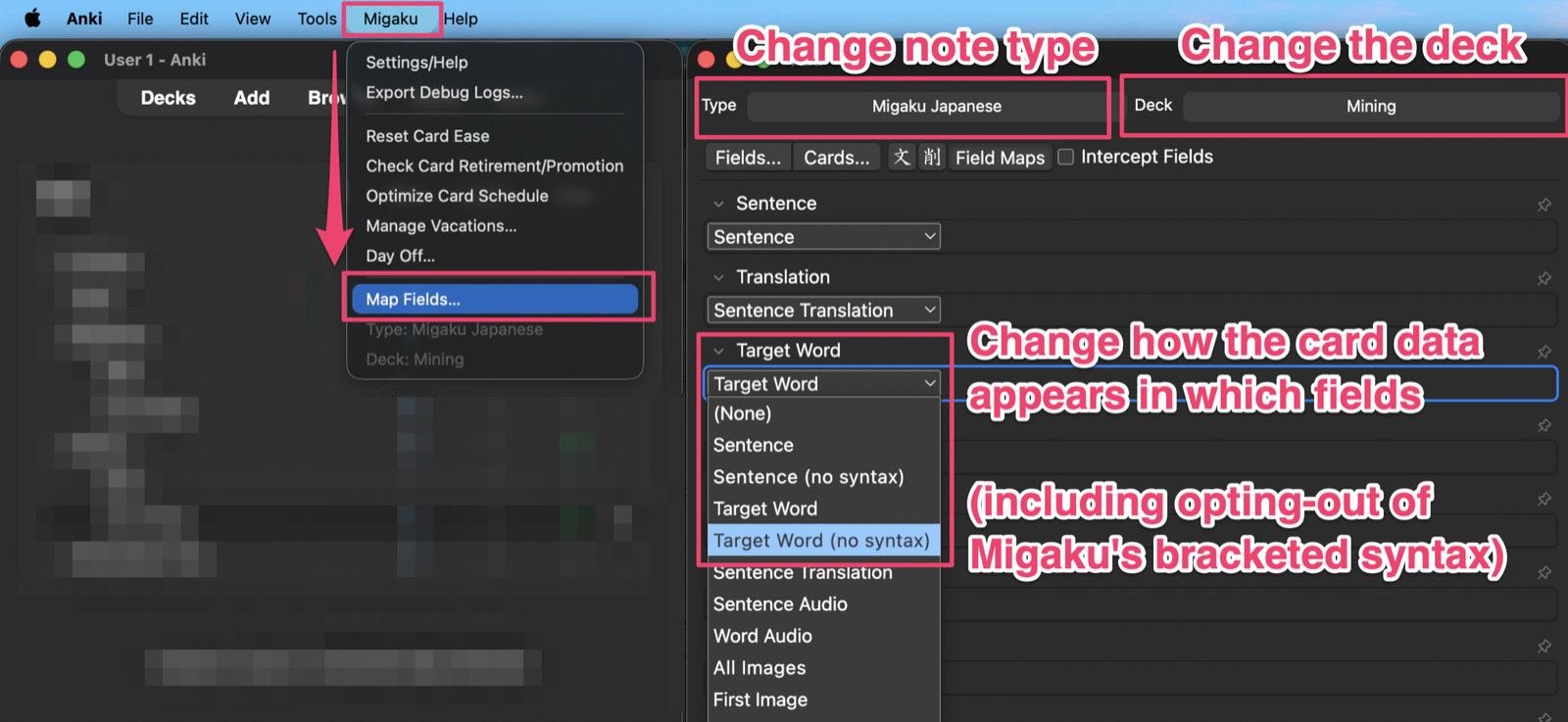
Customize the Anki deck, note type, and field mappings

Turn Word Coloring on or off

Choose which fields use Word Coloring on the front and back of your cards.

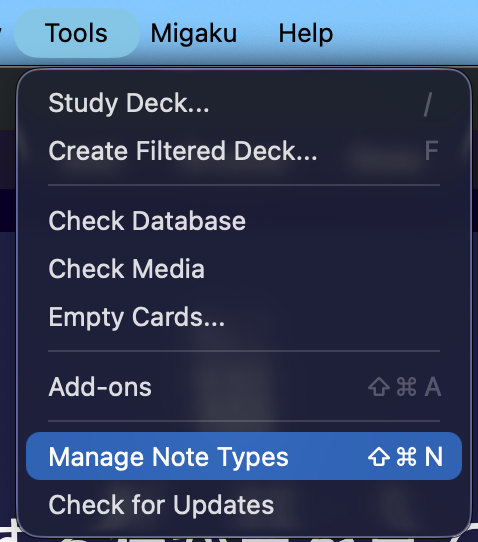
  1. In Anki, open Tools β†’ Manage Note Types.

    Open Tools and select Manage Note Types in Anki

  2. Select the Migaku note type for your language, then select Migaku Options.
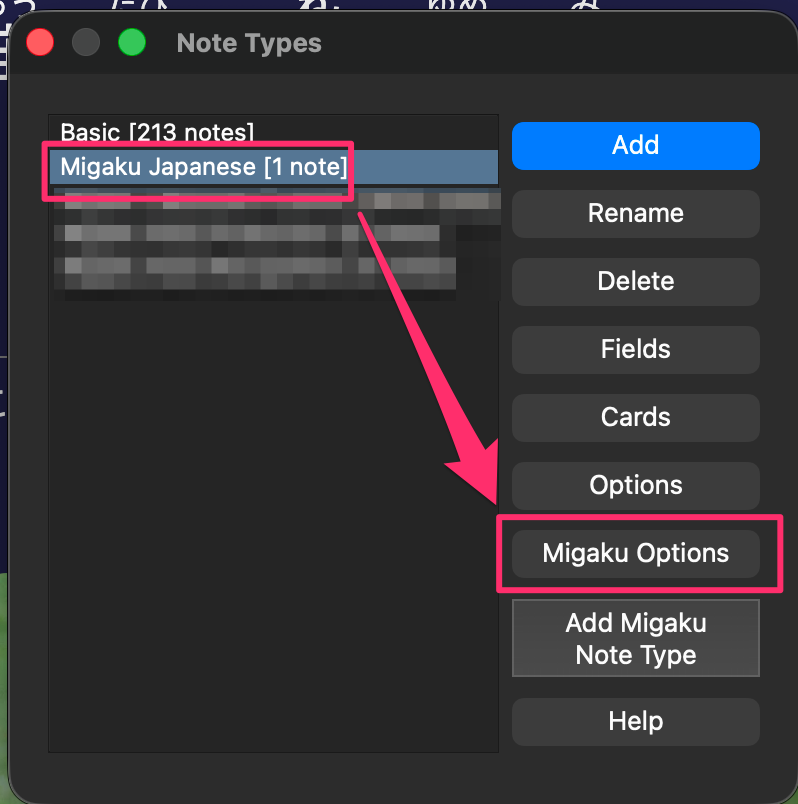
    Select a Migaku note type and open Migaku Options

  3. Choose Front or Back. Find the coloring option, then set each field to Enabled or Disabled.
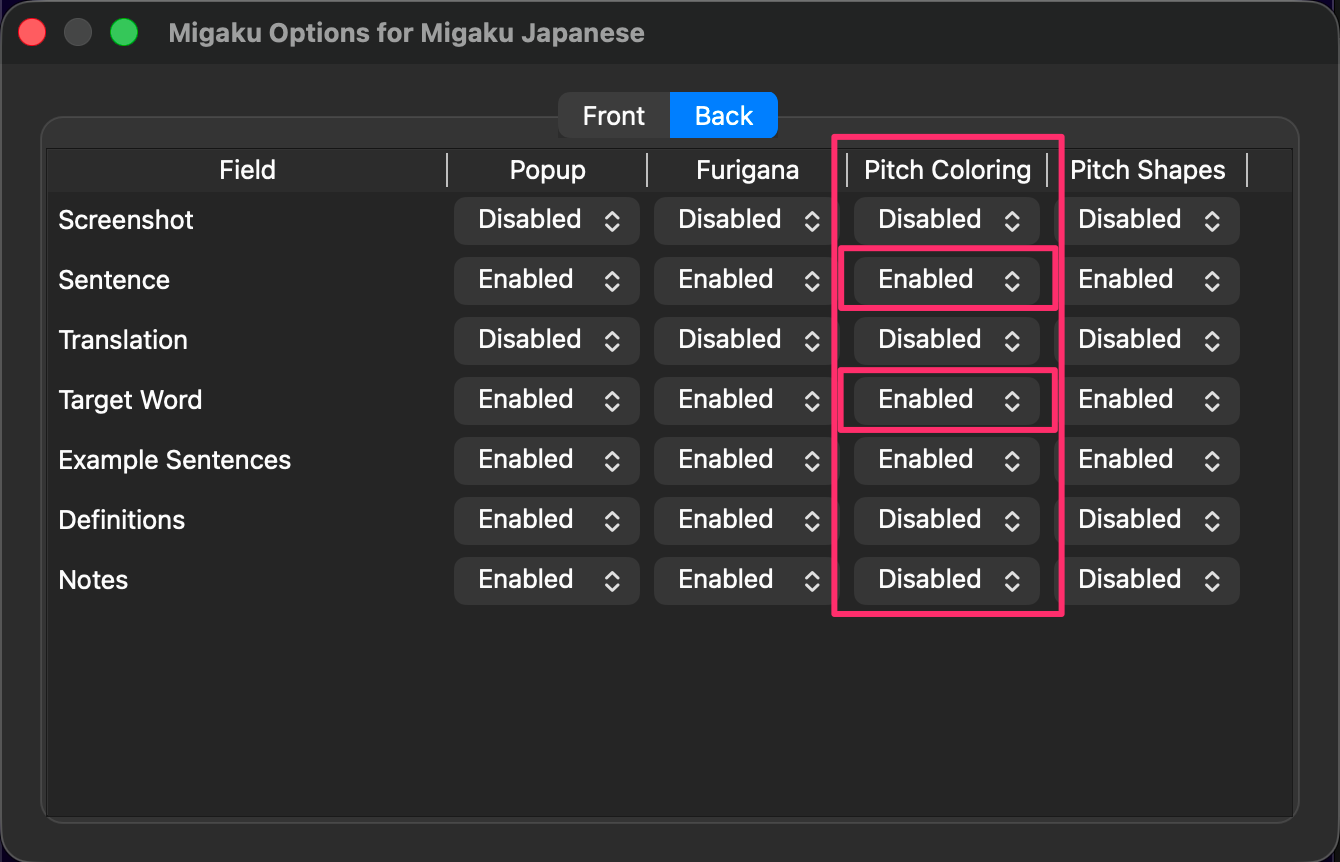
    Enable or disable the coloring option for each field in Migaku Options

What else can the add-on do?

  • Language information in context: See readings, pronunciation, tone, pitch, gender, and parts of speech.
  • Edit while reviewing: Update card fields directly during reviews.
  • Shape your reviews: Adjust grading, ease, card types, and more.
  • Manage your schedule: Balance reviews, plan vacations, retire cards, or promote them.
  • Control your media: Convert audio to MP3, normalize volume, and export condensed audio.
  • Use global hotkeys: Trigger Browser Extension actions like lookups with keyboard shortcuts.

Ready to get started?

Create your Migaku account, install the Browser Extension, or join the community.