🧠 Dopamine - Block Instagram/Youtube/Tiktok until you do your reviews

AnkiWeb addon 1892830334

Blocks distracting websites like YouTube, Instagram, TikTok, Facebook, Netflix, and Reddit via a Chrome extension until Anki reviews are done, then grants temporary access rewards and question-bank rewards.
AI-generated summary; may contain mistakes.

sync-integrationreview-flowgamificationmotivation

Open on AnkiWeb Find alternatives

AnkiWeb

Votes
3 (πŸ‘ 3 Β· πŸ‘Ž 0)
Updated
2025-07-30
Anki versions
25.07.5~
License
AGPL-3.0 (from the license file in the package)
Virus scan
No ClamAV match A match does not prove malware. No match does not prove that the code is safe.
Languages
Python, JSON
Description language
en

Maintenance

stale

  • Last update or commit: 2025-07-30 (459 days before the snapshot).

GitHub

No GitHub repository linked.

Will it work on my Anki?

Version branches
Min AnkiMax AnkiUpdated
2.1.025.07.5+2025-07-30
History across monthly snapshots

Loading…

Similar addons

Reset Ease

Resets card ease to a chosen percentage through a Tools dialog, letting users select the deck and optionally limit resets to reviewed cards or those with differing ease values.

schedulingfork-or-reupload

29 votes 88% approval πŸ‘ 29 Β· πŸ‘Ž 0 ⭐ 3 Anki 23.10~ Updated 2023-11-12
Placeholder- KoST

Serves as a placeholder listing for an upcoming customizable Pomodoro-style study timer, currently in VIP beta testing, with customizable times and features.

timerno-descriptionpaidbeta

31 votes 32% approval πŸ‘ 15 Β· πŸ‘Ž 16 Anki 2.1.50~ Updated 2022-03-04
Placeholder- SCwCD

Acts as a placeholder for a planned built-in spell-checker with customizable dictionaries, beta-tested by VIP members before eventual public release.

formattingno-descriptionpaidbeta

7 votes 8% approval πŸ‘ 2 Β· πŸ‘Ž 5 Anki 2.1.54~ Updated 2022-11-26

Description

Nucleus Accumbens Banner Block distracting websites and reward yourself with short breaks when you complete your Anki reviews!

This is the partner Anki add-on to the Nucleus Accumbens Chrome Extension.

‼️ You must also install the Chrome Extension to use this add-on:
Nucleus Accumbens on Chrome Web Store
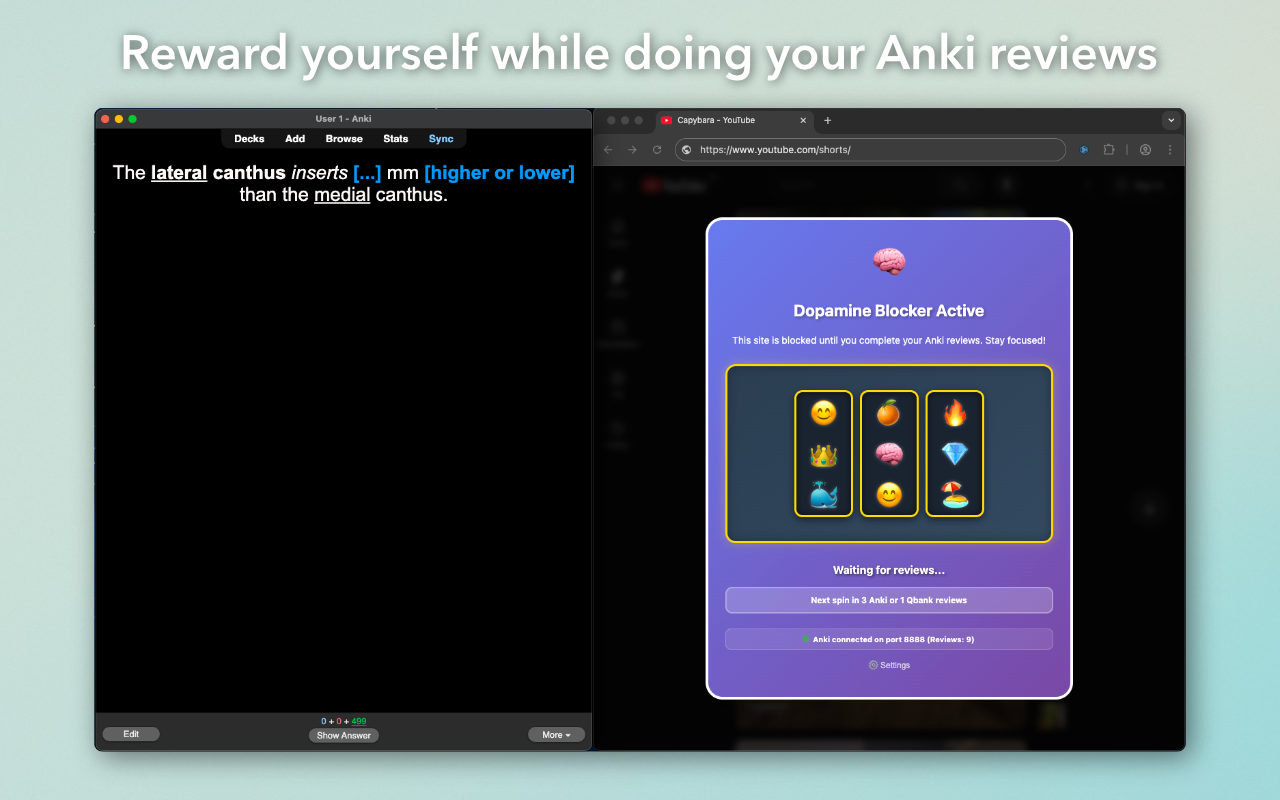
Nucleus Accumbens Screenshot 1

By using the Dopamine Anki add-on/Nucleus Accumbens browser extension, you agree to the terms of service.

πŸ›  Setup Instructions

Install Dopamine Anki add-on:

  1. In the Anki desktop app, go to Tools β†’ Add-ons β†’ Get Add-ons
  2. Enter the installation code below to install Dopamine
  3. Save changes and restart Anki
  4. Install the Nucleus Accumbens Chrome Extension
  5. Open a distracting website in a Chrome window and start doing your Anki reviews!

🦭 Features

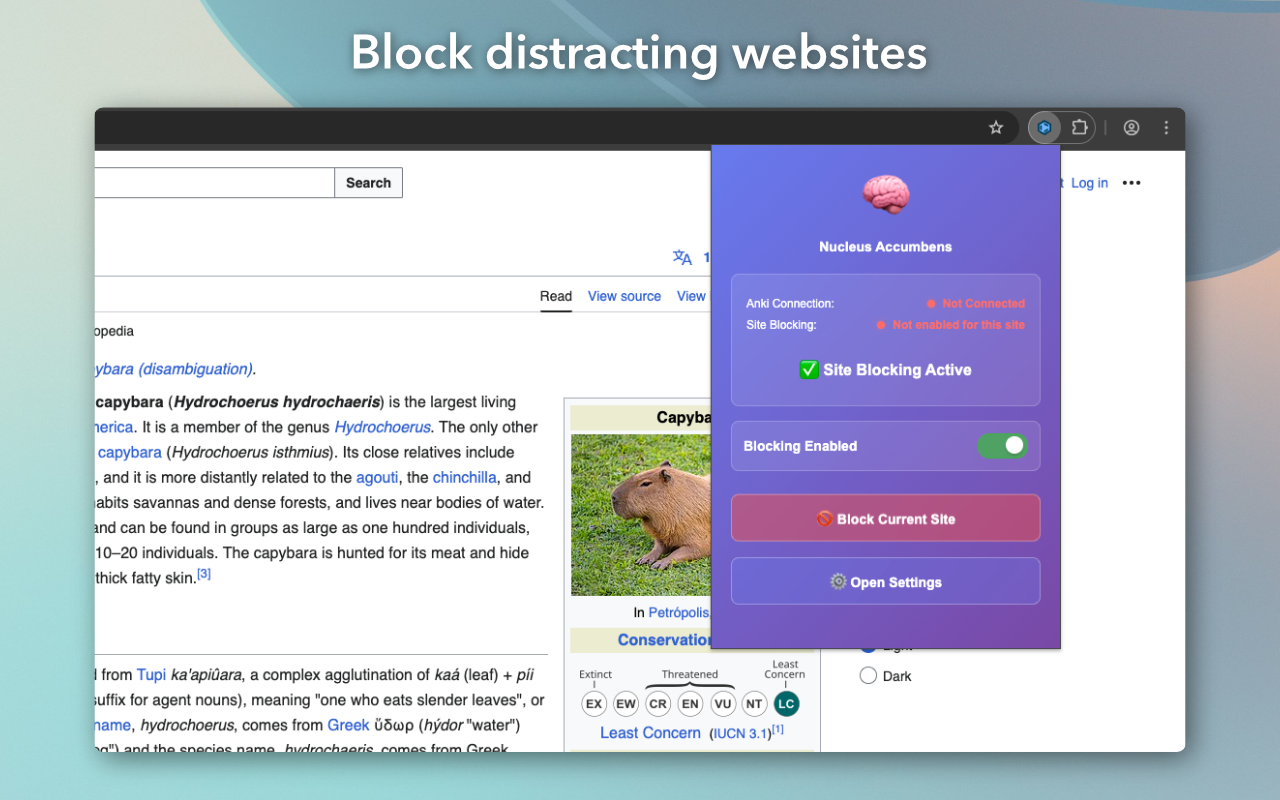
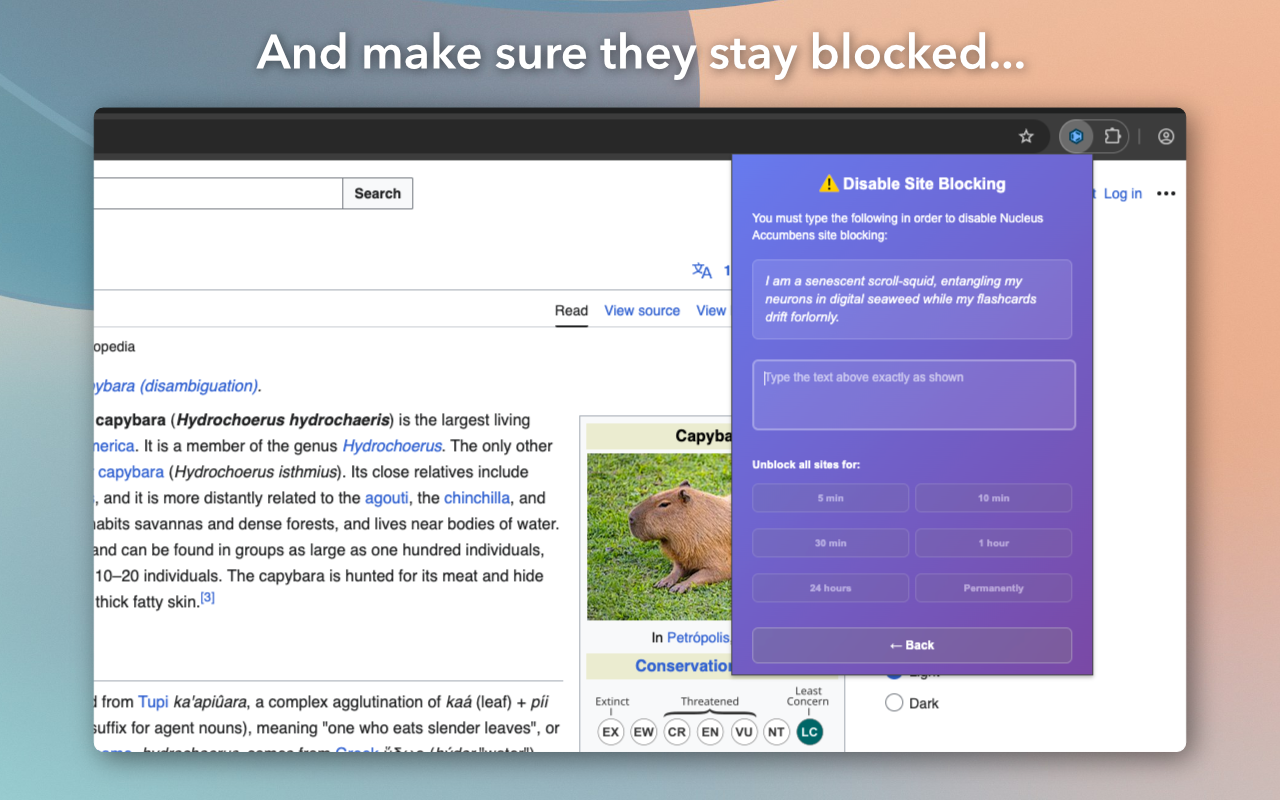
  • Block common time-wasting websites (e.g. YouTube, Instagram, TikTok, Facebook, Netflix, Reddit)
  • Get rewarded with temporary access to these sites after completing Anki reviews
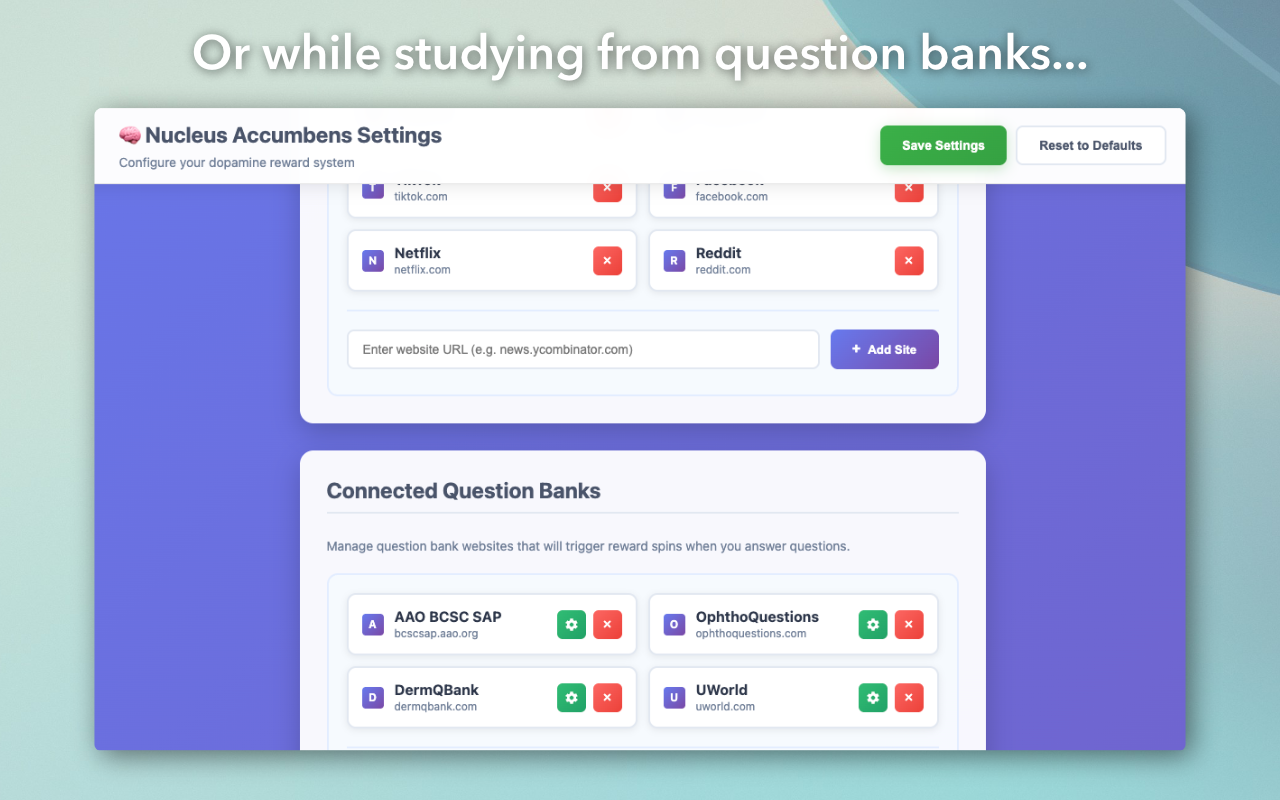
  • Supports rewards for completing question banks such as:
    • UWorld
    • OphthoQuestions
    • BCSC Self-Assessment Program
    • DermQBank
  • Automatic video pausing/unpausing (and muting) on:
    • Instagram Reels
    • TikTok
    • YouTube Shorts

βš™οΈ Settings

Access the Nucleus Accumbens Settings page to customise:

  • Blocked websites
  • Connected question banks
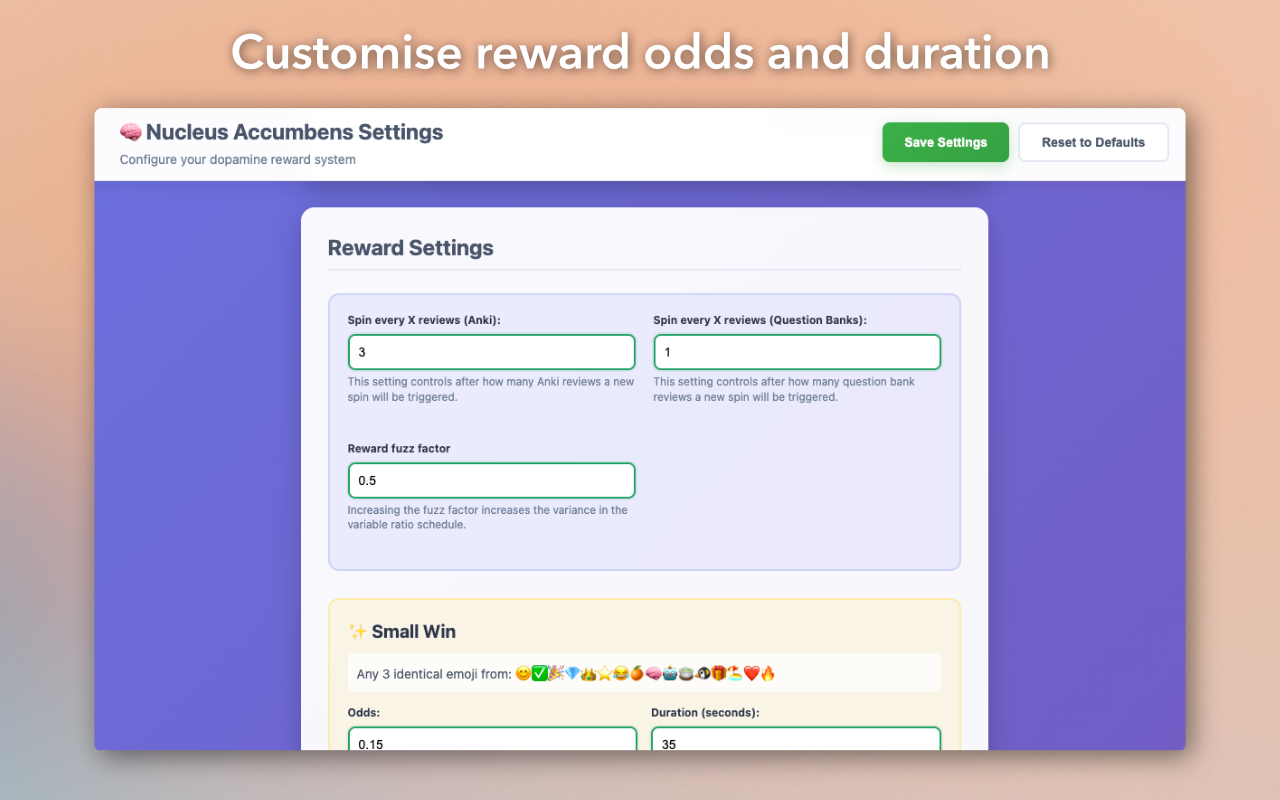
  • Reward odds and duration
  • Display options

⚠️ Issues / Bug Reports

Submit bug reports here: Bug Report Form

πŸ–ΌοΈ Additional Screenshots

Screenshot 2
Screenshot 3
Screenshot 4
Screenshot 5