AnkiLock

AnkiWeb addon 1165281739

Syncs your daily Anki review stats to an iOS app that blocks distracting apps until you meet your study goal.
AI-generated summary; may contain mistakes.

sync-integrationprogress-trackinggamificationmotivation

Open on AnkiWeb Find alternatives

AnkiWeb

Votes
22 (πŸ‘ 20 Β· πŸ‘Ž 2)
Updated
2026-08-21
Anki versions
25.07.2~
License
Not found (this does not mean that the addon has no license)
Virus scan
No ClamAV match A match does not prove malware. No match does not prove that the code is safe.
Languages
Python, JSON
Description language
en

Maintenance

active

  • Last update or commit: 2026-08-21 (72 days before the snapshot).

GitHub

No GitHub repository linked.

Will it work on my Anki?

Version branches
Min AnkiMax AnkiUpdated
2.1.4525.07.2+2026-08-21
History across monthly snapshots

Loading…

Similar addons

StreakGuard

Enforces a daily card minimum by blocking Anki from closing until met, while tracking streaks via a customizable heatmap and generating shareable 1080Γ—1080 stats images.

exportstatisticsprogress-trackinggamification

7 votes 65% approval πŸ‘ 7 Β· πŸ‘Ž 0 Anki 2.1.1~ Updated 2026-04-03

Description

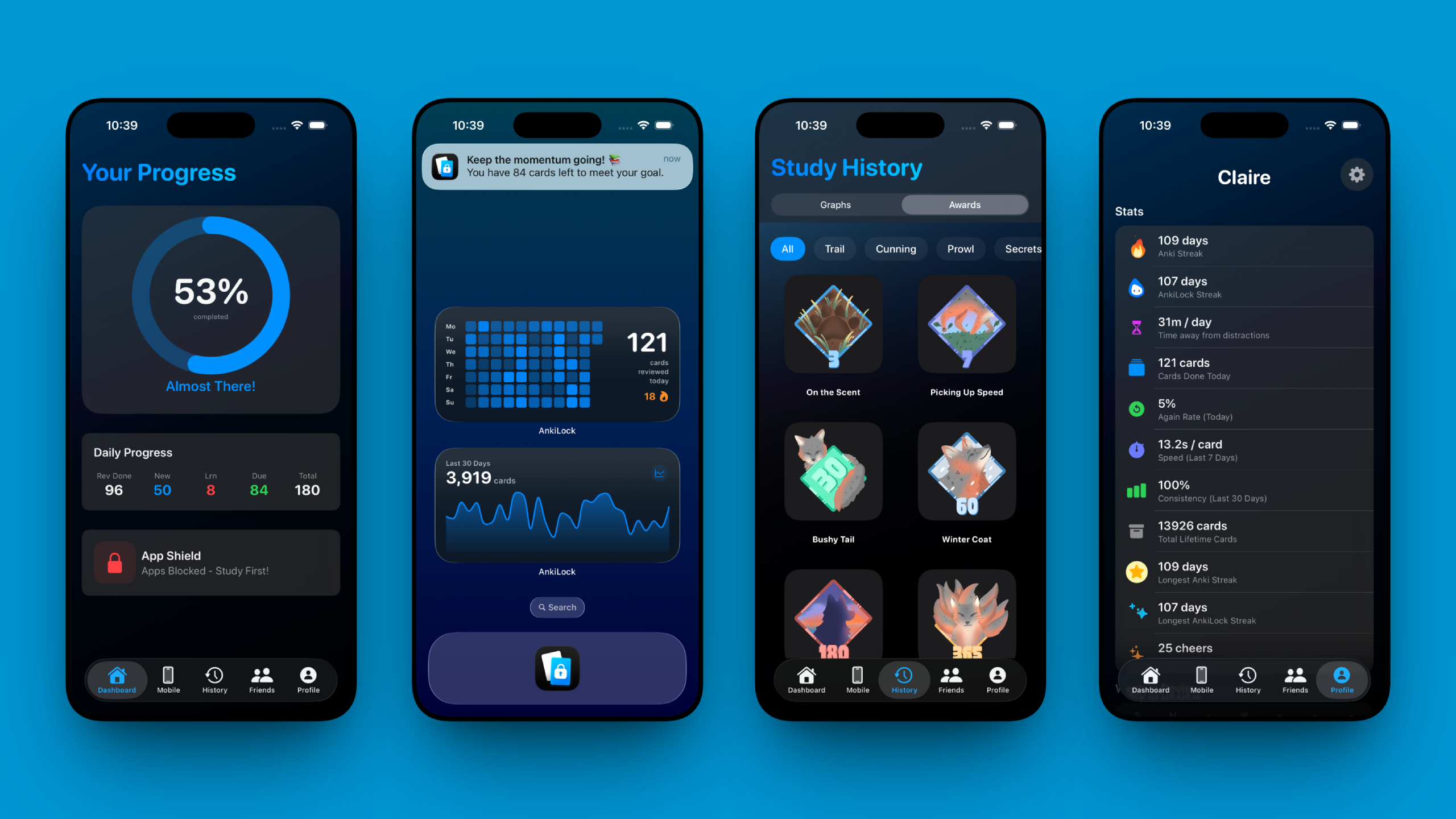
AnkiLock connects your Anki desktop progress to your iPhone/iPad to help you build an unbreakable study habit. It uses your daily review stats to lock distracting apps (like Instagram, TikTok, or YouTube) on your device until you reach your daily study goal.

Treat your Anki reviews as the key to unlock your digital life.

CORE FEATURES

  • Sync to iOS: Automatically sends your daily review counts and pending card stats to the AnkiLock mobile app upon syncing.
  • Lock Distractions: Configure "Shields" on your iPhone to block specific apps until your Anki goals are met.
  • Flexible Goals: Support for fixed card counts (e.g., "50 cards/day") or dynamic percentage goals (e.g., "finish 100% of Due cards").
  • Deck Selection: Choose specifically which decks count towards your unlock goal (e.g., only count your "Med School" deck, ignore "Fun Facts").
  • Social & Leaderboards: Add friends, compete on daily leaderboards, and send "Cheers" (push notifications) to motivate each other.

HOW TO GET STARTED

  1. Install this add-on (Restart Anki after installation).
  2. Download "AnkiLock" on the iOS App Store.
  3. Create an account in the iOS app.
  4. In Anki, click "AnkiLock" in the menu bar -> Sign In.
  5. Click "AnkiLock" -> Select Decks to filter which reviews count.
  6. Just Study! Your stats will sync automatically whenever Anki syncs.

REQUIREMENTS

  • Anki Desktop: Version 2.1.45+.
  • iOS App: Requires an iPhone running iOS 17.6 or later.
  • Account: You need to create a free account in the mobile app to link your devices.

LINKS & SUPPORT

Note: This add-on is a companion to the AnkiLock iOS app. You need the mobile app for the blocking functionality.


P.S. I built AnkiLock in my spare time to help us all build better study habits. It is completely free to use. If the app has helped you focus and you'd like to support my work, a coffee is always appreciated!

Support me on Ko-fi