Anki Dictionary Add-on

AnkiWeb addon 1973740182

Provides an in-Anki dictionary window for searching installed Yomichan/Migaku dictionaries, generating LLM definitions, fetching images and audio, and exporting results to note fields or cards.
AI-generated summary; may contain mistakes.

card-creationaiexportappearancedictionary

Open on AnkiWeb GitHub Find alternatives

AnkiWeb

Votes
4 (πŸ‘ 2 Β· πŸ‘Ž 2)
Updated
2026-04-11
Anki versions
25.09.2~
License
AGPL-3.0 (from the GitHub repository)
Virus scan
No ClamAV match A match does not prove malware. No match does not prove that the code is safe.
Languages
Python, C, HTML, JavaScript, CSV, YAML, CSS, AutoHotkey, JSON
Description language
en

Maintenance

active

  • Last update or commit: 2026-10-27 (5 days before the snapshot).
  • Test files: 25.
  • GitHub Actions workflows: 7.
  • Commits in the last year: 353.
  • Issues: 3 open, 3 closed.
  • Pull requests: 0 open, 54 merged.
  • Median first response: 537 hours (4 answered issues and pull requests).
  • Outside pull requests: 0% of 1 merged.

Will it work on my Anki?

Version branches
Min AnkiMax AnkiUpdated
25.09.2+2026-04-11
History across monthly snapshots

Loading…

Similar addons

Waydict: dictionary importer

Imports yomitan-format dictionary zip files and adds definitions to selected notes using configurable note types, source and destination fields, with HTML or plain-text output and optional overwriting.

card-creationimportnote-managementdictionary

2 votes 34% approval πŸ‘ 2 Β· πŸ‘Ž 0 ⭐ 4 Anki 24.11~ Updated 2025-03-02
Japanese popup dictionary

Provides instant hotkey-activated Japanese dictionary popups in Anki's reviewer and editor, showing definitions, pitch accents, and frequency with deinflection, customizable themes, and local SQLite caching.

shortcutsappearancedictionary

3 votes 44% approval πŸ‘ 3 Β· πŸ‘Ž 0 Anki 25.09.2~ Updated 2026-05-11
Migaku Dictionary

Streamlines language learning with global-hotkey dictionary lookups, automatic deconjugation, frequency data, and quick export of definitions and audio to Anki cards.

card-creationshortcutsdictionaryservice-client

228 votes 75% approval πŸ‘ 183 Β· πŸ‘Ž 45 ⭐ 66 Anki <=2.1.35 Updated 2021-07-02
Daijirin Dictionary Scraper

Scrapes monolingual Japanese definitions from Daijirin and Weblio Wikipedia for insertion into selected Anki note fields, with search and add shortcuts.

card-creationdictionary

4 votes 51% approval πŸ‘ 4 Β· πŸ‘Ž 0 ⭐ 3 Updated 2020-03-22

Description

Workflow: search, choose an image, and send the entry to the Card Exporter

45-second workflow Β· watch the full walkthroughs

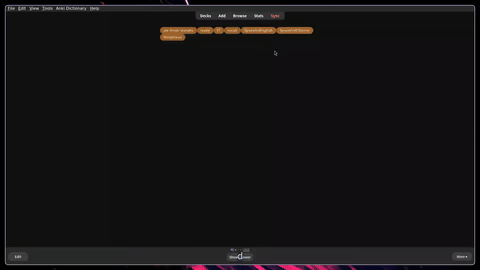
A dictionary window inside Anki. Search the dictionaries you install, read definitions, and send the result to a note field or the Card Exporter.

Start here

  1. Install the add-on and restart Anki.
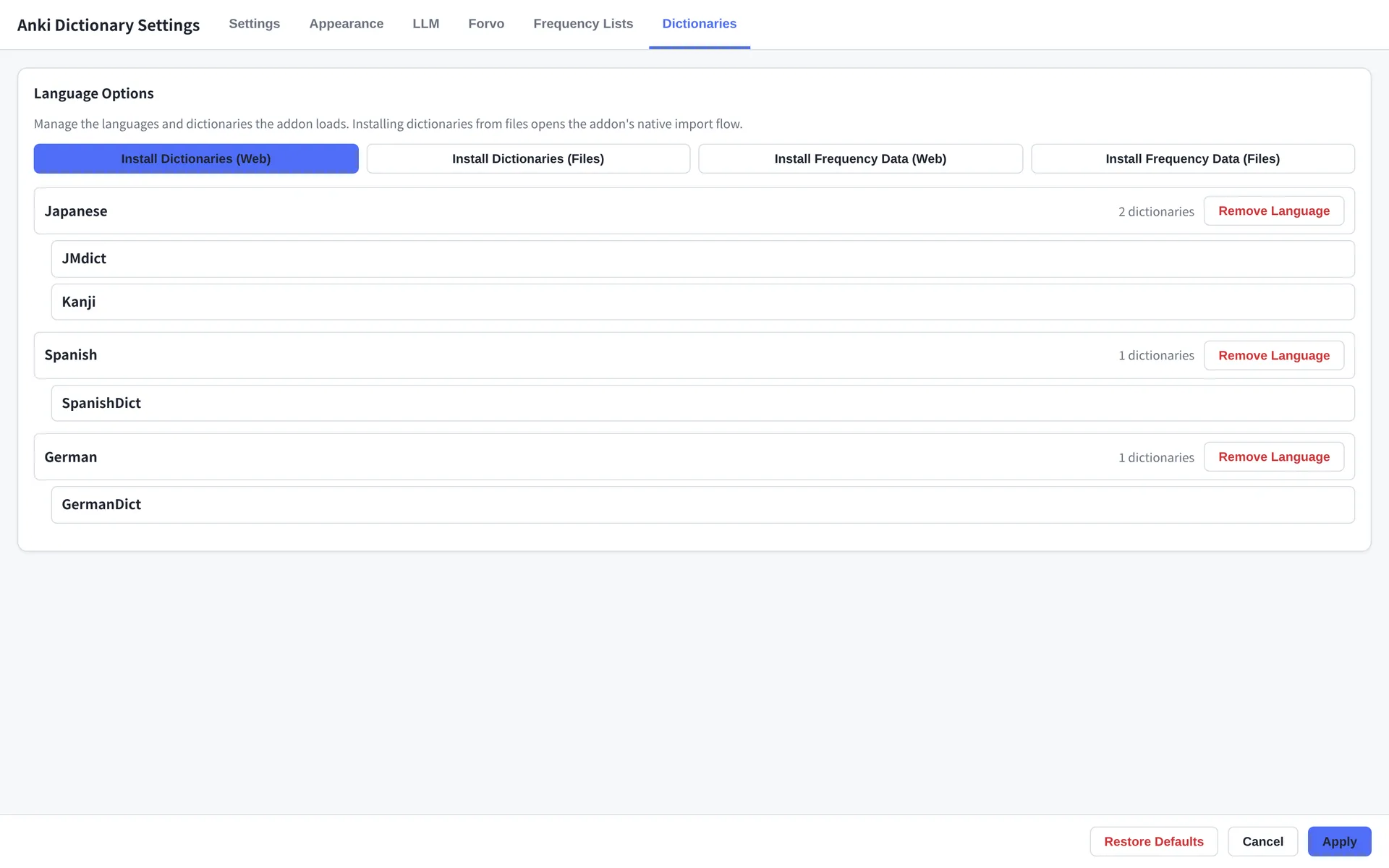
  2. Open Anki Dictionary β†’ Settings… β†’ Dictionaries and click Quick Setup to install a dictionary for your language.
  3. Press Ctrl+W (⌘+W on macOS), type a word, and press Enter.

The add-on does not include dictionaries. If a search shows only Images, no dictionary is installed for that language. The quick start has the full path.

Dictionaries tab with Quick Setup and dictionary install buttons

Install at least one dictionary in Settings β†’ Dictionaries β†’ Quick Setup.

What it does

  • Local dictionary search: Yomichan .zip and Migaku .json dictionaries, searched together. Definitions, examples, frequency, HSK/JLPT/CEFR labels, and deconjugation when the data is installed.
  • Seven search modes: Forward (default), Backward, Exact, Anywhere, Definition, Example, Pronunciation.
  • LLM definitions: Any OpenAI-compatible endpoint, including OpenAI, Grok, Ollama and self-hosted models. Join prompt templates with --- to get multiple definition blocks from one call.
  • Media: DuckDuckGo image search and Forvo native-speaker audio.
  • Card export: Send to Field, the Card Exporter (definitions, sentence, notes, one image, one audio clip), and mass export from the Card Browser.
  • Themes: Eight built-in themes, including Light, Dark, Catppuccin Mocha/Latte, Nord, Gruvbox, Tokyo Night and Solarized Light. Themes are portable JSON with 14 color roles.
  • Free and open source: AGPLv3. No account. Local dictionaries work offline.

Themes

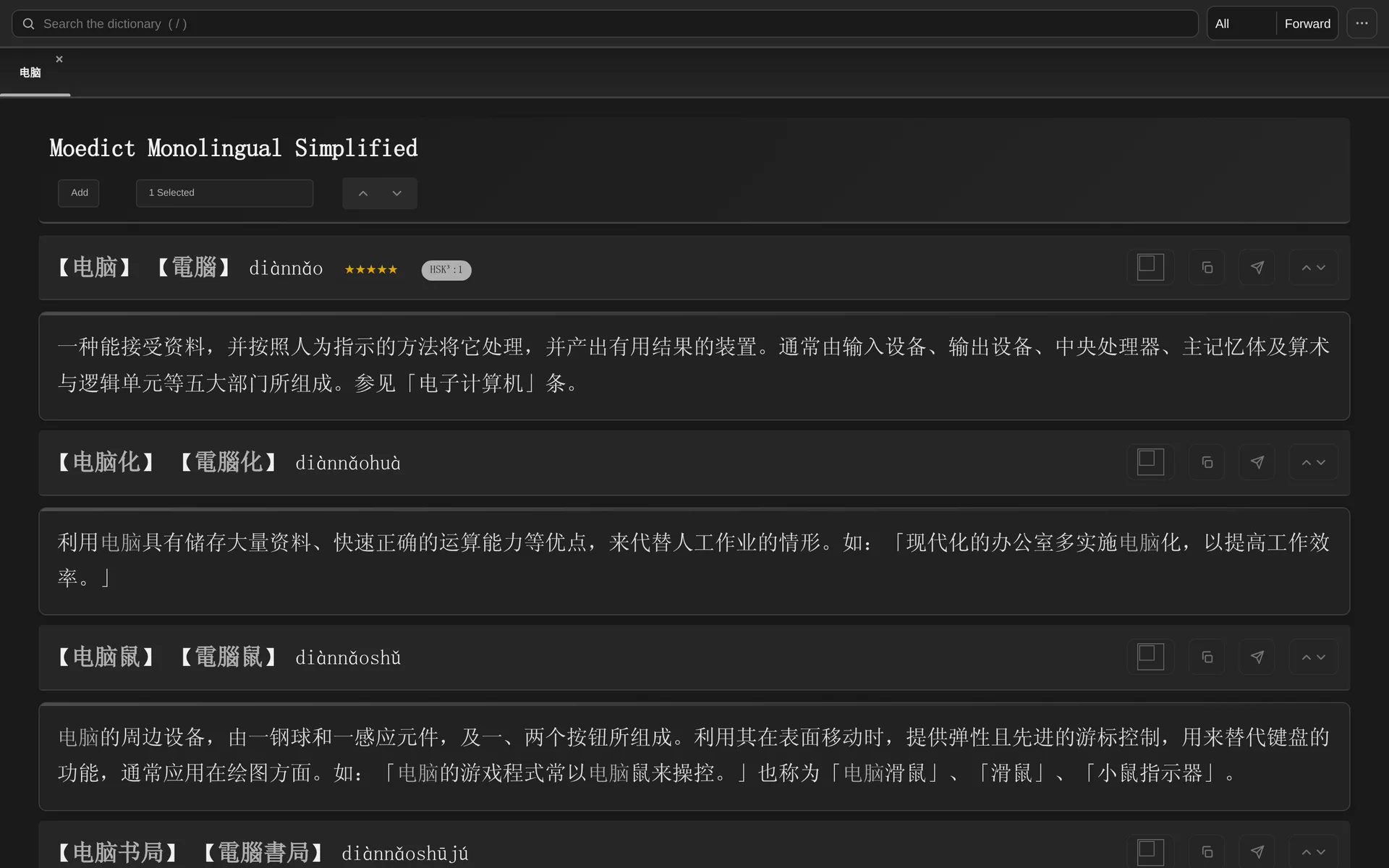
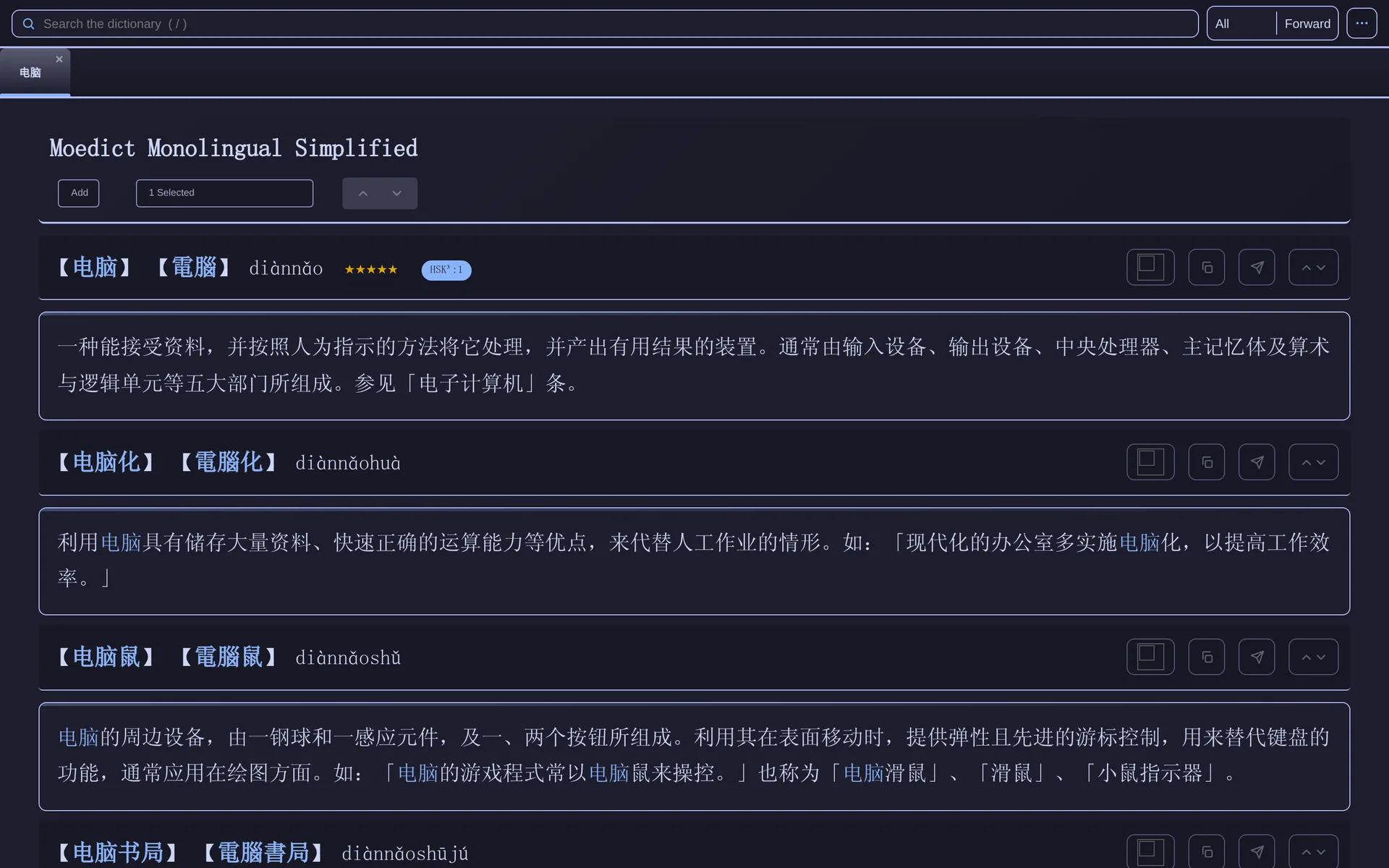
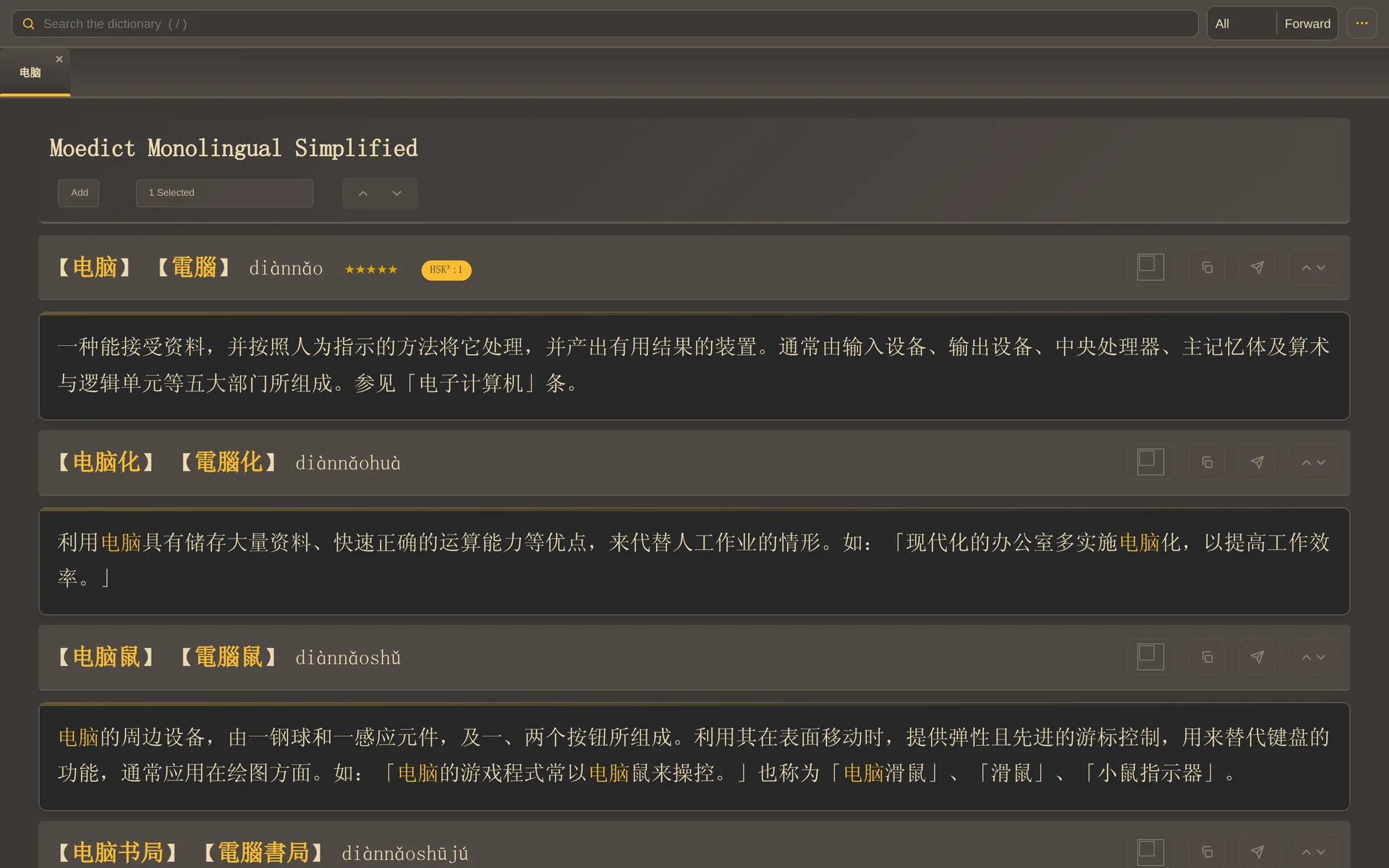
Dictionary results in the Dark theme Dictionary results in the Catppuccin Mocha theme Dictionary results in the Gruvbox theme

Dark Β· Catppuccin Mocha Β· Gruvbox β€” three of eight built-in themes.

Requirements

  • Anki 25.09.2 or newer on the desktop.
  • At least one dictionary installed for the language you want to search.
  • Network access for LLM, DuckDuckGo and Forvo sources.

Links

Support

README

Anki Dictionary Add-on

AnkiWeb ID License: GNU AGPLv3 CI CodeQL

Anki Dictionary Addon Demo

Documentation & feature tour β†’

Core Features

The Anki Dictionary Addon is a high-performance lookup and card-creation tool designed for modern language learners.

  • Fast Export to Anki: Create rich, formatted flashcards instantly. Export definitions, example sentences, and frequency data directly to your cards without leaving Anki.
  • AI-Powered Definitions: Integrated LLM API support (OpenAI, Ollama, etc.) allows you to generate custom definitions and simplified explanations for complex terms.
  • Integrated Image Search: Quickly find and attach visual aids to your cards via built-in DuckDuckGo image search, ensuring your cards are highly memorable.
  • Native Audio Integration: Scraping support for Forvo, allowing you to find and attach high-quality native speaker pronunciations to your cards.
  • Multi-Dictionary Support: Aggregate results from multiple local dictionaries.

Overview

This addon is the modern successor to the Migaku Dictionary Addon, rebuilt for Anki 25.09+ compatibility.

  • Modern Architecture: Completely reorganized codebase following Python best practices for better stability.
  • Enhanced UX: Improved styling and responsive interface design.
  • Theme Support: Includes popular themes like Catppuccin and supports custom theming.

Themes

Start Screen Gruvbox Retro Theme

Catppuccin Mocha Theme Dark Theme

Quick Links

Topic Link
Installation Guide β€” Installation
User guide & troubleshooting Guide
Development setup & commands docs/development.md
Architecture & project structure docs/architecture.md
Testing guide docs/testing.md

Compatibility

  • Operating Systems: Fully tested on macOS and Linux
  • Anki Version: 25.09.2+

License and Credits

The Anki Dictionary Addon is a successor to the Migaku Dictionary Addon.

This project is free and open-source software. The code is released under the GNU AGPLv3 license. Please see the LICENSE file for details.


Feel free to contribute to the project or report issues via the GitHub Issue tracker.