Douji (同字)
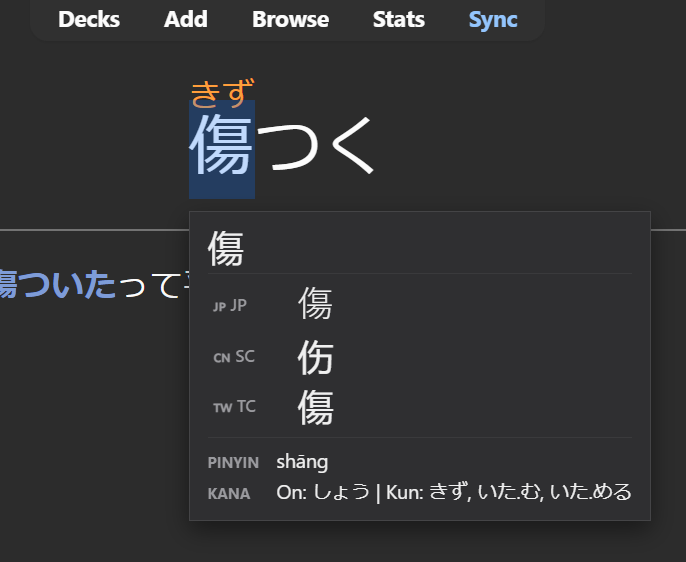
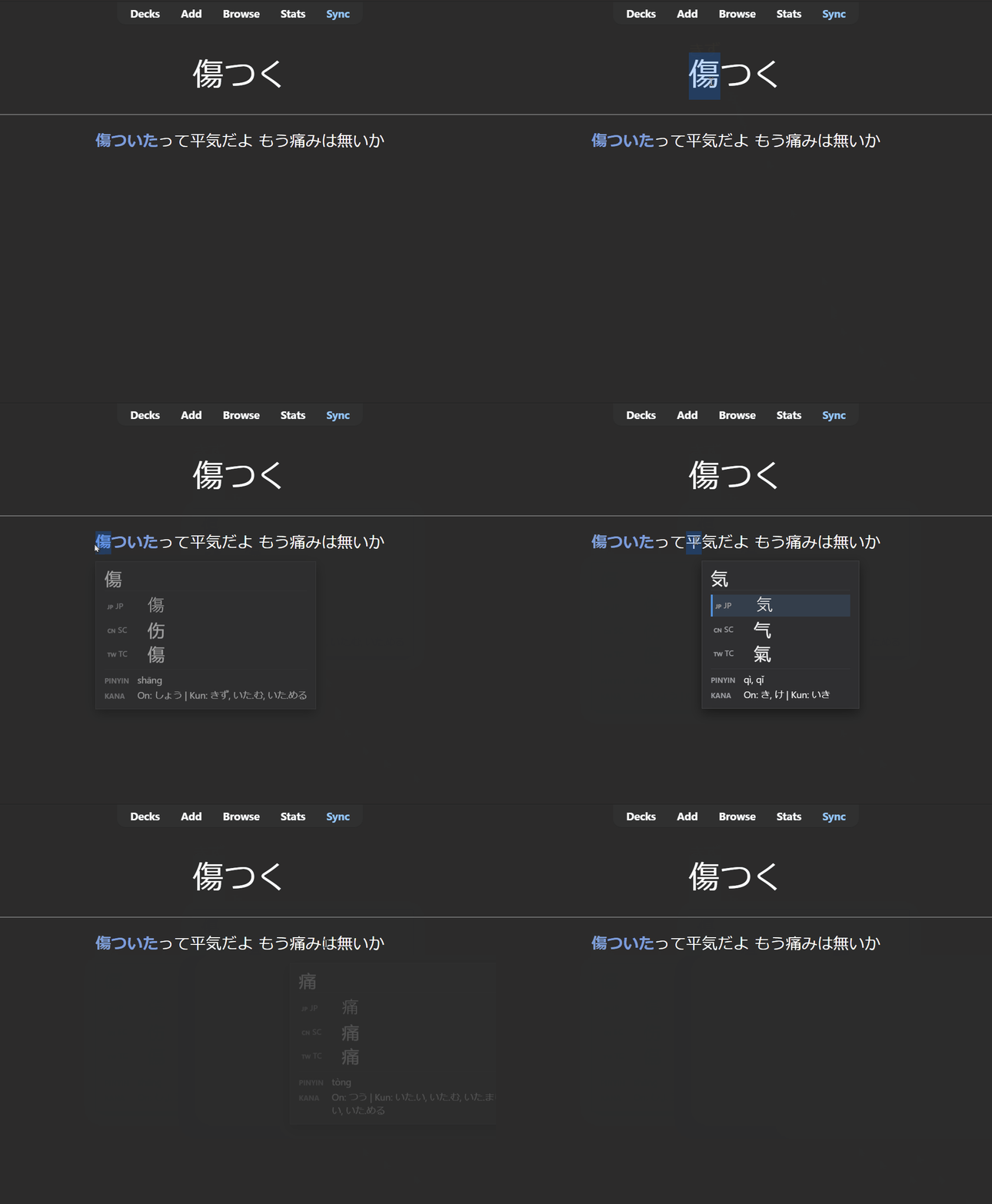
Douji (同字) is an Anki add-on that instantly cross-references CJK characters across Japanese (Kanji), Simplified Chinese (Hanzi), and Traditional Chinese (Hanzi). Hover over any character in the reviewer while holding a modifier key to view its regional variant forms alongside Mandarin Pinyin and Japanese Kana readings in a clean, Yomitan-inspired popup.

Table of Contents
How to Use
Hold Shift (or your configured modifier key) and hover over any Hanzi or Kanji character on your cards. The tooltip will appear instantly with the cross-referenced forms and readings.

- Regional Variants: Displays 🇯🇵 JP (Japanese), 🇨🇳 SC (Simplified Chinese), and 🇹🇼 TC (Traditional Chinese) forms.
- Readings: Displays tone-marked Pinyin (Mandarin) and On-yomi / Kun-yomi (Japanese Kana).
- Target Scope: Only CJK ideographs trigger lookups. Hovering over Kana (Hiragana/Katakana), Latin alphabet, numbers, or punctuation is automatically ignored with no popup.
Installation
Method 1: AnkiWeb (Recommended)
- In Anki, go to Tools → Add-ons → Get Add-ons...
- Paste the Add-on Code:
2058654519
- Click OK and restart Anki.
Ankiweb page: https://ankiweb.net/shared/info/2058654519
Method 2: Manual (.ankiaddon)
- Download the latest
.ankiaddon file from the Releases page.
- Double-click the downloaded file or drag and drop it into Anki.
- Restart Anki.
Configuration
Customize behavior, keys, fonts, and appearance via Tools → Add-ons → select this add-on → Config.
| Option |
Type |
Default |
Description |
modifier_key |
string |
"Shift" |
Trigger key ("Shift", "Alt", "Control", "None"). |
theme |
string |
"auto" |
Theme style ("auto", "light", "dark"). |
popup_delay_ms |
integer |
30 |
Hover debounce delay in milliseconds. |
character_font_size |
integer |
24 |
Font size (px) for main characters and variant glyphs. |
reading_font_size |
integer |
13 |
Font size (px) for readings text. |
bold_characters |
boolean |
true |
Display variant characters in bold weight. |
japanese_font |
string |
"Yu Gothic, ..." |
CSS font family for Japanese Kanji (JP). |
chinese_font |
string |
"'Microsoft YaHei', ..." |
CSS font family for Chinese Hanzi (SC, TC). |
popup_min_width |
integer |
220 |
Minimum tooltip width in pixels. |
popup_max_width |
integer |
320 |
Maximum tooltip width in pixels. |
show_pinyin |
boolean |
true |
Toggle Mandarin Pinyin display. |
show_readings |
boolean |
true |
Toggle Japanese Kana readings display. |
show_meanings |
boolean |
true |
Toggle English meanings display. |
Note: "None" triggers on every hover without any key pressed, which may cause popup spam while reading.
For detailed explanations of all settings, see config.md.
Compatibility
- Tested Version: Anki 25.09+ (Qt6 / Python 3.13 / Chromium 122)
- Operating Systems: Windows, macOS, Linux
- Platform: Desktop Anki only (AnkiMobile for iOS, AnkiDroid for Android, and AnkiWeb are unsupported because Python add-ons run strictly in desktop Qt environments)
Troubleshooting & FAQ
The popup doesn't appear when hovering over text
- Ensure you are holding down the configured
modifier_key (default: Shift).
- Verify that your card template CSS does not have
user-select: none; or pointer-events: none; on the text container, which prevents browser caret hit-testing.
- Confirm the character is a Hanzi/Kanji ideograph (Kana, Latin characters, and punctuation do not trigger popups).
The popup appears underneath card elements or other add-ons
- Check if your card styling or third-party add-ons set excessive
z-index values on parent containers that trap the tooltip layer.
A character shows "No cross-reference found"
- The character is likely an unmapped rare variant or outside the 9,688 character cluster dataset.
Known Limitations
- Cross-referencing operates on individual CJK ideographs rather than multi-character compound words.
- Requires the desktop Qt webview reviewer.
- Only shows characters with equivalence in all three variants. This means it can't be used to check Simplified-Traditional Mandarin only.
- Definitions are unified using the Unihan database and provide a generalized English meaning. They do not differentiate between distinct Chinese and Japanese usages of the same character.
- Definitions might not show the most useful or relevant meanings in some cases, as they are automatically generated from the Unihan database.
Future Plans
- Persistent popup, closer to Yomitan, which will allow for popup elements to be clickable
- Primitive decomposition for characters
License
This project is licensed under the GNU General Public License v3.0.