Deck Separators
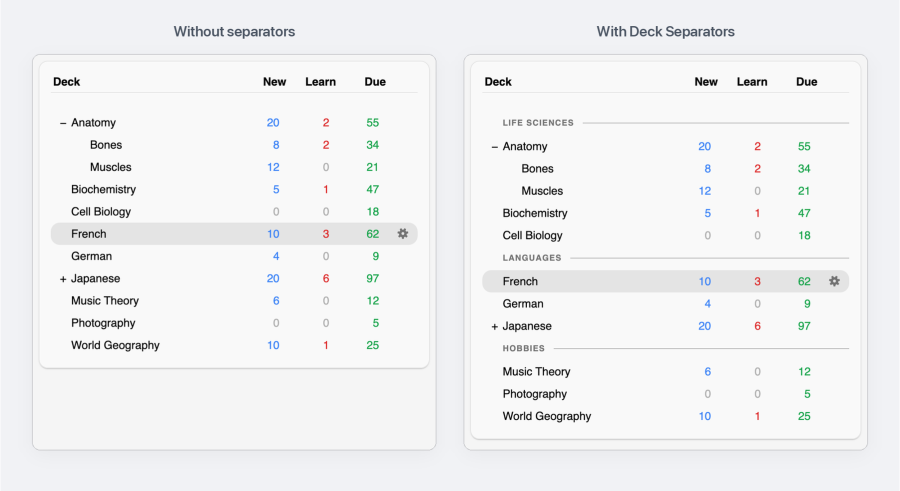
Organize your Anki deck list into clean, labeled sections.

Group your decks

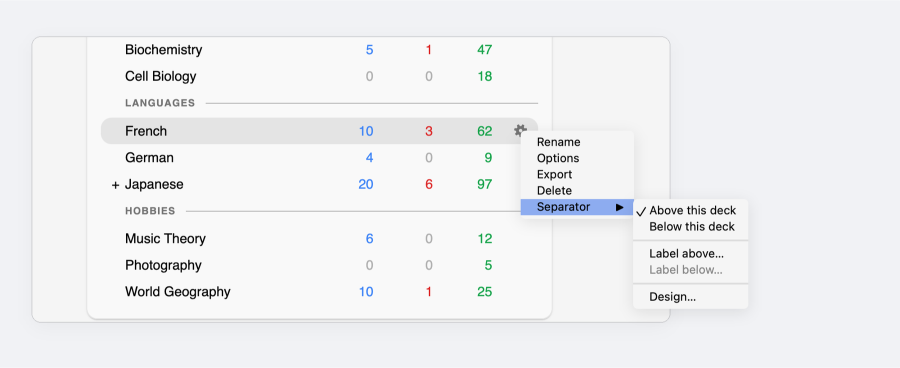
Add one from the gear menu

Click a deck's gear, then Separator ▸ Above this deck or Below this deck. Labels are optional.
Click a separator to edit its label or remove it.
Make it yours

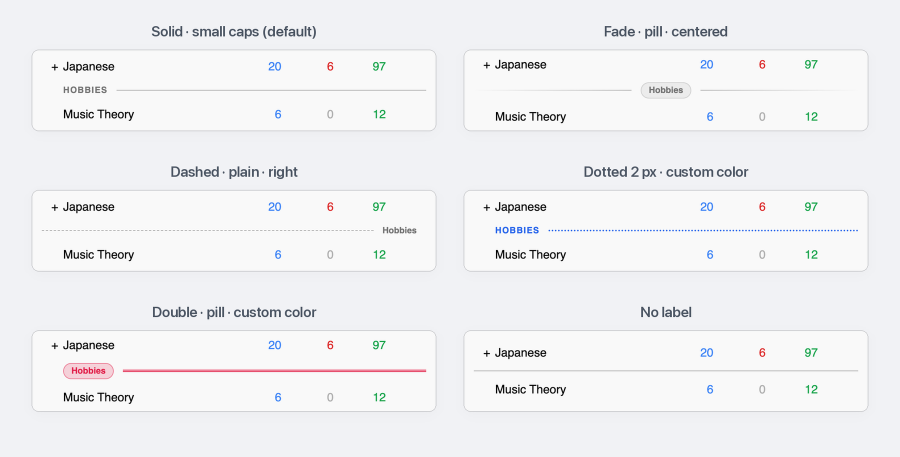
Separator ▸ Design… restyles every separator at once, with a live preview.
Pick a style

Light and dark

Separators follow Anki's theme unless you choose a custom color.
Install
From AnkiWeb: in Anki, open Tools ▸ Add-ons, click Get Add-ons..., paste the code 2097527231 and restart Anki.
From a file: download deck_separators.ankiaddon from Releases, then in Tools ▸ Add-ons click Install from file..., pick the file and restart Anki.
Requires Anki 23.10 or newer. The legacy Qt5 builds of Anki are not supported.
Good to know
- A separator belongs to its deck: it moves when you rename or move the deck, and syncs through AnkiWeb with your collection. AnkiMobile and AnkiDroid don't show separators.
- Below this deck places the line after the deck and its open subdecks. A separator inside a collapsed deck is hidden with it.
- The design is saved per computer. Open it from Separator ▸ Design… or Tools ▸ Add-ons ▸ Deck Separators ▸ Config.
Contact
Questions or feedback: mohammad@morad.io, or open an issue.