πŸ–Ό Bing Image Picker

AnkiWeb addon 2112316511

Adds a πŸ–Ό editor button that searches Bing Images and inserts a chosen image from a 3Γ—3 grid into a note field, with per-note-type field mapping and SafeSearch options.
AI-generated summary; may contain mistakes.

card-creation

Open on AnkiWeb GitHub Find alternatives

AnkiWeb

Votes
1 (πŸ‘ 1 Β· πŸ‘Ž 0)
Updated
2026-06-23
Anki versions
26.05~
License
Not found (this does not mean that the addon has no license)
Virus scan
No ClamAV match A match does not prove malware. No match does not prove that the code is safe.
Languages
Python, JSON
Description language
en

Maintenance

active

  • Last update or commit: 2026-09-07 (55 days before the snapshot).
  • GitHub Actions workflows: 1.
  • Commits in the last year: 10.
  • Issues: 0 open, 0 closed.
  • Pull requests: 0 open, 0 merged.

Will it work on my Anki?

Version branches
Min AnkiMax AnkiUpdated
2.1.5026.05+2026-06-23
History across monthly snapshots

Loading…

Similar addons

Anki Image Picker

Lets you search multiple providers and interactively choose thumbnails before inserting images into selected Anki notes, with batch processing and session controls.

card-creationnote-managementshortcuts

5 votes 57% approval πŸ‘ 5 Β· πŸ‘Ž 0 ⭐ 0 Anki 26.12~ Updated 2026-04-03
Image Search v3 fork

Searches multiple image providers using note fields or selected text and inserts chosen images into a configured field, with browsing, per-note-type settings, and smart replacement.

card-creationfork-or-reupload

3 votes 21% approval πŸ‘ 2 Β· πŸ‘Ž 1 ⭐ 2 Anki 26.05~ Updated 2026-10-16
Image Search has 1 fork β†’

Adds editor buttons that scrape Google Images from the first field's search term and insert or cycle images in the second field, with proxy and HTTPS-bypass settings.

card-creation

29 votes 26% approval πŸ‘ 12 Β· πŸ‘Ž 17 ⭐ 10 Updated 2018-01-23

Description

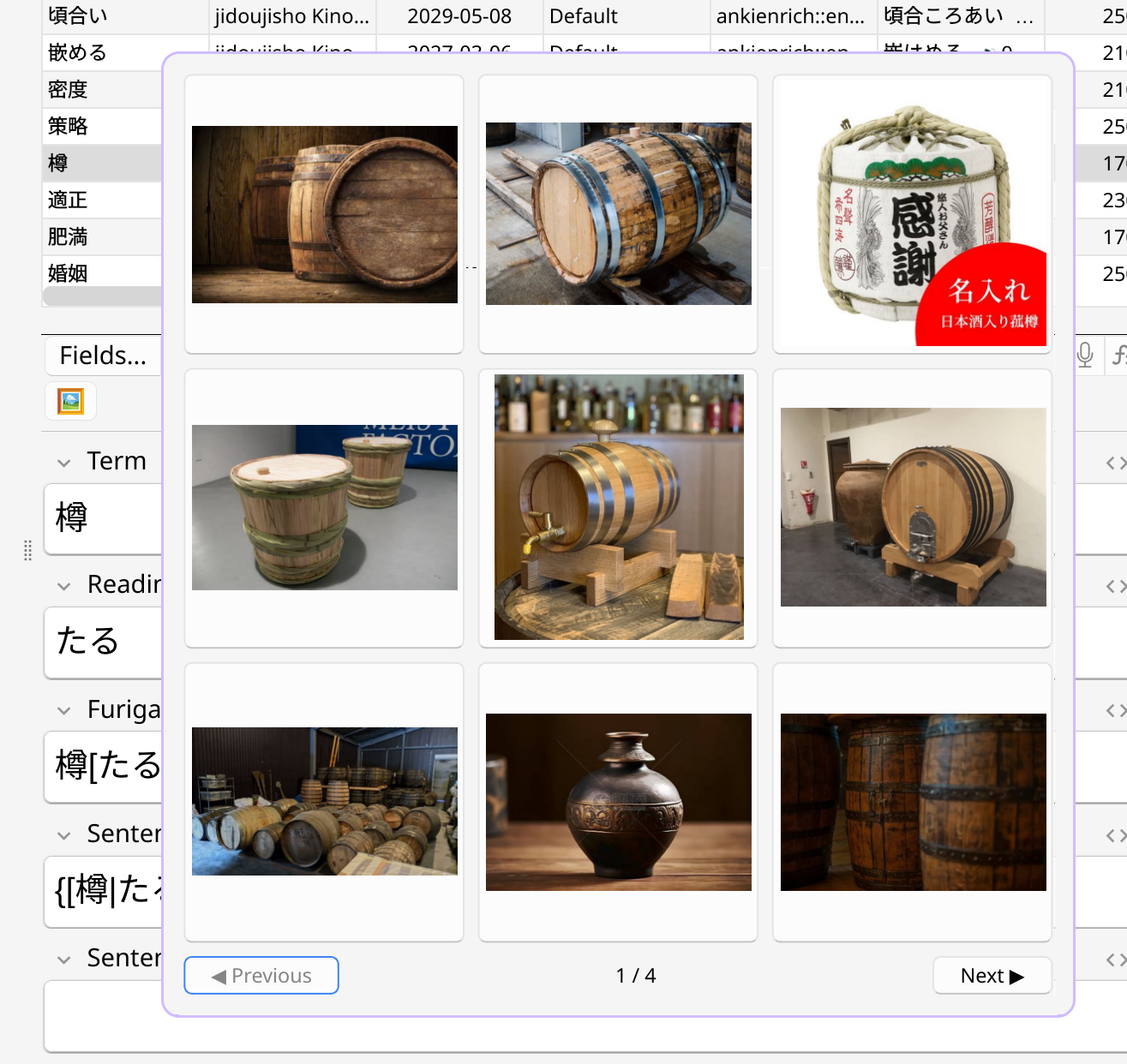
Bing Image Picker adds a πŸ–Ό button to the note editor: search Bing Images for the note's word and pick from a 3Γ—3 grid.

The chosen image is saved to your collection and written to a field.

Bing Image Picker screenshot

On first use per note type, a dialog asks which field to search from, which to put the image in, append vs. overwrite, and whether SafeSearch filters explicit results.

The mapping is editable later via Tools β†’ Bing Image Picker.

Source: github.com/steindekker/bing-image-picker

README

Bing Image Picker (Anki Addon)

An Anki add-on with a πŸ–Ό editor button that searches Bing Images for the note's word and lets you pick from a 3Γ—3 grid.

The chosen image is saved to your collection and written to a field.

Screenshot

On first use per note type, a dialog asks which field to search from, which to put the image in, append vs. overwrite, and whether SafeSearch filters explicit results.

The mapping is editable later via Tools β†’ Bing Image Picker.

Install

Tools β†’ Add-ons β†’ Get Add-ons, paste code 2112316511.

From source, symlink into Anki's add-on dir and restart:

ln -s "$PWD" ~/.local/share/Anki2/addons21/bing_image_picker