Simple Countdown Timer

AnkiWeb addon 213077884

Adds a customizable countdown timer with play/pause, minute adjustments, reset, alarm sounds, theme matching, and adjustable placement to Anki's deck list, overview, and reviewer screens.
AI-generated summary; may contain mistakes.

timerappearance

Open on AnkiWeb Find alternatives

AnkiWeb

Votes
0 (๐Ÿ‘ 0 ยท ๐Ÿ‘Ž 0)
Updated
2026-08-17
Anki versions
26.08.1~
License
Not found (this does not mean that the addon has no license)
Virus scan
No ClamAV match A match does not prove malware. No match does not prove that the code is safe.
Languages
Python, JavaScript, CSS, JSON
Description language
en

Maintenance

active

  • Last update or commit: 2026-08-17 (76 days before the snapshot).

GitHub

No GitHub repository linked.

Will it work on my Anki?

Version branches
Min AnkiMax AnkiUpdated
2.1.2826.08.1+2026-08-17
History across monthly snapshots

Loadingโ€ฆ

Similar addons

Countdown timer by PathoKing

Provides a countdown timer defaulting to 25 minutes, customizable via add-on config after restarting Anki; double-clicking the pause button resets the countdown.

timer

4 votes 51% approval ๐Ÿ‘ 4 ยท ๐Ÿ‘Ž 0 Anki 2.1.1~ Updated 2025-02-21
Answer Time Alarm

Adds separate countdown timers and audio alarms for question and answer phases, with an optional visual bar, adjustable timing, persistent settings, and automatic disabling on cards containing audio.

review-flowtimer

1 votes 21% approval ๐Ÿ‘ 1 ยท ๐Ÿ‘Ž 0 Anki 25.02.5~ Updated 2026-04-08

Description


Simple Countdown Timer

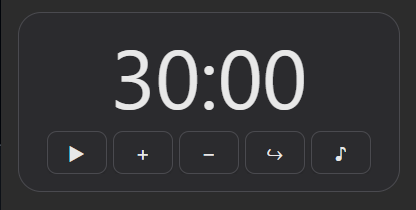
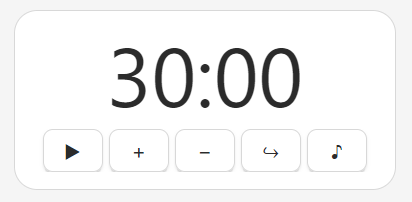
A clean, unobtrusive countdown timer built directly into Anki's own interface. It's rendered as inside Anki's deck list, overview, and reviewer screens.

Dark mode Light mode

Features

  • Embedded directly into the deck list, overview, and reviewer screens.
  • Timer state is anchored to an absolute end timestamp, so it stays accurate across screen switches, reloads, and periods with no Anki window open at all.
  • Automatic theme matching follows whatever Light, Dark, or Follow System theme setting you have Anki set to, with no configuration needed.
  • Optional alarm sound when the timer hits zero. The widget's background pulses (light or dark, matching your theme) alongside a looping alarm sound.
  • Play/Pause, +1 minute, โˆ’1 minute, Reset, and a Test button to preview the current alarm sound.
  • Settings to set timer length (minutes and seconds), choose from several alarm sounds, toggle the alarm sound on or off, and adjust font size.
  • Full control over timer position on screen, place the widget anywhere you want.

Usage

The timer appears automatically in the top-left area of the deck list, overview, and reviewer screens โ€” no setup required to start using it.

  • Start or pause: click the โ–ถ / โšโš button.
  • Adjust time: use + / โˆ’ to add or subtract a minute at a time, whether the timer is running or paused.
  • Reset: returns the timer to its configured default length, paused. This is also the only way to silence a ringing alarm.
  • Preview the alarm sound: click the โ™ช Test button to play a preview using the current configured sound, without affecting the running timer.
  • When time's up: the widget's background starts pulsing and the alarm sound loops until you press Reset.
  • Open settings: right-click the widget (or go to Tools โ†’ Add-ons โ†’ Config) to set the timer length, alarm sound, position, and font size.

This tool works on Anki 2.1.28 and later, across both the legacy 2.1.x version series and every later date-based release as of time of upload (August 17, 2026). Disclaimer: This widget was made largely with the help of LLMs (AI-assisted coding). No future updates are guaranteed or planned.