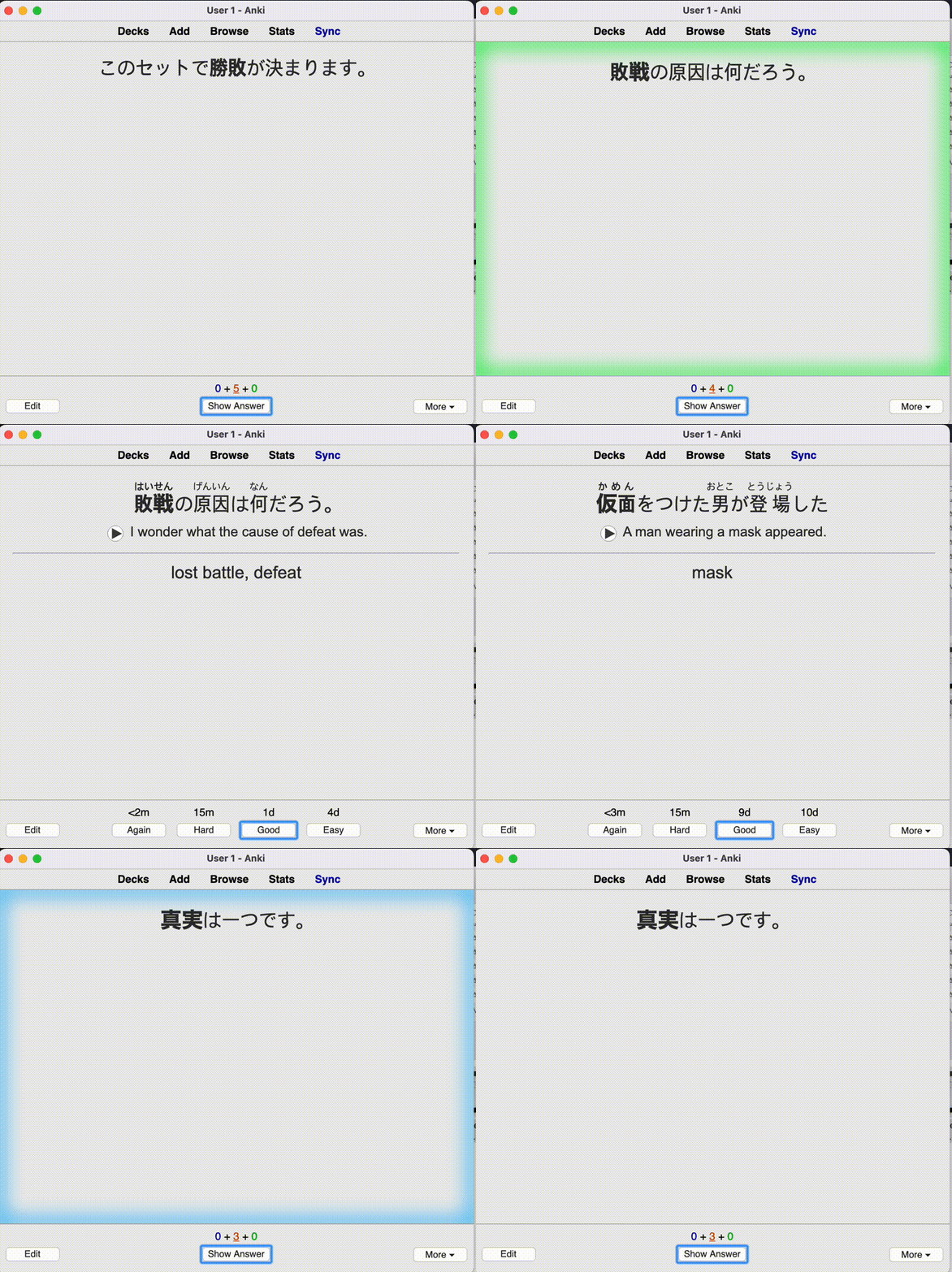
For add-on description, please see AnkiWeb page
This add-on is based on the Anki Fanfare: Gamification add-on
Supported Anki versions: 2.1.36 - 2.1.50+
How to customize themes
You can modify existing themes, or create a new theme. Open the add-on config and click 'Open Theme Folder' to find the theme files.
Audiovisual feedback is triggered in 4 situations:
(1) when the review starts,
(2) when you click an answer and do a review,
(3) when you go on the congrats screen (When the review is completed),
(4) When you repeatedly fails cards.
The add-on chooses a file to play/display from folder start for (1), and congrats for (3). For (2), a file is chosen from again|hard|good|easy based on which answer button you pressed.
You can change which images/sounds are played by adding, modifying, or deleting the files in the theme directory.
If you messed up the theme somehow, you can find the original theme files in addon_folder/default/themes/.
Visual Feedback
Images in images/ isn't actually displayed by default. The visual feedback is controlled by the 4 files web/(reviewer|congrats).(js|css), and many themes just choose to display images in images/ directory.
On (1), window.avfReviewStart() is called. On (2), window.avfAnswer(ease) is called where ease is the string "again"|"hard"|"good"|"easy". On (4), window.avfIntermission() is called.
You can control the visual effect by declaring those functions in the web/reviewer.js.
Creating a new theme
You can create a new theme by copy-pasting an existing theme directory in addon_folder/user_files/themes/ directory. (Not in the addon_folder/default/themes/ directory)
Wiki
See the wiki for more details on theme customization. If you made a new theme, feel free to share it there!
Development
Setup
After cloning the project, run the following command to install ankiaddonconfig as a git submodule.
git submodule update --init --recursive
Tests & Formatting
This project uses [black] and mypy.
black .
mypy .
pytest .
You will need to install the following python packages to run black, mypy and pytest:
pip install aqt pyqt5-stubs mypy black
Building ankiaddon file
After cloning the repo, go into the repo directory and run the following command to install the git submodule ankiaddonconfig
git submodule update --init addon/ankiaddonconfig
After installing the git submodule, run the following command to create an audiovisual_feedback.ankiaddon file
cd addon ; zip -r ../audiovisual_feedback.ankiaddon * ; cd ../