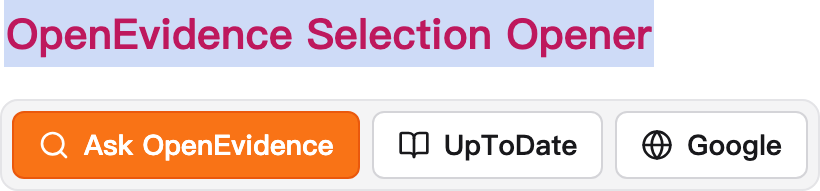
OpenEvidence Selection Opener — Anki Add-on




A 1:1 port of the oe-extension Chrome
extension into the Anki desktop reviewer. Highlight text on a card during
study and a toolbar appears above the selection, letting you send it to
OpenEvidence, UpToDate, or Google — with optional Groq-powered PICO and
custom-prompt rewriting, local query history, and a native settings
dialog.


Features (matching the extension)
- Selection toolbar anchored above highlighted card text while reviewing.
- Ask OpenEvidence — opens
openevidence.com/ask with the exact query params
(query, configName=prod, attachments=[], _rsc=1pln2).
- UpToDate and Google search buttons.
- PICO button (when a Groq key is validated) — rewrites a recall question into
an EBM foreground question via Groq (
llama-3.3-70b-versatile).
- Custom prompts — up to 6 user-defined Groq buttons.
- Editable result panel with Copy / Ask OpenEvidence / Close.
- Query history (max 200 entries) with original selection, prompt, and output.
- Appearance modes: system / light / dark.
- Bring-your-own-key Groq integration; the key is stored locally only and sent
only to the Groq API.
Anki-only extras
- Edit in a bottom pane — the reviewer's Edit Current (
e / pencil) opens
the note editor docked under the reviewer instead of a popup window. It follows
the card you're reviewing (auto-saving as you advance), and leaves the
OpenEvidence pane full-height on the right. Toggle in settings (default on).
How it differs from the Chrome extension
Anki desktop has no browser tabs or whitelisted web pages, so:
- The toolbar activates only in the reviewer (the analog of the extension's
ankiuser.net/study whitelist). The URL whitelist is therefore dropped.
- Results open in your system browser or an in-app split pane docked to
the right that pushes the reviewer aside (
oeOpenTarget setting). Drag its
splitter handle to resize; the width is remembered. The "switch to tab" toggle
maps to whether the pane takes focus. The pane hides when you leave review and
keeps you logged in (persistent web profile).
- The HTML options page is reimplemented as a native Qt dialog
(Tools → OpenEvidence Settings…, or the add-on's config button).
- AnkiWeb / AnkiMobile cannot run Python add-ons; this is desktop only.
The toolbar/result-panel UI (web/toolbar.js, web/toolbar.css) and the URL /
Groq logic (urls.py, groq.py) are ported directly from the extension's
content.js / content.css / background.js.
Install from source
Easiest — use the Makefile (installs into your Anki add-ons folder, then restart Anki):
make install      # copies src/oe_anki into addons21/
make uninstall    # removes it
Or build a double-clickable package and install via Tools → Add-ons → Install
from file…:
make build # produces dist/oe_anki.ankiaddon
Manual copy (if you prefer):
# macOS
cp -r src/oe_anki "$HOME/Library/Application Support/Anki2/addons21/oe_anki"
# Linux:   ~/.local/share/Anki2/addons21/oe_anki
# Windows: %APPDATA%\Anki2\addons21\oe_anki
Configure
Open Tools → OpenEvidence Settings…:
- Settings — theme, open target (browser/in-app), focus toggle, history toggle.
- Prompts — add up to 6 custom Groq buttons (
name + prompt).
- History — browse, inspect, delete, or clear recorded queries.
- Groq — paste your Groq API key and Validate & Save to unlock PICO + custom
prompts.
Develop / test
make check     # py_compile + node --check toolbar.js + validate config.json
make test      # run pure-function tests (urls.py, groq.py); no pytest required
make all       # check + test + build
The pure-function modules (urls.py, groq.py) have no Anki dependency, so they
test standalone. The rest is verified by compiling against Anki's bundled Python.
Publishing to AnkiWeb
AnkiWeb mints the numeric add-on ID for you on the first upload — you don't
choose it. Steps:
- Build the package:
make build → dist/oe_anki.ankiaddon.
- Sign in at https://ankiweb.net/account/login (your AnkiWeb/sync account).
- Go to https://ankiweb.net/shared/upload (or AnkiWeb → Add-ons → Share).
- Upload
dist/oe_anki.ankiaddon, then fill in:
- Title: OpenEvidence Selection Opener
- Description: paste
ankiweb.md (AnkiWeb markdown subset)
- Support page: this GitHub repo URL
- Tags:
medicine evidence openevidence uptodate groq pico
- Submit. AnkiWeb assigns an ID like
123456789 and a page
https://ankiweb.net/shared/info/123456789.
- Back here: replace
PENDING in the README AnkiWeb badge with that ID, and
share the install ID with users (Tools → Add-ons → Get Add-ons → paste ID).
To push updates later, return to your add-on's page on AnkiWeb and upload a new
.ankiaddon; the ID stays the same. Tag matching GitHub releases (vX.Y.Z) so
the two stay in sync.
Note: AnkiWeb hosts the listing; the ID is not stored in the code. Keep
manifest.json's package as oe_anki (the install folder name).
License
MIT — see LICENSE. Ported from
htlin222/oe-extension © Hsieh-Ting Lin.