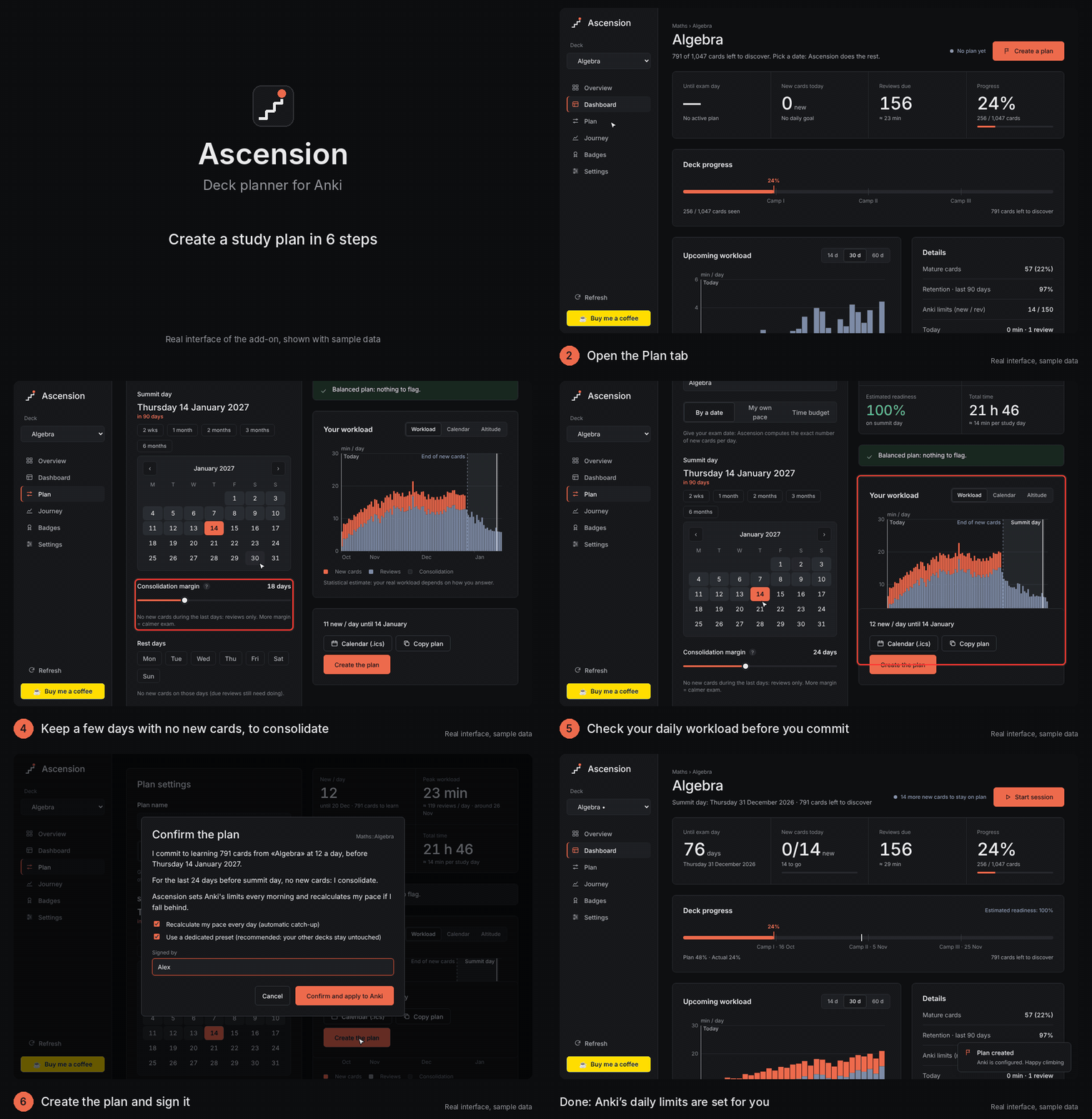
Ascension: plan every deck like a climb
Pick your exam date. Ascension works out exactly how many new cards to learn each day, sets Anki's daily limits for you, shows the workload that is coming, and keeps you on track with a daily goal, a streak and a catch-up proposal if you fall behind.
What it does
- Three ways to plan: by exam date, at your own pace, or by a daily time budget.
- Exact daily pace for new cards, with a consolidation margin (days before the exam with no new cards, reviews only) and rest days.
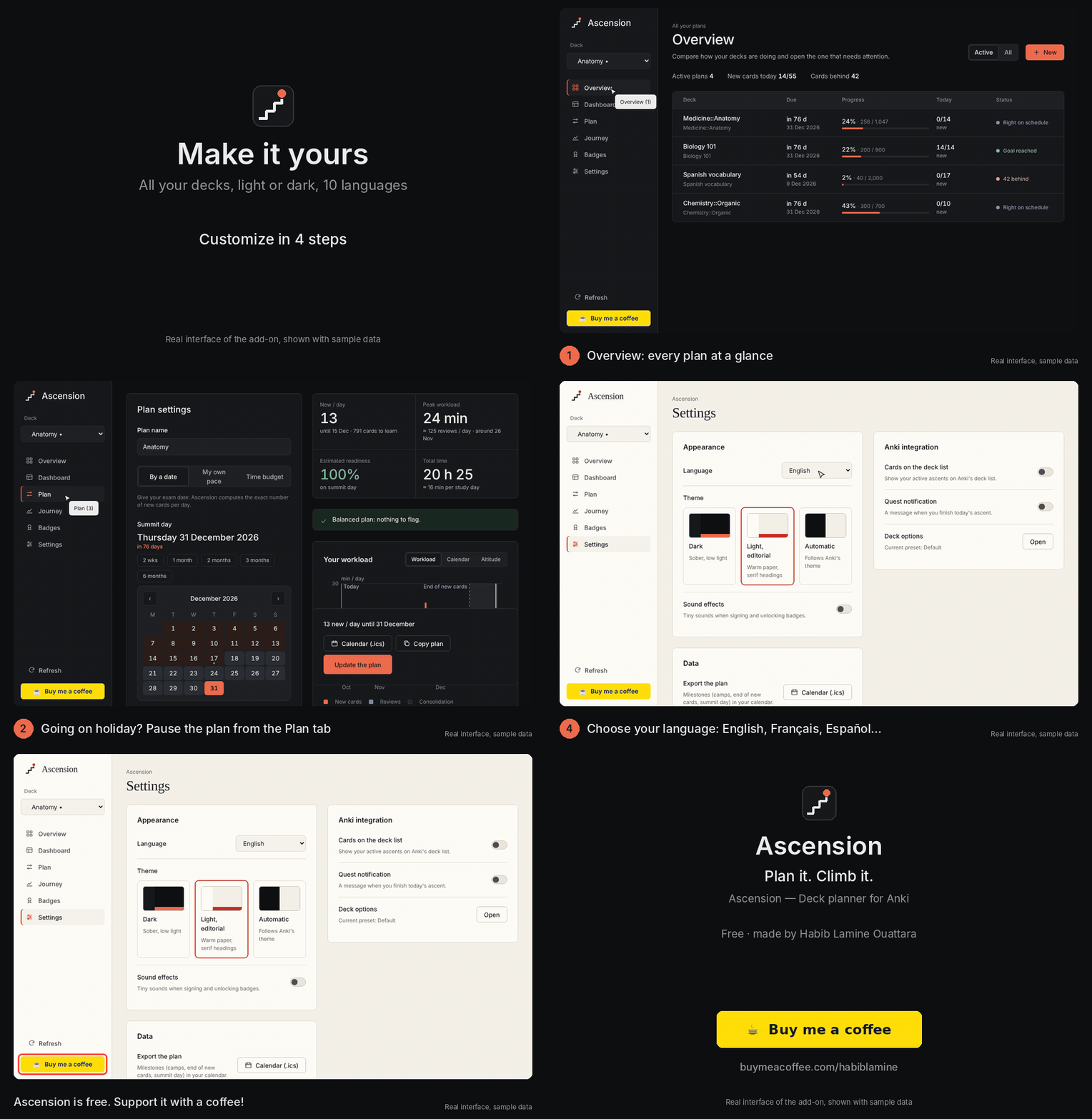
- Pause / holidays: freeze new cards for a period; the pace is recalculated over the remaining days.
- Workload forecast: minutes per day, reviews per day, peak day, estimated readiness on exam day. Workload, calendar and altitude views.
- Sets Anki for you: writes the daily new-card limit (dedicated preset recommended, so your other decks never change) and restores your original options when you abandon or finish the plan.
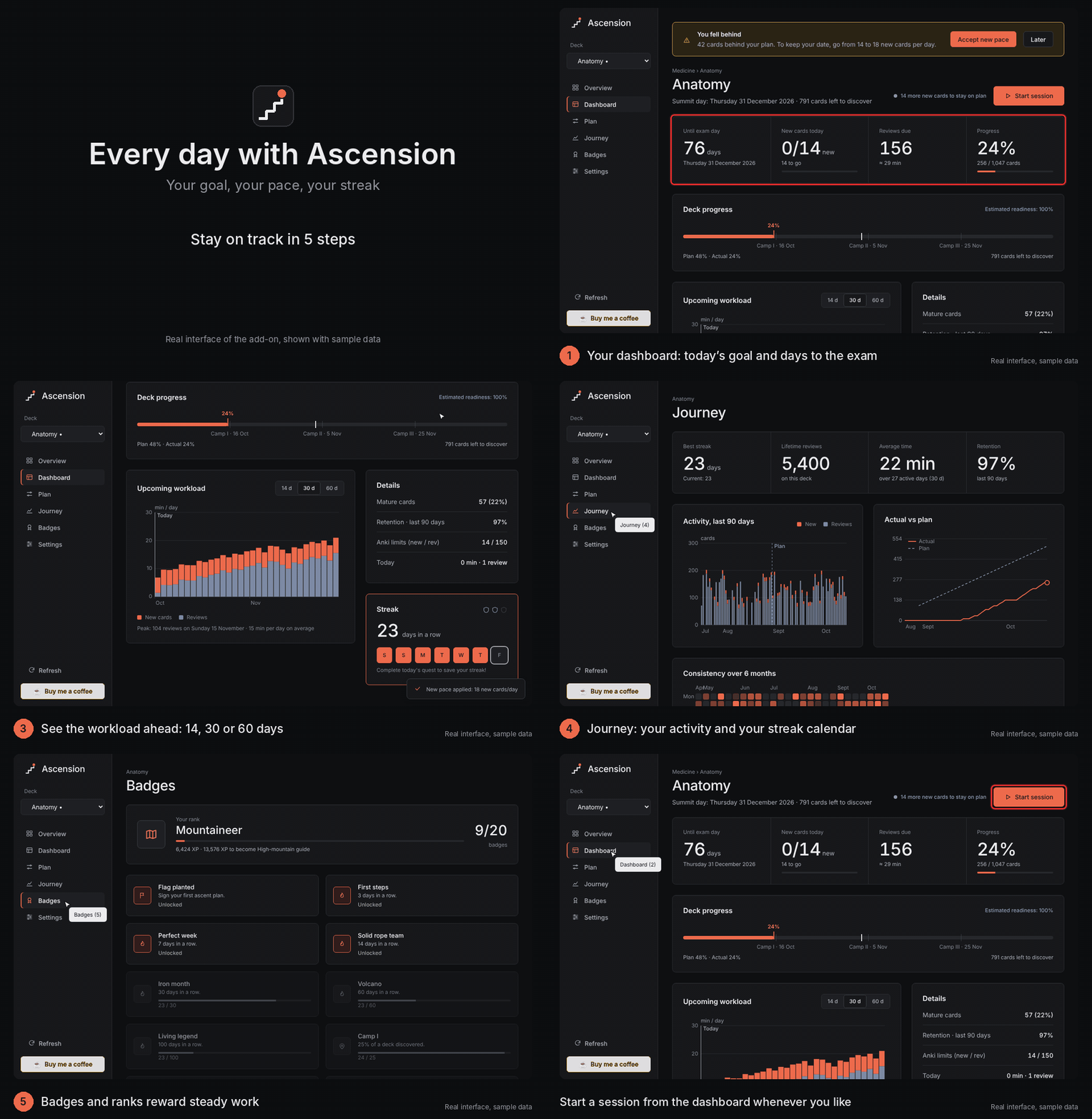
- Catch-up, with your consent: if you fall behind, Ascension proposes a new pace and applies it only after you accept.
- Dashboard: days left, today's goal, reviews due, deck progress against the plan, camps along the way.
- Overview of all decks with a plan: progress, today, status (on schedule, goal reached, behind).
- Motivation, kept sober: daily streak with rest shields, badges and ranks, activity charts and a 6-month consistency grid.
- Calendar export (.ics) of your milestones.
- Dark theme and a light "editorial" theme, chosen in Settings (or follow Anki).
- 10 languages: English, Français, Español, Deutsch, Italiano, Português, Nederlands, Русский, 日本語, 中文. Follows Anki's language automatically. Translations other than English and French are machine-written, so corrections are welcome. Right-to-left languages are not supported yet (English is used instead).
How to use it
- Tools → Ascension — Deck planner (or Alt+D).
- Pick a deck, open the Plan tab, choose your exam date.
- Check the workload chart, then Create the plan and sign it. Done: Anki's limits are set every morning.
See it in action
Every day with Ascension
Customize it: theme, languages, holidays
Privacy
Everything stays on your computer. Ascension sends no data over the internet, has no account, no tracking and no ads. Your plans are stored in the add-on's own folder. The only network action is opening the "Buy me a coffee" page in your browser when you click the button.
About the pictures
The animated pictures are renders of the add-on's real interface with sample data and short captions added. They are not recordings of a live Anki window.
Requirements
Anki 23.10 or newer (Qt6). Works on Windows, macOS and Linux.
Created by Habib Lamine Ouattara. Ascension is free. If it helps you study, you can support its development:
