You spend countless hours in Anki. Why let a bulky, outdated system title bar get in the way of a clean workspace?
The Frameless Addon gives Anki a modern look by replacing the default operating system title bar with a clean header and optional sidebar. It brings your app menu, window buttons, and navigation together into one seamless frame—giving you more vertical screen space to focus on your cards.
Whether you use Anki on its own or alongside The Widget Addon and The Focus Addon, it delivers a clean, distraction-free study environment.
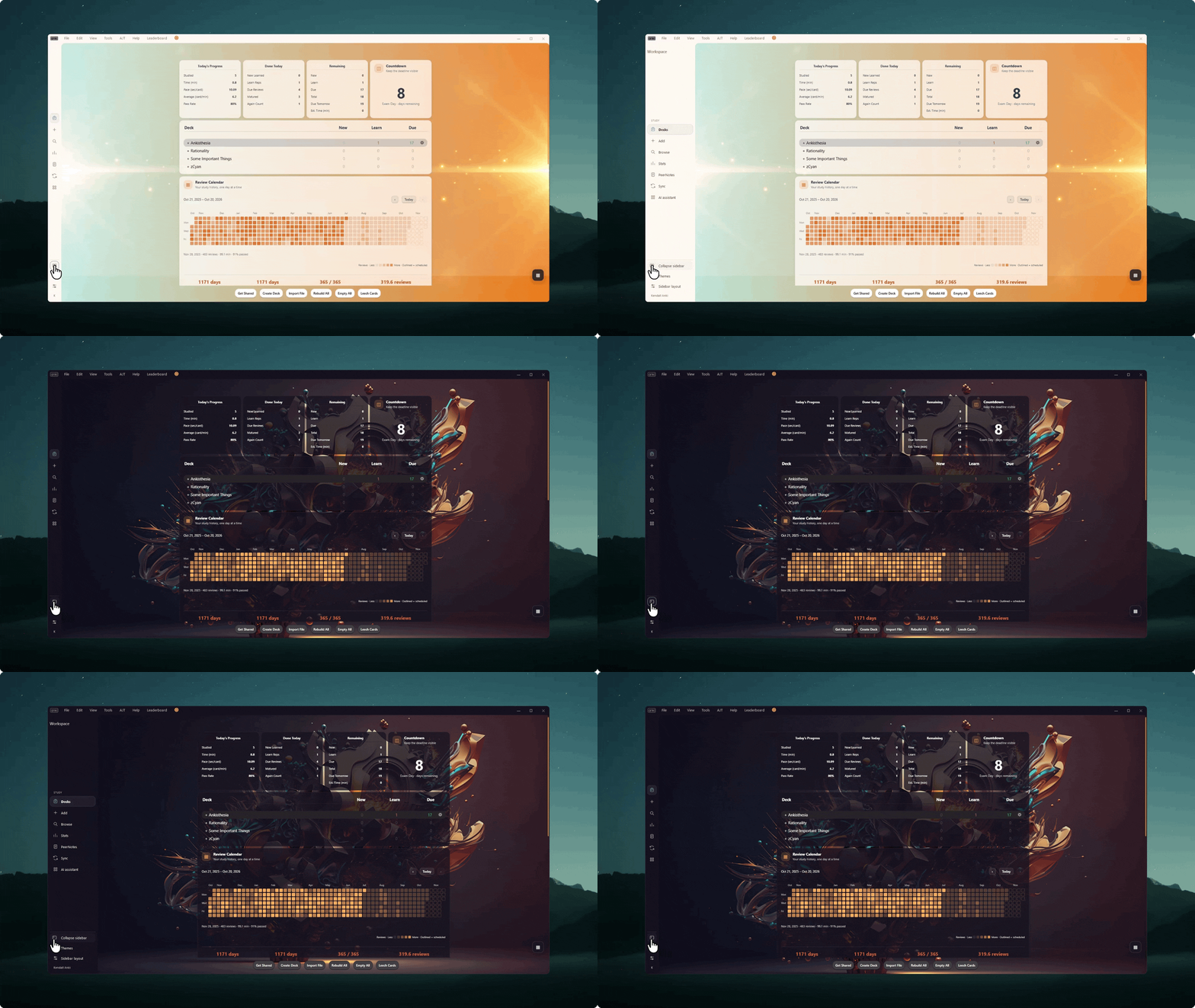
Note: This demo is also using The Widget Addon and the AI Chat feature is from the The Notes Addon
A Clean, Modern Workspace
Enjoy a sleek, unified look that blends naturally into your desktop. Switch between a minimal top bar and a convenient sidebar to match how you like to study.
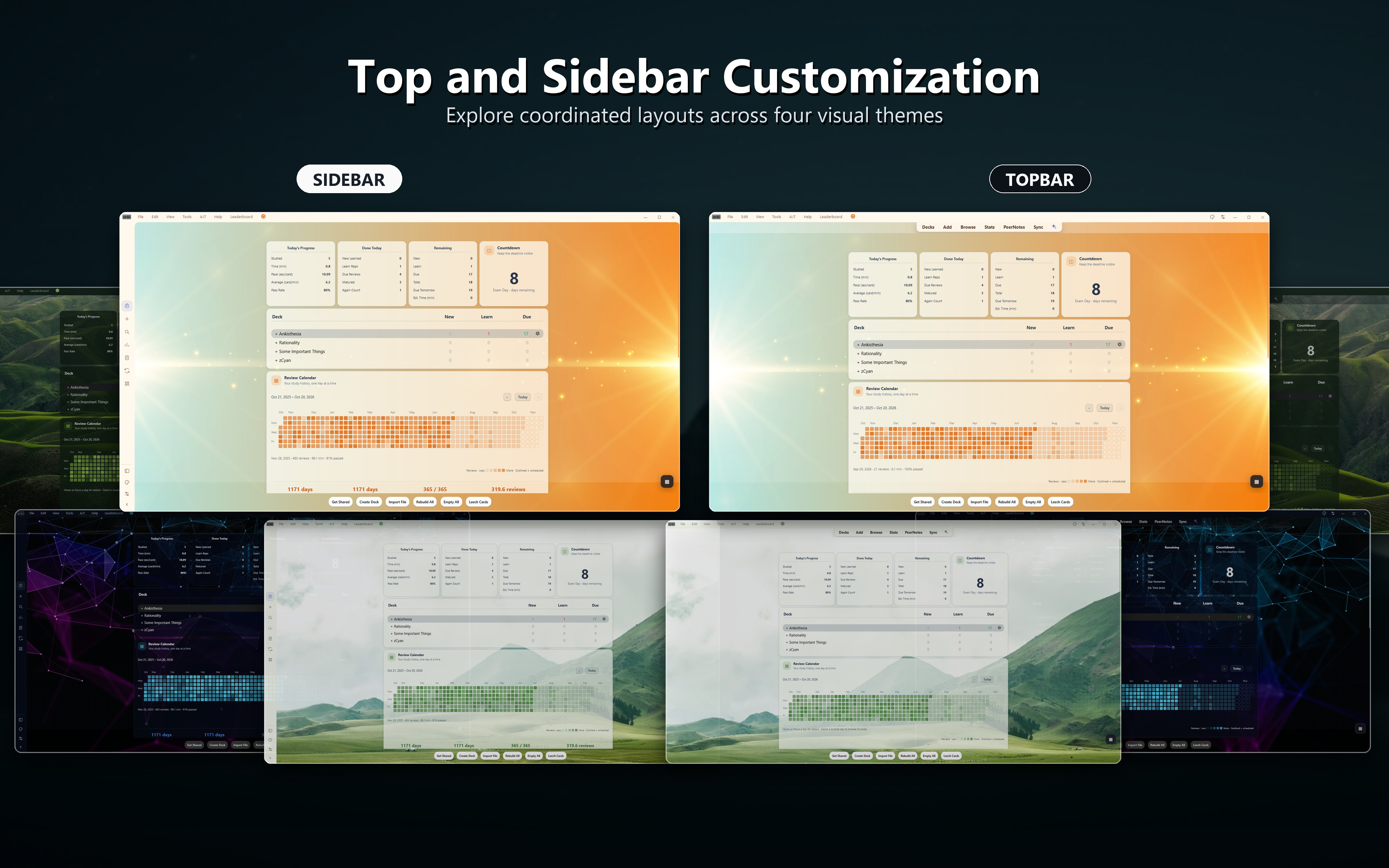
- Unified Top Bar: Merges your menus and window controls into a compact, space-saving header.
- Topbar & Sidebar Layouts: Easily switch between a clean top bar or a collapsible sidebar.
- Adaptive Light & Dark Badges: Crisp Anki logo badges that automatically match your active theme.
- Modern Menus: Rounded, cleanly spaced dropdown menus that look and feel native.
- Polished Typography: Strips out distracting keyboard accelerator underscores for a cleaner look.
Modern Look. Natural Feel.
Unlike many frameless designs that make moving or resizing windows difficult, The Frameless Addon works just like a standard desktop app. You can resize effortlessly from any edge, snap the window anywhere, and use standard title bar shortcuts.
Drag from any open space on the top bar to move your window, or double-click to maximize and restore.
- Smooth Edge Resizing: Resize comfortably from any edge or corner without your cursor getting stuck.
- Windows 11 Rounded Corners: Keeps your operating system's native rounded window corners and soft shadows.
- Effortless Window Snapping: Snaps cleanly to screen edges and works seamlessly with standard window layouts.
- Familiar Controls: Standard minimize, maximize, and close controls work exactly where you expect them to.
Built for Your Setup
The Frameless Addon works out of the box with standard Anki light and dark themes, and syncs seamlessly with companion add-ons.
- The Widget Addon Integration: Automatically matches the color palette of your active dashboard scene in real time.
- The Focus Addon Dimming: Supports subtle header dimming during focused study sessions.
- Native Themes: Adapts smoothly whenever you switch between Day and Night mode.
Key Features
- Clean, borderless top bar combining menus and window controls.
- Choice of Topbar or Sidebar navigation layouts.
- Sharp adaptive logo badges for light and dark modes.
- Modern rounded dropdown menus.
- Clean typography without menu accelerator underscores.
- Smooth, reliable window resizing and native window snapping.
- Automatic color syncing with The Widget Addon and The Focus Addon.
Check Out My Other Add-ons
- 🎨 The Widget Addon (Add-on #515663681): Transform Anki's home screen into a personalized study dashboard with 34+ coordinated scenes and widgets.
- 🎧 The Focus Addon (Add-on #2029118667): Built-in Pomodoro timer, offline ambient soundscapes, and smart card audio ducking.
- 📝 The Notes Addon (Add-on #585688497): Collaborative sticky notes and shared high-yield medical pearls inside the reviewer.
- 💊 Generic to Brand Names (Add-on #1981082675): High-yield pharmacology recall for medical exams.
- ✏️ DirectEdit (Add-on #448738467): Edit card fields inline without opening the card editor window.
- 🎮 Gamepad Controller (Add-on #1137651035): Seamless controller navigation and review shortcuts.

Found a bug? Report it for faster support
Before leaving a review about an issue, please reach out or submit a bug report. This allows me to troubleshoot the problem directly and coordinate with you to fix it much faster.