Context Popup Pro
Attach a small pop-up to any word on your cards: a definition, a tip, a pitfall, an example, a mnemonic, an image or a link. While you review, click the word to read it. Nothing clutters the card until you ask for it.
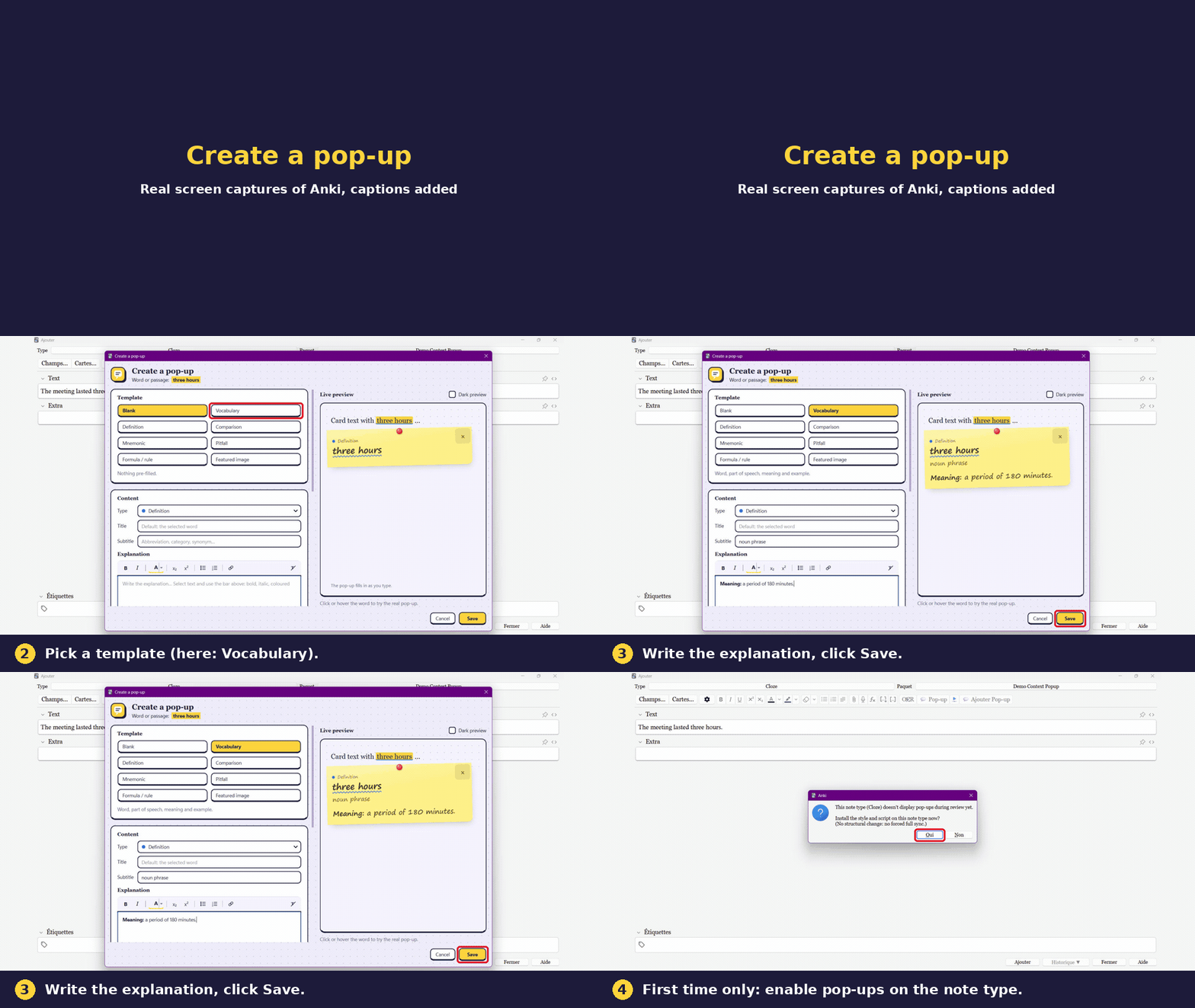
1. Create a pop-up
2. Use it while reviewing
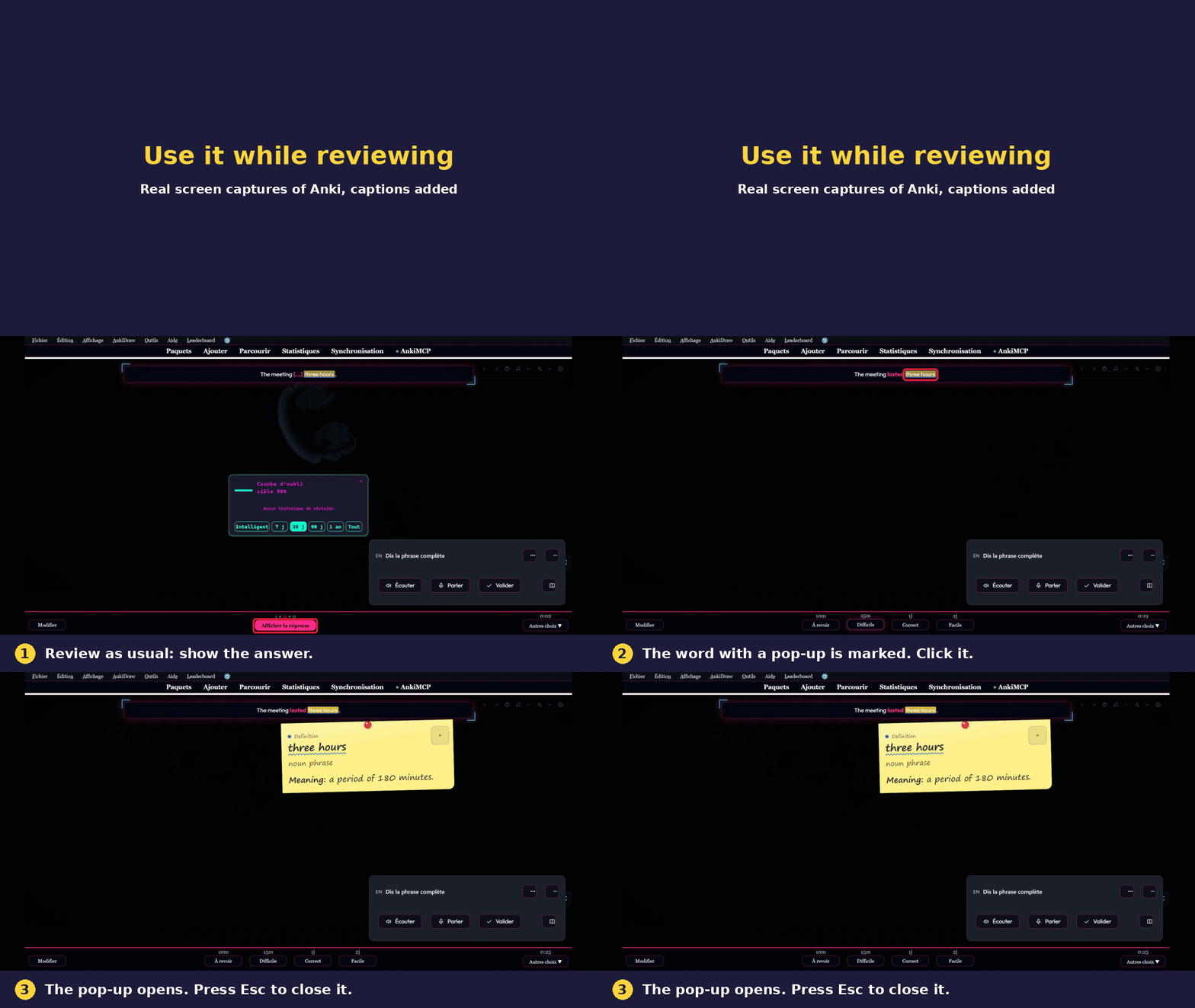
Real screen captures of Anki, captions added. The add-on installation step is not shown.
How it works
- In the editor, select a word and press Ctrl+Shift+P (or click the Pop-up button).
- Pick a template, write the explanation, save. The preview updates as you type.
- Review as usual. Click the marked word to open its pop-up, press 5 to step through the pop-ups of the card, Esc to close.
You can also create a pop-up straight from the review screen: select a word on the card and press L.
Features
- 8 templates: blank, vocabulary, definition, comparison, mnemonic, pitfall, formula, featured image.
- 6 colour-coded types: definition, tip, warning, example, context, mnemonic.
- 5 styles: Ink, Clean, Paper, High contrast, Post-it. Light and dark mode.
- 4 formats: floating card, Wikipedia style, bottom sheet on phones, side panel.
- Rich text, up to 4 images per pop-up, links.
- Study pause (optional): after a wrong answer, the pop-ups of the card open by themselves for a few seconds.
- Works on AnkiDroid, AnkiMobile and AnkiWeb after a sync: everything is stored in your card templates, the add-on is only needed to create pop-ups.
Languages
English, Français, Español, Deutsch, Italiano, Português, Nederlands, Русский, 日本語, 中文 (follows Anki, or choose in Settings). Translations were made with the help of AI; corrections from native speakers are welcome.
Privacy
No data is collected or sent. The add-on works offline. The only network action is opening the coffee page in your browser if you click the button.
Support
Free, made by one person. If it helps you study, you can say thanks with a coffee. It is never required. Bug reports and ideas: github.com/DesosseBR/Anki-pop-up.
Created by Habib Lamine Ouattara.

```