I'm Roger, a college student who used to struggle with the challenge of manually creating flashcards. This process was exhausting and time-consuming, so I decided to develop FlashCard GPT, an Anki add-on that uses ChatGPT's artificial intelligence to automatically generate flashcards from any text.
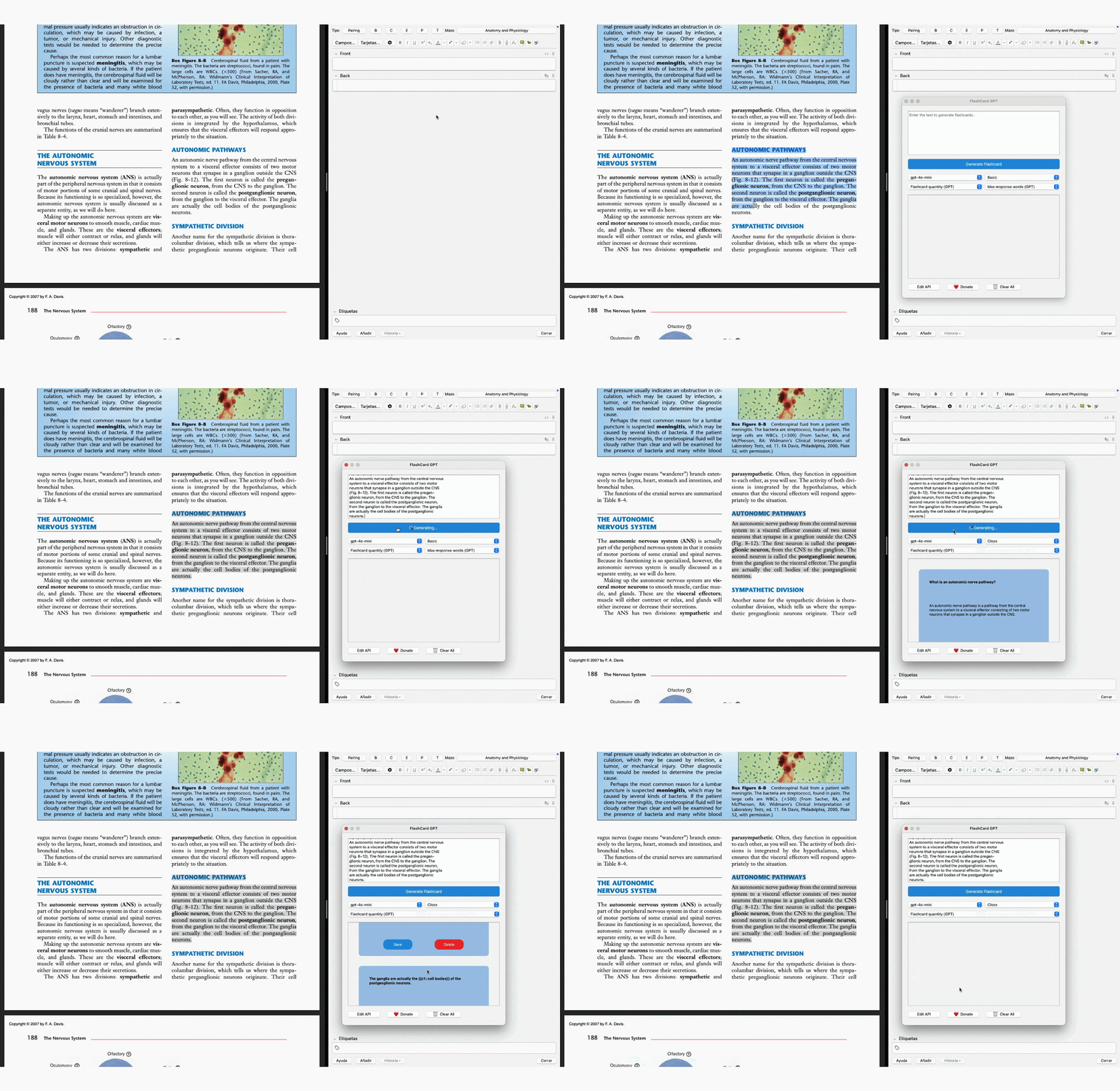
Example of creating basic and cloze flashcards
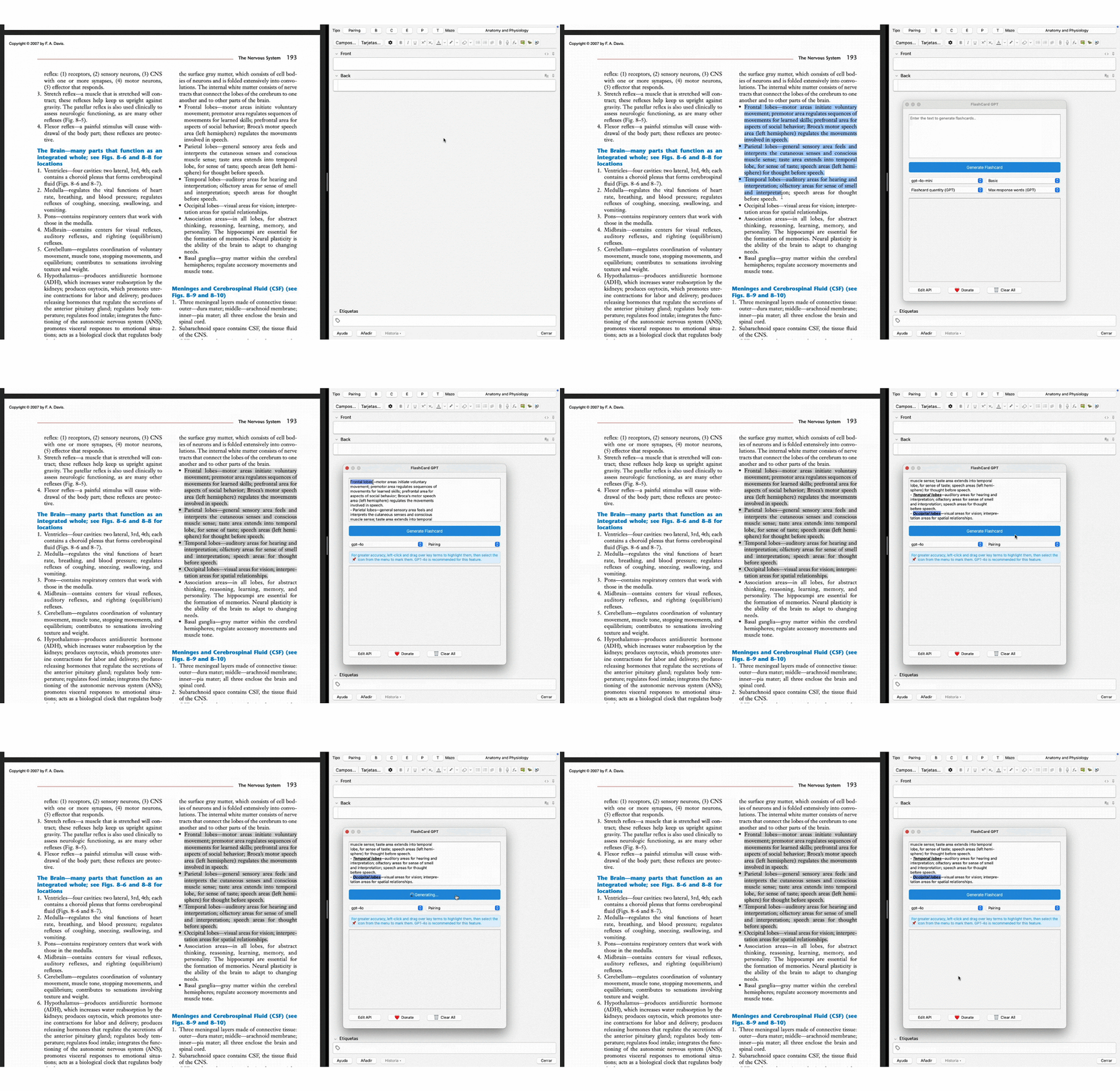
Example of how to create pairing flashcards
Main Features
- ✅ Choose your preferred ChatGPT model: Select between ChatGPT 4 Mini or ChatGPT 4, depending on the processing power and content generation level you need.
- ✅ Choose the number of cards: Decide how many cards you want to generate from the text, adapting them to your study method.
- ✅ Choose the response length: Set a word limit to control the length of each response and tailor it to your learning style.
- ✅ Card editing: Modify the content of each card after generation to further personalize them to your needs.
- ✅ Manual card selection: Review the generated cards and choose which ones to keep or remove, ensuring you retain only the most relevant information.
Who is FlashCard GPT for?
- ✅ University and high school students: Turn your notes and books into study cards easily and quickly.
- ✅ Professionals and self-learners: Absorb large amounts of information in a structured way.
- ✅ People preparing for exams or certification tests: Review efficiently without wasting time creating cards manually.
Frequently Asked Questions
What is the ChatGPT API?
The ChatGPT API is a programming interface that enables developers to integrate ChatGPT's features into their apps. It provides access to OpenAI's AI for tasks like text generation, question answering, natural language processing, and more, all through simple code.
Where is the API key stored once entered into the add-on?
The API key you enter into FlashCard GPT is stored locally on your computer in an encrypted form. It is used solely on your device to generate cards and is not sent or stored on external servers.
Can I share the ChatGPT API key with others?
Sharing your ChatGPT API key is not recommended, as it is linked to your account and usage. Unauthorized sharing could lead to misuse and potential charges on your account. API keys are for personal use only.
What operating systems does the add-on support?
FlashCard GPT is compatible with both Windows and macOS.
Do I need an internet connection to use FlashCard GPT?
Yes, an internet connection is required to interact with the ChatGPT API and generate study cards. However, the add-on only needs to be online when processing the text and generating cards.
Do I need technical knowledge to use FlashCard GPT?
No, FlashCard GPT is designed to be user-friendly, even for those without technical experience. Simply install the add-on in Anki, enter your ChatGPT API key, and you're ready to start.
Can I customize the type of cards that are generated?
Yes, FlashCard GPT offers full customization. You can choose the number of cards, the length of the answers, edit the content, and even manually select which cards to keep in your deck and which to discard.
In which languages can FlashCard GPT generate cards?
FlashCard GPT automatically detects the language of the provided text and generates cards in the same language, making it easy to create cards without manually setting the language.
How much does FlashCard GPT cost?
The add-on itself is free to use. However, you will need a ChatGPT API key, which may incur costs depending on the OpenAI pricing plan you choose.
Is my data stored securely?
FlashCard GPT does not store or collect any of your data. It only uses the API key locally on your device and does not share any information with third parties.
Install FlashCard GPT and take your studying to the next level. 🚀
⚠️ FlashCard GPT does not work on Linux. Please use Windows or macOS to run this add-on.