Gabe's Anki Power Tools
Why this exists
If you study with AnKing or Malleus on Anki, you probably have something like 60,000 tags, a sidebar that takes forever to scroll, and a workflow where adding a single relevant card to your own deck means hunting through pages of search results. This addon fixes that; developed it for my own use!! But thought I'd share with you all.
It came out of my own daily workflow as a med student: I wanted to type a topic, see only the relevant cards, set a yield filter, click the ones I wanted, and have them dropped into my own deck for the week. None of the existing tag addons quite did this, especially with AnkiHub-synced collections.
Prerequisites: get the decks first
This addon assumes you're studying from the standard medical Anki decks. If you don't have them yet:
- AnKing (USMLE Step 1 / Step 2): the most-used med-school Anki deck in the world.
- Malleus Clinical Medicine (AU/NZ): if you're in an Australian or New Zealand MD program (MD2+ relevant for management cards).
Both are distributed via AnkiHub, which normally costs money. But AnkiHub gives a free scholarship to medical students, and from what I've seen virtually every applicant gets approved. Apply here before paying for anything:
https://www.ankihub.net/scholarships
What you can do with it
1. Filter for the right tag in seconds, not minutes
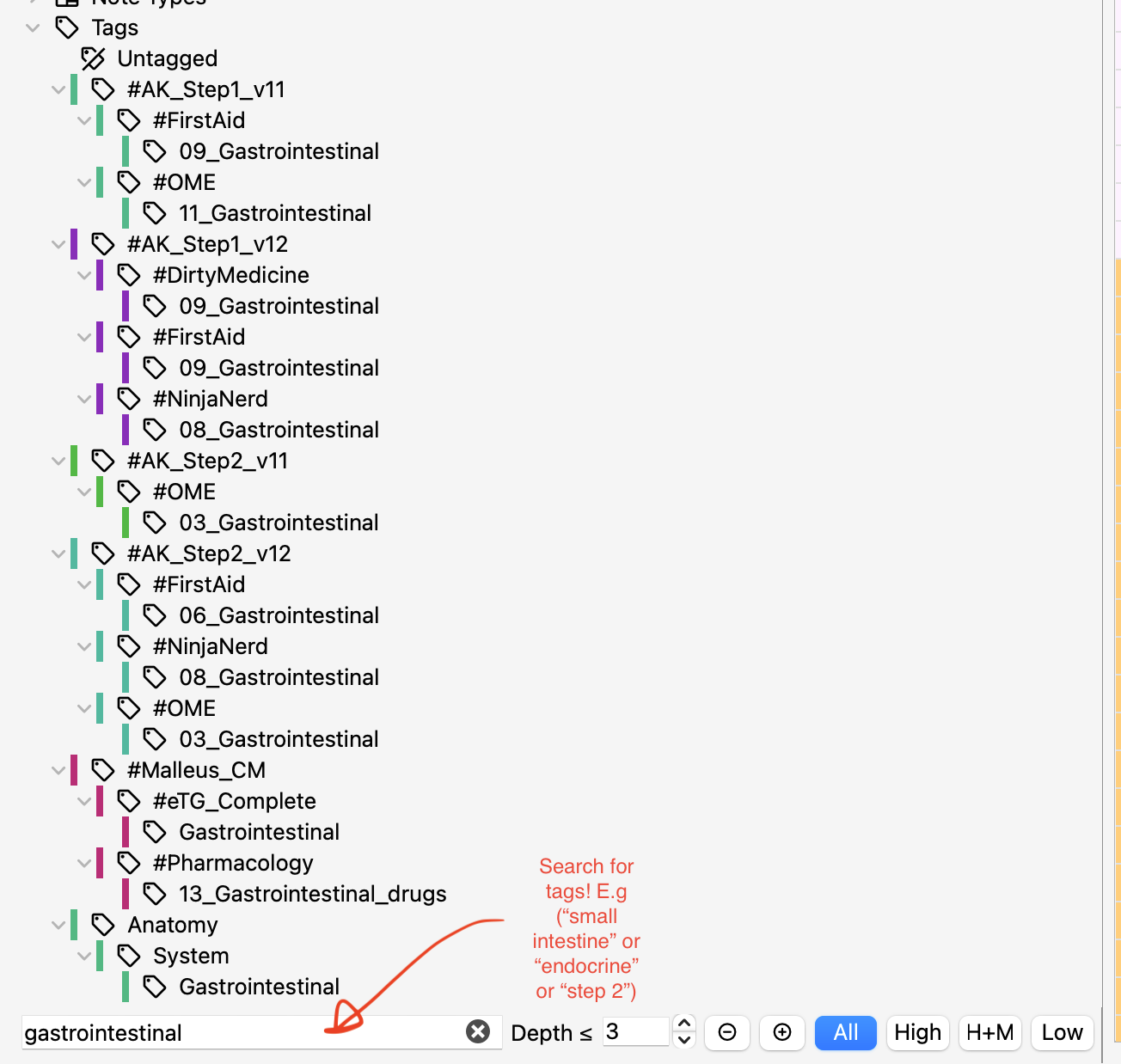
Tags are super powerful and very well made for decks like AnKing! Type a few letters above the sidebar. The tag tree collapses to only matching tags, anywhere in the path. Each top-level tag gets a stable colour so you can tell #AK_Step1_v12 apart from #PANCE apart from #Malleus_CM at a glance. A depth-limit spinner hides anything deeper than N levels if you only want the high-level structure.
2. Study only high-yield (or skip low-yield)
Auto-detects AnKing v11/v12 and Malleus CM yield tags. A pill [All] [High] [H+M] [Low] intersects with whatever you have searched. Click a subject tag with the pill on High, and you see only high-yield cards for that subject. No manual OR-ing of a dozen yield tags. The yield meta-tags themselves are auto-hidden from the tree so they don't clutter your sidebar.

3. Pull cards from AnKing into your own deck, fast
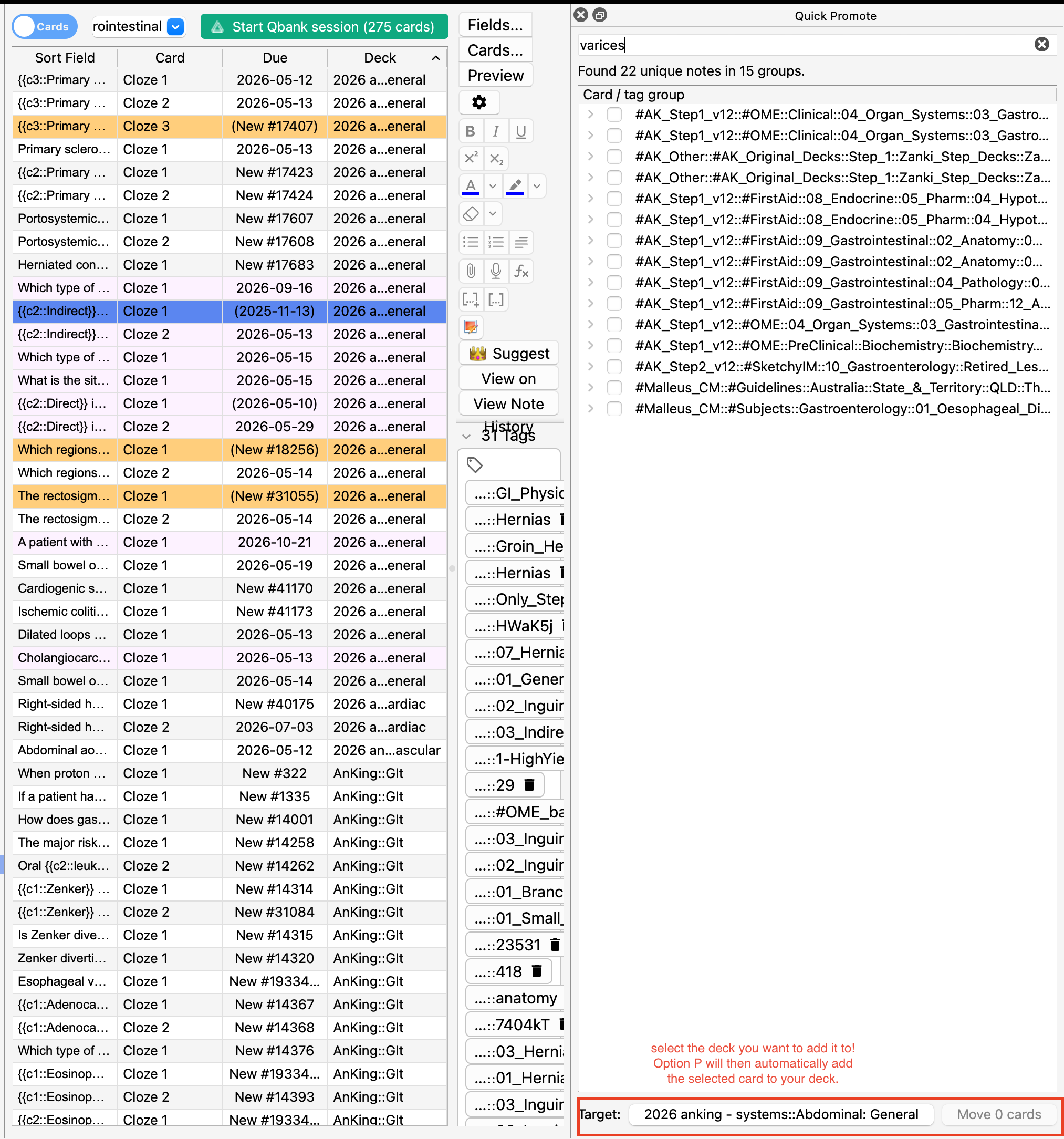
This is the core workflow problem the addon solves. You hear about portal hypertension in a lecture. You want all the AnKing cards on that into your own MD::GI subdeck. Instead of trial-and-error in the browser:
- Open Quick Promote (
Cmd+Shift+P).
- Type the topic. Matching cards group by their primary tag with checkboxes.
- Tick the groups or individual cards you want.
- Pick your target deck (favourites and recents at the top of the dropdown).
option+P to move it. Done. Undo with Cmd+Z if you misclick.
For one-off promotions (you're already in the browser, see a card you want, just take it), right-click any cards and pick Promote to my deck. Or hit Option+P to repeat the last target.
4. See what's actually in a deck at a glance
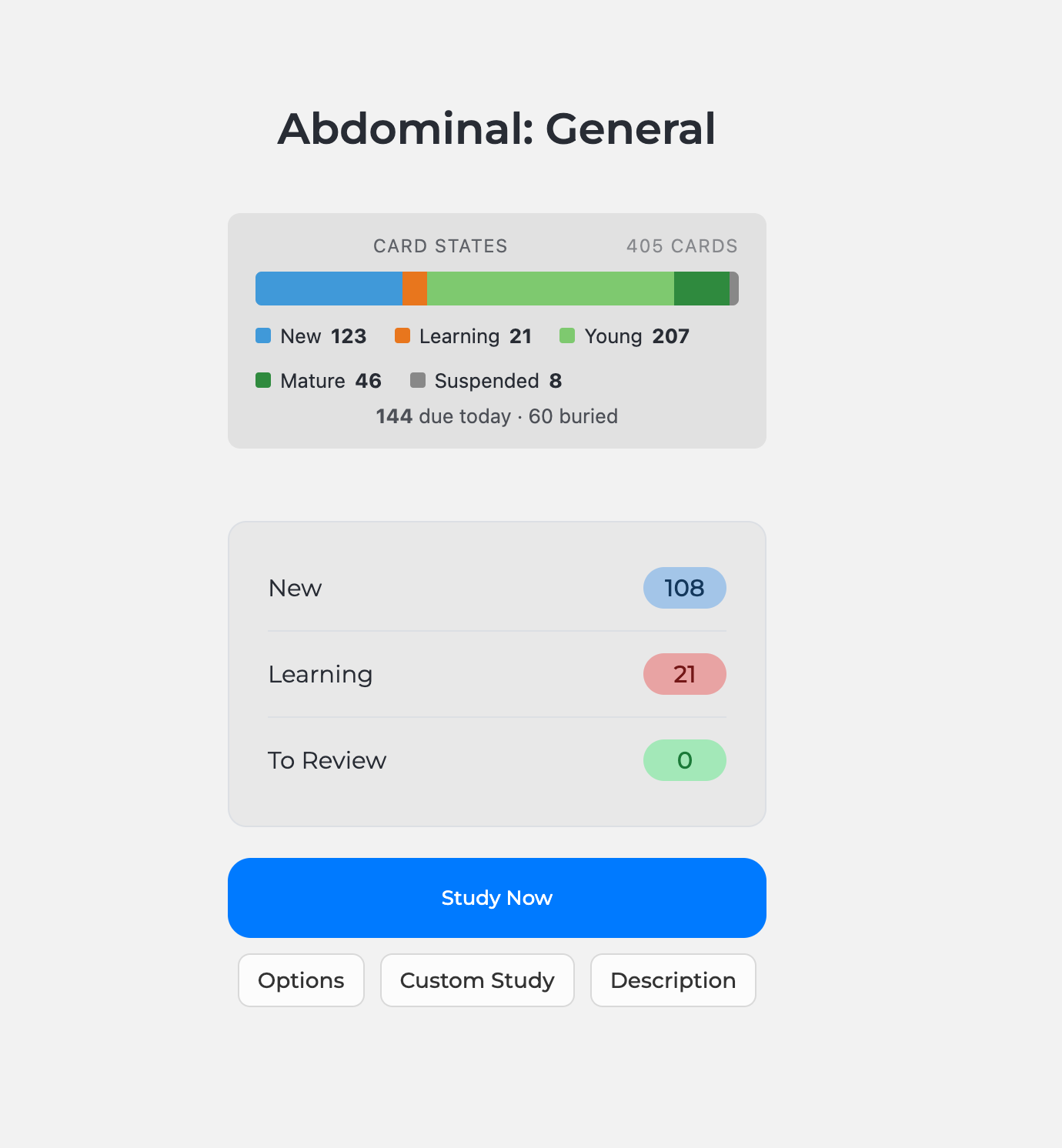
When you click into any deck, you get a stacked bar at the top showing New / Learning / Young / Mature / Suspended counts. Cumulative across all subdecks. Hover for exact numbers. Helps you decide where to spend your study time.
5. Two keyboard fixes
- Close AMBOSS with one shortcut. AMBOSS's
Shift+A toggle doesn't fire when its webview has focus, which means once it opens you can't easily close it from the keyboard. This addon adds Option+Shift+A as an application-level shortcut that works regardless.
- Cmd+Backspace deletes notes in the browser (Mac). Anki's default
Ctrl+Delete maps to Cmd+Forward-Delete on Mac, which only fires for fn+Delete. This adds Cmd+Backspace (the key actually labeled "Delete" on Mac keyboards).
Quick start once installed
- Restart Anki after installing.
- Open the browser (
Cmd+B). You'll see a filter bar at the bottom of the tag sidebar with a search box, depth spinner, and the yield pill.
- Type something in the search box to test the tag filter.
- Press
Cmd+Shift+P to open Quick Promote and try moving a card into one of your own decks.
- Click into any deck to see the card-state chart.
Compatibility
- Anki 2.1.55+ (Qt6 builds).
- Works alongside Onigiri Beta, AMBOSS, AnkiHub, BetterSearch, and Advanced Browser.
- Move operations preserve note IDs, so AnkiHub sync is not affected.
- Yield filter is med-school flavoured. If you don't have AnKing or Malleus yield tags, the pill is inert and harmless.
Configuration
Open Tools → Add-ons → Tag Power Tools → Config to change defaults: filter debounce, colour saturation and lightness, default depth limit, yield-tag visibility, AMBOSS hotkey, promote search limit, and more. Sensible defaults out of the box.
Source and feedback
Source code and bug reports: https://github.com/gtsuniu-droid/tag-power-tools. Keep in mind that I am still ironing out the bugs, especially for windows users.