Kanji Info Popup

AnkiWeb addon 928726597

Displays a movable popup with Japanese kanji meanings, readings, grade, JLPT level, and stroke count when selecting kanji, using bundled Jōyō data and fetching unknown kanji online.
AI-generated summary; may contain mistakes.

dictionary

Open on AnkiWeb GitHub Find alternatives

AnkiWeb

Votes
0 (👍 0 · 👎 0)
Updated
2026-05-11
Anki versions
25.09.2~
License
AGPL-3.0 (from the GitHub repository)
Virus scan
No ClamAV match A match does not prove malware. No match does not prove that the code is safe.
Languages
Python, JavaScript, SCSS, JSON
Description language
en

Maintenance

active

  • Last update or commit: 2026-05-16 (169 days before the snapshot).
  • Commits in the last year: 24.
  • Issues: 0 open, 0 closed.
  • Pull requests: 0 open, 1 merged.

Will it work on my Anki?

Version branches
Min AnkiMax AnkiUpdated
2.1.5025.09.2+2026-05-11
History across monthly snapshots

Loading…

Similar addons

Japanese Note Auto-Generator

Auto-generates Japanese vocabulary notecards from a word list via the Jisho.org API, including definitions, readings, JLPT level, kanji explanations, furigana and example sentences, placed in a custom deck.

card-creationdictionary

2 votes 0% approval 👍 0 · 👎 2 Anki 2.1.16~ Updated 2021-05-23
Jisho Kanji Stroke Order

Displays kanji stroke order in Jisho's visual style when hovering Japanese characters, for configured note types, with customizable styling.

appearancedictionary

12 votes 76% approval 👍 12 · 👎 0 ⭐ 2 Anki 2.1.65~ Updated 2026-07-29
JLPT Color Tags

Looks up Japanese vocabulary on Jisho to color card fields by easiest JLPT level and add JLPT or Common tags, with configurable fields, decks, and preserved HTML.

note-managementtaggingformattingdictionary

5 votes 57% approval 👍 5 · 👎 0 Anki 25.09.2~ Updated 2025-11-15

Description

This is a small tool I made for quickly looking up meanings and readings of Japanese Kanji without leaving Anki.

How to use

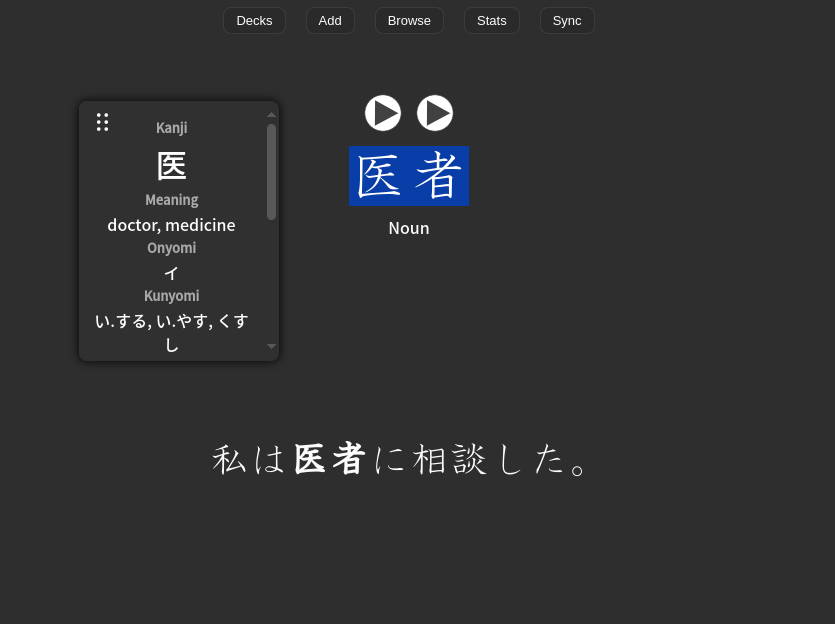
Simply select the Kanji and a popup will display.

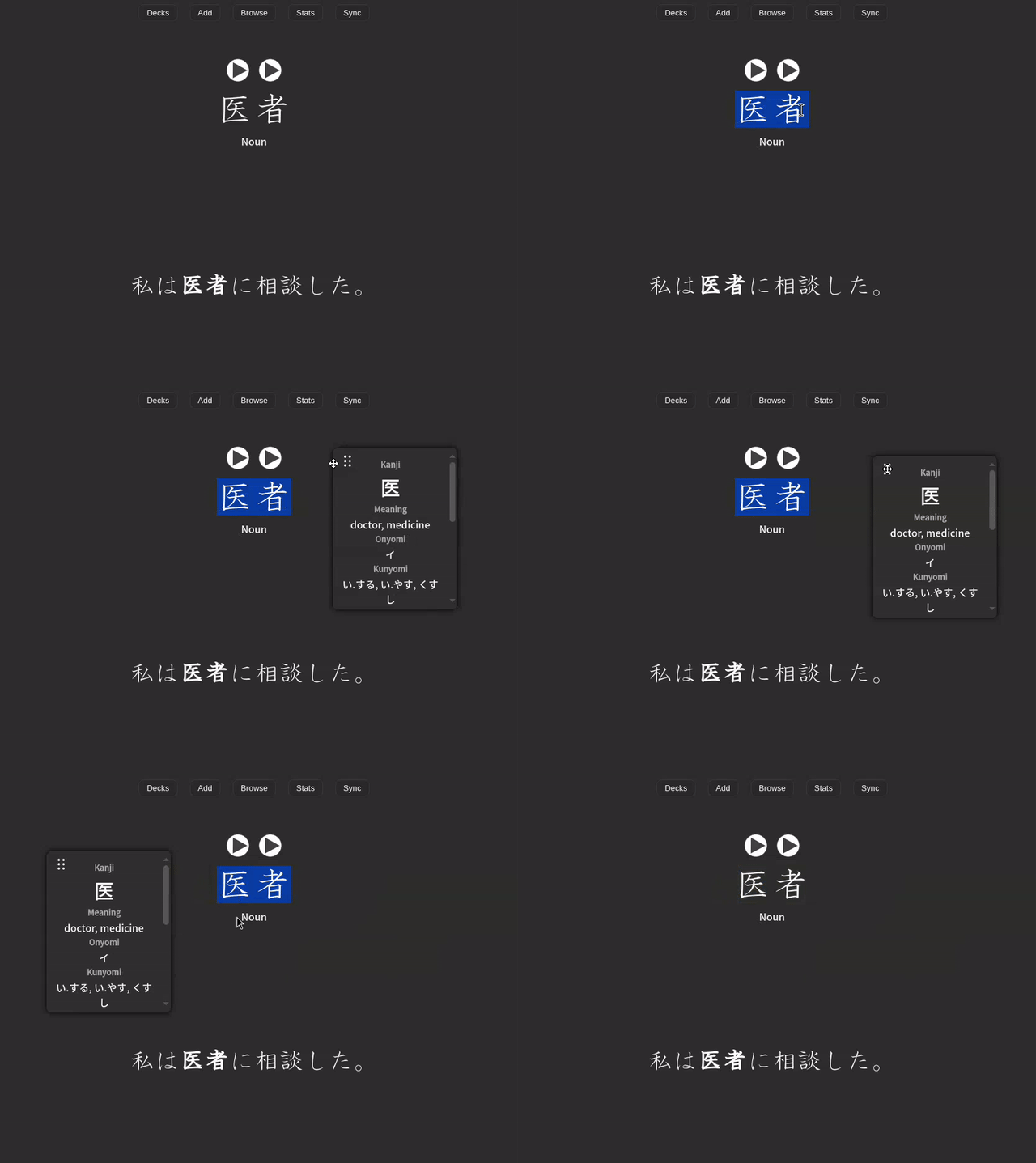
You can also move the popup around if it's in the inconvenient spot.

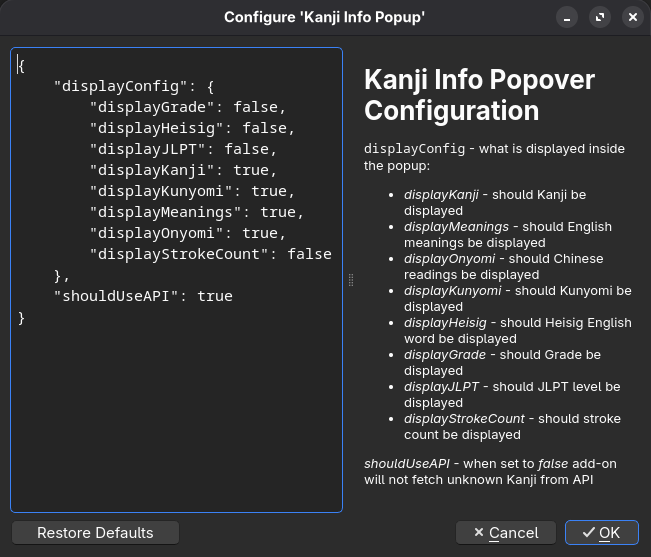
You can also adjust what information will be displayed about the Kanji, and if you want the add-on to use the internet, to fetch the kanji it doesn't know.

Third-Party Resources

I fetch all the data from kanjiapi.dev. Data of all the Jōyō Kanji is bundled with the add-on. Other Kanji will be automatically fetched from the API when selected.

Issues and source code

This is my first Anki Add-on, so if you encounter any issues make sure to report them.

README

Description

This is an Anki Add-on that allows convenient access to basic information about Japanese Kanji, without leaving Anki. It comes with data about all the Jōyō Kanji already saved so you can use it offline. Other Kanji will be automatically fetched from the API when selected, and saved for future lookup (requires access to the internet).

This add-on can display:

  • English meanings,
  • native Japanese readings (kunyomi),
  • Chinese readings (onyomi),
  • kanji grade,
  • JLPT level,
  • stroke count.

Displayed data can be adjusted in Add-on settings.

Installation

There are two ways of installing Anki Add-ons:

From AnkiWeb (recommended):

  1. Go to AnkiWeb and copy the code of this Add-on.
  2. Open your Anki and navigate to Tools->Add-ons.
  3. Press Get Add-ons... and paste the code there.
  4. Press "OK" and restart Anki.

From file:

  1. Download the .ankiaddon file below
  2. Open your Anki and navigate to Tools->Add-ons.
  3. Press Install from file... and choose the downloaded file
  4. Restart Anki

Usage

Select one or more kanji and the pop-up will display:

popup image

You can also move the popup around by dragging it by the handle on the top left:

popup drag gif

Credits & Third-Party Resources

Kanji Data

This add-on includes kanji data sourced from KanjiAPI.dev (© onlyskin), which is built on the KANJIDIC2 dictionary, a property of the Electronic Dictionary Research and Development Group (EDRDG), used in conformance with the Group's licence.

The Jōyō Kanji list

The database generation script fetches the kanji list from kanji-data by David Luz Gouveia.

License

This project is licensed under the GNU Affero General Public License v3.0 - see the LICENSE file for details.