AnkiGames
An Anki desktop add-on that adds mini-game study modes to any deck. Instead of the standard review flow, you can study your cards through interactive games that make drilling vocabulary more engaging.
Games
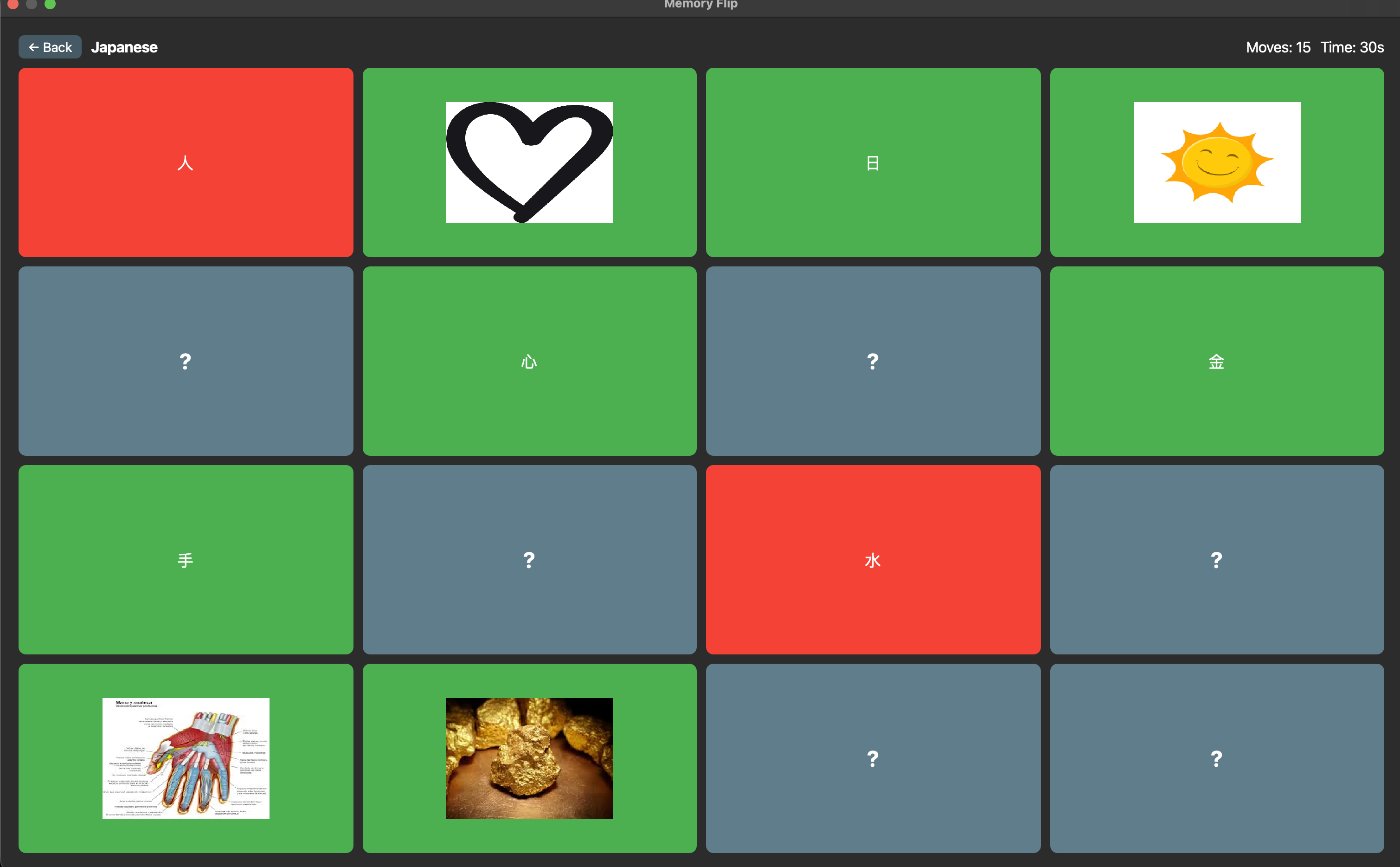
Memory Flip
A classic memory/concentration game. Cards are placed face-down in a grid. Flip two at a time — if the front and back of the same card match, they stay revealed. If not, they flip back. Complete all pairs to finish the batch and move on to the next.
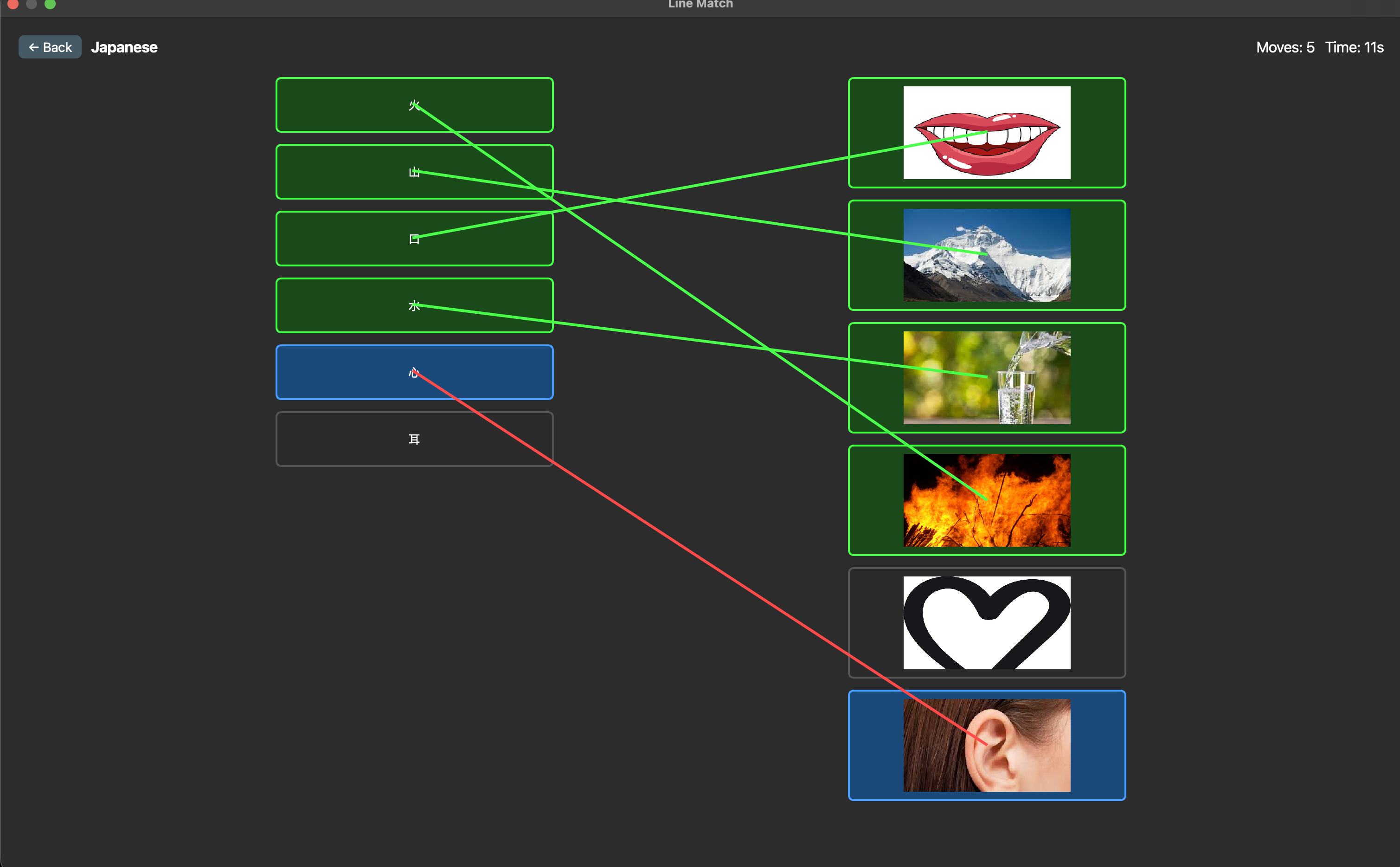
Line Match
Two columns of cards are shown side by side — fronts on the left, backs on the right, both independently shuffled. Click one card from each side to draw a connection. A green line confirms a correct match. A red line flashes briefly for a wrong one. Match all pairs to advance.an
Installation
- Download or clone this repository.
- Copy the
AnkiGames folder into your Anki add-ons directory:
- Mac:
~/Library/Application Support/Anki2/addons21/
- Windows:
%APPDATA%\Anki2\addons21\
- Linux:
~/.local/share/Anki2/addons21/
- Restart Anki.
How to Play
- Right-click any deck in the Anki deck browser.
- Select AnkiGames from the context menu.
- Choose a game mode and press Play!
Configuration
Edit config.json in the add-on folder to customize behaviour:
{
    "rows": 5,
    "cols": 4,
    "numberOfPairs": 6,
    "maxCards": 100,
    "flip_delay_ms": 600,
    "line_wrong_ms": 500,
    "useReviewQueue": false
}
| Field |
Description |
rows |
Grid rows for Memory Flip |
cols |
Grid columns for Memory Flip |
numberOfPairs |
Pairs per round in Line Match |
maxCards |
Maximum cards to load from the deck (set to null for no limit) |
flip_delay_ms |
How long wrong tiles stay flipped before turning back (ms) |
line_wrong_ms |
How long the red line stays visible on a wrong match (ms) |
useReviewQueue |
If true, only loads cards that are due for review today. If false, pulls from the entire deck |
Project Structure
AnkiGames/
├── __init__.py          — Entry point, registers deck context menu hook
├── manifest.json        — Add-on metadata
├── config.json          — User-configurable settings
├── games/
│   ├── base_state.py    — Shared state machine logic (batch loading, move tracking)
│   ├── memory_flip.py   — Memory Flip game
│   ├── line_match.py    — Line Match game
│   └── utils.py         — Config loading, card loading, shared UI helpers
└── ui/
    └── game_selector.py — Game mode picker dialog
Technical Notes
- Built with Python and PyQt6 via
aqt.qt — Anki's official Qt abstraction layer.
- All Qt classes are imported from
aqt.qt to ensure compatibility across Anki versions.
- Games run as maximised
QDialog instances so they never interfere with Anki's main window or other add-ons.
- The Line Match overlay canvas uses
WA_TransparentForMouseEvents so lines render on top of labels without blocking clicks.
- Card data is only accessed inside user-triggered functions, never at import time, following Anki's
mw.col safety rules.
Requirements
- Anki 23.10 or later
- Python 3.10+
- PyQt6 (bundled with Anki)