๐Ÿ“Š Quick Stats (Main Screen)

AnkiWeb addon 1366349433

Replaces Anki's main-screen study line with a theme-adaptive stat card showing configurable today/month/year/lifetime statsโ€”cards, time, retention, new cardsโ€”plus optional lifetime total and daily load, with a settings dialog.
AI-generated summary; may contain mistakes.

statistics

Open on AnkiWeb GitHub Find alternatives

AnkiWeb

Votes
2 (๐Ÿ‘ 2 ยท ๐Ÿ‘Ž 0)
Updated
2026-09-16
Anki versions
26.08~
License
MIT (from the GitHub repository)
Virus scan
No ClamAV match A match does not prove malware. No match does not prove that the code is safe.
Languages
Python, JSON
Description language
en

Maintenance

active

  • Last update or commit: 2026-09-19 (43 days before the snapshot).
  • Commits in the last year: 9.
  • Issues: 0 open, 0 closed.
  • Pull requests: 0 open, 0 merged.

Will it work on my Anki?

Version branches
Min AnkiMax AnkiUpdated
2.1.5026.08+2026-09-16
History across monthly snapshots

Loadingโ€ฆ

Similar addons

Modern Stats Dashboard

Replaces standard deck stats with a customizable, theme-adaptive dashboard showing per-deck progress, remaining cards and today's completed reviews, configured through a graphical menu.

statisticsprogress-trackingappearance

25 votes 87% approval ๐Ÿ‘ 25 ยท ๐Ÿ‘Ž 0 Anki 2.1.66~ Updated 2025-06-28
Minimalist UI: Remove Stats etc.

Simplifies the deck browser by removing stats displays, shortcuts, and extra buttons, replacing New/Learn/Due columns with one total count while keeping native styling and study flow.

deck-managementshortcutsappearance

1 votes 21% approval ๐Ÿ‘ 1 ยท ๐Ÿ‘Ž 0 Anki 25.09.2~ Updated 2026-04-14
Awesome Dashboard

Replaces Anki's deck and review screens with a customizable widget dashboard featuring activity heatmaps, Pomodoro timer, habit tracking, exam countdowns, Quizlet-style study modes, card previews, six themes, and four languages.

review-flowstatisticsprogress-trackingtimerquiz

5 votes 57% approval ๐Ÿ‘ 5 ยท ๐Ÿ‘Ž 0 โญ 2 Anki 26.09.2~ Updated 2026-10-04

Description

By Icaro Kuchanovicz

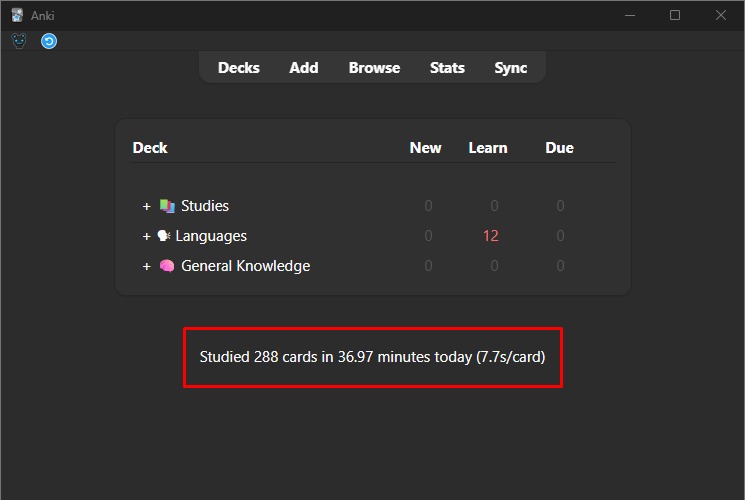
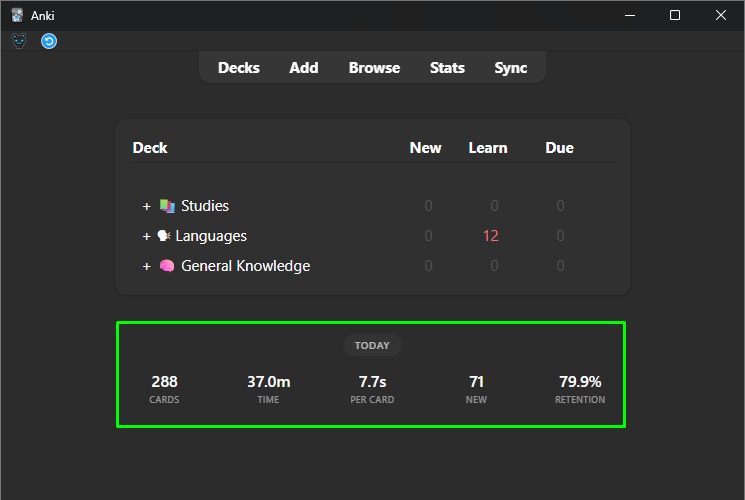
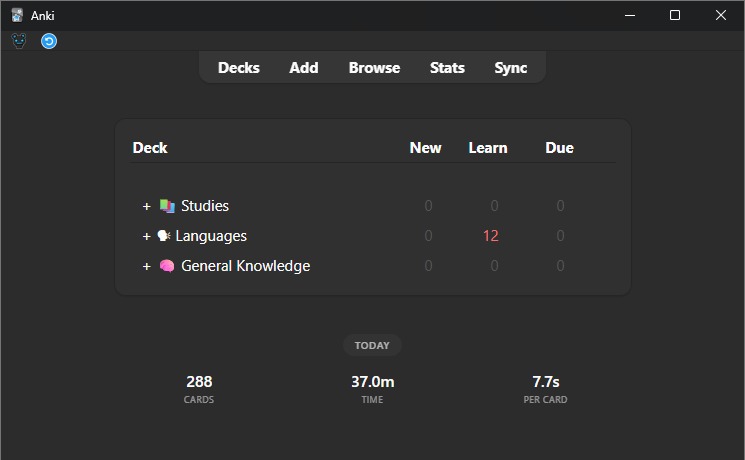
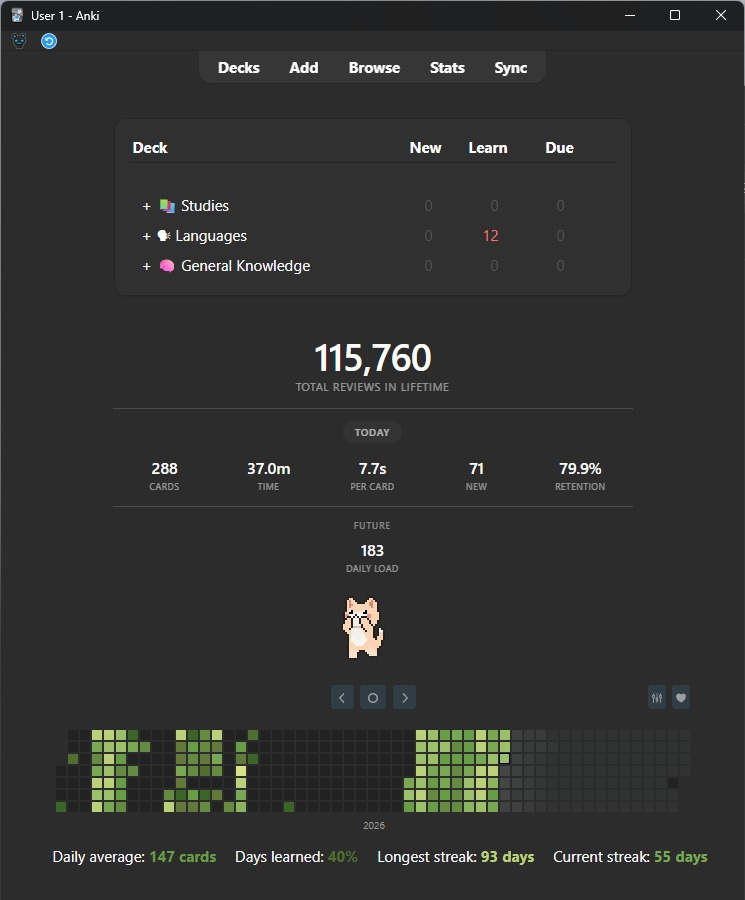
Replaces Anki's default "Studied X cards in Y minutes today (Zs/card)" line on the main screen with a clean, minimalist stat card that adapts to your light/dark theme.


Before / after


Features

  • Total reviews (lifetime): A big all-time review count (off by default)
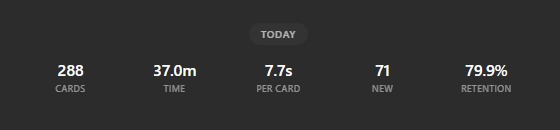
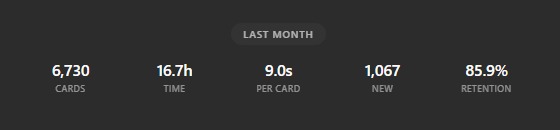
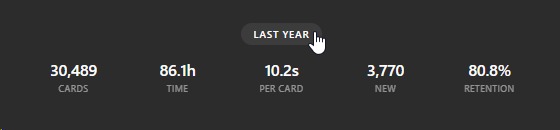
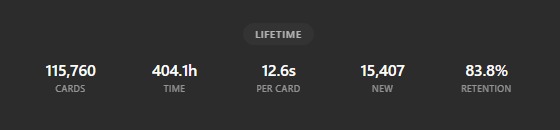
  • Period stats row: Click the pill button to cycle through Today / Last month / Last year / Lifetime
  • Within that row, pick exactly which stats you want: cards studied, time studied, time per card, new cards, retention %
  • Future daily load: Matches Anki's own Future Due graph metric exactly
  • Optionally keep Anki's original "Studied X cards..." line alongside the new card
  • A native settings dialog via Tools โ†’ Quick Stats Settings... (no manual JSON editing needed)

Cycle through periods:

  • Click the button to switch what the row shows:


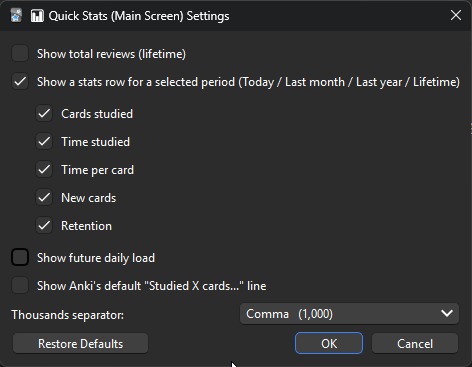
Settings dialog:

  • No manual config editing required:

Settings dialog


Pick exactly which stats show up:

  • Here only Cards, Time, and Per card are enabled:

Custom stat selection


Config options

  • show_total_lifetime (default false): Show the big total-reviews number
  • show_today_stats (default true): Show the period stats row below the total
  • stat_cards / stat_time / stat_per_card / stat_new / stat_retention (default true): Which stats show up within the period row
  • show_future_stats (default false): Show the "Future" row with daily load
  • show_default_anki_stats (default false): Also show Anki's original stats line above the card
  • thousand_separator (default ,): Digit grouping character (e.g. "," for 115,717 or "." for 115.717)

All of these are also editable from Tools โ†’ Quick Stats Settings..., no JSON needed.


Plays nicely with other addons on the main screen:

Full source, more screenshots, and license: github.com/icaroLK/anki-quick-stats

โ˜• If this addon helped you, buy me a coffee ๐Ÿ˜ƒ

Buy Me a Coffee

README

๐Ÿ“Š Quick Stats (Main Screen)

An Anki addon that replaces the default "Studied X cards in Y minutes today (Zs/card)" line on the main deck-browser screen with a clean, minimalist stat card that adapts to Anki's light/dark theme.

Features

  • Total reviews (lifetime): A big all-time review count (off by default).
  • Period stats row: A small button that cycles through Today / Last month / Last year / Lifetime, showing whichever of these you enable for the selected period:
    • Cards studied
    • Time studied (minutes, switching to hours past 60 min)
    • Average time per card
    • New cards studied
    • Retention %
    • Daily load (matches Anki's own Future Due graph metric; doesn't change with the selected period)
  • Optionally bring back Anki's original "Studied X cards..." line alongside the new card.
  • A native settings dialog through "Tools โ†’ Quick Stats Settings..." (no manual JSON editing needed)

Screenshots

Before / after - Replaces Anki's plain default line with a clean stat card:

Before After
Before After

Cycle through periods - Click the button to switch what the row shows:

Today Last month Last year Lifetime

Settings dialog - No manual config editing required:

Settings dialog

Pick exactly which stats show up - Here only Cards, Time, and Per card are enabled:

Custom stat selection

Combine sections freely - Example using total reviews + period row together:

Total and period together

Keep Anki's original line too, if you just want to add to it rather than replace it:

With Anki's default line

Visualization with other addons: Review Heatmap and Cat Study Buddy - These three sit together nicely on the main screen:

Heatmap Heatmap + Cat Study Buddy

Installation

From AnkiWeb: Anki Shared Addons
Code: 1366349433


โ˜• If this addon helped you, buy me a coffee ๐Ÿ˜ƒ


Configuration

Open Tools โ†’ Quick Stats Settings... for a checkbox/dropdown UI, or edit the config directly via Tools โ†’ Add-ons โ†’ Config:

Option Default Description
show_total_lifetime false Show the big total-reviews number.
show_today_stats true Show the period stats row below the total.
stat_cards true Show cards studied, within the period row.
stat_time true Show time studied, within the period row.
stat_per_card true Show average time per card, within the period row.
stat_new true Show new cards studied, within the period row.
stat_retention true Show retention %, within the period row.
stat_daily_load true Show daily load, within the period row (matches Anki's own Future Due graph metric).
show_default_anki_stats false Also show Anki's original stats line above the card.
thousand_separator , Character used to group digits (e.g. , for 115,717 or . for 115.717).

License

MIT - see LICENSE.


Buy Me a Coffee