(Legacy) Night Mode

AnkiWeb addon 1496166067 GitHub repository archived

Adds a legacy night mode to older Anki versions (not 2.1.20+), with manual or scheduled switching, color inversion, custom color rules, shortcuts, and dialog styling.
AI-generated summary; may contain mistakes.

shortcutsappearanceobsolete

Open on AnkiWeb GitHub Find alternatives

AnkiWeb

Votes
496 (πŸ‘ 432 Β· πŸ‘Ž 64)
Updated
2020-01-29
Anki versions
<=2.1.19
License
GPL-3.0 (from the GitHub repository)
Virus scan
No ClamAV match A match does not prove malware. No match does not prove that the code is safe.
Languages
Python
Description language
en

Maintenance

abandoned

  • The GitHub repository is archived.

Will it work on my Anki?

Version branches
Min AnkiMax AnkiUpdated
2.1.02.1.192020-01-29
History across monthly snapshots

Loading…

Similar addons

Customize Editor Stylesheet

Lets users customize the Editor widget’s stylesheet via an _editor.css file in their media collection, with a toggle and hotkey.

shortcutsappearance

12 votes 55% approval πŸ‘ 10 Β· πŸ‘Ž 2 ⭐ 183 Updated 2018-09-04
CSS Injector - Change default editor styles

Overrides Anki editor and field styling through editable CSS files, supporting night-mode, note-type, field-specific, and version-dependent style customization.

formattingappearance

21 votes 85% approval πŸ‘ 21 Β· πŸ‘Ž 0 ⭐ 9 Anki 2.1.58~ Updated 2023-02-21
Anki-redesign has 1 fork β†’

Gives Anki 2.1 a lightweight, customizable look across most views and windows via CSS and Qt CSS theming, with configurable colors, fonts, and multiple themes.

appearance

147 votes 80% approval πŸ‘ 127 Β· πŸ‘Ž 20 ⭐ 65 Anki 2.1.57~ Updated 2023-02-04

Description

This plugin offered the function of night mode, similar to the one implemented in AnkiDroid*. It is no longer supported as newer Anki versions come with a built-in night mode. It remains here for the users who wish to continue to use it with older Anki versions. DOES NOT WORK WITH ANKI 2.1.20+ It adds a "view" menu with options like: - Automatic (i.e. at a specified time) or manual switching of the night mode - Inverting colors of images or latex formulas - Defining custom color substitution rules It provides shortcut ctrl+n to quickly switch mode and a color picker to adjust background and text colors to your liking. After enabling night mode, add-on changes colors of the menubar, toolbar, bottom bars, and contents. When the option "Enable in dialogs" is ticked, it also changes colors of most of the dialog windows (like: 'Add card', 'Browser', 'Statistics', etc.). This add-on is Anki 2.1 compatible. If "force transparent latex" is enabled, new latex formulas should be generated with transparent background (delete old files to regenerate formulas created before). If you want to contribute, report a bug or translate the add-on to your native language, please visit the GitHub repository: krassowski/Anki-Night-Mode. DOES NOT WORK WITH ANKI 2.1.20 Changelog == 2.3.3 - January 29, 2020 - Fix compatibility with other add-ons (thanks to @lovac42) == 2.3.2 - January 25, 2020 - Fix the "sidebar not resizing" bug (thanks to @lovac42) - Fix the profile switching bug (thanks to @lovac42) Note: the Anki 2.1.20 will ship with built-in Night Mode and this add-on will become deprecated. If you like risk and want to help others so they can experience a smooth transition, please take part in beta testing and report any missing Night Mode features or problems with styling to the Anki author. == 2.3.1 - January 17, 2020 - Fix/improve the browser's sidebar compatibility issues related to the 2.1.17 release (thanks to @lovac42) == 2.3.0 - January 12, 2020 - Delay loading to allow for compatibility with @lovac42's (and potentially others) add-ons (thanks to @lovac42) - Adapt styling of the browser's sidebar to the changes introduced in Anki 2.1.17 (thanks to @zjosua) == 2.2.4 - April 20, 2019 - Improve styling to eliminate the white rectangle around buttons in the editor in night mode (introduced by Anki 2.1.8) The full changelog is available here. Tips and tricks To modify colors on your cards further, you can utilize night_mode CSS class. For example, to modify color of clozes in night mode, use: .night_mode .cloze { color: red!important } Please use the follwoing links to see more examples and screenshots for: cloze color change, selective element background modification. Known issues - DOES NOT WORK WITH ANKI 2.1.20+ - At times some internal formatting breaks when pasting, cutting or entering a new line and causes edited line/text to appear completely white (issue #27). A workaround for that issue was included in 2.2 version. If you need help removing the white backgrounds, please see this issue (#18). Night-Mode integrates well with Anki-Zoom for 2.1 - don't forget to check it out! * The add-on is not affiliated with AnkiDroid. Installation of the add-on on your desktop will not affect how your mobile client works. DOES NOT WORK WITH ANKI 2.1.20

README

Anki-Night-Mode

Build Status Code Climate

This plugin adds a functionality of night mode, similar to the one implemented in AnkiDroid app.

Archiving note

Recent versions of Anki (2.1.20+) introduced built-in Night Mode support. While it does not have all the features that this add-on offered, it causes fewer conflicts and does not require a never-ending maintenance burden due to the limited add-ons API and breaking changes in the interfaces. You are advised to upgrade Anki and use the built-in night mode instead of this add-on; please report any missing features to the Anki authors.

To prevent user confusion this repository has been archived but you are welcome to install the old versions as legacy support, or to contact the author (who still uses Anki) if you wish to port this add-on to a newer version (see this issue).

It was fun 5 years; many thanks to all contributors listed here and there and to all of you: friendly users who encouraged developement and maintenance.

How it works?

It adds a "view" menu entity with options like:

  • Automatic (i.e. at specified time) or manual switching of the night mode
  • Inverting colors of images or latex formulas
  • Defining custom color substitution rules

It provides shortcut ctrl+n to quickly switch mode and color picker to adjust some of color parameters.

After enabling the night mode, the add-on changes colors of menubar, toolbar, bottombars and content windows. Take a look at a screenshot at the bottom of this page to see an example.

Compatibility

The add-on supports Anki in 2.1 version. While there is an older version of the add-on written for Anki 2.0, it is no longer supported as Anki 2.0 uses well oudated and unsecure technology which lead to a large number of difficult do diagnose issues.

How can I get it?

Automatic install

You can download this add-on from within the Anki app. From menu select: Tools >> Add-ons >> Browse && Install... and type the following code:

1496166067

after clicking ok the add-on will be downloaded and installed. You neeed to restart Anki to enable changes.

To switch into the night mode you can use ctrl+n shortcut, or use one of the new options in the menu: View >> Night Mode >> ....

Manual installation

For the most recent updates and additions you may want to install a newer version of this addon manually. Follow this steps:

  1. Get the newest version of night_mode directory from GitHub
  2. Run Anki, from menu select Tools >> Add-ons >> Open Add-ons Folder... to open add-ons directory
  3. Copy downloaded directory into the directory opened in the previous step
  4. Restart Anki and enjoy the latest features!

After installation

Please, leave any feedback on Anki webpage or let me know of any issues here, on GitHub.

Preview
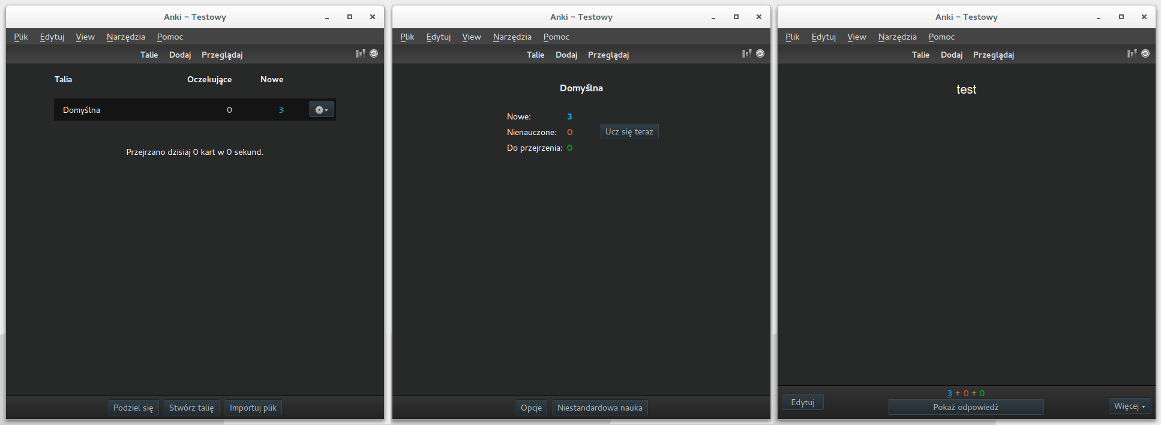
Preview

Tags color in the edit window

The Mac OS users might experience an issue with the tags colors in the edit window. There are couple of workarounds proposed for this, one of which is disabling the edit widow styling and another (proposed here) depends on a new functionality of Mojave system:

  • close Anki
  • paste the following command in the Terminal:
defaults write net.ankiweb.dtop NSRequiresAquaSystemAppearance -bool no
  • restart Anki

The application (including title bar) should be styled dark now and the tags box contrast problem should be resolved. Please let us know if it worked for you here.

For developers & translators

Feel free to contribute, send bug reports or feature requests :)

If you can help translate the add-on to your language, please join us at POEditor.

Custom CSS in night mode

You may use night_mode class, to overwrite some of the CSS rules; sometimes usage of important! directive or catch-all selector (*) will be needed to enforce you own styling. Examples:

Change color of every piece of text:

.night_mode * {
    color: red;
}

Change card background

.night_mode.card {
    background: red !important;
}

Specifically replace a background of an element

given the HTML of your card:

<div>Normal text <span style="background-color: rgb(240, 244, 198);">highlighted text</span></div>
.night_mode span[style="background-color: rgb(240, 244, 198);"] {
    background-color: red!important;
}

Change the color of a cloze

.night_mode .cloze {
    color: red!important;
}

Add-ons compatibility

Add-ons which are known to work well with the night mode:

If you add-on works well Night Mode, please feel free to add your add-on on to the list above by editing this file (proposing a change)!