Anki Plugins
This repository is a fork of the original Anki Plugins project by ssricardo, with additional custom plugins.
Plugins
Fill the Blanks Expanded
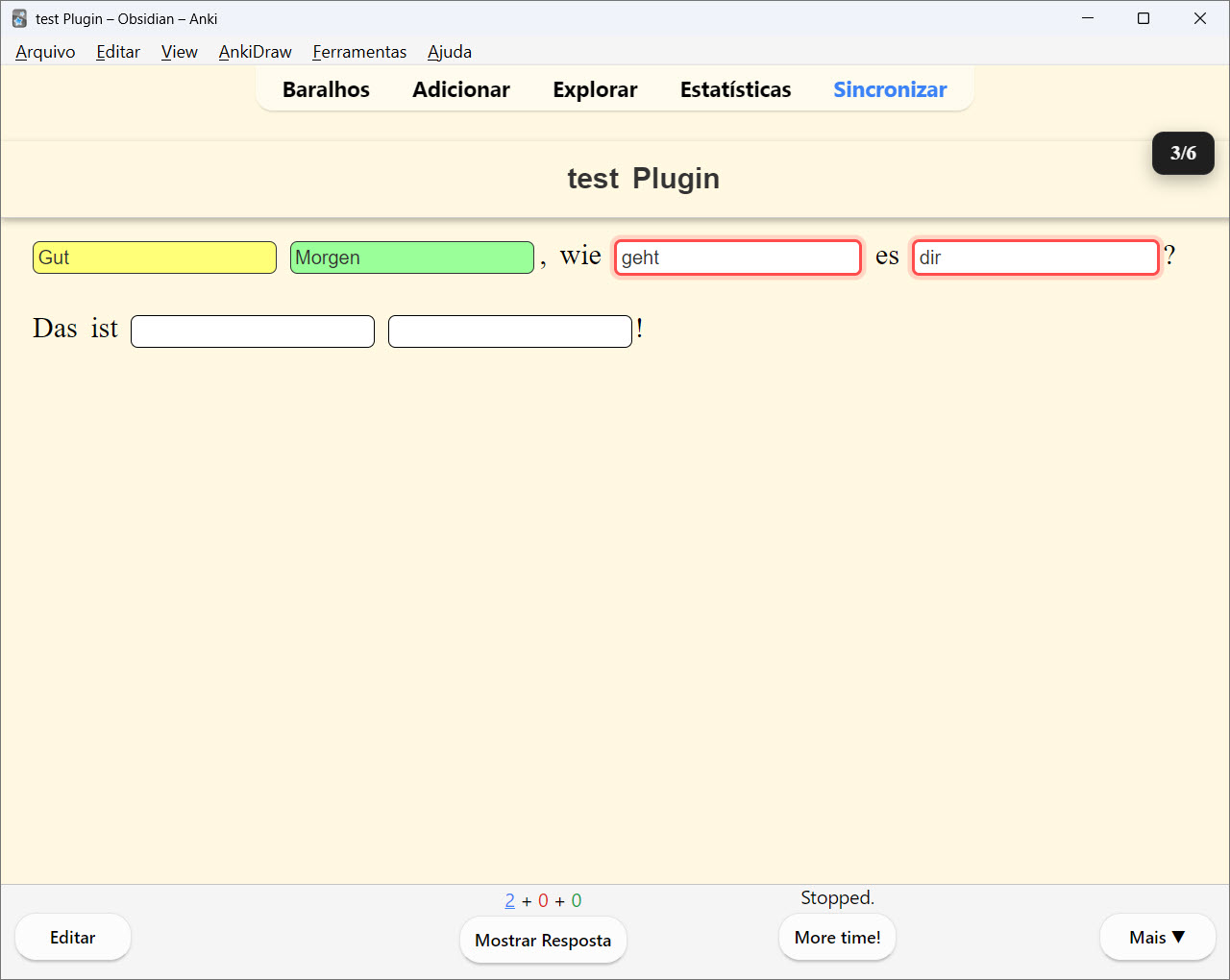
Enhanced cloze deletion add-on with input fields and instant feedback, including:
- ✨ Progress indicator showing answered/total fields
- 🎯 Enhanced instant feedback
- 💡 Improved hint system
- 🎨 Additional UI improvements
All new features are built upon the excellent foundation created by the original author.
Example
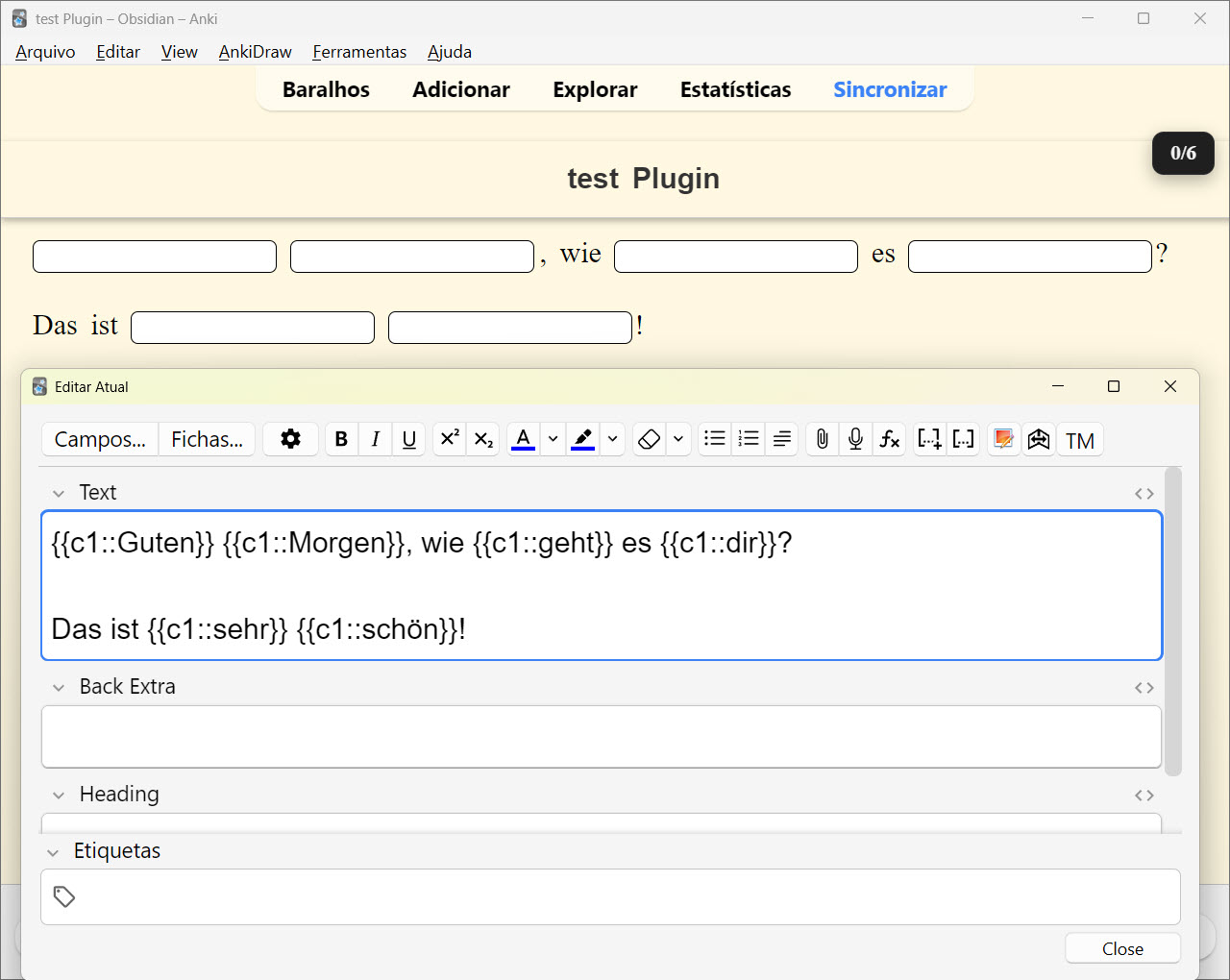
{{c1::Guten}} {{c2::Morgen}}, wie {{c3::geht}} es {{c4::dir}}?
Das ist {{c5::sehr}} {{c6::schön}}!
How it works?
📊 Progress Indicator
- Visual counter showing answered/total fields (e.g., "2/5")
- Located in the top-right corner
- Turns green when all answers are complete
💡 Smart Hints
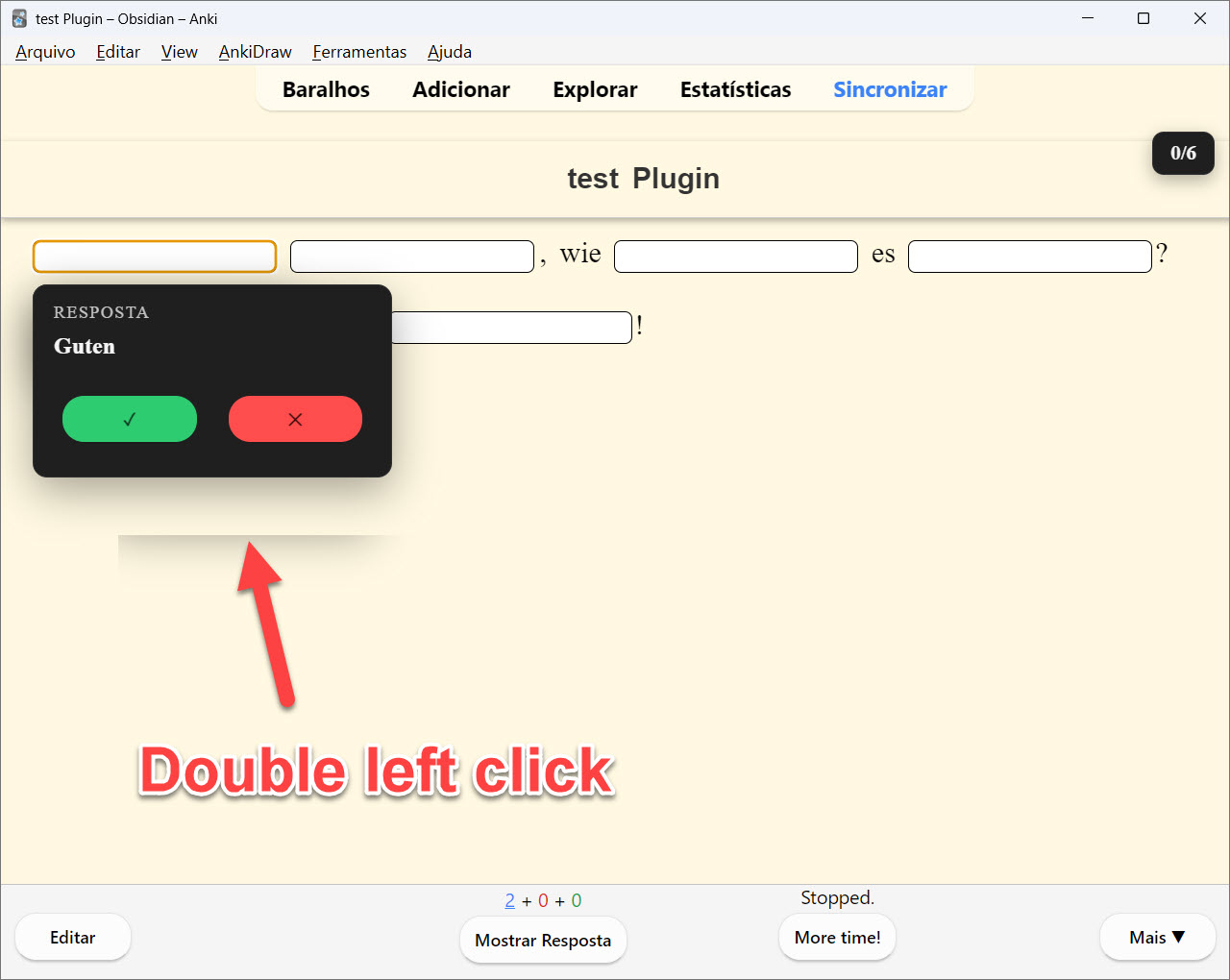
- Double-click any field to reveal the answer
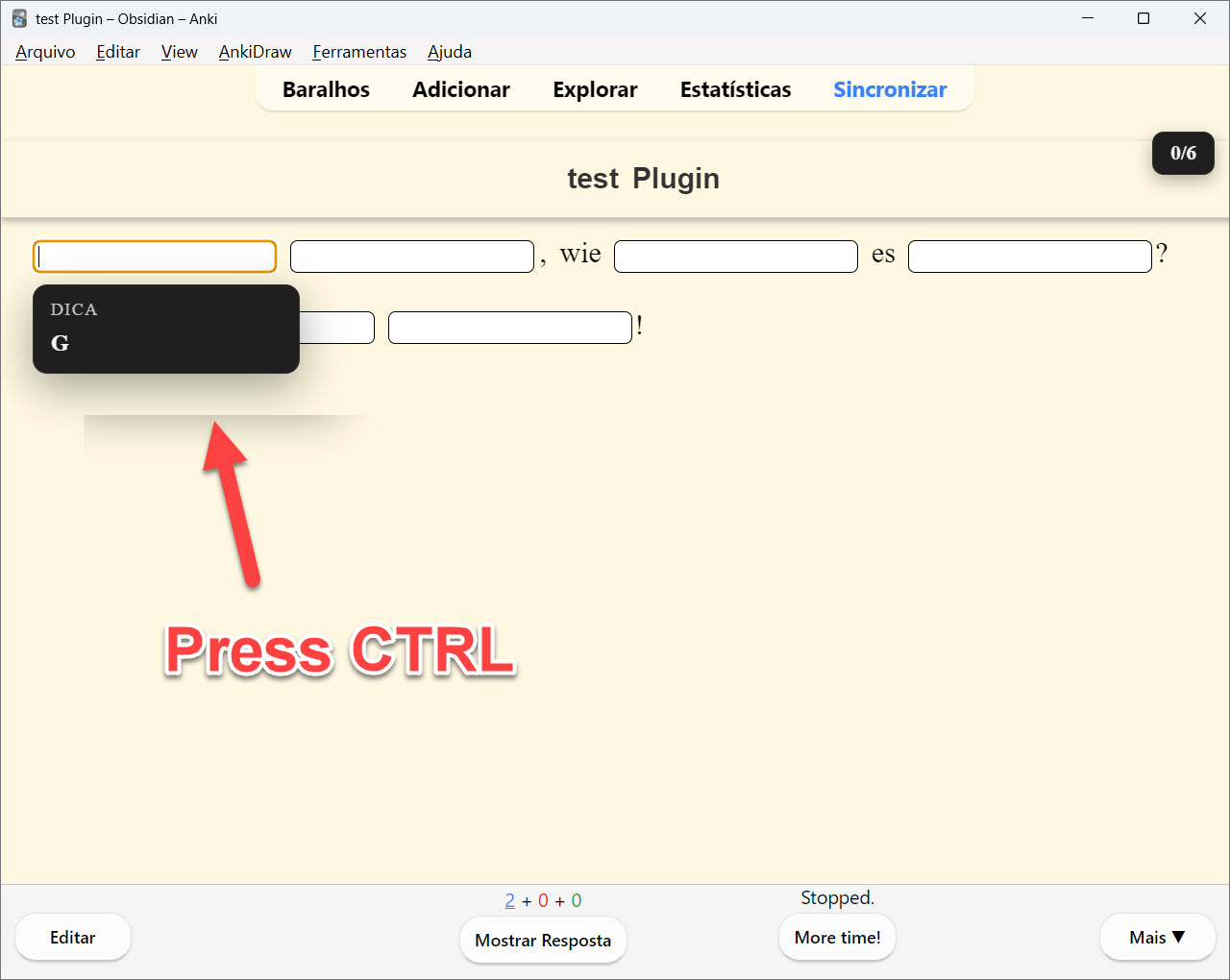
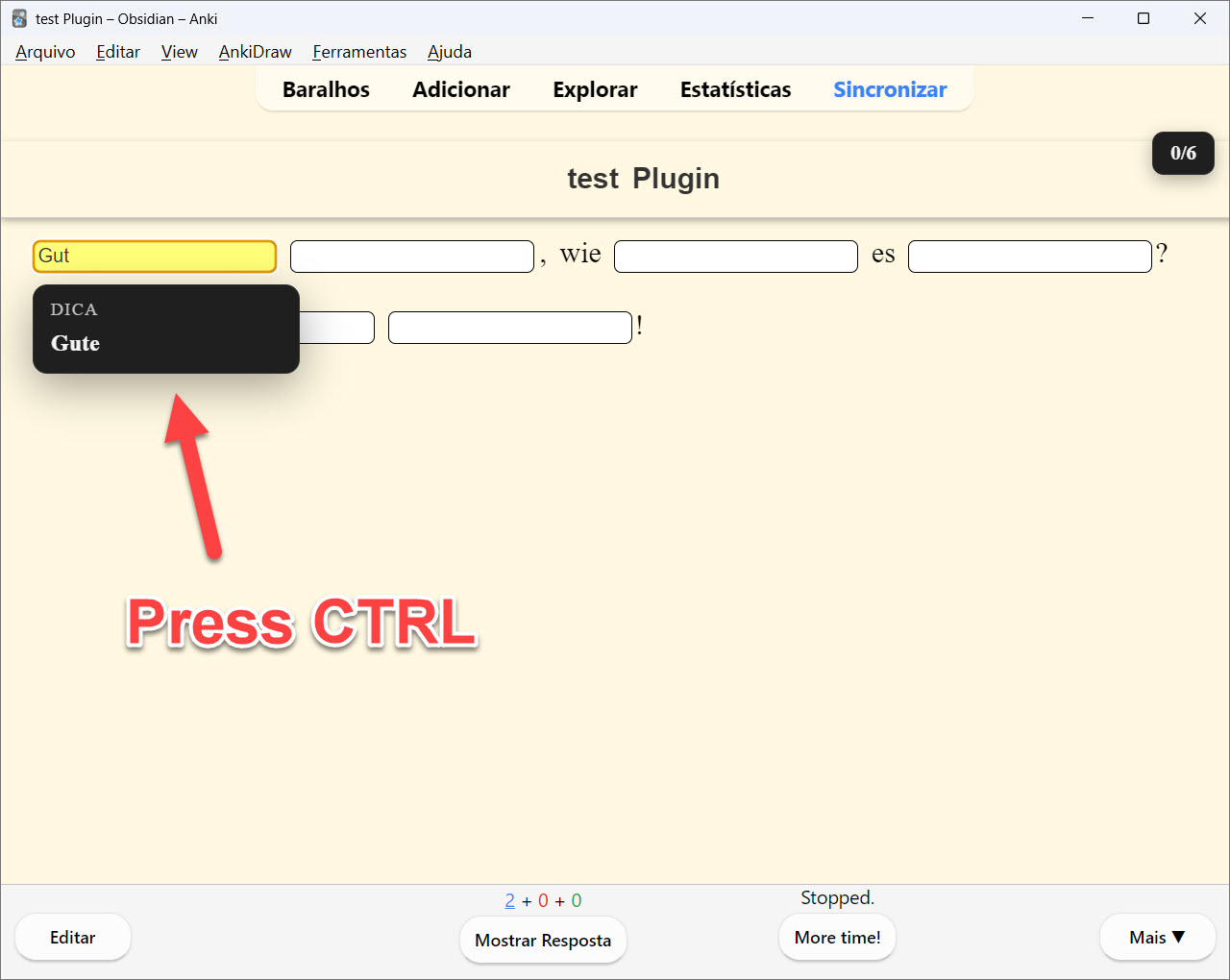
- Ctrl+? to get the next character hint
- Configurable idle hint delays
🌍 Language Support
- Ignore case sensitivity option
- Ignore accents/diacritics option
- Asian characters support
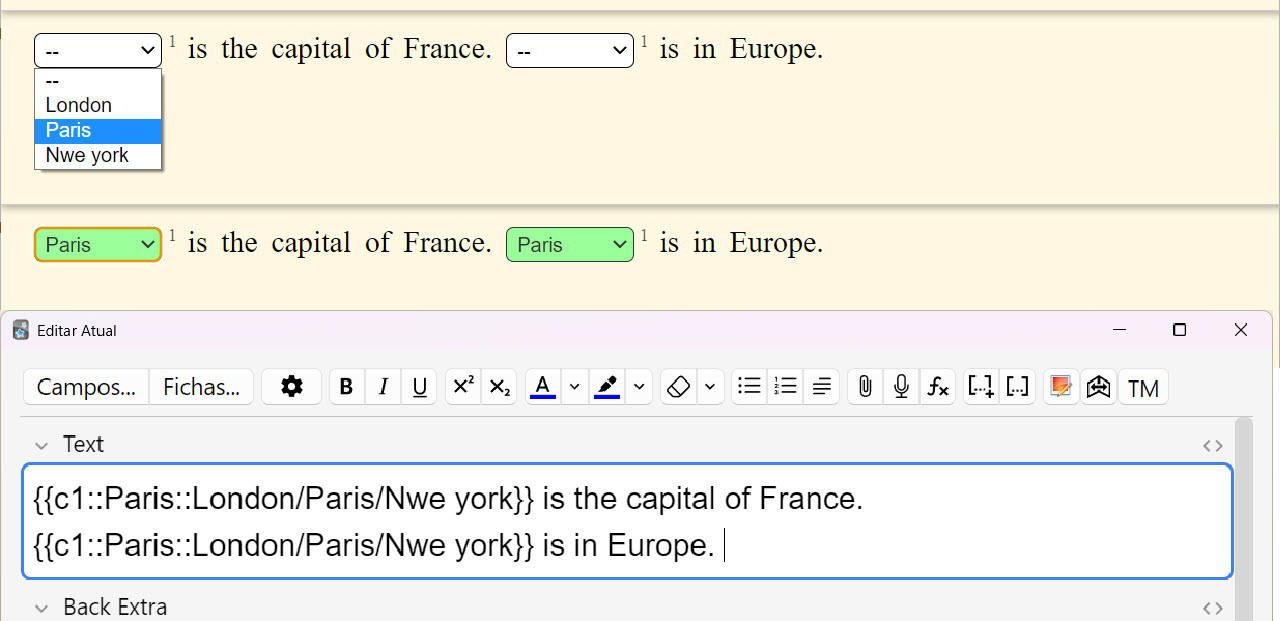
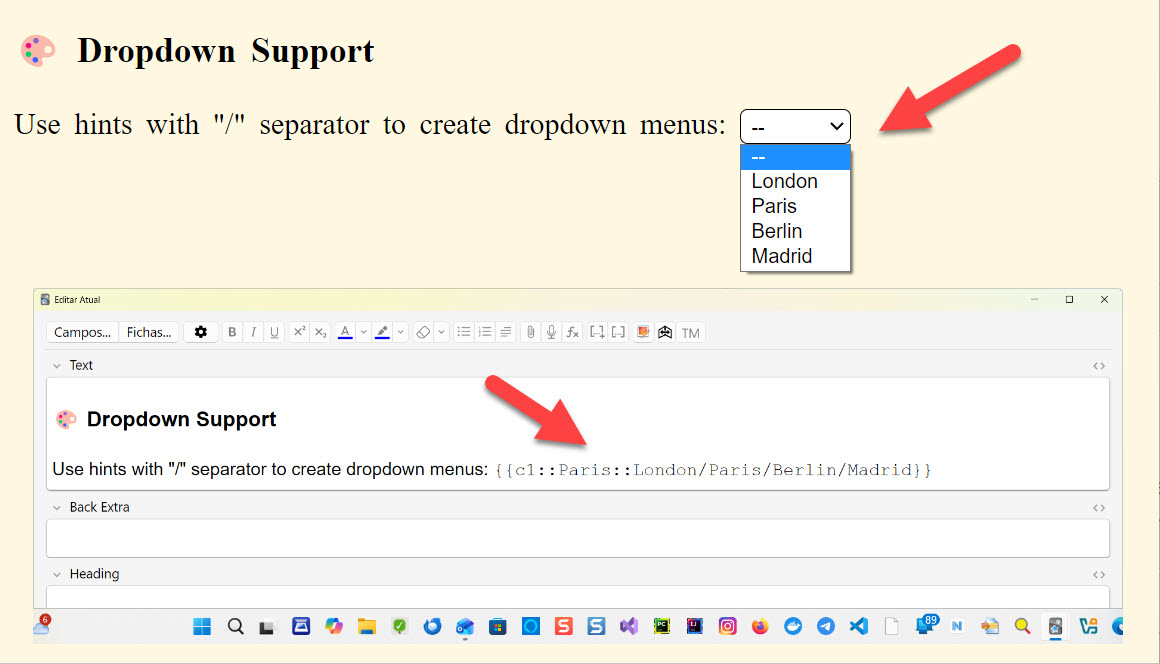
🎨 Dropdown Support
Use hints with "/" separator to create dropdown menus:
{{c1::Paris::London/Paris/Berlin/Madrid}}
🔁 Duplicate Cloze Autofill
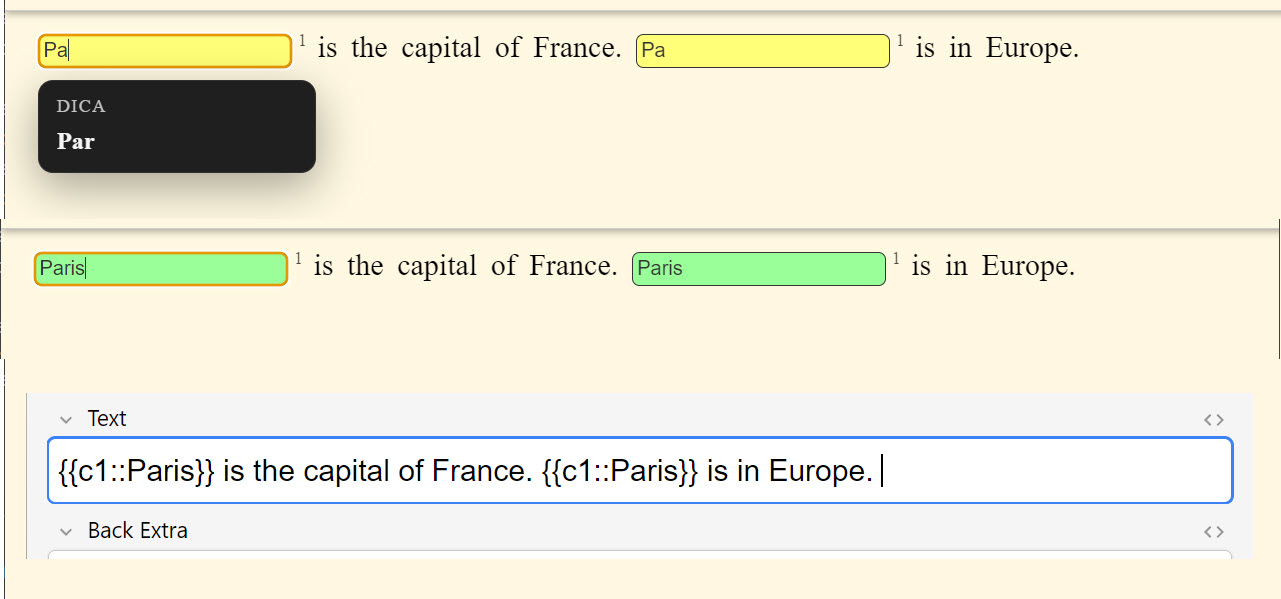
When the same ordinal appears more than once (e.g., c1 repeated), typing in one field instantly mirrors the input in the other(s). A small superscript number appears to the right of each repeated cloze to indicate the shared ordinal.
Example 1:
{{c1::Paris}} is the capital of France. {{c1::Paris}} is in Europe.
Example 2:
{{c1::Paris::London/Paris/Rio de Janeiro}} is the capital of France. {{c1::Paris::London/Paris/Rio de Janeiro}} is in Europe.
Notes:
- Autofill only happens for the same ordinal (e.g.,
c1 with c1).
- Different ordinals (e.g.,
c1 and c2) are not linked.
How to Use
- Create or edit a Cloze note type
- In the card template, replace
{{cloze:YourField}} with {{type:cloze:YourField}}
- Add the filter:
{{type:cloze:YourField|fill-blanks}}
- Create cloze deletions as usual:
{{c1::answer}}
- Review your cards - each cloze becomes an input field!
Configuration
Access settings via Tools → Add-ons → Fill the Blanks Expanded → Config
- Enable/disable instant feedback
- Case and accent sensitivity
- Hint delays and behavior
- And more...
Perfect For
- 💻 Programming & code snippets
- 🌐 Language learning
- 📐 Math formulas
- 🧬 Scientific terminology
- 📝 Any content with multiple fill-in-the-blanks
Original Project
Original Repository: https://github.com/ssricardo/anki-plugins
The original project contains several useful Anki add-ons developed by ssricardo. Please check out the original repository for more great add-ons!
Acknowledgments
Special thanks to ssricardo for creating and maintaining the original Fill the Blanks Expanded add-on. This project would not exist without their excellent work and dedication to the Anki community.
Support the Original Author
If you find this add-on useful, please consider supporting the original author:
Buy ssricardo a coffee
If you feel like supporting their work...
☕ https://www.buymeacoffee.com/ricardoss
Your support helps maintain and improve these tools for the entire Anki community!
Project Structure
- fill-the-blanks-expanded/ - Enhanced cloze deletion add-on
- note-type-export/ - Note type export/import add-on
Building
# Generate distribution package (.ankiaddon)
# Fill the Blanks Expanded
python build.py -source 1 -dist
# Note Type Export
python build.py -source 2 -dist
# Install to local Anki (Windows)
python build.py -source 1 -dev # Fill the Blanks
python build.py -source 2 -dev # Note Type Export
Note Type Export
Export and import Anki note types (models) as portable JSON files.
Features
- 📤 Export Note Types: Save your note types to a portable JSON file
- 📥 Import Note Types: Load note types from JSON files into your collection
- ⚠️ Smart Conflict Resolution: Choose how to handle name conflicts:
- Ask for each conflict
- Auto-rename with "(imported)" suffix
- Skip conflicting note types
- Overwrite existing (if not in use)
- ✅ Selective Export/Import: Choose exactly which note types to export or import
- 📋 Apply to All: Handle multiple conflicts with a single decision
Usage
-
Export: Go to Tools → Export Note Types...
- Select note types to export
- Choose save location
- Get a portable
.json file
-
Import: Go to Tools → Import Note Types...
- Select a
.json file
- Preview note types with conflict indicators (⚠️)
- Configure conflict resolution
- Import selected note types
JSON Format
{
  "format_version": "1.0",
  "metadata": {
    "exported_at": "2026-02-04T12:00:00Z",
    "anki_version": "24.11",
    "count": 2
  },
  "note_types": [
    {
      "name": "Basic",
      "type": 0,
      "css": ".card { font-family: arial; }",
      "fields": [...],
      "templates": [...]
    }
  ]
}
Limitations (v1.0)
- Media files in templates/CSS are not exported
- Deck associations are not preserved
Contact & Support
🌐 My Website:
👉 Isabela Grünevald
📧 My E-mail:
✉️ naveroute@gmail.com
License
This fork maintains the same license as the original project.